

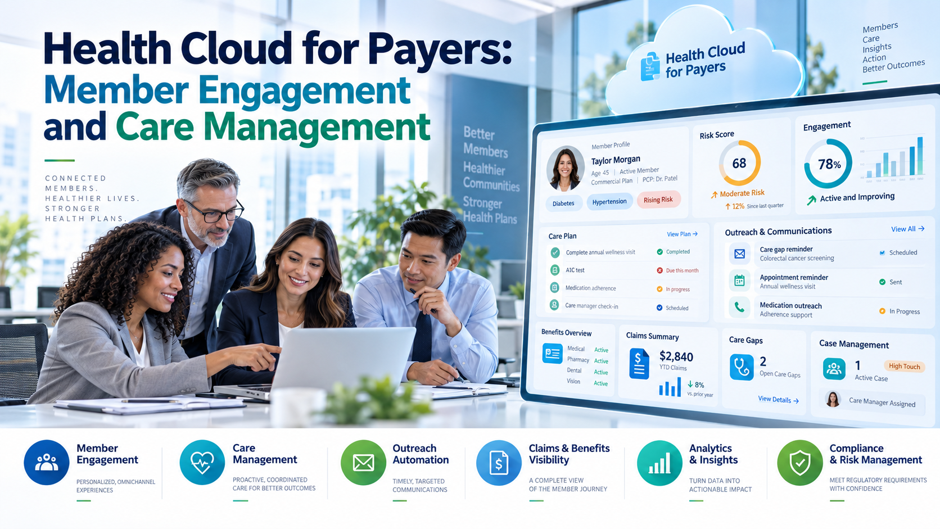
Here’s an invented scenario to frame the topic. A fictional regional health plan, unconnected to any real insurer, covers 60,000 members across Medicare Advantage and Medicaid managed care. It runs 40 care managers, 25 member services agents, 12 utilization management nurses and 5 provider network staff on 4 separate tools. The chief operating officer wants a single member record, faster prior authorization decisions and better outreach to members at risk. A Salesforce rep has said that Health Cloud was built for payers. The useful questions are what that means on a feature list, what it costs, and what evidence shows it works.
Scope and caveats come first. I read 11 pages. Salesforce supplied 7: a payer datasheet, a Trailhead unit, the payers solution page, the Health Cloud pricing page, a developer guide section, a second Trailhead unit on masking and the business associate addendum page. The rest were a consultancy blog, a CMS fact sheet on the prior authorization rule, a PNHP web post reproducing a 2009 JAMA abstract with commentary, and an MIT news release on a hotspotting trial. Vendor pages are marketing, and none of them gives outcome data. Prices and product names change often, so confirm everything with Salesforce, and confirm regulatory questions with counsel.
TL;DR
- The payer feature set is broad, and the proof is thin. Salesforce’s Trailhead unit lists member services, care orchestration, provider network management and utilization management for payers, and its datasheet adds prebuilt agent skills. Neither gives metrics. The datasheet offers 2 executive testimonials and marks some features as needing an extra license, so a buyer must separate what ships in an edition from what needs add-ons.
- Licenses are a small part of program cost. In my invented model for 82 users, Advanced edition licenses plus a network add-on cost $522,600 a year, while 40 care managers at an invented $95,000 loaded cost run $3.8M. Licenses are about 6% of the care management program, so staffing and caseload design drive the economics far more than seat price.
- Independent evidence urges caution. A 2009 analysis of 15 Medicare care coordination programs found none generated net savings, and a randomized trial of a well-known hotspotting program found 180-day readmissions of 62.3% versus 61.7% for controls. Neither tested Salesforce, but both argue for a controlled pilot before scaling.
What payers are trying to do with member data
Payers sit on claims, eligibility, authorization and call-center records that rarely line up. Care managers need to see a member’s conditions, gaps and recent contacts in a single place, while member services agents need coverage and authorization status without transferring a call. Utilization nurses need requests, clinical criteria and decisions in a queue they can work against a clock. Salesforce’s pitch is that Salesforce for Healthcare can hold these views on a shared platform, with workflow and outreach on top. That’s a reasonable architecture argument, and it’s also the point where marketing language outruns documentation. Consolidation reduces swivel-chair work, but it doesn’t by itself improve outcomes, and the sources I read separate those claims poorly. A fair evaluation asks which of the plan’s daily tasks the platform changes, how that change is measured, and what happens to data quality when systems of record stay where they sit.
How the payer offering is organized
Patient and member services. Salesforce’s Trailhead unit for Health Cloud payers says Contact Center for Health Cloud digitizes customer service processes, including caller validation, member relationship mapping and call wrap-up. The personas it names are members and health plan professionals. For a plan, this is the front door, and VALiNTRY360’s article on transforming member call centers with Salesforce Health Cloud provides additional context for that service layer. An agent verifies who is calling, sees the household and plan relationships, and records what happened. The unit doesn’t describe how the view connects to claims or eligibility systems, so integration scope is the first thing to price and scope with any partner.
Care orchestration. The same unit says care management and care coordination cover tracking and managing eligibility, enrollments, care plans and social determinants. Care managers are the named persona. The payers solution page adds claims about medication review, unified member data, health scores, risk identification and enrollment into care programs, plus automated suggestions on assessment responses. It names no customers for that section and gives no metrics, so treat these as feature descriptions, not evidence of results.
Provider network and relationship management. Trailhead describes network building from recruitment through onboarding, with a full view of facilities, licenses and credentials. Salesforce’s pricing page lists a Provider Network Management add-on at $100 per user per month. Plans that already run a dedicated credentialing system should ask what the add-on replaces and what it merely duplicates, since overlapping tools are a common source of cost without benefit. Ask for that comparison early.
Utilization management. Trailhead says the platform supports utilization reviews such as prior authorization and service requests, with evidence-based guidelines for assessing treatment feasibility. The named personas are intake specialists, UM nurses and medical directors. The developer guide page I fetched mentions utilization management only as a navigation link and describes no objects for it, which means I couldn’t verify the data model from Salesforce’s own documentation. Ask for object-level documentation before you commit.
Payer feature map and the evidence behind it
The table below lines up the features Salesforce describes for payers with what I found to support them. The right-hand column matters most. In every row, the evidence is a description of capability from a vendor or consultancy, and none reports measured results. Use the table as a diligence checklist: each row is a question to ask a reference customer with a similar plan size and product mix. Ask each reference customer to confirm the rows that matter to you.
| Capability | What Salesforce or a consultancy says | Source type | Outcome evidence found |
| Member services desk | Caller validation, relationship mapping, call wrap-up | Trailhead unit | None |
| Care plans and gaps | Data model for care plans, care gaps and clinical measures | Developer guide | None |
| Risk scoring and enrollment | Unified health scores and enrollment into care programs | Payers solution page | None |
| Prior authorization workflow | Care Request feature, provider and member portals | Consultancy blog, 2021, edited 2025 | None; the blog gives no turnaround data |
| Decision support and auto-approval | Rules-based decision support, auto-approval, duplicate detection | Datasheet (asterisked, extra license) | None |
| Prebuilt agent skills | Claims service, coverage assistance, benefits verification | Datasheet | None |
| Provider network management | Recruitment through onboarding, credential view | Trailhead unit | None |
| Customer testimonials | Executive quotes attributed to 2 large insurers | Datasheet | Quotes only, no case data |
The data model underneath care management
The Salesforce integrated care management data model, marked Winter ’27 and labeled the latest version, describes a model aligned with USCDI and FHIR R4 for storing clinical data about a patient or member’s care plans. Objects include CarePlan, CarePlanActivity, CarePlanTemplate and a reusable library of problems, goals and interventions. VALiNTRY360’s detailed Health Cloud data model guide provides additional context for how member, care program and clinical objects fit together. It also lists CareGap and clinical measure objects for evaluating gaps over a period, and newer member-focused objects such as MemberPlanCarePlan, MemberPlanMedicationStmt and PurchaserPlanCareProgram, which carry API version 66.0 or later. That combination suggests the model was extended to link care plans to coverage records, which is what a payer needs.
The guide also lists prerequisites. An administrator must enable the FHIR R4-aligned data model setting and the Enhanced Care Plans setting, and several objects require newer API versions, so teams building against older versions must check each object’s availability note. The page doesn’t list a care team object or describe utilization management objects. For a buyer, the lesson is that the care plan and gap structures are documented in detail, while the claims and authorization side depends on integration work and on features documented elsewhere. Ask your implementation partner for a data map that traces claims and eligibility fields into these objects.
Setting up care programs, plans and gaps
Care management configuration is mostly a modeling exercise, and the developer guide shows where the pieces sit. The list below summarizes the documented building blocks and what a payer team should decide for each. Teams can compare those design decisions with VALiNTRY360’s guidance on care coordination with Health Cloud before finalizing workflows. It draws on a single Salesforce documentation page, so it describes structure, with no performance data. Plan workshops with clinical leaders before any configuration begins, because care plan content is clinical policy, and the platform will faithfully execute whatever your team encodes.
- Enable the model settings. The guide says to turn on the FHIR R4-aligned data model setting and the Enhanced Care Plans setting. Those switches change which objects and behaviors are available, so make the decision in a sandbox, document it and review the release notes before changing it in production. Teams should also confirm that existing custom fields and reports survive the change. Record who approved each change and when it took effect.
- Build a problem and goal library. The guide describes reusable problem, goal and intervention definitions, and says instantiating a problem definition creates health condition records. A library lets care managers choose from approved content instead of free text. Governance matters here: someone must own additions, retire old content and version changes, or the library turns into the same mess it was meant to replace. Assign a clinical owner to the library from the first day.
- Define care plan templates. Templates tie problems, goals and action plans together, and the guide says action plan templates can link to care plan templates, goals or problems. Start with a few high-volume programs, such as post-discharge follow-up or chronic condition support, and measure how often care managers modify the template. Heavy modification signals that the template doesn’t match real work. Review the template list with clinical leaders every quarter after launch.
- Configure care gaps and measures. The guide describes clinical measures and criteria that compute gaps over a period. Decide which measures drive outreach, who validates the logic, and how often results refresh. A gap list that’s wrong or stale damages trust quickly, and care managers will stop using it. Validate each measure against a sample of real members before it drives outreach, and publish the validation notes so clinical leaders can challenge them.
Member engagement: claims and evidence
Vendor claims. Salesforce’s payers page says the platform can calculate unified health scores, identify at-risk members and enroll them in care programs, and it describes automated suggestions to speed communication on assessments. The datasheet lists member engagement, voice agents and virtual care among additional modules. When planning the outreach layer, VALiNTRY360’s guide to Salesforce Health Cloud patient outreach automations provides related workflow examples that can be adapted to member communication. Neither source reports response rates, enrollment rates, satisfaction scores or cost changes. The datasheet itself says the benefits are better experience, lower costs and faster time to care, without a single figure attached to any of them.
Testimonials. The datasheet quotes executives attributed to Humana and UnitedHealthcare about a single source of truth and more individualized care. Those are opinions from large customers, and the PDF doesn’t link a case study or outcome data. The Humana attribution also appears garbled in the version I read. A testimonial shows that a large insurer uses the vendor in some form, not that a specific engagement feature moved a measure, so ask Salesforce for references that match your size, lines of business and use cases.
What engagement should mean. Engagement is a means, so define the outcome before buying tooling: completed assessments, closed care gaps, reduced avoidable admissions, shorter authorization times or better survey scores. Baseline each measure now, because without a baseline any improvement is anecdote. The platform can make outreach easier to run and easier to log, but the sources I found show nothing about whether more outreach produces better health outcomes, which is the harder question, and your board will ask it.
Utilization management and the federal timing rules
Prior authorization is the area where regulation gives payers a hard clock. The CMS Interoperability and Prior Authorization Final Rule fact sheet says impacted payers include Medicare Advantage organizations, state Medicaid and CHIP programs, Medicaid and CHIP managed care entities, and qualified health plan issuers on the federal exchanges. I read the fact sheet, not the rule text, so confirm current requirements and dates with counsel before building a roadmap around them.
| Requirement | What the CMS fact sheet says | Date in the fact sheet | Planning implication |
| Decision timeframes | 72 hours for urgent requests and 7 calendar days for standard; exchange issuers excluded | Operational provisions from January 1, 2026 | Queue design, staffing and escalation must meet the clock |
| Denial reasons | A specific reason for each denied decision, whatever the request method | From 2026 | Templates and required fields in the decision workflow |
| Public metrics | Annual posting of prior authorization metrics | First set by March 31, 2026 | Reporting data must be captured at the source |
| Patient Access API | Adds prior authorization information, excluding drug authorizations | By January 1, 2027 | Authorization data must be exposed in standard form |
| Provider Access API | Shares data with in-network providers, with patient opt-out | By January 1, 2027 | Consent and opt-out tracking |
| Payer-to-Payer API | Shares claims, encounter and USCDI data when a member changes payers; member opts in | By January 1, 2027 | Data exchange and consent logic |
| Prior Authorization API | Lists covered items, documentation requirements and supports requests and responses | By January 1, 2027 | Integration between intake, rules and decisions |
What utilization management looks like in the platform
Salesforce’s documentation on this area is thin, so most of what I can describe comes from a consultancy blog and a marketing datasheet. Silverline, a Salesforce consultancy, published its article in November 2021 and modified it in June 2025. The datasheet is undated and asterisks some features as requiring an extra license or integrations. Treat both as descriptions of intent and ask Salesforce to demonstrate each item in an org like yours. Here’s what the sources describe.
- Care Request intake. Silverline says payers can manage precertification and prior authorization through a Care Request feature, covering prescription drug preauthorizations, service preauthorizations and admissions review. Requests can arrive through a provider portal or directly into an existing system. The article describes prospective, concurrent and retrospective review but doesn’t explain how the platform supports the last 2 stages. Ask Salesforce to show each review type working with sample cases from your own plan.
- Queues and escalation. The consultancy lists list views, standard versus expedited identification, status updates, workflow by line of business or service level, and escalation to a director. With the federal clock in mind, the question is whether queues can enforce 72-hour and 7-day deadlines automatically and report breaches, which the article doesn’t say. Ask for a demonstration with a deliberately late request, to see what happens near the deadline and after it passes.
- Portals and notifications. Silverline describes a provider portal to attach documents and track progress, a member portal showing request status, and configurable notifications. A Salesforce healthcare portal can provide a useful reference point when defining which payer, provider and member interactions should live in the portal layer. Portals add security and identity work, so scope them separately and decide who may see what before building. Request evidence on adoption from a reference customer. Also decide how long portal records stay available, who can correct them, and how a member without internet access gets the same status.
- Decision support and automation. The datasheet lists prior authorization workflows with decision support, auto-approval and duplicate request detection. It marks some capabilities as requiring an additional license. Auto-approval rules are clinical and legal policy, so require sign-off from your medical director, test against historical cases and keep a human review path for anything the rules can’t settle. Document every rule, its clinical owner, its source guideline and its last review date in the system.
Pricing and licensing for a payer buyer
Salesforce’s Health Cloud pricing page lists prices per user per month, billed annually: Sales & Service Core at $350, Advanced at $525, Service Max and Sales Max at $700, and Sales & Service Max at $725. Service Max adds workforce management, quality management and an advanced maps product, which suit contact centers, and Sales Max adds contracts and a digital contact center. The page calls itself information only and subject to change, and some tables, such as the Data Cloud credits table, are ambiguously aligned and need confirmation from sales.
Payer-relevant add-ons on the same page include Provider Network Management at $100 per user per month, Analytics for Health and Life Sciences at $165 per user per month, and Digital Insurance starting at $180,000 per year per organization. Group Benefits is listed at $60,000 per 3M group credits and is bought with Digital Insurance. Knowledge, Chat and Messenger each add $75 per user per month. The Agentforce add-on for Core and Advanced is priced through a contact form, while the Max editions include the full Agentforce suite for health. Teams considering those capabilities should also review how Agentforce for Healthcare fits member service and health workflows before assuming every use case is included in the base edition. Member-facing agents are a different matter, so ask whether their conversations count against credits.
An invented cost model for a mid-size plan
Everything in this section is invented, and I recomputed it in code. Assume 82 users, made up of 40 care managers, 25 member services agents, 12 utilization nurses and 5 network staff. The license rows use the vendor’s list prices, add the network add-on for 5 users at $100 a month, and exclude implementation, integration, data storage, training and any negotiated discount. The agent row assumes 30,000 member conversations a month at 4 actions each, using the published rate of 20 credits and $0.10 per action.
| Item | Annual cost | Basis |
| Core licenses for 82 users, plus network add-on | $350,400 | 82 users at $350 a month, plus 5 users at $100 |
| Advanced licenses for 82 users, plus network add-on | $522,600 | 82 users at $525 a month, plus 5 users at $100 |
| Service Max licenses for 82 users, plus network add-on | $694,800 | 82 users at $700 a month, plus 5 users at $100 |
| Sales & Service Max for 82 users, plus network add-on | $719,400 | 82 users at $725 a month, plus 5 users at $100 |
| Analytics add-on for 15 analysts | $29,700 | 15 users at $165 a month |
| Member agent usage at list price | $144,000 | 30,000 conversations, 4 actions, $0.10 per action |
| Credits bundled with edition | 1.7% to 9.5% of agent usage | 500K, 1M or 2.75M credits against 28.8M a year |
Utilization management capacity matters as much as license cost. With 12 nurses each completing an invented 25 reviews a day over 21 working days, capacity is 6,300 reviews a month. At 4,000 requests with an invented 1.5 touches each, demand is 6,000, or 95% utilization. That leaves little room for a spike, and the federal deadlines make a backlog costly. Tooling can reduce touches per request, but the sources show no measured effect, so use your own pilot data, not the vendor’s.
What the evidence says about care management programs
Medicare coordination programs. A 2009 JAMA analysis by Peikes and colleagues, reproduced on a PNHP web post with commentary from an editorialist and from a single-payer advocate, covered 15 Medicare care coordination programs. The abstract says 13 of the 15 showed no significant difference in hospitalizations, and none of the 15 generated net savings. The editorial adds that program fees averaged $235 per participant per month and that total expenditures were 8% to 41% higher in the intervention group for 9 of the 12 largest programs.
What worked, according to the authors. The abstract concludes that programs without a strong transitional care component are unlikely to yield net savings, and that programs with substantial in-person contact that target moderate to severe patients can be cost-neutral and improve some aspects of care. Those are conclusions about program design, not software. They also come from fee-for-service Medicare demonstrations that are more than 15 years old, so a Medicare Advantage or Medicaid plan today might see different results. I’d treat them as a warning, not a forecast.
A randomized trial of hotspotting. An MIT news release describes a randomized trial of the Camden Coalition’s program, led by MIT economists, with 800 patients enrolled from 2014 to 2017. The 180-day readmission rate was 62.3% for program participants versus 61.7% for controls, and other measures were very similar. The release notes the trial covered a single local program, results arrived over 4 years of change, and earlier reports of a 40% drop lacked comparison groups. It attributes the apparent drop largely to regression to the mean.
Break-even for an invented care management program
The previous section suggests the staffing model matters more than the software, so this table tests that idea with invented numbers. Assume 1,000 enrolled members with a 40% baseline admission rate, 400 admissions a year, an invented $15,000 cost per admission, and 40 care managers at an invented $95,000 loaded cost, or $3.8M. Add $252,000 for 40 Advanced licenses, for a program cost of $4,052,000. The table shows value from admissions avoided only, and it ignores quality ratings, retention and other benefits.
| Reduction in admissions | Admissions avoided | Gross value at $15,000 | Net of $4,052,000 program cost |
| 0% | 0 | $0 | Negative $4,052,000 |
| 5% | 20 | $300,000 | Negative $3,752,000 |
| 10% | 40 | $600,000 | Negative $3,452,000 |
| 20% | 80 | $1,200,000 | Negative $2,852,000 |
| 30% | 120 | $1,800,000 | Negative $2,252,000 |
Break-even on admissions alone would need about 270 avoided admissions, or 67.5% of the baseline, which no source I read suggests is plausible. The conclusion isn’t that care management lacks value, because plans run these programs for quality ratings, regulatory goals and member needs. The conclusion is that licenses are 6.2% of the invented program cost, so a plan should justify the program on defined measures and target the members most likely to benefit, not on software features.
Integration and compliance questions
Payer data flows through claims platforms, eligibility files, provider directories and clinical records, so integration decides whether the member view is accurate. Compliance adds rules about what an agent or workflow may do with protected data. The items below combine claims from Salesforce’s datasheet with what Salesforce’s own masking and regulated-data pages say. They’re questions to ask, not conclusions, because I couldn’t verify most of them against product behavior. Treat each as a gate.
- Standards-based exchange. The datasheet lists FHIR-aligned APIs and MuleSoft integrations with clinical and CMS data. A governed foundation such as Data 360 for Healthcare & Life Sciences can also become part of the architecture when member, claims, clinical and engagement data need a shared layer. Ask which of the federal API requirements the platform helps meet out of the box and which need separate build work, and get the answer in writing with dates. Dates matter here, since the federal API deadline falls at the start of 2027. Get the supported interface list and its release dates in writing. Share it with your integration partner.
- Masking and agents. The datasheet says a trust layer masks sensitive data. Salesforce’s own Trailhead material says masking is disabled for agents. Prebuilt skills for claims service and benefits verification are agent features, so ask Salesforce to reconcile these statements for each skill you plan to use, in writing, before member data reaches a model. Treat the answer as a gate for any skill that touches member data, and record the date you received it.
- Regulated-data agreement. Coverage depends on a signed agreement naming the service. Salesforce’s current Business Associate Addendum restrictions say Health Cloud is a covered service and list service-specific restrictions for AI and other features. That bears directly on a coverage assistance skill, so have counsel read the agreement against your intended features. Keep a dated copy of the agreement and the addendum page you relied on in your vendor file.
Where the evidence is thin
Several gaps stand out. First, I found no published outcome data from a payer using Salesforce for member engagement or care management, only vendor material, testimonials and a consultancy article. Second, the independent evidence I found concerns care coordination programs generally and comes from other settings, so it can’t be used to rate this product. Third, I found no head-to-head comparison between Salesforce and the established payer platforms that many plans already run for care management and utilization review.
Those gaps don’t mean the product fails. They mean the buyer carries the burden of proof. A sensible approach is a time-boxed pilot with a baseline and a comparison group: a single program, a single line of business, defined measures and a decision date. Include the operational measures a platform can influence directly, such as time to first outreach, assessment completion and authorization turnaround, and the clinical measures a program might influence, such as admissions. Agree in advance what result would justify scaling and what result would end the project.
Questions to ask before buying
Which features are in my edition? The datasheet asterisks features that need an additional license or integrations, and the pricing page splits capabilities across editions and add-ons. Ask for a written map from each feature in the demo to a specific edition or add-on, with prices. Include agents, portals, utilization management workflow and analytics, because those are the items most likely to land outside the base quote. Compare quotes line by line so no feature appears in the demo without a price.
Who has done this at my scale? Request references from plans with similar membership, lines of business and legacy systems, and ask what they measured before and after. When assessing Salesforce consulting for health and life sciences, ask for payer references that match those same constraints rather than general healthcare examples. Executive testimonials in a datasheet aren’t references. Ask each reference how long implementation took, what the integration cost, how many staff changed their daily work and what they would do differently. Treat a refusal or a vague answer as information, and ask the vendor for the reason.
How will the timing rules be met? Ask Salesforce to show how a queue enforces 72-hour and 7-day clocks, how breaches are flagged, how denial reasons are captured and how public metrics are produced from workflow data. Ask which of the 4 federal API requirements the platform supports directly. Confirm each date and obligation with counsel, since I read a fact sheet, not the rule, and since requirements differ by payer type.
What will agents do with member data? List every agent skill you plan to use, the data it reads and the actions it takes. Ask whether masking applies, which regulated-data terms cover it, and what clinical-use limits apply. Test with realistic data in a sandbox, keep humans in the loop for decisions that affect coverage, and log every action. An agent that answers benefits questions is a different risk from an agent that approves or denies services.
FAQs
What does Health Cloud offer payers?
Salesforce’s Trailhead unit lists member services, care orchestration, provider network management and utilization management, plus distribution and sales features for producers. Its datasheet adds prebuilt agent skills, analytics and integration options, and marks some items as needing an extra license. The developer guide documents care plan, care gap and member-plan objects in detail. I found no outcome data for any of these features, so evaluate them in a pilot with your own measures.
Does it help meet federal prior authorization rules?
Salesforce’s materials describe prior authorization workflows, decision support and portals, but the pages I read don’t map features to the CMS rule. The CMS fact sheet says decisions must come within 72 hours for urgent requests and 7 calendar days for standard ones, with APIs required by January 1, 2027. Ask Salesforce to demonstrate deadline enforcement, denial reasons, metrics and API support, and confirm the current rule and dates with counsel.
How much does it cost for a mid-size plan?
At list prices, 82 users would cost $350,400 a year on Core, $522,600 on Advanced and $719,400 on Sales & Service Max, including a network add-on for 5 users. Those figures are from my invented model and exclude implementation, integration, storage and discounts. Member-facing agents add usage costs, which I modeled at $144,000 a year for 30,000 conversations a month. Get a written quote before relying on any of these numbers.
Will care management reduce admissions?
The independent evidence is discouraging. A 2009 JAMA analysis found that none of 15 Medicare care coordination programs generated net savings, and a randomized trial of a hotspotting program found 180-day readmissions of 62.3% versus 61.7% for controls. Those studies don’t test Salesforce. They suggest that program design, targeting and in-person contact matter more than software, so pilot with a comparison group. Ask for a comparison group in any pilot.
Is the member data protected when agents are used?
It depends on the feature and the signed agreement. Salesforce’s addendum page lists Health Cloud as covered and describes exclusions and clinical-use limits for several agent products. Its Trailhead material says masking is disabled for agents, while the datasheet says a trust layer masks sensitive data. Ask Salesforce to reconcile those statements for each skill, in writing, and have counsel review the agreement. Keep a dated record of the answers you receive.
Can it replace our existing utilization management system?
I can’t say. The pages I read describe intake, queues, portals and rules-based decision support, but the developer guide I fetched documents no utilization management objects, and the consultancy blog gives no turnaround data. A replacement decision requires a data map, a demonstration against your own cases and a reference from a plan that has made the switch. Consider augmenting first, and measure whether turnaround and breach rates improve. Ask for evidence first.
How long does implementation take?
No source I read gives a sourced timeline for a payer implementation. Silverline’s article and Salesforce’s pages describe features, not schedules. Timelines depend on integration with claims and eligibility systems, clinical content design, security review and staff change. Ask references for actual durations and costs, and plan a phased rollout that starts with a single program and a single line of business, with defined go and no-go measures. Ask for dated references in writing.
What should a pilot measure?
Pick measures tied to decisions: time to first outreach, assessment completion, care gap closure, authorization turnaround and breach rate, agent containment and member satisfaction. For clinical value, track admissions or readmissions against a comparison group, with enough members and time to detect a real change. Baseline everything before launch, publish the measures to the project team and agree on thresholds for scaling or stopping. Review results with clinical leaders before any scaling decision.