

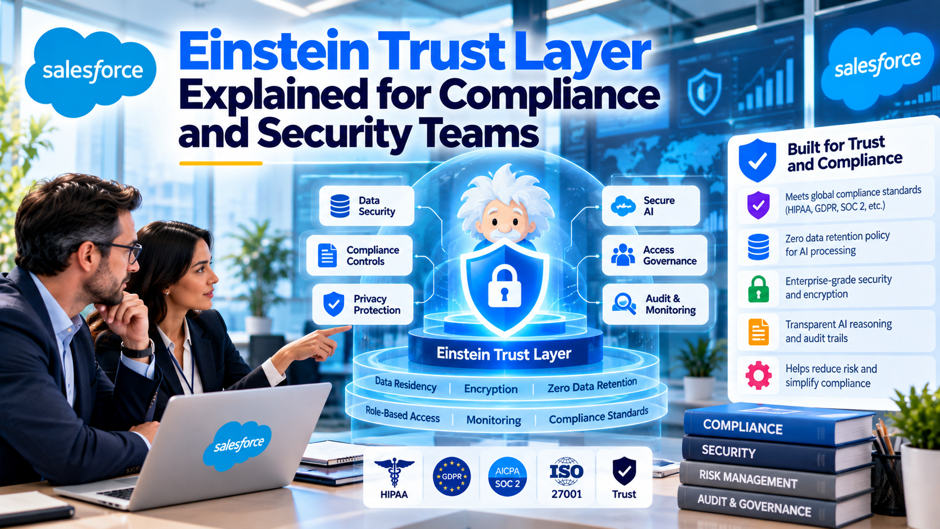
Here’s an invented scenario to frame the topic. A fictional regional insurer, unconnected to any real company, wants to let claims staff summarize case notes with generative AI inside Salesforce. Its CISO asks a plain question: if we switch this on, does anything sensitive leave our control, and can we prove what happened afterward? The product team answers that the trust layer handles it. A good security team doesn’t accept that sentence as an answer. It asks which controls exist, which ones apply to which features, what they miss, and what evidence an auditor could inspect.
Scope and caveats come first. I read 10 pages. Salesforce supplied 7 of them: the trust layer documentation page, 2 Trailhead units on data masking, the Models API masking guide, a 2023 developer blog post, Tableau’s help page and the business associate addendum page. The others were Salesforce Break (a consultancy-affiliated blog), eesel (a vendor that sells a competing product) and a practitioner’s blog post on prompt injection. Vendor pages describe the product favorably, and product behavior changes quickly. I found no independent audit or penetration test of the trust layer, so confirm each point against current documentation and with counsel.
TL;DR
- It’s a set of controls, not a single switch. Salesforce’s documentation lists dynamic grounding, data masking, toxicity detection, provider no-retention terms, an audit trail and feedback as components, and its 2023 developer blog adds secure data retrieval and prompt defense. Each control has its own settings, scope and evidence. Compliance teams should review them individually, not accept a blanket claim.
- Masking has documented limits. Salesforce’s own training material says masking is disabled for agents, available for embedded features, capped at a 65,536-token context, and that “no model can guarantee 100% accuracy.” In my invented model, a 97% detection rate on 30,000 sensitive values a day still misses about 900 values daily.
- Evidence is your job to configure. The audit trail is stored in Data 360, and retention is yours to set. The no-retention control is described as a contractual commitment with model providers, which means you verify it through agreements, not through a setting. Ask Salesforce to reconcile masking, agents and the regulated-data agreement in writing.
What the trust layer is and what it isn’t
A set of controls around model calls. Salesforce’s Einstein Trust Layer documentation describes protections that include dynamic grounding, data masking, toxicity detection, provider no-retention terms, an audit trail and feedback. Tableau’s help page uses a broader phrase, calling it “a set of agreements, security technology, and data and privacy controls.” That wording matters, because agreements are part of the package. A control that depends on a contract can’t be switched on or verified in Setup, so it needs a different kind of evidence.
A layer that sits between your data and the model. The 2023 developer blog calls it “a secure intermediary for user interactions with LLMs.” Prompts come from apps, Prompt Builder or Apex, pass through retrieval, grounding, masking and a gateway, and return through toxicity scoring and demasking. Anything that never passes through that path, such as a model call made by custom code outside the gateway, gets none of these protections, so inventory every route by which data reaches a model.
Not a substitute for human judgment. The documentation page warns that generative AI can hallucinate, that responses can rarely contain harmful language or reflect bias, and that the technology doesn’t replace human judgment. It recommends that a person review each model response before it reaches end users for most use cases. For a regulated team, that sentence is a design requirement: the trust layer reduces risk, and review steps remain your responsibility.
The path a prompt takes
The October 2023 Salesforce developer walkthrough is the most detailed explanation I found, written by a Salesforce engineer and published on Salesforce’s own site. It describes a sequence of steps, and the current documentation page covers only some of them, so I use the blog for structure and flag what may have changed. Several roadmap items in the post, including vector search and direct MuleSoft calls, were future plans at publication, so don’t treat them as shipped.
- Secure data retrieval. Merge fields in a prompt are filled with the record’s Salesforce data, either client-side on a record page or server-side in Flow or Apex. Tableau’s help page adds that grounding data is retrieved based on the permissions of the user running the prompt, preserving role-based and field-level controls. That makes your permission model the first security boundary, so a bloated profile widens what a prompt can pull.
- Dynamic grounding. The blog says grounding is server-side only, where Flow and Data Cloud add related records or external data. The current documentation page says only that responses are grounded in CRM data for accuracy, with no detail on limits. Ask Salesforce which grounding sources your features use and how the data reaches the prompt. Ask which grounding sources your own features read, and whether external data is copied in or read in place.
- Data masking and prompt defense. The blog says masking replaces sensitive values with numbered placeholders such as PERSON_0 and keeps a temporary map for later restoration. It describes prompt defense as instruction-based guardrails added before and after the prompt. The documentation page doesn’t mention prompt defense at all, so request current documentation for that control specifically. Ask for the entity list that applies to your org, because the post says help documentation is updated periodically.
- The gateway and no-retention design. The blog says the gateway routes prompts to model providers, with data encrypted in flight and a no-retention design where customer data is never stored outside Salesforce. The documentation page phrases it differently: agreements with providers include no-retention commitments. Those are 2 distinct claims, and your review should cite the current contract terms. Request the current provider list and region list in writing each quarter.
- Toxicity scoring and demasking. The blog says responses are scored across 7 categories on a 0 to 1 scale, with confidence scoring limited to English at publication. Placeholders are swapped back to original values before the user sees the response. Check whether your languages are supported before relying on scores in non-English workflows. Thresholds and escalation paths are yours to define, so decide who reviews flagged responses and how fast they respond.
Reading the architecture critically
A security reviewer should notice what each source covers and what it leaves out. The 2023 blog is a marketing-adjacent engineering post from Salesforce, dated about 3 years before this writing, and it lists OpenAI as the first model partner with bring-your-own-model and other providers as roadmap items. The current documentation page is shorter and, as I read it, omits secure data retrieval and prompt defense entirely, describes audit trail and feedback in a single line each, and sends readers to other pages for masking and toxicity details. That’s common in documentation but unhelpful in an audit.
The practical response is to build your own control narrative from several sources and mark each statement with its date and origin. Treat the blog as an architecture background, and use Salesforce Einstein AI Services as an internal reference when mapping Einstein features to the wider Salesforce AI environment. Treat the Trailhead and Models API pages as behavior documentation, and the signed agreements as the authority on retention and coverage. Where 2 sources describe a control differently, such as masking as named-entity detection in the blog versus pattern matching in Tableau’s help page and Trailhead, ask Salesforce which description applies to your org today. Record the answer with a date, because it can change.
Control by control summary
The table below condenses what the sources I read say about each control and what a reviewer should still verify. It draws on Salesforce’s own pages for the first 2 columns, so read them as the vendor’s account. The last column is my suggestion for what evidence would close each gap. Treat the table as a starting template for your Salesforce data governance control register, and replace each note with evidence you collect yourself in testing.
| Control | What the sources say | Source type | What to verify |
| Secure data retrieval | Grounding data follows the running user’s permissions and field-level controls | Tableau help page, 2023 blog | Permission sets and sharing rules for every prompt template |
| Dynamic grounding | Responses are grounded in CRM data | Documentation page | Which sources each feature reads |
| Data masking | Sensitive values are replaced with placeholders, then restored; disabled for agents | Trailhead, Models API guide | Defaults, supported languages, agent exposure |
| Prompt defense | Instruction-based guardrails around the prompt | 2023 blog; Tableau help page | Current description in product documentation |
| Provider no-retention terms | Provider agreements commit to no retention | Documentation page | The signed terms for each model provider you use |
| Toxicity scoring | Scores generations; English-only confidence at publication | 2023 blog; documentation page | Language coverage and thresholds |
| Audit trail | Prompts, responses and signals logged in Data 360 | Tableau help page; Trailhead | Retention period, access rights, export |
| Feedback | Users can accept, edit or reject output | 2023 blog | Whether feedback is captured for every feature |
How data masking works and where it stops
Detection. Trailhead says the trust layer uses “advanced pattern matching and machine learning techniques” to find sensitive data in prompts, then replaces values with placeholder text such as <Person_0>. Tableau’s page calls masking “pattern-based,” and the 2023 blog says named-entity detection. The descriptions overlap, but they’re not identical, and none states a detection accuracy. The Models API data masking guide is blunt: “no model can guarantee 100% accuracy.” Plan for misses, and test your own data.
Defaults and configuration. After setup with Data 360 and Einstein AI, Trailhead says masking is on by default for certain sensitive data types, and its exercise lists name, email address, phone number, credit card and US Social Security number as masked by default, with company name optional. Some types carry validation rules: the exercise shows an invalid card number going unmasked. Administrators can review and change the defaults, so keep a record of the settings and who approved them.
Where masking doesn’t apply. Trailhead states that masking is disabled for agents and available for embedded features such as service replies and work summaries. Salesforce Break, a consultancy-affiliated blog dated July 31, 2026, says masking “doesn’t currently apply to agent interactions.” eesel repeats the point. If your plan involves agents, this is the single most important limit to confirm, because it determines whether sensitive values reach a model unmasked. Confirm it in writing.
Quality side effects. Masking can reduce answer quality. Trailhead’s example masked “Amazon” as a company name, so the model couldn’t tell which app the user meant, and a 10-digit order number was masked because it resembled a phone number. The Models API guide adds that masked data can’t be handled programmatically and that a 65,536-token context cap applies while masking is on. Test prompts with realistic data, and measure whether masking hurts the task.
No-retention commitments and what to ask for
The no-retention promise is the control most often repeated and least often verified. Salesforce’s documentation says it has agreements with model providers, such as OpenAI, that include no-retention commitments, and that third-party providers shouldn’t retain your private data. Tableau’s page names OpenAI and Azure OpenAI, and says data isn’t used for training. Salesforce Break notes it’s a contractual commitment, not a configuration setting. The list below turns that into diligence items.
- Identify the providers. Ask Salesforce which model providers handle each feature in your org, in which regions, and whether that list changes without notice. A structured AI readiness review should include these provider, permission, and data-handling questions before production use. The 2023 blog named only OpenAI at launch, and later partners and bring-your-own-model options may have changed. Record the answer with a date, and re-ask at every renewal and at every major release. Keep the answer in your vendor risk file, next to the contract and the last review date.
- Request the contract language. The commitment lives in agreements between Salesforce and its providers. Ask what your customer agreement says about those commitments, whether you can see summaries or attestations, and what remedies exist if a provider changes terms. I found no public text of the provider agreements, so I can’t characterize their scope. Without that text, any statement about provider behavior stays a vendor assertion that you repeat to auditors on trust.
- Check the 30-day claim. eesel says Salesforce keeps audit data for 30 days for compliance, citing Salesforce documentation I couldn’t check. eesel sells a competing product, so treat the claim as unverified. Ask Salesforce to state in writing what it retains, for how long, where, and who can access it. If the claim holds, it affects your retention schedule and your answers to deletion requests, so resolve it in the contract before an auditor asks.
Masking recall for an invented organization
Everything in this section is invented, and I recomputed it in code. Assume 25,000 generations a day, 40% of them containing sensitive values, with an average of 3 such values per prompt. That’s 30,000 sensitive values a day. The table shows how many reach the model if masking detects only a share of them. No source I read states a detection rate, so these are scenarios for reasoning, not predictions of Salesforce’s accuracy.
| Assumed detection rate | Values missed per day | Values missed per month | Prompts with at least 1 miss per day |
| 99% | 300 | 9,000 | 297 |
| 97% | 900 | 27,000 | 873 |
| 95% | 1,500 | 45,000 | 1,426 |
| 90% | 3,000 | 90,000 | not computed |
The lesson concerns scale, which matters more than any particular rate. A small miss rate multiplied by thousands of prompts yields hundreds of exposures, which is why testing with your own data matters more than any vendor percentage. Teams still separating predictive Einstein features from generative ones can use this Salesforce Einstein GPT overview as background before defining controls for each feature type. It also shows why minimizing sensitive fields in prompts, through template design and permissions, beats relying on masking alone. Treat masking as a safety net that catches some mistakes, and design prompts so that the net carries as little weight as possible.
Audit trail and retention design
The audit trail is where compliance teams get their evidence. Trailhead says masking and demasking actions are logged in Data 360 and can be reviewed through prebuilt or custom dashboards, while Salesforce’s Audit Trail documentation says prompts, responses and trust signals are stored there for review. The 2023 blog lists timestamped metadata, including the original prompt, safety scores, raw model output and the user’s action. Tableau notes that audit is available with Tableau+ only for its features, so entitlements differ by product.
Design the log like any sensitive record store. In my invented model, 25,000 generations a day at 20 KB per audit record produces about 488 MB a day, 14.3 GB a month and 174 GB a year, and a 7-year retention schedule would hold about 1,218 GB. Those sizes are invented, but the shape is real: volume grows with usage, and retention rules determine cost. Decide who can read prompts and outputs, how access is reviewed, how long records live, and how you’ll export them for an investigation. Ask Salesforce whether the log captures every feature you use, because coverage can differ.
Prompt defense and the limits of guardrails
What Salesforce says. The 2023 blog describes prompt defense as instruction-based guardrails added before and after the prompt to steer output and reduce made-up answers. Tableau’s page says system policies aim to reduce hallucinations and harmful outputs, and also that policies can vary for different generative AI features and use cases. The current documentation page I fetched doesn’t describe prompt defense. Treat it as a mitigation with no published effectiveness measurements.
The independent view. A practitioner article on prompt injection says the issue has held the top position in OWASP’s LLM Top 10 across editions, and that it can’t be fully prevented with current technology, so the realistic goal is containment through layered defenses. That’s a single engineer’s blog, not an official OWASP source, and I couldn’t find the OWASP page to check. Still, it matches how most security teams think: instructions in text can be countered by other text, so guardrails reduce risk and don’t eliminate it.
Permissions as the real boundary. Because grounding respects the running user’s access, what an attacker or a confused model can retrieve is limited by that user’s permissions. Salesforce Break recommends auditing prompt template access, old custom permission sets, sharing rules and guest access before enabling features. That advice is sensible regardless of the vendor, since least privilege limits the damage of any prompt-level failure, and it’s the control you own completely.
What teams should add. Add output review for high-risk workflows, restrict actions an agent can take, and log tool calls. A human-in-the-loop Salesforce AI model is relevant here because review points need to be designed into the workflow rather than added only after a failure. Test with adversarial prompts before launch, including text hidden in records, emails and documents that the model will read. Reassess after each release, since model providers, features and guardrails change. Document who owns each test and where the evidence lives. Keep tests in version control so reviewers can rerun them without extra help.
Mapping controls to common audit questions
Auditors rarely ask about architecture. They ask what data is left, who approved it and where the evidence is. The table below maps typical questions to the evidence the sources suggest exists and the gap a team should expect. Because several audit records sit in Data 360, that data layer should be part of the control review rather than treated as a separate analytics project. It’s my framework, not a Salesforce document, so adapt it to your regulator’s wording and your internal control language. Fill in the right-hand column with your own findings after testing, and share it with auditors early.
| Audit question | Evidence that may exist | Likely gap |
| What data can a prompt reach? | Permission sets, sharing rules, field-level security | No single report of effective access per prompt template |
| What was sent to the model? | Audit trail in Data 360, resolved prompt in Prompt Builder | Coverage may differ by feature, and agents may not be masked |
| Did the provider keep our data? | Provider commitments summarized in documentation | Contract text and attestations aren’t public |
| Who reviewed the output? | Feedback actions logged in the audit trail | No evidence for features without a review step |
| How are failures detected? | Toxicity scores and dashboards | English-only confidence at publication; thresholds are yours to set |
| How do we know masking works? | Trailhead test steps and shield icon comparison | No published detection rate; testing is your responsibility |
Gaps that regulated teams should test
Documentation tells you what a control is meant to do, and testing tells you what it does in your org. The list below collects the limits I found in the sources, each of which a regulated team can turn into a test case. None of these is a defect claim. They’re places where the documented behavior has edges, and edges are where incidents start. Treat each item below as a test case.
- Agents and masking. Trailhead says masking is disabled for agents. The business associate addendum page I read says that where within the customer’s control, data masking must be enabled and maintained in the trust layer for Agentforce Services and Prompt Builder. Before an Agentforce Quickstart or other pilot touches regulated data, those statements need to be reconciled for the exact features in scope. Ask Salesforce to do that in writing. Record the answer with its date and the name of the source.
- Context cap. The Models API guide says all models are limited to a context size of 65,536 tokens when masking is on, even for models with larger windows. If your use case needs long documents, either masking constrains the task or masking gets turned off, and your policy must say which. Test with realistic document sizes, and record the decision and who made it. Test with realistic document sizes before choosing either path.
- Format-dependent detection. Trailhead’s exercise shows that an invalid card number went unmasked, because values failing format rules aren’t treated as that type. Typos, spaces and unusual formats in real records can therefore slip through. Build test sets from messy production-like data, not clean examples, and include non-US identifiers if you operate elsewhere. Also check how the system treats values inside longer text, since real notes mix identifiers with ordinary sentences in unpredictable ways.
- Language coverage. The 2023 blog says toxicity confidence scoring was English-only at publication, and the Models API guide sends readers to a separate article for masking languages. If you serve customers in other languages, verify coverage feature by feature and write down the gaps. A control that doesn’t cover a language is a risk for those customers. Record each unsupported language as a known gap, with an owner and a plan for human review.
How this fits regulated-data agreements
The trust layer isn’t a compliance certification, and no page I read makes that claim. Regulated coverage comes from signed agreements and from the list of services each agreement names. Salesforce’s Business Associate Addendum restrictions page, last updated September 30, 2026, says coverage requires a signed agreement that includes the service, and it applies to Salesforce first-party, Hyperforce and other public cloud infrastructure. It lists Agentforce Services and Prompt Builder as covered, with data masking required where within the customer’s control, and it says several agent products aren’t intended to substitute for medical advice or to infer health conditions or eligibility.
For Einstein Bots, the same page says protected health information may not enter utterance records, and it excludes some features entirely. That means the practical question for each feature is a short chain: is the service named in your agreement, does the trust layer control apply to it, and have you configured the control the page requires. A gap at any link breaks the chain. This is a summary of a single vendor page and isn’t legal advice, so have counsel read the agreement and the page against your intended use cases and keep a dated copy of both.
Questions to put to Salesforce
Security reviews move faster when the questions are specific and answers are written. The table below gives questions drawn from the gaps in this post, with a description of what a satisfactory answer would contain. Send it before a demo, not after, and attach the replies to your risk register so that the next reviewer sees the evidence, instead of only a conclusion. Number the questions so replies are easy to track.
| Topic | Question | A satisfactory answer includes |
| Agent masking | Does masking apply to the agent features I plan to use today? | A dated statement per feature, with documentation |
| Agreement scope | Which features are named in my signed regulated-data agreement? | A feature list matched to my order form |
| Providers | Which model providers handle my prompts, and in which regions? | A named list with a change-notice commitment |
| Retention | What does Salesforce keep, for how long, and who can access it? | Written retention terms, including any 30-day compliance copy |
| Audit coverage | Which features write to the audit trail, and what fields? | A field list and a retention setting |
| Detection accuracy | Does Salesforce publish masking detection rates or test results? | Published results, or a clear statement that none exist |
| Prompt defense | What testing supports the guardrails, and how are they updated? | A description of testing and a release process |
| Context cap | Can masking stay on for long-document use cases? | A documented limit and a supported workaround |
A review plan for security teams
Inventory. List every feature that sends data to a model: embedded features, Prompt Builder templates, agents, Apex callouts and any connected tools. For each, record the data it can reach, the user population, the model route and whether the trust layer applies. This inventory is the foundation for everything else, and it’s often missing. Update it whenever a release adds a feature, because new AI features tend to arrive enabled or easy to enable.
Test. Build a test set of realistic prompts with sensitive values in awkward formats, run it through each feature, and inspect what reaches the model using the resolved prompt view Trailhead describes. Record misses, quality effects and context cap behavior. Add adversarial inputs, including instructions hidden in record text. Repeat after major releases, because Trailhead itself advises testing on a regular basis as models change. Save every result with its date and version.
Configure. Set masking defaults deliberately, including optional types such as company name if your policy requires them. Reduce permissions that prompts can reach, retire old permission sets and limit guest access. Set audit retention to match your records policy, restrict log access and decide who reviews dashboards. Document each setting, who approved it and the date, so the configuration itself becomes audit evidence. Review those settings every quarter after the first launch.
Monitor. Review audit dashboards on a schedule, track toxicity flags and user rejections, and watch for new features that bypass existing controls. Ongoing Agentforce Managed Services can be assessed against the same monitoring, ownership and evidence requirements rather than treated as a substitute for them. Keep a calendar for re-asking the vendor questions above, tied to renewals and releases. When something changes, update your control narrative and tell the people who rely on it. A control you can’t observe is a control you’re trusting, and trust belongs in the contract, not in the monitoring plan.
What a reasonable conclusion looks like
A fair reading of the sources is that the trust layer is a meaningful set of safeguards with documented edges. It reduces some risks by masking common identifiers, controlling retrieval through permissions, scoring toxicity and logging activity. It doesn’t make a feature compliant by itself, it doesn’t promise perfect detection, and its most important limit, masking for agents, deserves a written answer before regulated data is involved. I found no independent test results, so the strongest evidence available is vendor documentation and your own testing. I’d treat any claim stronger than that as unproven until Salesforce puts it in writing.
For most regulated teams, the sensible path is staged. Start with embedded features where masking applies, test with realistic data, configure audit retention and review the agreement. As Salesforce Data Cloud evolves into Data 360 for Agentforce, keep the data layer and Trust Layer controls in the same review scope rather than assessing them separately. Move to agents only after Salesforce has reconciled the masking and agreement questions for your specific features. Keep humans in review for high-risk outputs, minimize sensitive fields in prompts, and revisit the decision at each release. That approach is slower than switching everything on, but it produces evidence an auditor can read.
FAQs
What exactly is the trust layer?
It’s a set of controls and agreements around how Salesforce features call large language models. Salesforce’s documentation lists dynamic grounding, data masking, toxicity detection, provider no-retention terms, an audit trail and feedback, and a 2023 developer blog adds secure data retrieval and prompt defense. Tableau’s help page calls it a set of agreements, security technology, and data and privacy controls. Each control has different scope and evidence, so review them separately rather than treating the name as a guarantee.
Does data masking cover agents?
According to Trailhead, masking is disabled for agents and available for embedded features. Salesforce Break, a consultancy-affiliated blog, says the masking step doesn’t currently apply to agent interactions, and eesel repeats the point. The business associate addendum page, however, says masking must be enabled where within the customer’s control for Agentforce Services. I’d ask Salesforce to reconcile those statements in writing for your features before agents handle regulated data, and to date the answer.
How accurate is the masking?
No source I read gives a detection rate. The Models API guide says no model can guarantee 100% accuracy, and Trailhead shows 2 edge cases: an invalid card number went unmasked, and a 10-digit order number was masked because it resembled a phone number. My invented model shows that a 97% rate across 30,000 sensitive values a day would miss about 900 daily. Test with your own messy data and treat masking as a safety net, not a guarantee.
Is the no-retention promise a setting I can verify?
Not in Setup. Salesforce’s documentation describes agreements with model providers that include no-retention commitments, and Salesforce Break describes it as a contractual commitment, not a configuration. Verification therefore comes from contract language, attestations and written answers from Salesforce about providers, regions and retained data. Your own audit log in Data 360 is a separate store that may contain sensitive prompts, so protect it and set its retention deliberately. Request those answers in writing.
Where is the audit trail stored?
Trailhead and the Models API guide say masking and demasking activity is tracked in an audit trail stored in Data 360, viewable through prebuilt or custom dashboards. The 2023 blog lists the fields it logs, including the original prompt, safety scores, raw model output and the user’s action. Tableau notes audit is available with Tableau+ only for its features, so entitlements vary by product. Ask Salesforce which features write to the log and what retention setting applies.
Does the trust layer make us compliant with health data rules?
No page I read says so. Regulated coverage comes from a signed agreement that names the service, and Salesforce’s addendum page, updated September 30, 2026, lists covered services and exclusions, with data masking required for some AI features where the customer controls it. It also says several agent products aren’t intended to substitute for medical advice. That page is a summary, so have counsel review your agreement against your intended features and keep dated copies.
Can prompt injection be fully blocked?
I found no source claiming it can. A practitioner article says prompt injection has ranked first in OWASP’s LLM Top 10 and can’t be fully prevented with current technology, so the goal is layered containment. Salesforce describes prompt defense as instruction-based guardrails but publishes no effectiveness measurements in the pages I read. Limit permissions, review outputs for high-risk tasks, restrict agent actions and run adversarial tests before launch and after releases.
What should we test first?
Start with the questions that decide scope: which features send data to a model, whether masking applies to each, and whether each is named in your agreement. Then test masking with realistic, messy data using the resolved prompt view, check the context cap if you use long documents, and confirm that the audit trail captures what you need. Record the results with dates, because documentation and behavior change with releases. Share the results with the audit team.