

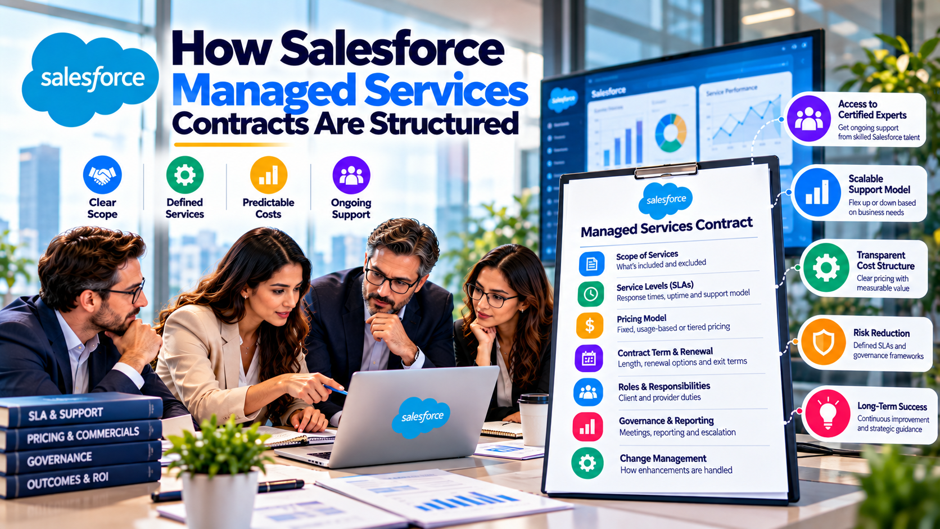
Here’s an invented scenario to frame the topic. A fictional distributor, unconnected to any real company, runs Salesforce for 300 users and wants a partner to handle support, admin work and small enhancements. A trio of firms send proposals within a week. The first quotes an hour bank, the second quotes a monthly retainer, and the third quotes a fixed monthly fee with response-time targets. The renewal clause, the credits for missed targets and the exit terms differ in each, and the buyer can’t tell which package is cheaper or safer. This post lays out how these contracts are usually structured, what the sources I read say about each part, and what to check before signing.
Scope and caveats come first. I read 8 pages. Salesforce supplied 2 of them: its Success Plans page and a Trailhead unit on Premier support. The other 6 were a UK government marketplace listing for a Salesforce partner, a consultancy’s pricing blog, an IT provider’s contract guide, a legal consultancy’s page, and 2 law-firm style articles on service levels. I didn’t read Salesforce’s own master agreement or any partner’s actual contract, so nothing in this post is legal advice. Vendors and providers sell services, so their advice favors having more structure. Confirm every term with counsel and with the provider.
TL;DR
- A deal has layers, and each has a different owner. A platform agreement with Salesforce, a Success Plan, and a partner contract made of an agreement, a service level schedule and a statement of work each govern different things. A UK listing says customers agree platform availability with Salesforce directly, so a partner can’t promise it.
- Numbers in public sources are floors, examples or unsourced. A consultancy lists managed services from $5,850 a month, a law-firm style page uses a 30% at-risk amount as an example only, and an IT provider says credits of 5% to 10% per breach are common without a source. Treat each figure as a question to ask.
- Response times aren’t resolution times. Salesforce’s Premier plan targets a 1-hour response for business-stopping issues and publishes no resolution commitment. In my invented model, a month with every service level missed returns only $2,400 on a $20,000 fee, so exit rights and liability terms matter more than credits.
The layers of a managed services deal
The table below separates the agreements that usually sit behind a managed Salesforce service. The first pair come from Salesforce, and the others come from the partner. The layering follows an IT provider’s description of a master agreement, a service level agreement and a statement of work, plus what a UK listing and Salesforce’s pages say about platform terms. It’s my synthesis, not a standard, so check which documents your deal actually includes.
| Layer | What it governs | Who signs | What the sources say |
| Platform agreement | Licenses, platform availability, security of the multi-tenant service | Customer and Salesforce | A UK listing says availability is agreed directly with Salesforce, typically above 99.5% |
| Success Plan | Salesforce support, product education, health checks | Customer and Salesforce | Standard is included; Premier and Signature add faster responses and developer help |
| Master agreement | The relationship: liability, confidentiality, data, IP, term | Customer and partner | An IT provider says the master agreement sets the rules of the relationship |
| Service level schedule | Response targets, measurement, credits, reporting | Customer and partner | The same provider says the service level agreement sets the performance you’re owed |
| Statement of work | Scope, hours or fees, deliverables, exclusions | Customer and partner | The same provider calls it an optional layer listing covered systems and tasks |
Why the layers matter
A managed services partner doesn’t control the platform. The UK listing I read, from a Salesforce consulting partner, says availability is set by Salesforce and that customers agree the service level directly with Salesforce in their own agreement. It adds that this is typically above 99.5% availability guaranteed. That figure is the partner’s description, not a Salesforce document I read, so confirm it against your own contract. The practical point is that a partner’s uptime promise would be about its own work, not the platform.
Salesforce also sells support. Its Success Plans page says Standard is included in all licenses, Premier is included with Core, Advanced and Max licenses, and Signature requires contacting an account executive. A partner’s response-time targets sit on top of that, and the pair can overlap or conflict. If your partner promises a 2-hour response and Salesforce’s own plan promises 1 hour for business-stopping issues, the contract should say who takes the first call and who owns the follow-up. I didn’t read Salesforce’s own agreement, so ask for it.
What belongs in the scope section
Scope is where most disputes start, because a vague list invites arguments about whether a request is included. The list below summarizes what the sources suggest a scope section should contain and what each item means for a Salesforce buyer. It combines the UK listing’s description of support, administration and small enhancements with the topics that a legal consultancy and an IT provider say agreements should cover. Settle the list before the price is agreed, rather than afterward.
- Services included. The UK listing describes support, administration and small enhancements, sold in monthly hours. Spell out what each of those means in your contract: user setup, report changes, flow fixes, release testing and sandbox refreshes. Add a short list of example requests that count as included, so a new engineer and a new buyer read the clause the same way. Ask the provider to attach a sample ticket for each category it lists, so both sides see the same example.
- Exclusions. The legal consultancy’s page says an agreement should list exclusions, and Salesforce’s Premier support unit doesn’t state exclusions for custom code or partner-built solutions. That silence matters if your partner built your integrations. Name what’s excluded, such as new projects, third-party app configuration and data migrations, and say how an excluded request becomes a priced change. Ask for a written answer on each exclusion before signing, and keep that list attached to the statement of work.
- Customer responsibilities. The same page says to list what the customer must provide. Typical items are a named approver, access to environments, timely answers and test users. Providers often excuse missed targets when a customer dependency is late, which Morgan Lewis lists among excused events. Make the duty reciprocal, with a clock that pauses only when the provider has asked in writing. If the provider needs a dependency that you can’t supply, say so early.
- Environments and tools. State which sandboxes and tools the partner may touch, who owns licenses for deployment tools, and who holds credentials. The IT provider’s guide advises that the client’s own tenant should belong to the client. For Salesforce, that means your org, your source control and your documentation remain yours, whatever happens to the relationship. Also record who may approve deployments to production, and who’s on call when a release goes wrong after hours.
Pricing models side by side
The table below lines up the pricing models that the sources describe. The figures are the sellers’ own, and several are only starting prices, so the table shows the structure of each model rather than a market rate. I found no independent survey of what managed Salesforce services cost. Use the table to ask what each quote covers, and to compare quotes on cost per hour actually used. Check each row against your own usage.
| Model | Figures in the sources | What you pay for | Main risk |
| Hour block | From $2,500, hour count not stated (consultancy blog) | A set number of hours | Unused hours may expire |
| Retainer | From $2,000 a month (consultancy blog) | A monthly allotment of effort | Scope and priority disputes |
| Managed service | From $5,850 a month (consultancy blog) | A team, targets and reporting | Paying for capacity not used |
| Hourly with service tiers | £70, £80 or £90 an hour for 6-hour, 3-hour or 3-hour 24/7 triage (UK Digital Marketplace listing) | Time, with faster triage costing more | Cost grows with activity |
| Per user | £140 to £260 a user a month (UK listing, unit unclear) | A fee tied to licensed users | Cost follows headcount, not workload |
| Per device | $69 per workstation, $299 per server, described as something like typical rates (IT provider, citing TechTarget, which I didn’t read) | A fixed unit price | Unit definitions drift |
How pricing models work in practice
Hour banks and expiry. In an hour bank, the buyer purchases a block of time and draws it down. The sources don’t say whether unused hours roll over, and that single clause changes the effective rate. In my invented example, 100 hours at $85 costs $8,500 a month. If you use 60 hours, you pay $141.67 per used hour, at 80 hours $106.25, and at 100 hours $85. Ask whether hours expire monthly, quarterly or never, and how the provider reports usage.
Retainers. A retainer reserves capacity for a monthly fee, and the consultancy blog contrasts hours-based agreements, which pay for activity, with outcome-based agreements, which pay for results. It doesn’t define either in detail. A retainer works when the work is steady and the priorities are agreed. It fails when a pair of business units fight over the same hours, so name who sets priority and how conflicts are resolved. Ask for usage reports each month.
Fixed monthly managed service. The consultancy lists managed services from $5,850 a month and says scope for each tier is listed on a linked pricing page that I didn’t read. A fixed fee shifts volume risk to the provider, which may respond by narrowing scope or slowing low-priority work. Ask what happens when requests exceed the assumed volume, and whether the provider reports demand so both sides see the trend.
Per-user pricing. The UK listing shows £140 to £260 a user a month, which sits oddly beside hourly rates of £70 to £90 and packages of monthly hours. The listing doesn’t explain what a user means in that line or what the fee covers, so I can’t reconcile the figures. This is a warning to ask for the unit and the inclusions in writing. If a quote ties price to licensed users, check what happens when your headcount changes.
Service levels: response isn’t resolution
Salesforce’s Premier support unit shows how a response target looks. Level 1, business-stopping with no workaround, gets a response within 1 hour at all hours under Premier, and within 15 minutes with updates every 30 minutes under Signature. Level 2 gets 2 hours under Premier and 1 hour under Signature, also at all hours. Levels 3 and 4 get 4 and 8 hours during local business hours. The page gives no resolution commitment, doesn’t define local business hours and doesn’t state exclusions for partner-built solutions.
The same distinction should appear in a partner contract. The UK listing’s triage times are 6 hours at the standard tier and 3 hours at premium and 24/7, which are about when someone looks at a ticket, not when it’s fixed. Morgan Lewis lists the parts of a service level methodology: metrics, minimum levels, critical versus key levels, tools, reporting, continuous improvement, credits, changes, termination rights and excused events. It gives no numbers. An IT provider calls a 15-minute critical response a benchmark and a 4-hour critical resolution a reasonable target, both unsourced, so treat them as opening positions.
Service credits and remedies
The legal pages describe how credits and remedies are usually built. The list below summarizes them and what each of them means for a buyer. Both are general guidance without data, and a lone page doesn’t name its firm or authors, so treat their examples as illustrations, not market norms. Have counsel decide what’s right for your deal. Read both lists before you accept a provider’s template, since each clause shifts risk between the sides.
- Credits and the at-risk amount. Morgan Lewis says credits may apply when minimum metrics are missed, that at-risk amounts may be priced into fees, and that credits may be tiered, with larger credits for repeated misses. The other page gives an example of an at-risk amount capped at 30% of monthly recurring fees, with weights across service levels that total 100%. Ask what share of the fee is at risk, and how it’s divided.
- Repeat failures. The second page’s example doubles the weighting after a miss of the same service level in 2 or more consecutive periods. That makes a chronic problem cost more than an isolated miss. Ask whether your draft escalates, and how a measurement period is defined, since monthly periods make a bad month easy to average away. A good draft also says what happens when the same root cause keeps producing new tickets each month.
- Sole remedy. Providers want credits to be the only remedy, and customers want to keep damages and termination. The second page offers customer-friendly wording that credits aren’t liquidated damages or the sole and exclusive remedy. Credits alone rarely cover the cost of an outage, so keep other rights in writing. Ask counsel whether local law limits what a contract can exclude, and whether a stated credit counts as a fair estimate of loss. Add a line that preserves your right to terminate.
- Earn-back and caps. Both pages list earn-back, which lets a provider recover credits when average performance recovers over a set period, and caps on total credits as pro-provider terms. An IT provider says credits of 5% to 10% of monthly fees per breach are common, with no source. Resist earn-back unless the period is short and the recovery is proven. Ask for a worked example using your own numbers before you accept either clause, and keep it attached.
Term, renewal and exit
Term length. An IT provider says terms of 1 to 3 years are typical, with no source. The consultancy blog warns against long lock-ins with auto-renewal and recommends a clean exit clause, without giving a term length or notice period. A longer term can lower the monthly fee, but it raises the cost of a bad fit. Ask for a price for 12, 24 and 36 months, and decide whether the discount is worth the lock.
Auto-renewal and notice. The IT provider’s guide says a typical agreement renews for a full term unless written notice arrives 60 to 90 days before renewal, a point it sources to a law firm I didn’t read. It calls long notice windows a key lock-in mechanism. Put the notice date in your calendar the day you sign, and ask for renewal on a shorter term or month to month, with a reminder from the provider before the window closes.
Termination for chronic failure. The second legal page gives example language treating a single service level missed in 2 or more consecutive periods, or any level missed in 4 or more periods within 6 months, as a material breach. The IT provider suggests an exit right after SLA misses in 2 months in a row. These are examples and advice, not norms. Ask for a defined trigger, and make sure termination for failure carries no early-exit fee.
Exit assistance and offboarding. The UK listing says data and metadata can be exported at any time, a project completion document is signed at contract end, team access is removed and documentation is handed over. It adds a 90-day warranty on implementation work, with ongoing support contracted separately. The IT provider recommends free offboarding help covering documentation, admin credentials and a clean data handoff. Ask for an exit plan, a named hand-over period and a rate for any help beyond it.
An invented service credit calculation
Everything in this section is invented, and I recomputed it in code. Assume a $20,000 monthly fee, a 12% at-risk amount of $2,400, and 4 service levels weighted 40%, 25%, 20% and 15%. A repeat miss of the same level in consecutive months doubles its weight, borrowing the idea from the legal page’s example. The table shows what a provider would owe in several scenarios. Nothing I read gives a market at-risk percentage, so use these as a way to test a draft.
| Scenario | Credit owed | Share of the $20,000 fee |
| Level 2 response missed once | $600 | 3.0% |
| Level 1 response and backlog age missed | $1,440 | 7.2% |
| Level 1 response missed in 2 consecutive months (second month) | $1,920 | 9.6% |
| All 4 service levels missed | $2,400 | 12.0% |
The maximum credit in a month is $2,400, or 12% of the fee. If a missed Level 1 response contributes to an outage that costs the business far more, credits cover a tiny part of it. That’s why the sole-remedy clause, the liability cap and the right to terminate matter more than the credit schedule. Use the credit table to set incentives for routine performance, and use other terms to protect the business from serious failures.
Liability, security and data
Liability caps decide who bears the cost of a serious failure. The IT provider’s guide says caps are commonly set at 1 to 6 months of fees, a point it sources to a law firm I didn’t read, and it advises at least 3 to 6 months for regulated or downtime-sensitive businesses. On a $20,000 fee, that range is $20,000 to $120,000. Compare it with what an outage or data error could cost you, and ask whether security and data breaches carry separate, higher caps.
Data terms need equal care. The UK listing says customers control where data is stored and processed, that data in transit uses TLS 1.2 or above, and that external penetration tests occur at least every 6 months. It lists ISO/IEC 27001 and Cyber Essentials Plus certifications, and it says system logs are kept for less than a month and user audit data for 1 to 6 months. Those platform log limits matter for investigations, so ask how the partner would reconstruct an incident after the logs expire.
Governance: reviews, reporting and change control
Reviews. The consultancy blog recommends a quarterly business review, and the UK listing says monthly hours are reviewed quarterly. A review only works if both sides bring data: tickets opened and closed, response and resolution times, backlog age, hours used and planned changes. Put the review schedule and the report format into the contract, and ask for the first report within 30 days so problems surface early. Keep the agenda short and fixed each quarter.
Named accountability. The consultancy blog also recommends a named senior point of accountability. Without a named person, escalations bounce between engineers and account managers. Name the person, set a response expectation for escalations and ask for a deputy. Name your own counterpart as well, since the provider needs someone who can approve priorities and unblock access. Record both names in the contract and update them when people change roles. Review both names every year and confirm they’re current.
Change control. Morgan Lewis lists the right to make changes, usually through change control, such as promoting or demoting service levels, reallocating credit points and changing at-risk amounts. A managed service lasts for years, and the consultancy blog says Salesforce ships 3 releases a year, without a source, so a Salesforce release management process should sit beside the contract’s change procedure. Require written change orders, a price for each change and a rule that changes to targets or credits need approval from both sides.
Reporting and audit rights. The standard report should show whether each target was met, using the provider’s tools or yours. Morgan Lewis notes that monitoring tools should match the full scope of metrics. Ask for raw ticket data on request, and for the right to audit the measurement method. If the provider measures its own performance, you need a way to check it, such as access to the ticket system.
Red flags in a draft contract
An IT provider’s guide lists 6 red flags for managed services contracts, and the list below adapts them to Salesforce work. The guide is vendor marketing with several unsourced figures, so use the list as a prompt for questions, not as proof that any clause is unfair. Each flag points to a place where a short question can save a long argument later, so ask early. Bring the list to the first call with each provider.
- Auto-renewal with a long notice window. A 90-day window with a full-term renewal can lock you in for another year if a date slips. Ask for shorter notice, a reminder from the provider and a right to move month to month at the same rate after the initial term. Also ask whether price increases take effect on renewal, since an escalator and a renewal date together can raise cost without any new discussion. Calendar the date now.
- A 1-month liability cap beside security duties. If the partner holds admin credentials or touches production data, a cap of a single month of fees may be too low. Ask for a higher cap for data and security failures, and for the partner’s insurance details in writing. Also ask whether the cap applies per incident or per year, whether it covers data loss, and whether insurance sits behind it. A cap that resets after each claim is worth more than a single yearly limit.
- Credentials held by the provider. The guide’s example is a Microsoft 365 tenant held in the provider’s account. In Salesforce terms, make sure your org, your source control and your documentation sit in your accounts, and that the partner’s engineers use named accounts you can disable. Ask for a named list of the provider’s staff with access, a log of what they changed and a way to remove them the day the relationship ends. Review the list every quarter and remove anyone who has moved on.
- Vague scope and custom pricing. The guide warns against custom pricing with no formula. Ask for a rate card for out-of-scope work, a list of included request types and a rule for how a request is classified. Evasiveness about exit or liability terms is another flag, so note which questions get direct answers. Evasive answers to simple questions about exit or liability are also a signal, so note who answered, how quickly and in what detail.
What the sources don’t tell you
Gaps fall into 3 groups. First, I found no independent survey of what managed Salesforce services cost, only seller pricing floors and examples. Second, the legal guidance is general and mostly from commercial sources, the pair of law-firm style pages give examples without data, and a lone page doesn’t name its authors. Third, I didn’t read Salesforce’s own agreement, a partner’s actual contract or any court decision, so I can’t say how clauses are enforced in your jurisdiction.
Several figures also come with problems. The UK listing’s per-user price doesn’t reconcile with its hourly rates. The IT provider’s date is ambiguous, and its credit percentages and benchmarks lack sources. The consultancy’s prices are starting points with scope on a linked page. Treat every number as a hypothesis, record where it came from, and get the real terms in writing. Where a source and your counsel disagree, follow your counsel.
An invented 3-year cost view
This view is invented, too. Assume a $20,000 monthly fee on a 24-month term with 90 days’ notice, and a 5% annual escalator. Year 1 costs $240,000, year 2 costs $252,000 and year 3 costs $264,600, for $756,600 over 3 years, compared with $720,000 flat. The escalator adds $36,600. Missing the notice date on a 24-month term would lock in another 12 months, which is $240,000 at the base rate. No source I read gives a typical escalator, so the 5% is an assumption to test.
| Item | Amount | Note |
| Year 1 fee | $240,000 | $20,000 a month |
| Year 2 fee with 5% escalator | $252,000 | Escalator is invented |
| Year 3 fee with 5% escalator | $264,600 | |
| 3-year total with escalator | $756,600 | $36,600 above a flat fee |
| Cost of a missed notice date | $240,000 | A further year at the base rate |
| Liability cap at 3 months of fees | $60,000 | A mid-range example |
A review process before and after signing
Before signing. Ask each provider for a draft agreement, a service level schedule and a sample statement of work. Compare them against the layers table, and check each term in the red-flags list. Ask for references from customers of a similar size and platform, and ask them what happened when targets were missed. Have counsel review limits on liability, data terms and renewal, and compare quotes on cost per hour used rather than headline price.
In the first month. Confirm that access, credentials and environments are set up as the contract says, that your people know how to raise a ticket and what severity means, and that reports start on time. Run a test ticket at each severity level and check the response against the target. Record anything that’s unclear and fix it in writing while the relationship is fresh and both sides are motivated to get it right.
Each quarter. Hold the review the contract requires, with data. Compare hours used with hours bought, response times with targets and the backlog with last quarter. Ask whether the scope still fits, and whether the platform’s release changes or new products require a change order. Keep notes so that a pattern of misses is documented, which supports any later claim for credits or termination. Share the findings with your executive sponsor within a week of the meeting.
Before renewal. Mark the notice date at least 120 days ahead, review the whole year’s data and decide whether to renew, renegotiate or move. Ask the provider for an exit plan even if you intend to stay, so you know what leaving would take. A renewal is the moment of greatest bargaining power for a buyer, so use it to fix terms that caused trouble rather than renewing on autopilot.
FAQs
What are the main parts of a managed services contract?
An IT provider describes 3 layers: a master agreement that sets the rules of the relationship, a service level agreement that sets the performance you’re owed, and an optional statement of work that lists covered systems and tasks. For Salesforce, add the platform agreement and the Success Plan, which come from Salesforce. A UK listing says customers agree platform availability directly with Salesforce. Ask which documents are in your deal and which document wins if they conflict.
How is managed services work priced?
The sources describe hour blocks, retainers, fixed monthly managed services, hourly rates tied to response tiers, and per-user pricing. A consultancy lists hour blocks from $2,500, retainers from $2,000 a month and managed services from $5,850 a month, and a UK listing shows £70 to £90 an hour. These are the sellers’ figures and floors. Compare quotes on cost per hour actually used and on what happens to unused hours. Ask each provider to confirm in writing.
What response times does Salesforce itself commit to?
Salesforce’s Premier plan targets a 1-hour response for business-stopping issues at all hours, and Signature targets 15 minutes. Level 2 is 2 hours under Premier and 1 hour under Signature. Levels 3 and 4 are 4 and 8 hours in local business hours. The pages give response targets, not resolution times, and don’t state exclusions for custom code or partner-built solutions. Ask Salesforce to confirm in writing. Ask for a written confirmation of your own plan.
Do service credits protect me?
Only partly. Credits are usually a percentage of fees, and the legal pages describe at-risk amounts, repeat-failure multipliers, caps and earn-back. In my invented example, missing every service level returns $2,400 on a $20,000 fee. Credits set incentives for routine performance, while termination rights, a fair liability cap and wording that credits aren’t the sole remedy protect you from serious failures. Have counsel review the clauses. Ask counsel to check the wording of every remedy before signing.
How long should the term be, and how do I leave?
An IT provider says terms of 1 to 3 years are typical, without a source, and says renewal commonly needs 60 to 90 days’ notice. A consultancy warns against long lock-ins and recommends a clean exit clause. Ask for prices at 12, 24 and 36 months, a shorter notice window, a termination right for chronic failure and a written exit plan with documentation and credentials handed over. Put the notice date in your calendar.
What’s a reasonable liability cap?
I can’t say what’s reasonable for you. An IT provider says caps commonly run from 1 to 6 months of fees, citing a law firm I didn’t read, and advises 3 to 6 months for regulated or downtime-sensitive businesses. On a $20,000 monthly fee, that’s $20,000 to $120,000. Compare the cap with your own outage and data-error costs, ask about separate caps for security, and have counsel decide. Ask to see the provider’s insurance details too.
Who owns the org, the code and the documentation?
The sources I read suggest the client should own its tenant and receive data in a usable form at exit, and a UK listing says documentation is handed over at contract end. None of them quotes contract language for Salesforce code or configuration. Write ownership into the agreement, keep source control and credentials in your own accounts, and confirm in writing that work product transfers to you on termination. Ask counsel to check the clause.
What should I check each quarter?
Check tickets opened and closed, response and resolution times against targets, backlog age, hours used against hours bought, and any changes in scope or platform releases. Keep a record of misses, since a pattern supports credits or termination rights. Ask for raw ticket data on request, and use the review to adjust priorities. Before renewal, mark the notice date and ask for an exit plan. Share a short summary with your sponsor each time.