

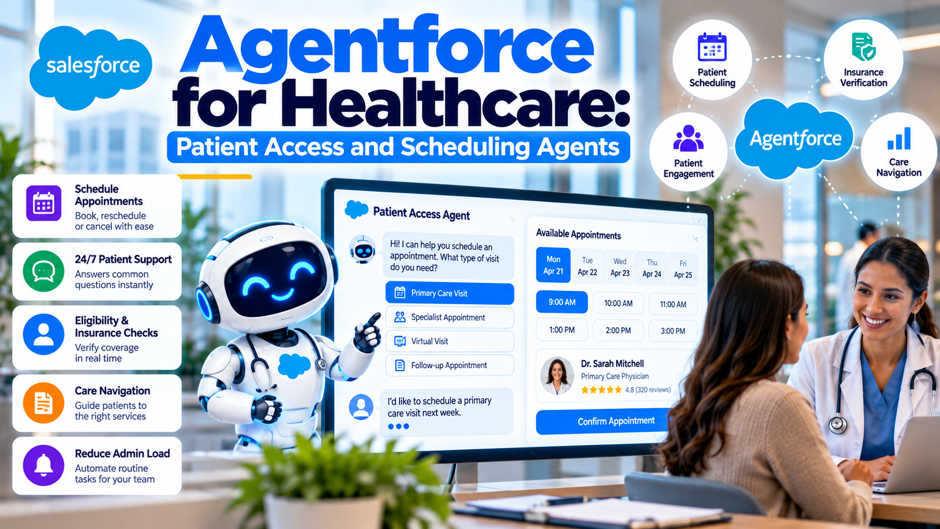
Here’s an invented scenario to frame the topic. A fictional network of 18 outpatient clinics, unconnected to any real organization, answers about 12,000 scheduling calls and chats a month through a small contact center. Wait times climb every Monday, and about 8% of booked visits end in a no-show. The chief operating officer asks whether a Salesforce agent could book, move and cancel visits without a person on the line. The question sounds simple, but the answer depends on what the product does today, what it costs per conversation, and which rules apply to patient data.
Scope and caveats come first. I read 13 pages and papers. Salesforce supplied 9 of them: a use-case page, 3 Health Cloud documentation pages, the Health Cloud pricing page, the developer guide for its clinical data model, an Agentforce pricing page, a May 2025 pricing press release and a business associate addendum page. The rest were a community blog post on UnofficialSF, a trade-press article about a customer, a 2025 Italian no-show study and a systematic-review table. Vendor pages are marketing, and I found no independent evaluation of a patient scheduling agent in production. Prices and product names change often, so confirm everything with Salesforce, and confirm compliance questions with counsel.
TL;DR
- The product exists, but evidence is thin. Salesforce documents scheduling building blocks in Health Cloud, including a scheduler, appointment guidance and prebuilt self-scheduling workflows. Its use-case page for patient access lists 3 prebuilt subagents for patient data, eligibility and member queries, and shows no customer metrics. A community build shows an agent can book visits, but its author warns the instructions “might not be 100% accurate for all cases.”
- Usage pricing is predictable at the unit level. Salesforce lists 20 Flex Credits per action ($0.10) and $2 per conversation. In my invented clinic model, 12,000 conversations a month at 4 actions each cost $57,600 a year, against $288,000 at $2 per conversation. Credits bundled with an edition cover only a fraction of that volume.
- Compliance coverage is specific. Salesforce’s addendum page lists Agentforce Services and Prompt Builder as covered, with data masking required where the customer controls it, and it says several agent products aren’t intended to substitute for medical advice. Check each feature against the signed agreement before any patient touches it.
What a patient access agent is meant to do
The pitch. Salesforce’s patient access and services use-case page promises patient and member services around the clock, with prebuilt subagents that handle patient data management, eligibility and benefits verification, and member query management. It names Slack, health apps and “any other surface” as places where the agent works. The page reads as a sales document: it lists a “#1 Agentic CRM for Healthcare” claim with no source, benefit claims such as lower costs without data, and a disclaimer that capabilities may not reflect actual product details or be available.
What the page doesn’t say. The page I fetched doesn’t mention a patient access services agent by that name, and none of its 3 subagents is labeled as an appointment scheduler. It doesn’t describe how a patient is handed to a person, and it gives no case studies, percentages or deployment numbers. Its FAQ says prebuilt connectors integrate with leading record systems, but it links no certification or integration guide, so treat the connector list as a claim to verify.
Naming caution. The same page mixes product names, including Agentforce Builder, Agentforce Studio, Agentforce Health and Agentforce for Healthcare, and Salesforce’s own pricing page now carries the Agentforce Health name for the former Health Cloud. When you compare quotes or documentation, ask which product and edition each capability belongs to. A feature described under a given name may require an add-on under another. Written quotes should name the product, the edition and the add-on.
How scheduling works underneath the agent
An agent doesn’t schedule anything by itself. It calls actions that sit on top of scheduling features, and those features have their own setup. Salesforce’s Health Cloud documentation describes Intelligent Appointment Management, which works in Lightning Experience and in Enterprise and Unlimited Editions with Health Cloud. Before anything else, an administrator must make Patient Appointment Scheduling available in the org through the Intelligent Appointment Management Settings page, and users need the Health Cloud Foundation permission set. The page names care coordinators and call center agents as the people who set up patient appointments, which tells you the original design target was staff, with patient self-service added through separate workflows. A community post from July 2025 shows existing agent actions already search work type groups, work types, service resources and service territories, so an agent builds on the same data model that human schedulers use. That’s good news for consistency and bad news for messy data: if your work types and territories are poorly named, the agent will inherit the mess and expose it to patients in plain language.
Building blocks to configure before the agent
Most of the effort in a scheduling agent project goes into the configuration beneath it, and the documentation lists several pieces. The list below draws on 3 Salesforce documentation pages and 1 community post. None of them gives time estimates, so I can’t tell you how long each piece takes, and I’d ask an integrator to size them against your org before you commit to a launch date. Ask for sizing early.
- Search keywords on scheduling records. The UnofficialSF post, a community site where authors speak for themselves rather than for Salesforce, suggests adding indexed custom text fields for synonyms on service territories and on work types or work type groups, so the agent can match a patient’s wording to your service names. That’s a single author’s technique, published July 30, 2025, not a documented platform feature, and it adds fields you’ll need to maintain whenever service names change.
- Appointment guidance flows. Salesforce documents a feature that gives call center agents or schedulers guidance on choosing a provider, facility and slot through a custom screen flow. It requires building the flow first, selecting it on the scheduler component and holding the Customize Application permission. The page warns that a guidance flow and a separate work type code set feature can loop endlessly if the flow outputs the visit type.
- Self-scheduling workflows. Salesforce documents prebuilt patient self-scheduling workflows that patients use on an Experience Site. Setup covers static resources, an assignment process for requests that need a person, organization-wide defaults, sharing rules, remote site settings and container pages. A related Salesforce healthcare portal can also frame the patient-facing access layer when planning how scheduling fits into a broader portal experience. The page names only the Experience Site as a channel and notes that some self-service appointments need staff intervention. Test the handoff to a staff member in a sandbox before opening it to patients.
- Handoff and queue design. Because self-service appointments sometimes need a person, you must decide who receives them, how fast they respond and what the patient sees while they wait. The use-case page doesn’t describe human handoff for its agent, so write that design yourself and test it with real staff before any patient touches the system. Measure how long a patient waits for that person, since a slow handoff erases the convenience of the agent.
Where the agent fits in the patient journey
Patient access isn’t a single task, and each stage has a different risk. The table below is my own framing, built from the Salesforce documentation and the community post, to show where an agent plausibly fits and where a person should stay involved. The evidence column shows what I actually found for each stage, which is mostly documentation of building blocks and very little measured performance. Read the evidence column most closely.
| Stage | Plausible agent job | Data needed | Human role | Evidence found |
| Finding a visit type | Match the patient’s words to a work type | Work types, synonyms, referral rules | Review unmatched requests | Community post suggests keyword fields; no measured accuracy |
| Booking a slot | Offer times and create the appointment | Provider calendars, territories, resources | Handle exceptions and double-bookings | Salesforce documents scheduler actions; no performance data |
| Changing or canceling | Look up the visit and move or cancel it | Appointment records, identity checks | Approve restricted changes | Prebuilt cancel workflow documented for an Experience Site |
| Eligibility questions | Confirm coverage before the visit | Payer data, benefits records | Review denials and edge cases | Use-case page lists a subagent; no metrics and clinical-use limits apply |
| Reminders and follow-up | Prompt patients before the visit | Contact preferences, consent records | Escalate non-response | Not covered in the sources I read |
| Urgent or clinical requests | Route to a clinician | Triage rules | Own the decision | Addendum says several agent products aren’t for medical advice |
What the vendor’s own page shows and omits
Marketing pages are written to sell, so the useful exercise is to read what a page leaves out. Salesforce’s patient access use-case page lists data sources that include clinical, non-clinical, claims and population health data, and its FAQ adds record-system data and EHR integration, care plans, imaging, insurance data and social determinants of health. That’s a long list, and the page doesn’t say which items a scheduling agent actually uses. It also doesn’t report how often an agent finishes a booking without a person, how often it books the wrong visit type, or how long a typical conversation takes. Those gaps are the first things to raise with a sales team.
A customer story from AI Business, dated October 14, 2025, features Precina Health, a diabetes practice that uses Agentforce with Health Cloud for patient communication. VALiNTRY360 also discusses the broader role of Agentforce in health and life sciences, which is useful context when separating scheduling from other healthcare agent use cases. The founder claims diabetes was reversed in 49 of 50 pilot patients within 12 weeks. Those numbers come from the founder, include no control group or method, and concern patient communication, not scheduling or access. I wouldn’t use them to justify a scheduling investment, and the article itself mentions early friction that took extra time to work through. The honest summary is that the sources show capability and give no outcome data for this use case.
Conversation design lessons from a community build
Ask a single question at a time. The UnofficialSF author’s instruction block asks for the date, then the topic, then the location and then the service resource, in a fixed order. That reduces ambiguity but can feel slow for a patient who already knows what they want. Test whether your patients prefer a short fixed sequence or a free-form request, and measure abandonment on each. The post provides no data on that trade-off, so treat the sequence as a starting design.
Rename terms through instructions. The author notes you can relabel terms such as “Purpose of Visit” and “Advisor” through the instructions without changing the data model. For a clinic network, that suggests patient-friendly labels in the conversation while internal names stay stable in the schedule. It also means the wording a patient sees can drift from the wording staff use, so keep a mapping table and review it whenever someone edits a topic instruction.
Expect probabilistic behavior. The author says the instructions “might not be 100% accurate for all cases because LLMs are probabilistic,” and that if selection errors occur the agent must re-run the collection step. The post also shows long lists being shown in batches of 5, which is a prompt design choice, not a documented platform limit. Build confirmation steps into the flow, and have the agent read back the final booking before it creates the appointment.
Own the output. The same post says the builder is ultimately responsible for any generated response shared with customers. In a clinic, that means a named owner for the instruction text, a review process for every change and a log of conversations that staff can audit. Treat instruction edits like code changes: test them in a sandbox with realistic patients and scripts before they reach production, and keep the previous version available to restore.
What the agent costs to run
Salesforce publishes usage prices for the agent platform, though not for health specifically. The Agentforce pricing page lists Flex Credits at $500 per 100,000 credits, and a May 15, 2025 press release says a single action consumes 20 Flex Credits, or $0.10. The page also lists a $2 per conversation option, a $5 per user per month Agentforce user license that requires Flex Credits, and per-user add-ons of $125 and $150 a month. Voice pricing is murkier, and the page’s example appears to contradict its own credit rate.
| Item | Listed price | Source and note |
| Flex Credits | $500 per 100,000 credits | Pricing page and May 2025 press release |
| Single agent action | 20 credits, or $0.10 | May 2025 press release |
| Conversation option | $2 per conversation | Pricing page and press release |
| Agentforce user license | $5 per user per month, requires Flex Credits | Pricing page |
| Agentforce add-ons for sales, service and field service | $125 per user per month | Pricing page |
| Industry add-ons | $150 per user per month | Pricing page |
| Voice example | $0.15 per use case listed for 120 credits | Pricing page; 120 credits at the stated rate would be about $0.60 |
| Foundations | $0 flat fee access | Pricing page; press release adds 100,000 free credits for Enterprise Edition and above |
Health edition inclusions that shape the budget
The agent’s cost depends partly on which Salesforce healthcare edition you hold, because each Health Cloud edition bundles credits and agent usage differently. These figures come from Salesforce’s Health Cloud pricing page, last modified September 23, 2026, which says it’s provided for information only and subject to change. Read them next to the usage table above, and ask your account team to restate them in a written quote. Ask for the restated version in writing.
- Credits by edition. The page lists 500K Flex Credits per organization per year for Sales & Service Core, 1M for Advanced and 2.75M for the 3 Max editions. At 20 credits per action, 500K credits cover 25,000 actions a year, and 2.75M cover 137,500. Those allotments are shared across every agent in the org, not reserved for scheduling. A busy month could therefore exhaust a smaller edition’s credits before the contract year ends.
- Agent entitlements. The Max editions include the full Agentforce suite for health and unmetered employee agent usage, according to the page. Core and Advanced can buy an Agentforce for Health Cloud add-on, priced through a contact form. A patient-facing scheduling agent serves patients, not employees, so confirm in writing whether its conversations count as unmetered or metered. Salesforce’s pricing page doesn’t resolve that question on its face, so the contract has to answer it.
- Scheduler limits. The pricing page lists scheduler service appointments per month, at 350 for Core and 400 for the other editions. I couldn’t tell from the page whether that figure applies per user or per organization, and a clinic network booking thousands of visits would care a great deal. Ask Salesforce to state the unit and what happens above the limit. A wrong guess here could change which edition you need to buy.
- Prerequisites and storage. The page says Agentforce requires the $0 Foundations SKU and may need extra credits, storage or channels. Storage is 20MB per user on Core and 1GB on Advanced and Max. Messaging channels, voice and any telephony integration add cost beyond the table above, and I found no health-specific channel price. Ask for a written list of every charge that applies to a patient-facing deployment, including channels, so the quote reflects the full picture.
Running costs for an invented clinic network
Everything in this section is invented, and I recomputed it in code. Assume 12,000 scheduling conversations a month and 4 actions per conversation, such as finding slots, creating the appointment, retrieving details and a lookup. At 20 credits per action, that’s 960,000 credits a month and 11.52 million a year. At $0.10 per action, a conversation costs $0.40 and the year costs $57,600. At $2 per conversation, the same volume costs $24,000 a month, or $288,000 a year. The break-even is 20 actions per conversation, so the per-action model wins unless conversations run long.
Bundled credits barely dent that volume. Core’s 500K credits cover 4.3% of the year’s usage, Advanced’s 1M covers 8.7%, and the Max editions’ 2.75M covers 23.9%. Buying the remainder at list price would cost $55,100 on Core, $52,600 on Advanced and $43,850 on Max. Sensitivity matters more than the average: at 2 actions per conversation the year costs $28,800, at 6 actions it costs $86,400, and at 8 actions it costs $115,200. Messy data and failed lookups push actions up, so a clean schedule is a cost control. The model excludes implementation, telephony, staff training and monitoring.
What fewer missed visits could be worth
Cost matters only against value, and the value of a scheduling agent depends on how it changes completed visits. Patient reminders and other Health Cloud patient outreach automations are also relevant when you’re trying to separate the effect of scheduling from the effect of follow-up communication. The table below is invented. It assumes 100,000 booked visits a year, an 8% no-show rate and $150 of revenue per recovered slot, and it compares the $57,600 yearly usage cost from the previous section. The break-even is 384 recovered slots, or 0.38 percentage points of the booked total. That’s a low bar on paper, but the sources I found don’t show that a scheduling agent moves the no-show rate at all.
| Improvement in no-show rate | Slots recovered | Invented value at $150 per slot | Net of $57,600 usage cost |
| 0.5 points | 500 | $75,000 | $17,400 |
| 1 point | 1,000 | $150,000 | $92,400 |
| 2 points | 2,000 | $300,000 | $242,400 |
| 0 points | 0 | $0 | Negative $57,600 |
Compliance coverage and clinical limits
Coverage depends on a signed agreement. Salesforce’s Business Associate Addendum restrictions page, last updated September 30, 2026, says coverage requires a signed agreement that includes the service, and that it applies on Salesforce first-party, Hyperforce or other public cloud infrastructure. It lists Health Cloud, Data 360 and Slack Enterprise plans as covered, with Slack coverage applying once Slack confirms enablement. Agentforce Services and Prompt Builder are covered too, and the page requires data masking in the trust layer where the customer controls it.
Clinical-use limits apply to several agent products. The page says Agentforce Service Agent, Agentforce Voice and related services are “not intended to be used” as a substitute for medical advice, as a medical device, or to infer health conditions or eligibility. That last phrase matters for a scheduling agent that answers eligibility questions, so ask counsel how it applies to your design. The page also says customers must ensure third-party telephony meets the relevant requirements.
Bots and logging have their own rules. For Einstein Bots, the page says protected health information may not enter utterance records, and that certain answer automation features can’t be enabled where they could submit or use such information. If you use older bot components beside the new agent, inventory them and review each against the addendum. Teams bringing together healthcare information through Data 360 for Healthcare & Life Sciences should also map which data the agent can access before patient-facing use. This is a summary of a single vendor page, not legal advice, so confirm every point with counsel and with Salesforce. Keep a dated copy of the page you relied on, since vendors revise these lists.
Failure modes to test before launch
A scheduling agent fails in ordinary ways, and most of them are testable before launch. The sources don’t report failure rates, so the list below is my own set of tests, informed by the documentation warnings and the community post. Run each test with realistic data in a sandbox and again with staff acting as difficult patients, and write down the results so the launch decision rests on evidence instead of a demo.
- Wrong visit type. A patient describes a symptom in everyday words and the agent maps it to the wrong work type, which sends them to the wrong provider or length of slot. Test with 50 real phrasings pulled from past calls, and track how many resolve correctly without a person. The community post’s keyword-field approach is a possible mitigation, but I found no measured accuracy for it. Record every miss for later review.
- Wrong person. The agent books or cancels a visit for someone who isn’t the account holder, such as a parent, spouse or caregiver. Define identity and proxy rules with compliance staff, and test cases where the caller and the patient differ. Salesforce documentation I read doesn’t describe identity checks for the scheduling workflows, so assume you must design them yourself. Log how each case was handled so compliance can review the rules.
- Loops and dead ends. The appointment guidance page warns that a guidance flow and a visit-type feature can loop endlessly. Agents can also repeat questions when a selection fails, which the community author handles by re-running a collection step. Test long conversations and abandon rates, and set a hard limit after which the agent hands off to a person. Give testers a script that tries to confuse the agent on purpose, repeatedly.
- Clinical drift. A patient asks whether a symptom is serious, and the agent answers. The addendum says several agent products aren’t for medical advice, so write refusal and routing rules, and test them with alarming phrasings. Monitor transcripts weekly in the first months, and give a clinician authority to change the rules when a transcript worries them. Document who reviews those transcripts and how quickly a rule change can ship after a problem.
Where outcome evidence is thin
I looked for independent evidence that a scheduling agent improves access, and found none. What I found instead is background on no-shows, which sets the stakes but doesn’t test the product. A 2025 retrospective study of all outpatient appointments in a single Italian health district reported a 5.1% no-show rate across 120,405 appointments, and it cited a European systematic review average of 19.3%. The study tested no intervention, was observational and came from a single regional system, so it shows that rates vary widely, without showing that an agent can lower them.
A systematic-review table on primary care wait times reported no-show rates before and after open access scheduling in 4 studies, moving from 8.6% to 6.7%, from 16% to 11%, from 3.33% to 1.89% and from 14% to 14%. Those studies tested scheduling policy, not software agents, and they show effects ranging from none to 5 points. Broader digital patient engagement strategies can affect the same patient behaviors, which is another reason not to attribute every change to the agent alone. For a health system, the useful reading is that scheduling changes can matter, results vary by setting, and a pilot with a baseline and a control group is the only way to learn what an agent adds. Anything vendor-supplied should be treated as a hypothesis. That discipline protects you from paying for a feature that looks good only in a demo.
Questions for Salesforce and the integrator
A good vendor meeting turns on specifics, and these questions put the unknowns from this post into a form you can send before a demo. Ask for written answers, and attach them to the quote. If a rep can’t answer a question, that’s useful information too, and it should lower your confidence in the timeline. Bring a printed copy to every meeting, and record the date and the name of whoever gives each answer.
| Topic | Question to ask | What a strong answer includes |
| Product naming | Which product and edition provide each capability I saw in the demo? | A mapped list by SKU, with availability dates |
| Scheduling actions | Which actions does the scheduling agent call, and how does it handle a failed lookup? | Documentation of each action and a tested fallback |
| Credits | How many credits does a typical booking use in a live org like mine? | A measured average from a comparable customer |
| Entitlements | Are patient-facing conversations metered, even in the Max editions? | A written statement tied to the contract |
| Appointment limits | Is the monthly scheduler appointment limit per user or per organization? | A stated unit and the overage terms |
| Compliance | Which agent features are covered under the signed agreement for my use case? | A feature-by-feature list reviewed by counsel |
| Handoff | How does a patient reach a person, and what context transfers? | A demonstrated transfer with notes preserved |
| References | Which healthcare customers run a scheduling agent in production? | Named references with similar volume and record systems |
A staged rollout plan
Weeks 1 to 4: baseline and data. This timeline is my suggestion, not a sourced benchmark. Measure current call volume, wait times, booking completion and no-show rates by clinic, so you’ve got a baseline. Clean work types, territories and resources, because the agent exposes whatever is there. Get written answers to the vendor questions above, and have counsel review the addendum against the features you plan to use before any patient data enters a test.
Weeks 5 to 8: sandbox and staff pilot. Use an Agentforce Quickstart approach to keep the first build narrow, then configure the agent in a sandbox using the documented scheduler actions and a small set of visit types. Have staff play patients, including difficult ones, and record every miss. Use the failure-mode list above as a checklist. Fix data problems before touching instructions, since the community author’s own warning is that results depend on the instruction text and the model’s probabilistic behavior.
Weeks 9 to 16: limited patient pilot. Open the agent to a single clinic or a single visit type, with clear disclosure that the patient is talking to an automated agent and an easy route to a person. Compare bookings, abandoned conversations, handoff rates and no-shows against the baseline and, if possible, against a comparison clinic. Check credit use weekly, since usage cost is the figure you can know early.
After the pilot: expand or stop. Decide using your own numbers, not the vendor’s. If recovered visits exceed the usage cost, as in the invented table, expand a clinic at a time. If they don’t, keep the scheduling building blocks that help staff and drop the patient-facing agent. Either way, schedule a review after each Salesforce release, since product names, prices and entitlements have changed repeatedly. Write down the decision and why.
FAQs
Does Salesforce sell a ready-made scheduling agent for patients?
Salesforce’s use-case page lists 3 prebuilt subagents for patient data management, eligibility and benefits verification, and member query management, and none is labeled as an appointment scheduler. Its Health Cloud documentation describes scheduling features, including prebuilt self-scheduling workflows for an Experience Site, and a community post shows an agent using scheduler actions to book visits. So the building blocks exist, but I found no documented, packaged patient scheduling agent with published performance data. Ask for a live demonstration using your own data.
How much does a scheduling agent cost to run?
Salesforce lists 20 Flex Credits per action at $500 per 100,000 credits, which makes an action $0.10, and a $2 per conversation option. In my invented model of 12,000 conversations a month at 4 actions each, usage costs $57,600 a year, or $288,000 at $2 per conversation. Bundled credits cover only 4.3% to 23.9% of that volume depending on the edition. Implementation, telephony and monitoring come on top, and the pricing page shows no date, so confirm the current rate.
Is a scheduling agent covered for regulated health data?
It can be, but only for services named in a signed agreement. Salesforce’s addendum page, updated September 30, 2026, lists Health Cloud, Agentforce Services and Prompt Builder as covered, with data masking required where the customer controls it. It also says several agent products, including Agentforce Service Agent and Voice, aren’t intended as a substitute for medical advice or to infer health conditions or eligibility. Have counsel compare the page with your intended features, since the page is a summary and the signed agreement controls.
Can the agent connect to our record system?
Salesforce’s use-case page claims prebuilt connectors integrate with leading record systems, with no certification or guide linked. Salesforce’s developer guide for its clinical data model says its FHIR implementation isn’t identical to HL7’s definition. For scheduling specifically, the question is whether provider calendars and appointment status stay in sync in both directions. Ask for a reference customer with your record system, and test double-booking scenarios before launch. Ask for that evidence in writing.
Will an agent reduce no-shows?
I found no evidence that a scheduling agent does. A 2025 Italian study reported a 5.1% no-show rate and tested no intervention, and a systematic-review table showed open access scheduling changed no-show rates by 0 to 5 points across 4 studies. Reminders are widely used, yet the sources I read didn’t measure them. Run a pilot with a baseline and a comparison group, and treat any vendor claim about no-show reduction as unproven until you see your own data.
What happens when the agent can’t help a patient?
The sources leave this under-documented. Salesforce’s self-scheduling page says some self-service appointments require a person to intervene and describes an assignment process for them, but its use-case page doesn’t describe handoff for the patient access agent. Design the transfer yourself: who receives it, how fast, and what context travels with the patient. Test it with staff before launch, and set a hard limit on repeated failed turns so a stuck patient reaches a person.
Which edition do we need?
I can’t say without your volumes. The Health Cloud pricing page lists Flex Credits of 500K for Core, 1M for Advanced and 2.75M for the Max editions, an add-on for agents on the 2 lower editions, and unmetered employee agent usage in Max. Patient-facing conversations may be metered even there, so get that in writing. Model your expected actions per year, price the credit shortfall, and compare the edition difference with the cost of buying credits separately. Ask for the restated numbers in a written quote.
How long does a rollout take?
I found no sourced timeline from Salesforce or any integrator for a patient scheduling agent. The 16-week outline in this post is my suggestion, built from the setup steps in the documentation, and real timelines depend on data quality, record system integration, compliance review and staff capacity. Ask any integrator for dated references with similar volume, and plan a pilot long enough to see a full cycle of appointments, reminders and no-shows.