

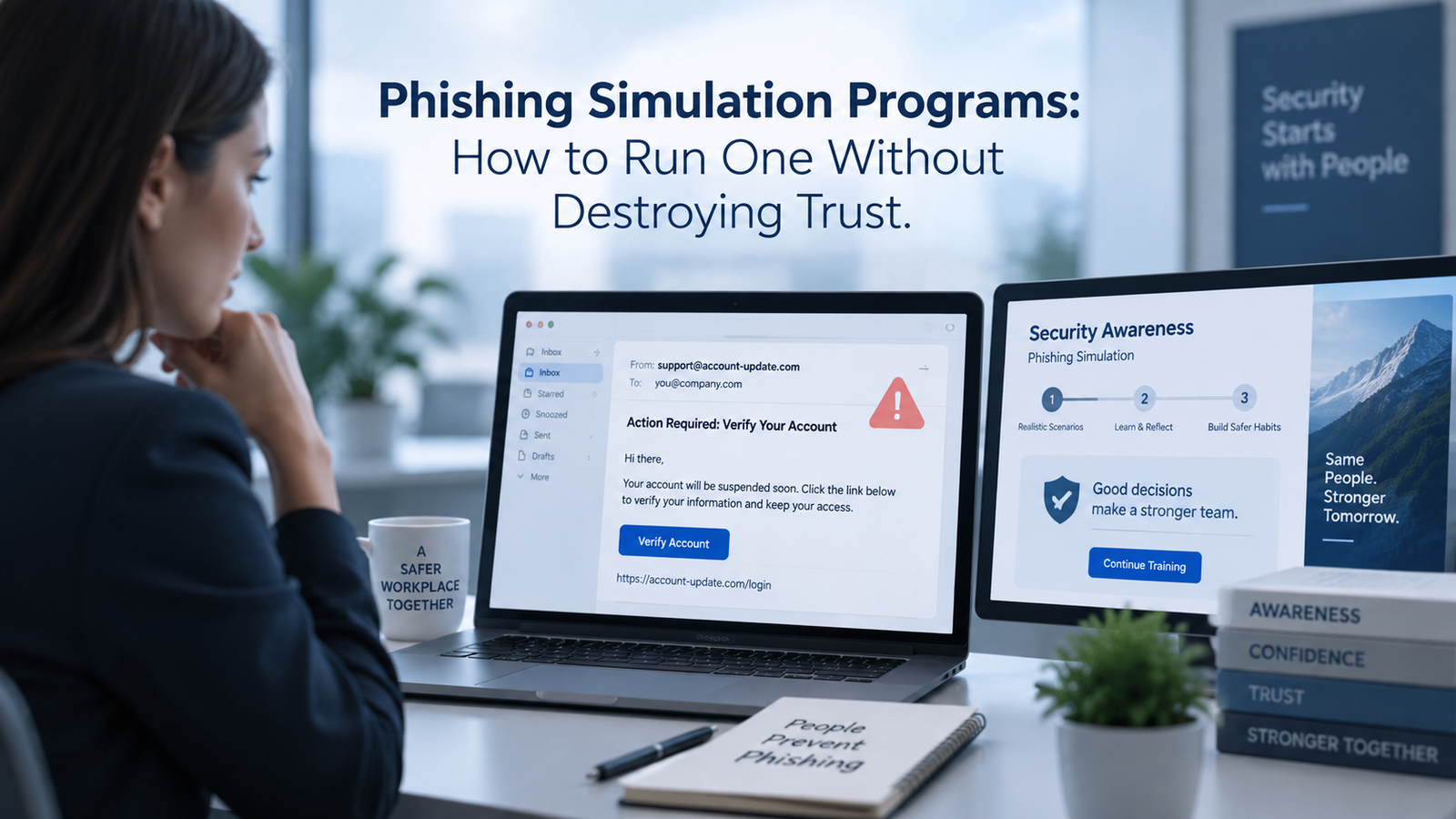
Phishing tests can teach useful habits, but the way they are run matters as much as the technology behind them. A program that tricks people for sport, publishes failure lists, or uses emotionally loaded bait can damage the relationship between employees and the security team. Once that happens, people may report less, hide mistakes, or distrust real messages from HR, finance, and leadership.
Good phishing simulation programs take a different path. They treat the exercise as a controlled learning system. Employees know that simulations are part of the organization’s security practice, even if they don’t know when a test will arrive. The security team uses realistic scenarios, sets limits on what it will imitate, measures more than clicks, and responds to mistakes with useful coaching rather than public blame.
The goal is simple: build safer behavior while preserving the trust that makes reporting possible. This guide explains how to plan, run, measure, and improve that kind of program, from the first policy decision through advanced measurement and governance.
Phishing simulation programs should be judged by what people learn and what the organization fixes afterward. The test is one event inside a wider security awareness training cycle that includes preparation, practice, reporting, and review. That wider view keeps the program focused on behavior instead of dramatic campaign numbers.
TL;DR
Phishing simulation programs work best when employees understand the purpose of the exercise and the rules are set before testing starts. Tell staff that simulations will occur, keep the exact timing private, and explain how results will be used. Avoid bait tied to layoffs, bonuses, medical news, immigration status, personal emergencies, or other topics that can create real distress.
Use security awareness training to teach what people should do before the first test. During the program, track reporting behavior, time to report, interaction with the lure, and repeat patterns. A click by itself doesn’t explain whether the email was unusually difficult or whether a person recognized the problem seconds later. Keep individual results private, use group trends for leadership reporting, and give short follow-up coaching after a mistake.
The strongest phishing simulation best practices also test the organization around the employee. The report button must work, the help desk must know what to do, and the security team must be able to triage reports quickly. A simulation should reveal weak process as well as weak recognition.
Phishing simulation programs become easier to trust when phishing awareness training explains those expectations before any campaign begins. For simulated phishing emails, employees should know that reporting is always welcome, even after they clicked, opened a file, or started to follow the request.
What A Phishing Simulation Program Is Actually Testing
A phishing simulation program sends controlled messages that imitate common attacker techniques. The exercise records defined actions, such as opening a link, entering dummy information, downloading a safe test file, or reporting the message through the approved channel. The purpose is to observe behavior in a safe setting and use the result to improve future decisions.
That purpose is narrower than many dashboards imply. A click isn’t proof that an employee is careless. It may show that the lure was convincing, the timing matched a real work task, the mobile view hid useful clues, or the employee made a fast mistake and reported it immediately. NIST built the Phish Scale User Guide to help practitioners rate how difficult a simulated message is for a specific audience, which gives click and report data needed context instead of treating every lure as equal.
Useful phishing awareness training also separates human behavior from technical controls. A real attack still passes through email filtering, identity controls, endpoint defenses, and response processes. Calance describes phishing tests and employee education within its broader cybersecurity services, which is the right frame because simulated phishing emails measure one layer of risk rather than the entire security posture.
A mature program therefore tests several questions at once. Can employees spot suspicious cues? Do they know where to report a message? Does the report reach the right team? Can security staff act on it? Does the organization learn from the pattern without turning the exercise into an employee ranking system? Those questions produce far more useful decisions than a single failure percentage.
Phishing simulation programs also give security awareness training teams evidence about where instruction and process design are out of sync. If people recognize the lure but can’t find the report button, the problem is operational. If a cohort repeatedly misses the same cue, the lesson may need to change.
Why Trust Breaks During Phishing Simulations
Trust usually breaks when the exercise feels unfair, personal, or punitive. Security teams can design almost any pretext, but realism doesn’t require cruelty. A fake bonus after a difficult quarter, a false layoff notice, a made-up medical benefit change, or a message that appears to come from a grieving colleague may attract clicks precisely because it targets emotion rather than a security skill the organization can teach.
Research supports taking that concern seriously. A 2024 USENIX Security case study measured stress and phishing self-efficacy among 408 employees after a simulation. Employees who clicked showed higher stress and lower self-efficacy than employees who reported the message. The simulated stress study doesn’t prove that all simulations cause lasting harm, but it shows why program owners should consider the employee experience when they choose lures and follow-up messages.
Trust also falls when employees think the hidden purpose is discipline. If staff believe one wrong click can affect a performance review, they have a reason to conceal mistakes. That is dangerous in a real incident, where fast reporting can help security teams disable an account, remove a message from other inboxes, or stop a fraudulent payment before the loss grows.
The fix is to make the program rules predictable even when the tests are not. Employees should know that simulations happen, what kinds of behavior are recorded, who can see individual data, and what happens after an interaction. The exact send date can stay private. The existence and purpose of the program shouldn’t be a secret.
Phishing simulation programs work better when security awareness training uses the same language as the test policy. If training says mistakes should be reported quickly, the simulation response must reward that behavior. Conflicting messages teach employees to protect themselves from the program instead of helping security.
Set Goals And Guardrails Before The First Test
Start with the behavior you want to change. “Reduce clicks” is too thin because it can reward easy tests or encourage people to ignore unfamiliar email. Better goals focus on actions that help during a real event, such as increasing correct reports, reducing time to first report, improving recognition of common pretexts, or making the reporting path easier to use.
The 2024 revision of NIST SP 800-50 treats awareness as a learning program that should support behavior change and a security culture. Its Cybersecurity and Privacy Learning Program guidance also recommends an ongoing life cycle with evaluation and improvement, which fits phishing simulation programs better than a once-a-year test followed by a scorecard.
Write The Rules Before Launch
A short program charter should define what the exercise may test and what it won’t do. It should cover data access, retention, escalation, excluded topics, approved channels, accessibility needs, and the line between coaching and formal employee action. The security team should also define how it will handle executives, contractors, shared mailboxes, new hires, and people on leave.
Good phishing simulation best practices include a clear ban on collecting real passwords. If a credential-entry scenario is needed, use a controlled landing page that records the defined event without storing a secret. The same principle applies to phone numbers, payment data, health information, and other sensitive fields. Measure the behavior required for the exercise and collect nothing extra.
Guardrails also prevent the program from drifting toward harder bait simply because harder bait produces dramatic numbers. Difficulty should rise only when the learning plan calls for it. A simulation is a training instrument, not a contest between the security team and the workforce.
Phishing simulation programs need written review criteria for new scenarios. One of the most useful phishing simulation best practices is to ask whether a lure tests a teachable security decision, whether employees have been given a fair way to make that decision, and whether the same lesson could be tested without personal distress.
Build Governance Across Security, HR, Legal, And Operations
A simulation touches employment practice, privacy, internal communications, incident handling, and technical infrastructure. That makes governance a shared job. Security should own the risk objective and test design, while HR and legal review employee impact and data use. IT or messaging teams need to know how the platform will interact with filters, safe-link systems, allowlists, and reporting tools.
Leadership also needs a clear view of what the data can and can’t prove. Calance’s virtual CISO services describe governance work that connects security planning with incident response and business priorities, and that same discipline helps keep a simulation tied to agreed risk goals rather than ad hoc testing.
Decide in advance who receives named results. In many organizations, the security awareness team may need individual records for private coaching, while executives need team-level trends. Managers may need to know that a role group needs more support without receiving a list of everyone who clicked. Access should match the action each person is expected to take.
Include the help desk and security operations team before launch. Employees will forward messages, open tickets, call support, or ask colleagues whether a message is real. A simulation that surprises the support team creates noise and can expose the exercise in minutes. Internal responders should know the program exists and have a script for handling suspected simulation reports without giving away the campaign.
Phishing simulation programs also need an owner who can resolve disagreements. HR may reject a scenario that security considers realistic, or operations may flag a send window that would disrupt a critical process. A named owner and documented review path keep those decisions consistent from one campaign to the next.
Design Realistic Lures Without Humiliating People
Realism comes from work context, timing, and believable requests. It doesn’t require exploiting a person’s deepest fears. A useful lure might imitate a document-share notice, a routine password reset, a vendor invoice, a calendar change, or a common collaboration message. The difficulty can come from subtle sender details, a plausible domain, or a request that fits the recipient’s normal role.
The Federal Trade Commission warns that business scams often impersonate trusted people and use urgency or fear to push fast action. Its small-business scam guidance also tells organizations to train employees not to send passwords or sensitive business information by email, even when a message appears to come from a manager. Those are useful behaviors to practice without inventing a personal crisis.
Use the NIST Phish Scale or another documented difficulty method when you create simulated phishing emails. A finance team may find a supplier-payment message more convincing than an engineering team does. An HR-themed message may be highly relevant to everyone during benefits enrollment. Difficulty is partly about cues in the message and partly about how well the premise fits the target audience.
Avoid Pretexts That Create Real Harm
Some themes carry more risk than training value. Avoid false layoff notices, fake termination messages, made-up bonuses, fabricated medical results, immigration threats, benefits cancellation, or personal emergency messages that appear to come from a real colleague. Also avoid pretending that an employee has committed misconduct or that a regulator is investigating them.
Phishing simulation best practices should protect trusted internal channels too. If employees repeatedly receive fake messages that perfectly mimic HR, payroll, or executive communications, they may start doubting legitimate notices. Use enough realism to test recognition while preserving reliable ways for staff to confirm sensitive requests through a second channel.
Vary the difficulty over time. Easy scenarios help new employees learn obvious warning signs. Moderate scenarios test routine habits. Harder scenarios can target high-risk roles once the reporting process works and people have had enough phishing awareness training to know what good behavior looks like. The progression should serve learning, not surprise.
Security awareness training should prepare people for the same decision patterns that appear in simulated phishing emails. If a campaign tests vendor payment fraud, teach employees how to verify payment changes through an approved second channel. The lesson and the lure should point toward a real work habit.
Decide Who Gets Tested And How Often
There is no universal frequency that fits every workforce. Monthly tests may make sense for a high-risk group, while another organization may prefer smaller rolling cohorts or quarterly exercises. The choice should reflect threat exposure, employee load, program maturity, and the time available to review results and provide useful follow-up.
Frequency also affects trust. Too many simulated phishing emails can make staff suspicious of ordinary communication or create reporting fatigue. Too few tests may produce weak data and long gaps between learning moments. A steady cadence is easier to explain and govern than a burst of tests after an incident.
Cohort design matters as much as timing. New hires, finance staff, executives, help desk teams, developers with production access, and staff who handle sensitive records face different phishing risks. That doesn’t mean each group needs a separate program. It means the mix of lures and coaching should reflect the work people actually do.
Use exclusions carefully. People on extended leave, employees in the middle of a known crisis, or teams handling an active incident may need to be skipped for a campaign. The goal isn’t perfect statistical purity. It is useful practice that doesn’t create avoidable harm or interfere with urgent work.
Phishing simulation programs should also vary the timing of simulated phishing emails within reasonable work windows. Sending every test at the same hour trains people to recognize the schedule. Random timing is useful, but it should still respect overnight shifts, planned outages, and periods when a false alert could cause unnecessary disruption.
Run The Simulation In Controlled Stages
Start small enough that the team can see what breaks. A pilot group helps confirm that messages render correctly, the landing page works, event tracking is accurate, and the reporting route reaches the expected queue. It also catches technical effects from email scanners or link-rewriting systems that can look like human clicks.
Pilot The Full Workflow
Test from delivery through response. Send to internal test accounts across the email clients and devices your staff use. Confirm that safe-link tools don’t trigger false events, that the report button captures the right message, and that a reported simulation reaches the people who are meant to see it. Calance’s managed detection and response services describe the value of defined investigation and escalation paths, and a simulation should exercise those paths rather than stop at the inbox.
Stagger The Send
Large one-time sends can distort behavior because employees warn one another. Staggering delivery across a window can reduce that effect and lower the chance that a sudden wave of reports overwhelms the help desk. Keep the rules consistent so the campaign remains interpretable, and record the send window when you review the results.
Watch For Technical Noise
Automated security tools may open links, inspect attachments, or prefetch content. Mobile clients may also handle messages differently from desktop clients. Validate how the simulation platform distinguishes machine activity from human interaction before treating every event as a failure.
A phishing simulation program should also have a stop condition. If the exercise causes unexpected technical impact, hits the wrong audience, or triggers a sensitive real-world issue, the team needs authority to pause it. Controlled testing includes knowing when to stop.
Security awareness training teams should document what the pilot changed before the wider launch. Another practical item in phishing simulation best practices is to keep a short campaign record covering the tested cue, expected safe action, known technical noise, audience, send window, and planned follow-up. That record makes later comparisons more credible.
Handle Clicks, Reports, And Follow-Up Training Carefully
The first screen after a simulated mistake sets the tone. Avoid messages that say “You failed” in large red type or imply that the employee endangered the company. A better response explains that the message was a simulation, points out 1 or 2 clues, and tells the employee what action would have been safer.
Keep the lesson short. Security awareness training works better when it addresses the behavior that just occurred instead of forcing every person through the same long module. Someone who clicked a fake file-share notice may need a quick lesson on sender checks and shared-document prompts. Someone who tried to enter credentials may need a stronger reminder about sign-in pages and password handling.
When a person struggles with the same kind of lure more than once, the follow-up should match that pattern. Calance’s guide to phishing awareness training discusses targeted support for people who show repeated difficulty, and that approach is more useful than treating one mistake as a character flaw. Repeat patterns deserve attention, but the response can still be private, specific, and focused on safer behavior.
Treat reports as a success signal. CISA’s public guidance tells users to recognize and report phishing, which matches the behavior organizations need during a live campaign. Thank people for reporting, make the button easy to find, and make sure a report after an accidental click is still welcomed. Employees should learn that speaking up quickly is always better than hiding the event.
Measure Behavior Without Weaponizing The Data
Click rate is useful, but it is a weak headline metric on its own. A hard lure may produce more clicks than an easy one even when employee skill has improved. Automated scanners can create false events. A person may click and then report within seconds. Another person may avoid the link but never tell security, leaving the organization blind during a real attack.
A 2026 NIST study tested 26 phishing cues with more than 50,000 employees at Walmart. The simulated campaign recorded a 7.22% click rate and a 16.81% report rate, while preliminary survey results found no difference in clicking behavior between cue types. The NIST phishing-cue study is useful because it shows how much context sits behind a simple campaign score. Those numbers belong to that study population and shouldn’t be copied as universal targets.
Use a small set of metrics with clear definitions:
| Metric | What It Tells You | What To Watch For |
| Click or interaction rate | How many recipients took the defined unsafe action | Lure difficulty, scanner activity, device effects |
| Report rate | How many recipients used the approved reporting path | Whether people know how and where to report |
| Time to first report | How quickly security gets an early warning | Send windows, coverage, after-hours delivery |
| Repeat interaction pattern | Whether the same people need extra coaching | Small sample sizes and unfair labeling |
| Scenario difficulty | How hard the lure was for that audience | Comparability across campaigns |
Report trends by cohort where the sample is large enough to protect privacy. Pair interaction rates with report rates and difficulty. That produces a better picture than publishing a department “failure leaderboard.” Phishing simulation best practices use measurement to decide what to teach or fix next, not to create embarrassment.
Phishing simulation programs should also separate human interaction from events generated by security scanners and mail clients. Review unexplained spikes before reporting them as employee behavior. When simulated phishing emails change in difficulty, record that change so a higher click rate isn’t automatically presented as declining skill.
Protect Privacy, Fairness, And Psychological Safety
Collect the minimum data needed for the program. If the platform can record that a credential form was submitted without storing what the employee typed, use that setting. If the goal is to measure reporting behavior, there is no reason to retain unrelated message content or personal data longer than needed.
Access should be narrow and documented. Individual phishing simulation program records can affect how employees feel about monitoring, even when the organization has a legitimate security reason for collecting them. Define who can see named data, why they need it, and when it will be deleted. Coordinate those rules with HR, legal, works councils, unions, or privacy teams where applicable.
Fairness also means accounting for accessibility and job context. A simulation built around a visual cue may test differently for someone using assistive technology. A night-shift worker may receive a message under different time pressure than an office worker. Contractors may use different systems or have different reporting access. Results need that context before anyone draws conclusions about skill.
Security controls around the program matter too, because training can’t prevent every unsafe action or stop every malicious message. Calance’s endpoint detection and response services focus on monitoring and containment at the device layer, which is a reminder that employee training should sit beside technical defenses. People shouldn’t carry the full burden for stopping a malicious message that passes through every other control.
What Phishing Simulation Programs Really Cost
Software licensing is only one cost. Planning takes time from security, HR, legal, IT, communications, and support teams. Lures need review. Technical teams may need to configure mail flow and reporting. Someone has to examine results, answer employee questions, deliver coaching, and adjust the next campaign.
A 2023 USENIX Security case study documented the effort required to introduce a simulation program and estimated at least EUR 50,000 in person-hours for the organization it studied. The hidden-costs research was a single case, so the figure isn’t a market benchmark. It is useful evidence that procurement, technical preparation, and stakeholder coordination can cost much more than a platform subscription suggests.
Use a cost model that includes the full work:
| Cost Area | Typical Work Included |
| Platform | Licensing, setup, integrations, administration |
| Program design | Policy, guardrails, audience rules, scenario review |
| Technical work | Mail flow, allowlisting, reporting integration, event validation |
| People time | Campaign review, support, coaching, leadership reporting |
| Ongoing improvement | New scenarios, metric review, privacy checks, process fixes |
The business case should compare that effort with the decisions the program enables. If nobody has time to review results or change training, running more campaigns adds activity without much learning. Security teams should budget for the work after the send, because that is where most improvement happens.
Common Failure Modes And How To Correct Them
The most common failure is treating the exercise as a trap. Employees receive a cruel or unusually deceptive lure, a high click rate appears on a dashboard, and leadership concludes that people are the problem. The better response is to examine the lure, the work context, the reporting path, and the surrounding controls before assigning meaning to the number.
Another failure is using the same easy templates until the click rate approaches zero. That can make the program look successful while teaching staff to recognize a narrow pattern. Rotate sender styles, request types, and message formats. Increase difficulty carefully and record it so results remain interpretable.
A third problem is weak technical preparation. Safe-link tools may trigger false clicks, reports may go to an unmonitored inbox, or the landing page may not work on mobile devices. Security teams can borrow the same discipline used in vulnerability assessment services, where scope, evidence, and repeatable checks matter, and apply it to the human side of testing as well.
Programs also fail when every interaction triggers the same training. People learn different lessons from different scenarios. Short, relevant phishing awareness training after the event is usually more useful than assigning a large generic course. Repeat patterns can justify deeper coaching, but one isolated mistake shouldn’t become an employee identity.
Finally, simulations can crowd out other security work. Phishing is one attack path. Organizations still need identity protection, endpoint controls, secure configuration, incident response, and technical testing. Calance’s penetration testing services describe controlled testing with defined scope and rules of engagement, and phishing programs need the same restraint. Test to answer a risk question, document what happened, and use the result to make a concrete change.
Conclusion
Phishing simulation programs can strengthen reporting habits and reveal where people or processes need help. They can also damage trust when the exercise relies on humiliation, fear, secrecy, or punishment. The difference comes from program design.
Set the rules before testing. Tell employees why simulations exist. Use realistic lures without exploiting personal hardship. Protect named results. Pair mistakes with short employee phishing training that teaches a specific safer action. Measure reporting and response, not clicks alone. Review the difficulty of each scenario and the technical systems around it.
The best phishing simulation best practices leave employees more willing to speak up after a mistake. That willingness matters during the real event, when early reporting can give the security team the time it needs to act.
Frequently Asked Questions
What Is A Phishing Simulation Program?
A phishing simulation program sends controlled test messages to employees to observe how they respond to phishing-like requests. The program can measure actions such as clicking, reporting, or entering dummy information, then use the results to improve behavior and internal response processes.
Should Employees Know That Phishing Simulations Are Happening?
Yes. Employees can be told that simulations are part of the security program without being told the date, sender, or scenario. This preserves the value of the exercise while making the purpose, data use, and follow-up rules clear.
How Often Should A Company Run Phishing Simulations?
Frequency should match risk, workforce size, and the team’s ability to review results. Monthly, rolling, or quarterly schedules can all work. The cadence should be steady enough to support learning without creating message fatigue or distrust of normal email.
What Is A Good Phishing Simulation Click Rate?
There is no universal target because click rate changes with lure difficulty, audience, timing, and technical filtering. Compare your own trends across similar scenarios and pair click rate with report rate, time to report, and a documented difficulty rating.
Is Clicking A Simulated Phish A Training Failure?
No single click explains enough to make that judgment. Review the lure, the employee’s next action, and whether the message was reported. A person who clicks and reports quickly may still show a useful response habit that the program should reinforce.
Should Managers Receive Lists Of Employees Who Clicked?
Usually, named data should stay with the small group responsible for private coaching or risk handling. Managers can often act on team-level trends without receiving individual failure lists. Set access rules before the program begins and review them with HR and legal.
Can A Phishing Test Ask Employees To Enter Passwords?
A simulation may imitate a credential prompt, but the system shouldn’t collect or store real passwords. Use a controlled page that records the event without capturing the secret. The same minimum-data rule should apply to other sensitive information.
What Topics Should A Phishing Simulation Avoid?
Avoid themes likely to cause real distress, such as layoffs, termination, fabricated medical news, fake immigration threats, false personal emergencies, or misleading bonus announcements. A realistic test can use ordinary work requests without exploiting a sensitive personal event.
What Should Happen Immediately After Someone Clicks?
Show a short, blame-free explanation that identifies the clues in that specific message and describes the safer action. Keep the learning focused. Longer training can be reserved for repeat patterns or higher-risk behavior that needs more support.
Is Phishing Awareness Training The Same As A Simulation?
No. Phishing awareness training teaches people how phishing works and what actions to take. A simulation observes behavior in a controlled exercise. The strongest program uses both, with training before testing and relevant coaching after an interaction.
Which Metrics Matter Besides Click Rate?
Useful measures include report rate, time to first report, credential-form interaction, repeat patterns, and scenario difficulty. Track the technical handling of reports too, because employee reporting has little value if the message sits in an unmonitored queue.
How Can A Program Protect Employee Privacy?
Collect only the data needed for the stated goal, restrict access to named results, set a retention period, and avoid capturing real secrets. Review the plan with privacy, HR, and legal teams where required by policy or local law.
Should Repeat Clickers Be Punished?
Repeated unsafe actions may justify extra coaching or a role-specific risk review, but automatic punishment can discourage reporting. Define escalation rules in advance and focus first on whether the person understands the risk and can practice a safer response.
Can Simulations Test The Security Team Too?
Yes. A well-run exercise can test whether reports reach the right queue, how fast analysts respond, and whether support teams follow the correct process. That turns the exercise into a check of the reporting and response system as well as employee recognition.
How Do You Keep A Phishing Program From Becoming A Gotcha Exercise?
Publish the purpose and rules, avoid cruel pretexts, keep individual results private, use fair difficulty levels, and respond to mistakes with useful coaching. Employee phishing training should make people more willing to report suspicious activity, including their own errors.