

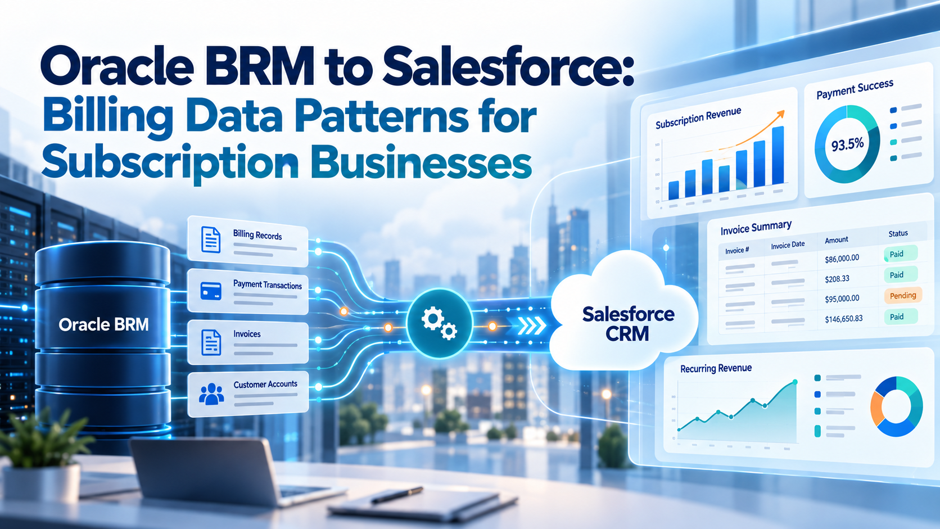
Subscription businesses often need Oracle Communications Billing and Revenue Management, or Oracle BRM, and Salesforce to support different parts of the same customer relationship. Salesforce may hold sales, account, service, renewal, and customer interaction data. BRM may handle rating, billing cycles, balances, usage charges, invoices, payments, and other billing records.
Problems begin when teams treat the connection as a normal CRM data sync. Billing data doesn’t behave like a simple customer table. An account may contain several bill units, a subscription may create many charge events, and one invoice can represent activity collected from several billing objects. Companies building this connection can use Advayan’s Salesforce Integration Services as a related reference for connecting Salesforce with ERP, finance, billing, and other business systems.
A better Oracle BRM to Salesforce integration starts by deciding which system owns each business concept. Teams can then choose whether Salesforce needs a stored copy, a summary, an event notification, or live access to the BRM record. This article explains those choices for subscription businesses that want Salesforce users to see useful billing information without turning CRM into a second billing engine.
TL;DR
Oracle BRM should usually remain the authority for rating, billing, balance calculations, bill units, invoice production, usage charging, payments, and billing adjustments when it continues to run the billing operation. Salesforce should receive the customer and billing information needed for sales, service, renewal, collection, or account-management work. The integration becomes easier to control when every shared field has one clear owner.
Don’t copy every BRM billing event into Salesforce. Store customer-facing summaries when users need fast access, use events when Salesforce needs to react to a billing-state change, and use virtual or on-demand access when users need current detail without creating another permanent copy. Salesforce documents separate enterprise integration patterns for scheduled synchronization, remote calls, event-driven work, and external data access.
The hardest part is usually the data model rather than the API connection. BRM separates accounts, bill units, balance groups, bill items, bills, services, and events because they have different billing roles. Salesforce teams need to preserve those distinctions where they matter instead of forcing every BRM concept into Account, Opportunity, or one custom Billing object.
Why Oracle BRM to Salesforce Is Different From a Standard CRM Integration
A normal CRM integration may move customer names, contact details, order status, or case information between systems. Billing integration carries more state and more financial meaning. A single incorrect mapping can affect what a service agent tells a customer, which balance a collector sees, or which subscription a renewal manager believes is active. Companies using an API-led architecture can also review Advayan’s MuleSoft Development Services when BRM, Salesforce, and other enterprise systems need a shared integration layer.
Oracle BRM’s model reflects that complexity. BRM uses bill items to track charges associated with billable events, balance groups to hold balances, bill units to control how and when billing occurs, and bill objects to hold information used to produce a payment request. Oracle’s BRM balance management documentation explains how bill items, balance groups, bill units, and bills play different roles in the billing cycle.
That means a Salesforce Account isn’t automatically equivalent to a BRM bill unit. The same customer account can have several billing arrangements. A parent organization may pay for child accounts, while some child accounts may pay separately. Oracle’s account and bill unit hierarchy guidance shows that bill-unit hierarchies can differ from account hierarchies and that paying and nonpaying relationships are managed at bill-unit level.
Subscription businesses also create much more billing activity than ordinary CRM activity. Usage-based products can generate large numbers of events. Those events may create balance impacts that roll into bill items before the final bill is produced. Sending all of that detail into Salesforce can create a large data footprint without helping the user who only needs to know the current amount due and the latest invoice status.
The integration therefore needs a business rule for each dataset. Ask whether Salesforce needs the source record, an operational summary, a notification, or access to the detail only when a user asks for it. That choice should be made before fields and APIs are mapped.
Start With the System-of-Record Boundary
The first design decision should answer a basic question: which system has authority when Oracle BRM and Salesforce disagree? Teams working through this boundary before development can also use Advayan’s Salesforce Implementation Services as a related reference for requirements, integration planning, testing, and controlled deployment.
For most businesses keeping BRM as the billing platform, BRM should remain authoritative for values created by billing logic. That can include bill-unit settings, rated charges, invoice amounts, balances, payment applications, disputes, adjustments, and billing-cycle state. Salesforce may display or use those values, but it shouldn’t quietly recalculate them under different rules.
Salesforce may remain authoritative for other information. Sales ownership, opportunity stages, case activity, account-management assignments, and some customer-facing attributes may originate in Salesforce. Product ordering may also begin there before approved order information passes into BRM or another fulfillment layer.
The ownership boundary should be defined at field or business-concept level rather than system level. Saying “Salesforce owns customers and BRM owns billing” is too broad. A Salesforce Account may own the account manager, while BRM owns the bill day and payment method associated with a bill unit.
Use an ownership table during design.
| Business Concept | Typical Authority | Salesforce Need |
| CRM account owner | Salesforce | Store |
| Customer contact details | Depends on operating model | Store and sync |
| BRM bill unit | BRM | Store summary or reference |
| Billing day | BRM | Display if needed |
| Rated usage charge | BRM | Aggregate or access on demand |
| Invoice amount | BRM | Store summary or external reference |
| Current amount due | BRM | Sync or query |
| Payment status | BRM | Sync when user action depends on it |
| Case or dispute interaction | Salesforce may own service workflow | Store |
| Financial adjustment result | BRM | Return confirmed result to Salesforce |
The table will differ by company, but the rule should stay the same. One system must be responsible for the authoritative value. When both platforms can edit the same field without a conflict rule, the integration becomes a source of data errors.
The ownership model should also state what happens when a sync fails. Salesforce users need to know whether a displayed balance is current, whether an update is pending, and whether BRM rejected a requested change. Hiding integration failure behind a field that looks valid creates more risk than showing that the value is temporarily unavailable.
Understand the BRM Billing Model Before Mapping Salesforce Objects
A BRM Salesforce data mapping exercise should begin with BRM billing concepts rather than Salesforce objects. Starting with “Which Salesforce object should hold this?” can force a complex billing model into the CRM structure before the team understands what the records mean.
BRM bill items track balances associated with types of billable events. Balance groups serve a different purpose because they hold balance information and can be associated with services or bill units. Bill units carry billing instructions, while bills hold the billing-cycle result needed for payment processing. Oracle’s billing model overview gives the source-side context needed before those records are mapped into Salesforce.
A business may have more than one balance group when it needs to track balances separately. An account may also contain several bill units with different payment methods, billing days, billing frequencies, and accounting settings.
Bills then represent the billing-cycle result used in payment-request processing. Invoices can be generated from billing data and sent to customers. The important point for Salesforce design is that an account, bill unit, balance group, bill item, and bill aren’t interchangeable records.
Companies in communications, media, or other subscription-heavy industries may also need to align the BRM model with Salesforce Industries concepts. Advayan’s Salesforce Vlocity services cover industry data models and integration work for Communications, Media, Energy, and related environments.
A useful conceptual mapping looks more like this:
| Oracle BRM Concept | Possible Salesforce Representation | Design Note |
| Account | Account or related account record | Don’t assume one CRM account equals one billing arrangement |
| Bill unit | Custom Billing Account/Profile object or Revenue Management billing entity | Preserve separate bill cycles and payment settings |
| Service/subscription | Asset, subscription, product inventory, or custom object | Choose based on Salesforce products in use |
| Balance group | Summary balance record or external representation | Store only when CRM users need the value |
| Bill | Invoice or custom/external invoice header | BRM remains owner if BRM generates the bill |
| Bill item | Invoice line summary or on-demand detail | Avoid copying unnecessary detail |
| Event | Usually summarized, streamed, or queried | Raw volume can be too high for CRM storage |
| Payment | Payment summary or status | Preserve BRM payment application result |
| Adjustment/dispute | Service workflow plus BRM financial result | CRM can manage interaction while BRM posts the financial change |
This is a conceptual pattern, not a universal object map. Organizations using Salesforce billing products need to compare BRM concepts with the Salesforce model they have licensed rather than create duplicate structures without a clear purpose.
Pattern 1: Synchronize Customer and Billing Account Identity
Identity is the foundation of the integration. If Salesforce can’t reliably associate a CRM customer with the correct BRM account and bill unit, every later invoice, balance, subscription, and payment update becomes difficult to trust. A broader architecture review through Advayan’s Salesforce Consulting Services can be useful when customer ownership, data models, and integration rules span several systems.
Start by keeping BRM identifiers in Salesforce as immutable external identifiers. Don’t use customer name, email address, or account number alone when those values can change or repeat. Store the BRM account identifier on the Salesforce record that represents the corresponding customer relationship, then store bill-unit identifiers separately when an account can have several billing arrangements.
Avoid assuming that a Salesforce Account hierarchy should mirror the BRM account hierarchy exactly. CRM hierarchies often represent commercial ownership or corporate relationships, while BRM hierarchies may represent billing responsibility. The 2 structures can overlap without being identical.
For example, a parent company may have 3 divisions represented as child Accounts in Salesforce. BRM could bill all 3 through one paying bill unit, or each division could have its own billing arrangement. Flattening this into one billing field on the parent Salesforce Account would hide important differences.
A better pattern is to create a distinct billing relationship where the business needs one. That record can hold the BRM account ID, BRM bill-unit ID, billing status, payment method category, billing day, currency, and other CRM-safe attributes.
The integration should also define the direction for customer updates. If Salesforce changes a billing contact, does that update BRM automatically? Does BRM remain the source for invoice delivery preferences? Does a legal-name change need approval before it reaches billing? Answer these questions before enabling 2-way updates.
Oracle BRM 15.2 provides REST API interfaces for billing and customer operations, including account, bill, payment, balance, usage, and product-related API areas. That gives integration teams a supported service layer for many BRM-to-Salesforce flows.
Pattern 2: Represent Subscription State Without Copying the Billing Engine
Subscription businesses need Salesforce users to understand what the customer has, when it started, and whether it is active. They usually don’t need Salesforce to duplicate the full BRM charging configuration. Teams that need custom Salesforce subscription screens, objects, automation, or APIs can review Advayan’s Salesforce Development Services for related development work.
That difference matters because a subscription can have commercial, service, and billing states that aren’t identical. A sales contract may be active while a service is suspended. A product may remain installed while recurring billing has ended. Renewal teams need a business view, while BRM needs the detailed state used to charge correctly.
Map the subscription lifecycle deliberately. Decide which states Salesforce needs for selling, service, renewal, and retention work. Then send those states from the authoritative source rather than copying every underlying billing attribute.
A Salesforce subscription or asset representation might include the product, effective date, current lifecycle status, quantity, commercial term, renewal date, and BRM subscription identifier. Usage rating rules, charge-offer internals, balance-impact logic, and similar BRM details can stay in the billing environment unless Salesforce has a direct business need for them.
Changes also need direction rules. A sales rep might request an upgrade in Salesforce, but the status shouldn’t become “Active” merely because an Opportunity closed. The order or fulfillment process should complete the BRM-side change, and the confirmed subscription state should return to Salesforce.
This is especially important for suspend, resume, modify, and terminate actions. Oracle’s BRM REST Services Manager API exposes billing and product operations that can support subscription-related integration flows.
Treat the returned BRM result as the confirmation of billing state. Salesforce can own the request and customer workflow while BRM confirms what actually happened in the billing platform.
Pattern 3: Send Invoice Summaries to Salesforce, Not the Whole Billing Database
Invoices are among the most useful BRM records to expose in Salesforce. Service agents want to answer billing questions without leaving the CRM, account managers may need to know whether invoices are overdue, and renewal teams may want visibility into recent billing problems. Advayan’s Salesforce Service Cloud services are relevant when invoice context needs to sit beside customer cases, service processes, and agent workflows.
The mistake is assuming that invoice visibility requires a copy of every underlying event and bill item. Most CRM users need the invoice header and a useful amount of line-level context. Detailed usage can be retrieved only when a question requires it.
A stored Salesforce invoice summary can include the BRM bill or invoice identifier, bill-unit reference, invoice date, billing period, original amount, amount due, due date, status, currency, and a document link. If the business needs invoice lines for service work, bring in grouped or customer-readable lines rather than every raw billing event.
Keep invoice ownership clear. If BRM generates the legal invoice, Salesforce should represent that invoice rather than create an independent financial version of it. A service agent shouldn’t be able to change an invoice amount in Salesforce while BRM still holds the original amount.
This becomes important when invoices are corrected. BRM can support corrective billing and adjustments, and those changes should flow back to Salesforce as new financial state. The CRM should show the current result and, where useful, the relationship to the earlier invoice rather than overwrite financial history.
For businesses using Salesforce Revenue Management, the data boundary needs extra care because Salesforce also contains billing-related data structures. Salesforce’s Revenue Management data model guidance shows the Salesforce-side model that should be reviewed before teams create parallel custom billing objects.
Choose one billing authority for each operating flow. If Oracle BRM continues producing invoices, the Salesforce design should avoid building a second invoice calculation path that can disagree with it.
Pattern 4: Treat Usage Data Differently From Invoice Data
Usage is where many Oracle BRM to Salesforce designs become too large. A subscription company may process large numbers of calls, messages, transactions, API requests, storage records, consumption units, or device events. BRM is designed to handle charging and rating activity, while Salesforce is generally used to help people act on customer information.
Sending every rated event into CRM rarely improves that work. It creates more Salesforce records, more integration traffic, and a larger reconciliation problem. Advayan’s guide to Salesforce Integration and Customization is a useful reference when teams are deciding how much external-system detail Salesforce really needs.
Start with the question the Salesforce user needs to answer. A customer-success manager may need monthly consumption against allowance. A support agent may need recent usage when investigating a bill. A sales team may need a threshold signal showing that the customer is approaching a commercial limit.
Those uses call for different data patterns. For customer-success views, send daily or monthly usage summaries. For threshold-based actions, publish an event when usage crosses the agreed level. For a billing investigation, query detailed usage from BRM only when the agent opens the relevant case or invoice.
The best result is often a mixed design. Don’t force one integration mechanism onto every type of billing data because usage volume, freshness, storage needs, and user actions can differ widely across datasets.
Pattern 5: Synchronize Balance and Accounts Receivable State for Customer Work
Current balance is useful in Salesforce because it affects many customer conversations. A service agent may need to explain why an account is restricted, while an account manager may want to see overdue exposure before discussing an expansion.
The Salesforce value must still reflect BRM’s billing state. BRM tracks charges through bill items and balance groups, then applies billing and payment activity to the account’s financial position. Copying a balance once per day may be enough for some CRM workflows but too old for a collections or payment-support process.
Choose freshness based on the action Salesforce users will take. If balance is informational, a scheduled sync may be enough. If a service decision depends on the current balance, query BRM when the user starts that action. If a change in balance should trigger outreach, publish the relevant event into Salesforce rather than repeatedly polling all accounts.
Don’t collapse different balances into one vague “Customer Balance” field. Subscription businesses may need current amount due, past-due amount, unbilled charges, credit balance, disputed amount, or prepaid balance to remain separate. Only expose the values the CRM user understands and can act on.
Also include the effective timestamp. A value labeled “$4,280 due” can be misleading when no one knows whether it reflects the latest payment. A “Balance as of” time gives the user context and makes integration delay visible.
When BRM is the authority, Salesforce should not recalculate amounts from copied invoice and payment records to guess the current balance. Use the BRM-calculated state.
Pattern 6: Keep Payment Detail Narrow and Purpose-Driven
Payment data needs tighter controls than general account information. Salesforce users may need to see whether an invoice has been paid or whether a payment failed, but that doesn’t mean Salesforce should receive every payment-system field. Teams supporting payment integrations and failed middleware jobs can also use Advayan’s Salesforce L2 Support Services as a related reference for API troubleshooting, integration health, and platform monitoring.
Start with the CRM use case. A customer-service user might need payment date, amount, status, payment method category, and the invoices to which the payment was applied. A sales user may need only a high-level account standing indicator.
The Salesforce copy should avoid sensitive payment data that the CRM process doesn’t need. Payment tokens, account numbers, processor details, and security-sensitive values should remain in systems built to handle them unless a defined Salesforce capability requires them.
Payment application is also important. A $10,000 payment doesn’t tell the full story when a customer has several bills. Salesforce should display the result BRM has confirmed, including the related bill where that relationship matters.
Use events for payment-state changes that need quick action. A failed payment might open a service task or alert the account team, while a successful payment may clear a CRM collection flag. Don’t wait for a nightly batch when the business response depends on current payment state.
Pattern 7: Separate Service Disputes From Financial Adjustments
Billing disputes cross the boundary between customer service and financial processing. Salesforce can be a strong place to manage the customer interaction. A case can hold the complaint, supporting documents, notes, approvals, communication history, and the owner responsible for the next action.
BRM should still control the financial result when it remains the billing system. This separation avoids an important problem. A service rep may approve a $50 goodwill credit in Salesforce, but the customer’s balance shouldn’t change until BRM accepts and posts the adjustment.
The CRM needs to distinguish “requested,” “approved for submission,” and “posted in BRM.” Oracle’s BRM adjustment guidance describes account, bill, item, service, and event-level adjustment behavior that integration teams need to preserve when a Salesforce case triggers financial action.
Salesforce should therefore keep the business workflow and BRM financial references tied together. Store the BRM adjustment ID, result, amount, effective date, and failure message where service users need them.
Don’t edit the copied invoice line to make it look as though the original charge never occurred. Financial history matters. Show the original charge and the confirmed adjustment according to the business’s customer-service rules.
Choose Between Batch, Events, API Calls, and Virtual Access
The integration method should follow the data’s business need rather than a company-wide rule such as “everything must be real time.” Batch synchronization can move scheduled datasets, events can signal important changes, request-and-reply calls can handle actions needing an immediate response, and virtual access can avoid storing a second copy.
For BRM billing data, a practical pattern matrix looks like this:
| Data or Process | Common Pattern | Why |
| Account identity | Near-real-time or scheduled sync | CRM needs stable cross-system identity |
| Bill-unit summary | Sync on change plus periodic check | Changes are important but usually low volume |
| Subscription state | Event or API-confirmed update | CRM action may depend on current lifecycle |
| Monthly invoices | Event plus stored summary | Users need fast access after billing completes |
| Raw usage | Keep in BRM or virtual access | Volume may be high |
| Usage summary | Batch or stream | CRM needs only actionable consumption view |
| Current balance | Scheduled summary or on-demand API | Freshness depends on user action |
| Payment status | Event-driven where action depends on it | Reduces delay in customer response |
| Adjustment request | Synchronous or asynchronous process call | BRM must confirm financial result |
| Historical invoice detail | Virtual or on-demand retrieval | Avoid unnecessary CRM storage |
Batch isn’t automatically an inferior option. A nightly invoice-aging sync can be appropriate when users make weekly account-management decisions. Real-time integration adds complexity and should be reserved for processes where latency changes the business outcome.
On-demand calls also need fallback behavior. If BRM is unavailable, Salesforce should tell the user that the live billing detail couldn’t be retrieved. It should not silently present an old value as though it were current.
Build Stable Cross-System Identifiers
Poor identifiers can break a good architecture. Every synchronized BRM entity needs a stable key in Salesforce. Store BRM identifiers as external IDs where appropriate and enforce uniqueness when the Salesforce design requires one BRM record to map to one CRM record.
Avoid keys built from values that can change. Customer names change, billing contacts change, subscription labels change, and even business-facing account numbers can be reformatted or replaced during migration.
The mapping also needs to support hierarchy. A Salesforce Account might link to several BRM bill units, each bill unit to many bills, and each bill to several summarized invoice lines. Don’t flatten those relationships into repeating fields such as “Invoice 1,” “Invoice 2,” and “Invoice 3.”
Use relationship records when the relationship itself has business meaning. For example, a Billing Profile can connect the CRM customer to a BRM bill unit and hold the identifier used by invoice, balance, and payment records.
Identifiers should survive integration retries. If the same BRM invoice event reaches Salesforce twice, the external invoice ID should allow the integration to update or ignore the existing record rather than create a duplicate.
That leads to an important design requirement: idempotency. The same message should be safe to process again when a timeout prevents the sender from knowing whether the first attempt succeeded.
Design for Billing Events That Arrive Late or Out of Order
Subscription billing doesn’t always move through a perfect sequence. Usage can arrive late, payments can be posted after an earlier extract, and a correction can follow an invoice that Salesforce already stored. Retry queues can also cause a newer event to reach Salesforce before an older one.
The Salesforce model should therefore avoid assuming that message arrival order equals billing-event order. Store business timestamps from BRM and compare them when updating state. An integration message should contain enough context for Salesforce or middleware to decide whether it represents newer information than the record already stored.
For immutable history records, keep the new event rather than rewriting an earlier event. For state fields such as payment status, use version or timestamp rules so an old retry can’t reverse the record to a previous state.
Reconciliation jobs should detect missing or unexpected sequences. Event-driven integration still needs periodic checks because message delivery and downstream processing can fail.
Reconcile Salesforce Against BRM Instead of Trusting the Interface
A successful API response doesn’t prove that both systems agree. Build reconciliation around business totals and record counts. Compare invoice counts for the period, invoice amounts, payment states, open balances, and subscription statuses according to the datasets copied into Salesforce.
The exact controls depend on the design. If Salesforce stores only invoice headers, don’t try to reconcile raw BRM events there. Compare the invoice headers and totals that Salesforce is expected to hold.
Use a control table or monitoring store outside the end-user objects where needed. Record extract timestamp, source count, target count, rejected rows, retry count, and financial totals for the relevant batch.
For event-based flows, track messages from source through processing. Know which messages failed, which are waiting for retry, and which Salesforce record was updated.
Reconciliation also needs an owner. An integration team may detect a mismatch, but someone must decide whether the problem belongs to CRM, middleware, billing operations, or source data.
Don’t leave financial mismatches unresolved because the total difference looks small. Small recurring differences often show that the mapping rule itself is wrong.
Give Salesforce Users Billing Context Without Rebuilding Billing Care
The goal of the integration is to help Salesforce users work with customers. It isn’t to recreate every Oracle BRM screen inside Salesforce. A service-agent page can give useful context with a compact billing view, while Advayan’s Salesforce Lightning Services provide a related reference for building custom Lightning interfaces around integrated enterprise data.
Show active billing relationships, recent invoices, current amount due, recent payment status, active subscription state, and open billing cases. Add a link or on-demand detail action when the agent needs a deeper BRM record.
This approach keeps the page understandable. A user dealing with a disputed invoice doesn’t need hundreds of internal billing events on the first screen.
Use role-based views. Sales users may need subscription state and renewal risk. Service users may need recent bills, balance, and payment information. Finance or collections users may require more detail.
When detail remains outside Salesforce, use live access only where the business case supports it. The design should also show data freshness. A service user needs to know whether the balance is live, updated 5 minutes ago, or from last night’s batch.
Plan the Integration Around Failure, Not Only the Happy Path
Billing integration failures need a planned response. Define what happens when BRM is unavailable during an account update, whether Salesforce should queue the request, and how a user should see the pending state. Advayan’s guide to Salesforce Maintenance Support Services is a useful reference for ongoing monitoring, incident response, data issues, and system maintenance after launch.
Use clear statuses rather than one generic “Integration Error.” A support team should be able to tell whether the problem is authentication, mapping, validation, timeout, duplicate identity, or an unavailable downstream dependency.
Retries also need limits. An invalid bill-unit identifier won’t become valid because middleware retries the request 500 times. Separate transient failures from data errors.
Create a dead-letter or exception process for messages that need human action. Capture the source ID, target ID, error, payload reference, attempt count, and current owner.
Don’t allow failed writes to disappear while the Salesforce record looks complete. If an important BRM action is pending, show that state until billing confirms success.
Operational monitoring should cover both technical health and business impact. A queue with 50 failed messages matters more when those messages represent account activations waiting to bill.
How Salesforce Revenue Management Changes the Design
Some businesses connect BRM to Sales Cloud or Service Cloud only. Others are adding Salesforce Revenue Management, which introduces Salesforce-side product, pricing, invoice, payment, and billing structures.
That creates an extra architecture question: which billing functions remain in BRM? Avoid running the same calculation in both systems unless there is a clear business reason and a reconciliation method.
If BRM remains responsible for rating and invoice production, Salesforce Revenue Management may consume or present parts of that result without becoming a second authority for the same charge.
If the organization plans to move billing functions into Salesforce, treat that as a separate replatforming program rather than an ordinary integration. Product models, rating rules, usage treatment, contracts, invoice history, payment processes, adjustments, tax behavior, and accounting integration all need explicit migration decisions.
Don’t assume object similarity means business equivalence. A BRM bill and a Salesforce Invoice may look like obvious matches, but lifecycle rules and source processes matter more than object names.
During a transition period, define cutover ownership by customer, product, or billing period. The same subscription shouldn’t be rated and invoiced independently by both platforms without an intentional control.
A Practical Oracle BRM to Salesforce Delivery Sequence
Start the project with data ownership rather than API development. Identify the customer journeys that require billing information in Salesforce and document what users need to see or do. Sales-heavy subscription businesses can use Advayan’s Salesforce Sales Cloud services as a related reference when billing context needs to support opportunities, account management, renewals, or sales workflows.
Next, map BRM concepts to the Salesforce operating model. Include account identity, bill units, subscriptions, invoices, balances, payments, adjustments, and only the usage information needed for CRM work.
Then classify every flow by timing. Decide whether it should run in batch, through an event, through a synchronous API request, or through virtual access. Don’t choose technology before the latency requirement is clear.
Build cross-system identifiers and idempotency rules before moving production data. Define which identifier is used for account, bill unit, subscription, invoice, payment, and adjustment records.
Test hierarchy cases as well as simple accounts. Include customers with multiple bill units, parent-paid structures, several subscriptions, credits, late payments, failed payments, and invoice corrections.
Test failure behavior before launch. Disable BRM temporarily in a lower environment, send duplicate messages, reverse event order, and submit invalid identifiers. Confirm that Salesforce shows a clear state and that retry processing doesn’t create duplicate financial records.
Finish with reconciliation controls and ownership. The project isn’t ready because the API works. It is ready when teams can prove that the information Salesforce is expected to hold matches the authoritative BRM result and that mismatches have a defined response.
Conclusion: Move Billing Context, Not the Entire Billing Engine
Oracle BRM to Salesforce integration works best when the boundary between customer engagement and billing responsibility remains clear. Salesforce needs enough billing context for sales, service, renewal, and account work, but that doesn’t mean every BRM event or billing object belongs in CRM.
Start with the system of record for each business concept. Preserve BRM distinctions such as bill units, bills, items, balances, and subscription state where they affect customer or financial meaning. Then select the data pattern that fits the use case.
Copy stable summaries when users need fast access. Send events when Salesforce needs to react to a change, and query BRM when users need current detail. Leave high-volume billing information at the source when Salesforce has no reason to store it.
The result should give Salesforce users a clear view of the customer’s billing relationship while BRM continues doing the billing work it owns. That division makes the integration easier to reconcile and reduces the chance that 2 systems present different financial answers to the same customer.
FAQs About Oracle BRM to Salesforce Integration
What Is Oracle BRM to Salesforce Integration?
Oracle BRM to Salesforce integration connects Oracle Communications Billing and Revenue Management with Salesforce so CRM users can access relevant subscription and billing information. The integration can move account identifiers, subscription status, invoice summaries, balances, payment state, and other selected data. BRM normally remains the source for billing calculations when it continues to operate as the billing platform.
Should Salesforce Store All Oracle BRM Billing Data?
Salesforce usually doesn’t need every BRM record. Raw usage events and detailed charging data can create large CRM data volumes without improving user decisions. Store the billing summaries users need, send important state changes as events, and retrieve detailed BRM information on demand when a customer-service or financial process requires it.
Should Oracle BRM or Salesforce Own the Customer Account?
Ownership should be decided by business concept rather than assigning the whole customer to one system. Salesforce may own account-management details and sales relationships, while BRM owns bill units and billing settings. Shared attributes need explicit update rules so both systems don’t edit the same value independently.
How Should BRM Bill Units Be Mapped to Salesforce?
Don’t automatically map a BRM bill unit to the Salesforce Account itself. One BRM account can have several bill units with different billing days, payment methods, or billing frequencies. A separate Billing Profile or Billing Account record in Salesforce can preserve that distinction when CRM users need visibility into multiple billing arrangements.
How Should Oracle BRM Invoices Be Shown in Salesforce?
A common pattern is to store invoice headers and selected customer-readable lines in Salesforce while BRM remains the invoice authority. The CRM record can contain invoice ID, period, amount, amount due, due date, status, and a link to the document. Detailed usage or rating information can remain in BRM unless the user needs it.
Should Raw Usage Events Be Copied From BRM to Salesforce?
Usually not. Usage-based businesses can generate far more billing events than Salesforce users need. Monthly summaries, threshold events, or on-demand detail often give CRM users the required information with less data movement. Raw events should be copied only when a defined Salesforce process genuinely needs record-level usage.
Can Salesforce Display Live Oracle BRM Data Without Storing It?
Yes, depending on the integration architecture. Salesforce can access external information through API calls or external-data patterns without permanently copying every record into CRM. Teams should check latency, reporting, security, availability, and platform limits before choosing live access.
How Should Payment Status Move From BRM to Salesforce?
Send only the payment information needed for the Salesforce workflow. This may include payment date, amount, status, related invoice, and payment method category. Event-based updates are useful when a failed or successful payment should trigger immediate Salesforce action, while scheduled synchronization may be enough for reporting.
How Should Billing Disputes Work Between Salesforce and BRM?
Salesforce can manage the customer-facing dispute workflow, including cases, notes, documents, approvals, and communication. BRM should post the financial adjustment when it remains the billing authority. Salesforce should show the request as pending until BRM confirms the adjustment, then store the confirmed BRM reference and financial result.
Is Real-Time Integration Required Between Oracle BRM and Salesforce?
No. Real-time integration is useful when delay changes what the user needs to do, such as payment failure or subscription activation. Invoice history or account-aging data may work well with scheduled updates. Each dataset should use the timing required by the business process rather than one timing standard for the whole integration.
How Do You Prevent Duplicate Billing Records in Salesforce?
Use stable BRM identifiers as Salesforce external IDs and design updates to be idempotent. When the same integration message is processed again, Salesforce should update or ignore the existing record rather than create another invoice or payment. Retry and duplicate-message behavior should be tested before production.
How Do You Reconcile BRM and Salesforce Billing Data?
Compare only the data Salesforce is expected to contain. If CRM stores invoice summaries, compare invoice counts, source identifiers, statuses, and totals with BRM for the same period. Track rejected records and failed messages, then assign an owner to investigate differences. API success alone shouldn’t be treated as proof of data agreement.
Can Salesforce Revenue Management Replace Oracle BRM?
It can change the architecture, but replacement should be treated as a billing replatforming decision rather than a simple integration change. Oracle BRM and Salesforce Revenue Management have their own billing models and operating rules. Product structures, usage rating, invoice history, payments, adjustments, contracts, and connected finance processes need detailed assessment before moving billing authority.
What Is the Best Starting Point for an Oracle BRM to Salesforce Project?
Start by identifying the Salesforce user journeys that need billing information and defining which platform owns each shared business concept. Map account and bill-unit identity next, then subscription, invoice, balance, payment, and adjustment flows. Choose batch, event, API, or virtual access only after the business need and required data freshness are clear.