

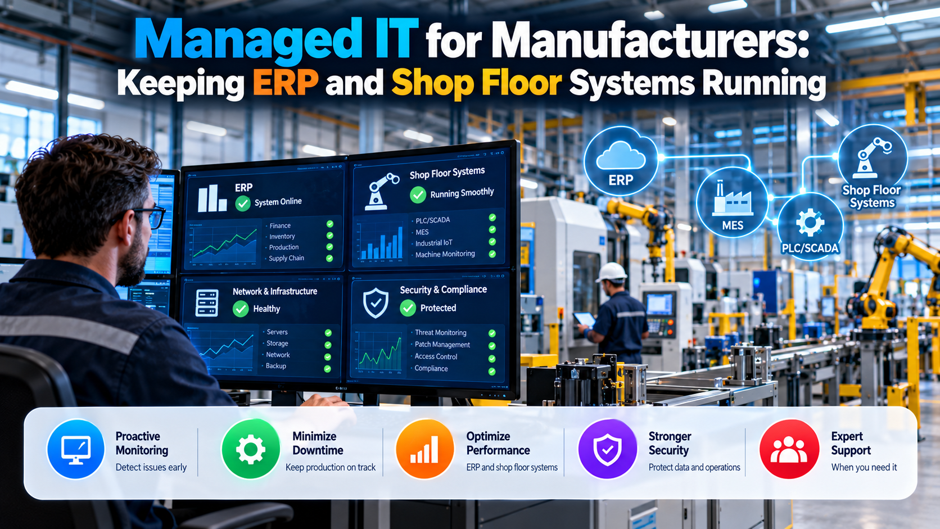
Picture an illustrative 140-person machining and assembly company that runs a mid-market ERP system, a handful of CNC machines tied to a shop-floor data collection server and a quality system that prints traveler sheets at every cell. On a Tuesday morning the ERP slows to a crawl after a vendor patch, the scheduling screen freezes, and 3 supervisors start writing job priorities on whiteboards. By noon the plant manager is asking IT why the same server that handles payroll also feeds the machines, and nobody can answer quickly.
This article explains how managed IT should work in a plant: what the provider must cover for ERP, how to treat shop-floor systems that can’t be patched like office laptops, how to segment and recover, and how to write service levels around production rather than tickets. It draws on NIST’s operational technology guide, CISA’s mitigations, a Siemens downtime survey and a Check Point threat summary. Vendor figures are labeled as vendor claims, and any contract or compliance point needs confirmation from your provider and counsel.
TL;DR
- Treat the plant as 2 environments with different rules. NIST’s OT guide says operational technology has unique performance, reliability and safety requirements, which means patch timing, scanning and change control can’t copy office practice. Ask your provider to document which systems fall in each environment and who approves changes to each. Keep the document where operations can see it.
- Segment, secure remote access and rehearse manual operation. CISA lists those among its primary OT mitigations, alongside removing public exposure and changing default passwords. They cost less than the downtime they prevent, and they’re the first things an insurer or customer will ask about. Ask for dated evidence of each.
- Write service levels around production impact. An illustrative plant earning $60 million a year loses about $15,000 of revenue per operating hour. Define tiers by which line, cell or order is stopped, and negotiate response, escalation and recovery targets against that. Review the tiers every quarter.
Where IT ends and OT begins
| Topic | Office IT | Plant floor and OT |
| Top priority | Confidentiality and data integrity | Availability, safety and process continuity |
| Patch timing | Monthly cycles, automatic where possible | Scheduled shutdowns, vendor approval, sometimes years between updates |
| Operating system age | Replaced on a refresh cycle | Often tied to machine vendor support for a decade or more |
| Change testing | Pilot groups and rollbacks | Needs process validation, sometimes safety review |
| Failure impact | Lost productivity | Scrap, missed shipments, equipment damage or injury risk |
| Support model | Provider-managed with standard tools | Mixed ownership across machine vendors, integrators and internal maintenance |
NIST published SP 800-82 Revision 3 in September 2023 and describes operational technology as programmable systems and devices that interact with the physical environment or manage devices that do. The guide expands the earlier industrial control system scope and says OT has unique performance, reliability and safety requirements. The table above is my shorthand for what that difference means in practice, so confirm the specifics against the guide and your machine vendors’ documentation before you write policy from it.
What the provider must cover for ERP
- Patching and upgrades on a schedule that fits production. ERP vendors release fixes frequently, and a patch applied at the wrong moment can freeze scheduling or break a custom report. Your provider should maintain a calendar tied to month-end close, peak shipping weeks and planned shutdowns, test updates in a copy of the live environment and keep a written rollback plan for each change. Ask for the last 3 change records as proof.
- Database health and performance. Slow ERP screens are usually blamed on the network when the cause is database growth, missing indexes or an overloaded virtual host. A capable provider monitors database size, query times, storage latency and backup duration, then reports trends before users complain. Request a monthly view of those figures and agree on thresholds that trigger a ticket without waiting for a supervisor to call. Review them at the monthly service meeting.
- Integrations and interfaces. Modern plants connect ERP to shop-floor data collection, quality systems, shipping software, EDI partners and sometimes a customer portal. Each interface is a place where a change on 1 side breaks the other. Ask the provider to maintain an interface inventory with owners, protocols, credentials and test steps, so an upgrade doesn’t surprise the people who depend on the data. Test each interface after every change, and record the result.
- Identity and access. Production users, planners, buyers and accountants need different permissions, and shared logins on the floor are common. Your provider should manage joiners and leavers, enforce multifactor authentication where users sign in from outside the plant, and review privileged accounts quarterly. Where shop-floor kiosks require shared accounts, they need compensating controls such as restricted devices and logging, with a documented owner. Review the shared logins list with supervisors every quarter.
- Licensing and vendor coordination. ERP environments involve license counts, support contracts and certified configurations. A provider that doesn’t track these can cause an unsupported state without anyone noticing. Ask who contacts the ERP vendor during an incident, who holds the support entitlement and how the provider documents the certified versions of the database and operating system you run. Keep copies of the support agreements somewhere the plant manager can reach them without calling the provider.
Shop floor systems that can’t be patched like laptops
Many plants run machines whose controllers or data collection PCs depend on an older Windows version because the machine vendor certified nothing newer. Replacing the operating system may void support or break a driver, and replacing the machine may cost more than the PC does. The practical answer isn’t to ignore the risk. It’s to document each such system, record why it can’t be updated and wrap it in compensating controls that don’t depend on patching: network isolation, restricted ports, application allowlisting and monitored access.
Start with an inventory that the maintenance team and IT build together. Record the machine, its controller, the attached PC, the operating system, the vendor contact, the network address and the business impact of an outage. Mark which assets can accept security software and which can’t. This inventory becomes the basis for segmentation, recovery planning and insurance answers. NIST’s guide builds its recommendations around understanding the system and its risks, and an unlisted asset can’t be protected or restored.
Agree on a rule for every exception. For each unpatchable system, define the compensating control, the owner, a review date and the trigger for replacement, such as end of vendor support or a failed security review. Present that register to leadership twice a year, so the cost of deferred upgrades stays visible. A plant that discusses its legacy equipment openly can plan capital spending sensibly, while a plant that hides the problem tends to discover it during an incident.
Segmentation and remote access
Separate the plant network from the office network. CISA’s primary OT mitigations include segmenting IT and OT networks, isolating critical systems and using a demilitarized zone to pass control data to enterprise systems. In a mid-sized plant that usually means a firewall between the office, the shop floor and any systems that bridge them, with explicit rules for the data that must flow, such as production orders going out and counts coming back.
Control remote access tightly. CISA says that when remote access is needed, OT should sit on a private network or behind a VPN with a strong password and phishing-resistant multifactor authentication, with least privilege and dormant accounts disabled. Machine vendors often want remote sessions for troubleshooting. Provide them through a managed gateway with scheduled access, recorded sessions and individual accounts, not a permanent tunnel or a shared password written on the machine.
Remove public exposure and default passwords. The same CISA guidance tells owners to find public-facing OT assets and remove unintended exposure, and to replace default passwords right away. Ask your provider to run an external scan of your addresses and report anything that answers, including cameras, building controls and remote-access tools that integrators installed years ago. Fix the findings, then rescan quarterly and keep the reports as evidence for insurers and customers.
Downtime arithmetic for a mid-market plant
| Scenario (illustrative) | Duration | Revenue at risk at $15,000 per hour | At 30 percent margin |
| ERP freeze after a patch | 4 hours | $60,000 | $18,000 |
| Line stall from a failed data collection server | 6 hours | $90,000 | $27,000 |
| Ransomware recovery over 5 working days of 8 hours | 40 hours | $600,000 | $180,000 |
The example assumes $60 million of annual revenue over 250 working days of 16 operating hours, which is 4,000 hours and $15,000 of revenue per hour. The 30 percent margin is an assumption chosen for illustration, not a benchmark. Real losses depend on whether lost output can be recovered through overtime, how much finished inventory you hold and what penalties your customer contracts impose, so replace these inputs with your own figures.
For context, a Siemens report on unplanned downtime (Siemens sells predictive maintenance software, and its figures are survey-based and described as indicative) reports automotive plants at $2.3 million per hour and fast-moving consumer goods at about $36,000 per hour at the low end. It also reports that the average plant in its sample lost 27 hours a month across 25 incidents, and that average recovery time rose from 49 to 81 minutes. Those samples cover large industrial organizations, so a smaller plant’s numbers will differ.
The Siemens figures still show a useful pattern. A recovery-time increase from 49 to 81 minutes is about 65 percent, and 27 hours a month amounts to 324 hours a year. Even if your plant sees a fraction of that, the arithmetic argues for tracking incidents by hour and cause. Ask your provider to report production-impacting incidents separately from ordinary tickets, and use that record to decide which investments, such as redundant hosts or better monitoring, return the most.
Backups and the ability to run without the network
- Back up the systems that make parts as well as the ones that make invoices. ERP databases get attention, but a failed data collection server or a lost machine program can stop a line just as completely. List the files that matter: ERP and database backups, MES or quality databases, CNC programs, PLC logic, controller configurations and drawings. CISA’s list of OT mitigations calls for testing software backups and standby systems so operations can continue.
- Store copies where an intruder can’t reach them. Backups on the same network, protected by the same administrator accounts, tend to be encrypted along with everything else. Keep at least a single isolated or immutable copy, protected by separate credentials and multifactor authentication. Confirm the provider can show how those copies are protected, who can delete them and when the last restore was performed. Ask to watch a test deletion attempt fail.
- Test restores against production reality. A restore into a lab proves the data is readable. A timed restore of the ERP database and the shop-floor server proves you can meet a recovery target. Run both at least once a year and record the elapsed time, the missing dependencies and the people involved. Use the results to set realistic recovery objectives for each system rather than guessing. Share the results with plant leadership.
- Maintain a manual operation plan. CISA recommends maintaining the capability to operate manually, including testing continuity and disaster recovery plans, fail-safes and standby systems. For a plant, that can mean printed travelers, paper job tickets, a backup scheduling spreadsheet and a procedure for recording counts until systems return. Rehearse it with supervisors once a year, because the first time you try it shouldn’t be during an incident. Keep printed copies near the supervisors’ desks.
Change windows and who approves them
Production calendars decide maintenance timing. A patch window that works for an office fails when a plant runs 3 shifts or ships on a weekend. Build a shared calendar that shows shutdowns, customer deadlines, inventory counts and month-end close, and require the provider to schedule changes around it. Where no safe window exists, agree on a compromise, such as patching a redundant node first and failing over during a short planned pause.
Every change needs an owner who understands the process. In an office, IT can approve a software update alone. In a plant, a change to a server that feeds machines needs sign-off from operations or maintenance, because they know what the system does at 2 a.m. Set up a small change board that meets weekly, reviews upcoming work and records approvals. Keep the process light, but never skip the production owner on anything touching the shop floor.
Test before touching production, and document the rollback. Maintain a test environment for ERP and, where practical, for shop-floor software, even if it’s a virtual copy that runs only during testing. Require the provider to test each significant change there, then record the steps, the expected result and the rollback. If a change goes wrong, the rollback plan should be executable by someone who wasn’t present when it was written, including the on-call technician at night.
What the threat picture looks like for manufacturers
Manufacturing is a favorite target for ransomware groups because downtime hurts and operations teams often face pressure to restore quickly. A Check Point analysis reported by IT Brief says manufacturing was the most targeted sector for ransomware in 2025, with incidents up 56 percent from 937 in 2024 to 1,466, out of 7,419 documented ransomware cases across all sectors, about 19.8 percent. The same article also cites a figure of 890 manufacturing incidents that would be 12 percent, and it doesn’t explain the difference, so treat the share as uncertain.
The article adds that supply chain access attacks on manufacturers rose from 154 to 297, an increase of about 93 percent, and that exploited vulnerabilities accounted for 32 percent of attacks and phishing for 23 percent. It reports that industrial access credentials were sold for $4,000 to $70,000 and, for the United States, a median attack cost of $500,000. These come from a vendor summary rather than the original dataset, so verify them before quoting them to your board or an insurer.
The practical reading is straightforward even with the uncertainty. Attackers get in through unpatched internet-facing systems, stolen credentials and trusted third parties, and then they spread through flat networks into the systems that stop production. That points to the controls already covered: exposure scans, multifactor authentication on remote access, segmentation, tested backups and vendor access control. Ask your provider to map each control to the attack paths above and show you the evidence rather than a statement that it’s handled.
Machine vendors, integrators and third-party access
- List every outside party with access. Machine builders, ERP consultants, integrators, calibration services and software resellers often hold accounts or remote tools. Build a register showing each party, what it can reach, how it connects and who in your company sponsors it. The Check Point article reports supply chain-access attacks on manufacturers nearly doubled, and a register is the first step toward controlling that route. Review it whenever a project closes.
- Give vendors access that expires. Replace permanent tunnels with approved sessions that open for a defined period, require individual identities and log what the vendor did. CISA’s guidance recommends disabling dormant accounts and applying least privilege. Include these requirements in contracts with integrators and machine vendors, and review the list quarterly so stale access doesn’t pile up after projects end. Make the default answer no standing access, with exceptions approved by a named sponsor.
- Coordinate configuration with the people who built the system. CISA advises regular coordination with vendors, integrators and managed service providers for system-specific configuration guidance to prevent misconfigurations. Your managed IT provider shouldn’t change a machine’s PC settings without the machine vendor’s input. Create a contact sheet with escalation paths and agree who speaks to whom during an incident. Keep a record of who approved each change and what the machine vendor said, so troubleshooting later starts from facts.
- Put security expectations into purchasing. When you buy new equipment, ask for the operating system version, support period, patch process, remote access method and default credentials in writing. Prefer vendors who can explain how their products are updated and who support segmentation. Equipment bought today will be in your plant for years, and the questions you ask at purchase decide how hard it’s to secure later. Put the answers in the purchase order.
Service levels built around production
| Tier | Example systems | Response target | Escalation | Recovery objective (illustrative) |
| Line down | ERP production modules, data collection servers, quality system at a stopped cell | Immediate, 24/7 | Named engineer within 15 minutes | Restore or workaround in a few hours |
| Production degraded | Slow ERP, intermittent label printing, a single workstation | Within 1 hour in shifts | Supervisor and provider lead | Same day |
| Business impact | Reporting, email, general office issues | Within 4 business hours | Standard queue | 1 to 2 business days |
| Planned work | Upgrades, new users, projects | Scheduled | Change board | Per project plan |
The tiers above are illustrative, and the numbers are starting points for negotiation. What matters is that the definitions refer to production rather than to ticket categories, so a stopped cell gets treated as an emergency even if the symptom looks like a printer problem. Ask for response and recovery targets for each tier in the contract, with a clear description of what hours are covered, especially on second and third shifts.
Measure the provider against the tiers. Track the time to respond, the time to restore and the number of repeat incidents for line-down and degraded events, and review them monthly with operations. Insist on after-action notes for any line-down event that identify the cause and the fix. A provider that reports only the average ticket time hides the events you care about. Include credits or termination rights if the line-down targets are missed repeatedly, and confirm the wording with counsel.
Monitoring and asset visibility
Visibility starts with knowing what’s connected. A plant network often contains devices nobody remembers: a wireless access point added by a contractor, a camera on the shop floor, a laptop plugged into a machine for diagnostics. NIST’s OT guidance emphasizes understanding system topologies and threats. Ask your provider to perform a passive discovery of the plant network, compare the findings with the inventory and investigate every unknown device, using methods that won’t disturb fragile controllers.
Monitor what predicts downtime. Beyond security alerts, watch the signals that precede production failures: storage capacity on the data collection server, database growth, backup duration, network switch errors, host resource use and certificate expiry. Set thresholds with operations and route alerts to someone who is awake when the plant runs. A silent disk-full condition on a data server is a classic cause of a line stall, and monitoring catches it for almost no cost.
Decide who watches overnight. If the plant runs second or third shift, a monitoring service that only reviews alerts during business hours leaves a gap. Define who receives critical alerts after hours, how they reach an on-call engineer and what that person is authorized to do. If you rely on an external security operations team, confirm in writing what they can contain on their own and what needs plant approval, so a decision isn’t delayed while someone looks for a phone number.
Customer, insurer and standards pressure
- Customers increasingly ask for evidence. Larger customers send security questionnaires and contract clauses to their suppliers, and manufacturers that serve regulated sectors face additional requirements. Whatever the form, they usually ask about access control, segmentation, backups, patching, incident response and third-party management. Keep an evidence folder that maps your controls to the common questions, and have counsel review any contract commitment before you sign it. Refresh it every time a major customer sends a new form.
- Insurers look at the same controls. Underwriters commonly ask about multifactor authentication, endpoint detection, tested backups and segmentation between office and plant. Provide dated reports rather than reassurances, and describe exceptions precisely, such as an unpatchable machine PC with its compensating controls. Confirm your carrier’s requirements with your broker, because they vary, and treat accuracy on the application as seriously as the controls themselves. Keep the dated reports in the same folder.
- NIST guidance offers a common language. SP 800-82 Revision 3 includes adaptation guidance for SP 800-53 controls, with an OT overlay and baselines for low-, moderate- and high-impact systems, and it aligns with the Cybersecurity Framework. You aren’t required to adopt it unless a contract or regulation says so. Even so, it gives your provider and your customers a shared reference for discussing OT controls and priorities. Treat it as a reference, not a checklist.
- Document decisions as well as controls. Auditors and customers like evidence that leaders chose risks deliberately. Keep records of exceptions, review dates and capital plans for replacing legacy equipment. A short annual report from your provider to leadership, covering incidents, open risks, exceptions and the next year’s priorities, does more than a binder of policies nobody reads. Ask the provider to draft it, then have the plant manager edit it for accuracy and plain language.
Choosing a managed IT provider that understands plants
Look for a provider with manufacturing references that you can call. Ask what ERP platforms they support, how they handle production-hour incidents, whether they’ve worked with the machine vendors you use and how they deal with systems that can’t take updates. A provider that has never entered a plant tends to treat a data collection PC like any other workstation, which leads to a patch that stops a machine. Request a sample change record and a sample report from a comparable client.
Probe how the provider divides the work between IT and OT. Some focus on office systems and ERP and leave the shop floor to integrators, which is workable if the boundaries are explicit and someone owns the gaps. Others claim to cover everything and lack the specialized tools. Ask who owns the firewalls between zones, who manages the data collection servers, who talks to machine vendors and who responds when the cause isn’t clear. A written responsibility matrix prevents arguments during an outage.
Examine the commercial terms. Ask how after-hours support is priced, what the contract says about response targets, which activities fall outside the base fee and how long the initial term runs. Request a termination-for-cause right tied to repeated line-down misses, plus a clear statement that you own your credentials and documentation. Compare at least 3 proposals using the same scenarios, and have counsel review the agreement before you commit to a multi-year term.
A 90-day onboarding plan
| Period | Focus | Output |
| Days 1 to 15 | Inventory, ownership and access | Asset register, credential list, interface map |
| Days 16 to 30 | Quick risk reductions | Exposure scan fixed, default passwords changed, remote access gateway plan |
| Days 31 to 60 | Segmentation and backups | Firewall rules between zones, isolated backup copy, first timed restore |
| Days 61 to 75 | Service levels and monitoring | Tier definitions, alert routing, change board running |
| Days 76 to 90 | Exercise and report | Manual-operation drill, exceptions register, leadership summary |
This plan is illustrative, and a plant with several sites or complex integrations needs longer. The sequence matters more than the dates: learn what you’ve got, remove the easy exposures, separate and protect what matters, define how success is measured, then practice. Keep the plant manager involved from the first week, since the best technical plan fails if operations doesn’t trust it or can’t keep to the maintenance windows it requires.
Mistakes that keep plants stuck
Treating every system as an office system. Applying automatic updates or aggressive scanning to a machine controller can stop production, and an incident caused by IT’s own tools damages trust for years. Classify systems first, set rules for each class and require operations sign-off on anything touching the floor. When something must be scanned, use methods the vendor approves, schedule them during planned downtime and watch the result. Escalate disagreements to the plant manager.
Ignoring the shop floor in recovery plans. Many continuity plans cover email and the ERP database and say nothing about machine programs, data collection servers or the paper workaround. After an incident, the plant waits while someone searches for a program file on a retired laptop. Add those items to the backup scope and recovery tests, and record where the originals and the vendor contacts live. Assign each item an owner and a review date.
Letting vendors keep permanent access. An always-on remote tunnel installed during a project years ago is exactly the kind of exposure attackers look for. Review every vendor connection, close what isn’t needed and convert the rest to scheduled sessions with logging. When a vendor objects, ask them to explain their support process, since a supplier with a sound process can usually work within yours. Record each closure in the register with the date.
Buying tools before defining ownership. A monitoring platform or segmentation project without clear owners produces alerts nobody answers and rules nobody maintains. Decide who owns each system, who approves changes, who responds at night and who reports to leadership before you buy anything. A modest toolset with clear responsibility beats an impressive stack that nobody operates. Write the responsibilities into a single-page matrix that operations, IT and the provider all sign.
FAQs
What does managed IT for a manufacturer cover?
It typically covers the office network, endpoints, servers, ERP hosting and support, backups, security monitoring and user management, and in a plant it also needs to address data collection servers, interfaces and remote access for machine vendors. The shop-floor boundary varies by provider, so ask for a written responsibility matrix. Confirm who owns firewalls, who talks to machine vendors and who responds on night shift. Ask for examples from a comparable plant.
How is IT different from OT in a plant?
NIST describes operational technology as programmable systems that interact with the physical environment or manage devices that do, and says OT has unique performance, reliability and safety requirements. In practice, availability and safety come first, patching waits for planned shutdowns and changes need production approval. That’s why a plant needs different rules for machine controllers and data collection PCs than for office laptops. Ask your provider to show which of its practices change on the floor.
Can we patch legacy shop-floor PCs?
Sometimes, but often not on the normal schedule, because the machine vendor may only support a specific operating system version. Document each exception, explain why it can’t be updated and wrap it in compensating controls such as isolation, restricted ports, allowlisting and monitored access. Set a review date and a replacement trigger, and confirm any change with the machine vendor first. Keep the exceptions register current and review it with leadership twice a year.
What should be on a manufacturer’s backup list?
Include ERP and database backups, quality or manufacturing execution databases, machine programs, PLC logic, controller configurations, drawings and the interface settings between systems. Keep at least a single isolated or immutable copy under separate credentials, and run a timed restore at least once a year. CISA also recommends rehearsing manual operation so the plant can continue safely without automated control. Record where each original file lives and who holds the vendor contact.
How much does an hour of downtime cost?
It depends on your plant. Siemens reports figures such as $2.3 million per hour for large automotive plants and about $36,000 per hour at the low end for fast-moving consumer goods, but its survey covers large organizations and is described as indicative. For a quick estimate, divide annual revenue by operating hours, then adjust for recoverable output and penalties. Use your own data. Treat the result as a range, not a promise.
Is manufacturing really the top ransomware target?
A Check Point analysis reported by IT Brief says manufacturing was the most targeted sector for ransomware in 2025, with incidents up 56 percent to 1,466. The same article gives conflicting figures for the exact share, so treat it as uncertain. Whatever the precise number, the sector’s sensitivity to downtime makes it attractive, and the controls in this article reduce the exposure. Verify any figure against the original report before quoting it.
How do we control machine vendor remote access?
Replace permanent tunnels with scheduled, logged sessions through a managed gateway, use individual accounts with multifactor authentication and disable dormant accounts. CISA recommends a private network or a VPN with phishing-resistant multifactor and least privilege for any needed remote access. Add these expectations to vendor contracts, review the access list quarterly and have counsel confirm the contract language. Keep the session logs for at least a year, or as long as your contracts require.
How long does it take to get a plant under control?
An illustrative 90-day plan covers inventory, quick risk reductions, segmentation and backups, service levels and a manual-operation drill. Multi-site plants or complex integrations take longer. Segmentation projects depend on maintenance windows, and replacing legacy equipment is a capital plan measured in years. Ask any provider for a phased plan with dated milestones, and confirm the scope and price in writing. Plan the milestones around your production calendar and the busiest customer deadlines.