

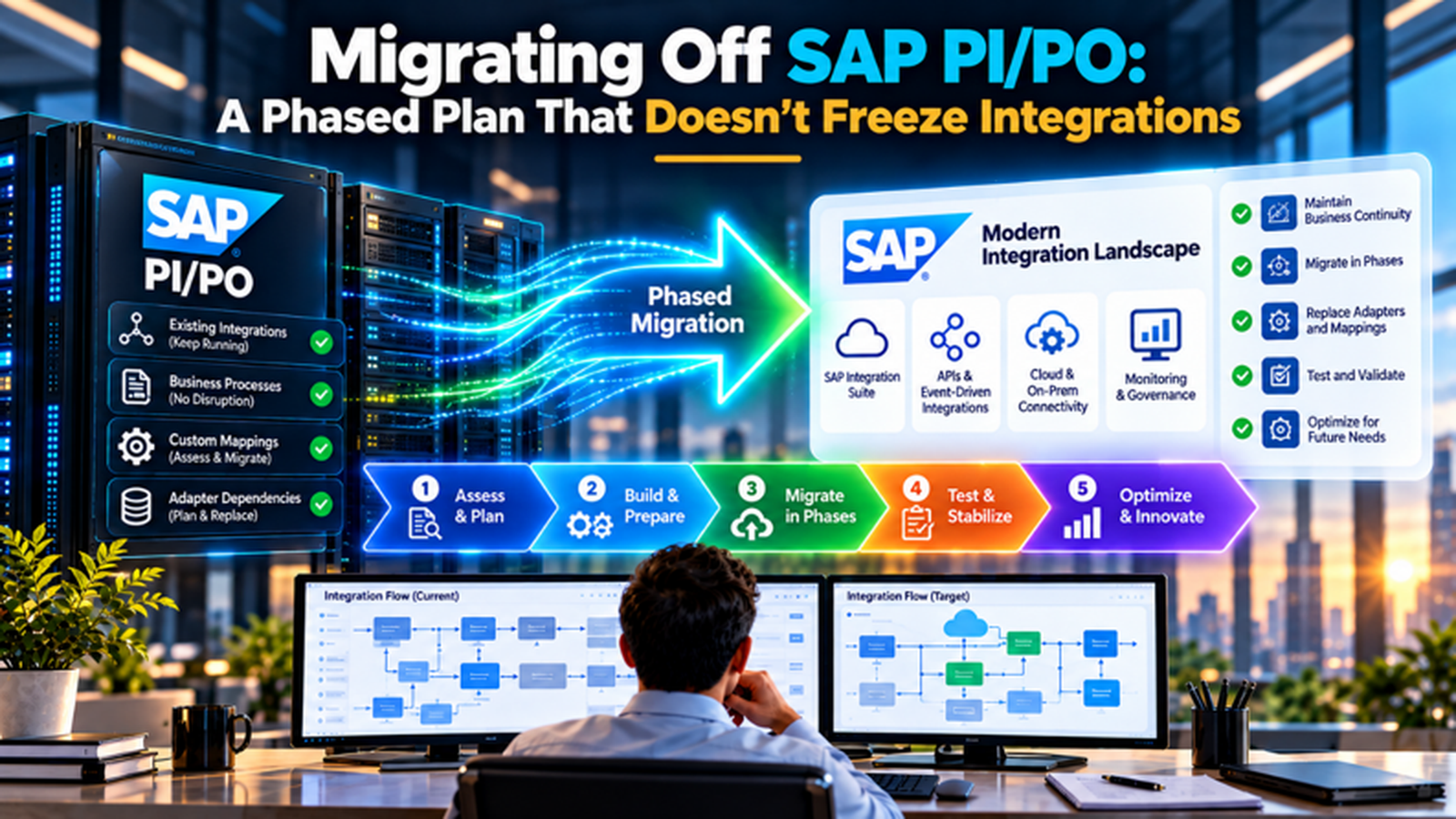
An integration team at a mid-size manufacturer has 300 interfaces on SAP Process Orchestration, a go-live calendar full of projects that depend on those interfaces and a deadline of December 31, 2027 for mainstream maintenance. The first proposal on the table is a big-bang migration with a 3-month change freeze. Business owners object at once, because a freeze would block new partner onboarding, plant rollouts and every fix queued behind it, so the team needs a plan that moves interfaces in waves while the rest of the landscape keeps changing.
This guide lays out such a plan: how to inventory and triage interfaces, what to build before the first one moves, how to run pilot and production waves, which cutover patterns keep traffic flowing, how to test without slowing delivery, and how to handle the hard cases such as B2B partners and process orchestration content. Dates and tool behavior come from SAP documentation and community sources and may change, so confirm them with SAP before committing a schedule or a budget.
TL;DR
- The date is fixed, and the plan should respect it. Mainstream maintenance for SAP PI and PO 7.5 ends on December 31, 2027, extended maintenance runs to 2030 at additional cost and with limited scope, and roadmaps that treat 2030 as the deadline plan against the wrong baseline unless extended maintenance has been approved and budgeted. Teams that need longer should approve a defined residual scope instead of drifting into it.
- A wave plan avoids the freeze. Triage interfaces with SAP’s Migration Assessment, build shared foundations once, pilot a low-risk set, then migrate in staggered waves with a sender-side switch and a rollback path, so each interface is frozen only for its own short cutover window instead of the whole landscape being frozen for months. Interfaces outside the current wave keep following normal change control, so the business can keep shipping.
- Governance decides whether waves stay safe. Dual-maintenance rules, automated regression testing, a message volume model for the new consumption pricing and written ownership for each interface keep production changes flowing during the program, and they prevent the quiet drift that turns a phased plan into a long, expensive overlap. That includes a change log, weekly checks of wave status against the plan and a monthly review of consumption against the volume model.
Why the 2027 Date Shapes the Plan
SAP has confirmed that mainstream maintenance for SAP Process Integration and Process Orchestration 7.5 ends on December 31, 2027, in line with the NetWeaver 7.5 lifecycle, with an option for extended maintenance until the end of 2030. Sources describe extended maintenance as costing more, covering a narrower scope and bringing no new functionality, and the system keeps running after either date, so the date marks the end of SAP’s maintenance obligation rather than a shutdown. SAP positions SAP Integration Suite as the logical successor.
From an October 2026 vantage point, about 64 weeks remain until the end of 2027. A common planning error is to anchor the roadmap to 2030, because extended maintenance feels like a safety net, though it carries extra cost and shrinking scope. Treat 2030 as a contingency that needs explicit approval, and plan to finish on or before the 2027 date. Early SAP guidance suggested a year for business case approvals alone, so any team without an approved plan is already late.
The deadline also explains why a freeze is tempting and dangerous. A long freeze looks efficient because nothing changes under the migration team, yet it stops the business from onboarding partners, shipping features and fixing defects, and pressure to break the freeze builds with every week. A phased plan accepts that the landscape will keep changing and builds rules for that reality, which is the theme of the rest of this guide.
What a Freeze Costs and How to Avoid One
The Cost of a Landscape-Wide Freeze A freeze blocks every new interface, mapping change and partner onboarding for its duration, and business projects that depend on integration work slip or find workarounds that create unmanaged connections. Emergency changes still happen, so the freeze erodes into exceptions that the migration team must track by hand. The longer the freeze, the larger the backlog that floods in afterward, and a 3-month freeze often becomes 5 months once exceptions and reconciliation are counted.
The Principle: Freeze Interfaces, Not the Landscape In a wave plan, only the interfaces in the current wave are locked, and only from the point their migration begins until cutover is verified. Everything else keeps changing under normal change control. This reduces the freeze for any 1 interface to days or weeks, and it spreads the migration effort across the calendar in units the team can test, roll back and explain to business owners without stopping the company.
The Enablers: Rules for Change During the Program 3 rules make the principle work. New interfaces are built only in the target platform, so the backlog on the old platform shrinks instead of growing. Changes to a not-yet-migrated interface follow normal process and get logged, so they can be replicated at migration. Changes to an interface in an active wave wait for cutover unless an emergency path is invoked, with both versions updated. Written rules prevent most arguments during execution.
The Target Options at a Glance
| Option | When It Fits | Trade-Offs |
| SAP Integration Suite (Cloud Integration) | Most SAP-centric landscapes, with SAP-provided assessment and migration tooling | Message-metered consumption pricing, redesign for unsupported adapters and process content |
| SAP Integration Suite with edge or hybrid runtime | Scenarios that must keep processing close to on-premise systems | Added runtime to operate, with a different counting rule for edge messages |
| Retain on PO with extended maintenance | A small set of interfaces tied to a system that retires soon | Extra cost until 2030, no new functionality and a shrinking scope of support |
| Another integration platform | Landscapes already standardized on a non-SAP iPaaS or with strong in-house skills there | Loses SAP migration tooling and content, so more rebuild effort per interface |
| Direct APIs, events or standard SAP integration content | Interfaces that exist only because of old point-to-point patterns | Requires redesign and agreement from system owners, though it can remove interfaces entirely |
Most organizations end up with a mix, and the target decision should be made per interface family instead of for the whole estate. SAP’s tooling makes Integration Suite and SAP BTP the lowest-friction option for the large majority of PI and PO scenarios, since the Migration Assessment and the migration tool in Cloud Integration are designed for exactly that path. Exceptions deserve a deliberate decision, so record the reason for each, the owner and the date it will be revisited.
Phase 0: Inventory and Triage
- Extract and assess the whole estate with SAP’s Migration Assessment. The capability is part of SAP Integration Suite, and SAP’s transition guidance describes assessment as the first step for understanding which artifacts can be reused, refactored or rebuilt. It sorts scenarios into migration categories and helps estimate technical effort before build work begins, though the source system must meet the required prerequisites.
- Treat a single failing rule as the verdict for the whole scenario. Practitioner write-ups note that if any rule in a scenario lands in evaluation required, the entire scenario takes that category, and an unsupported communication adapter such as X.400 is a typical reason, so review the rule-level results before assuming a scenario is hopeless or trivial. Reading the rule-level report takes little time and avoids misclassifying work in the early plan.
- Add business data the tool can’t see. Layer in message volumes, error rates, peak periods, business criticality, partner dependencies and owners, since a technically simple interface that carries month-end finance postings needs a different cutover plan from an equally simple interface that runs weekly, and the owner column is what makes later decisions fast. Capture the data in 1 shared sheet so the whole team triages from the same facts every week.
- Retire before you migrate. Interfaces with no traffic in the last 12 months, duplicates and scenarios that serve decommissioned systems should be proposed for retirement, which cuts scope and cost, and every retirement needs the owner’s written agreement, a final data check and an archive of the configuration in case a question surfaces later. Retirement is the cheapest migration strategy, so push owners for decisions early and track each decision in the register.
- Use partner estimators as a cross-check. SAP promotes its Migration Factory with free assessment and planning, and partners offer their own analysis tools that estimate effort and operating cost from extracted message volumes, so compare at least 2 views of the estate and investigate large differences, since they usually reveal assumptions worth understanding. Large gaps between the estimates usually point to an unstated assumption worth resolving early before baselining the plan.
Triage Strategies per Interface
| Strategy | Use When | Typical Action | Watch For |
| Retire | No traffic, duplicate function or retired source or target system | Confirm with owner, archive configuration, remove | Hidden quarterly or annual jobs that look idle |
| Migrate with tooling | Assessment shows ready to migrate or adjustment required | Use the migration tool to generate integration flows, then test and tune | Post-migration effort that tooling can’t automate |
| Refactor | Evaluation required because of unsupported components or poor design | Redesign with supported adapters, APIs or events | Behavior changes that affect downstream systems |
| Replace | A standard SAP integration package or event model covers the need | Adopt the standard content and retire the custom interface | Gaps between standard behavior and local requirements |
| Retain temporarily | Source or target system retires soon, or redesign must wait | Keep on PO under approved extended maintenance | Cost and risk if the date slips beyond 2030 |
The categories from the assessment guide the choice, though they don’t decide it. A ready-to-migrate interface can still be a candidate for retirement, and an evaluation-required scenario can often be refactored into something simpler than the original. SAP’s community guidance suggests starting with ready-to-migrate interfaces within a business area, which is low effort, while analyzing evaluation-required interfaces in parallel and preparing a proof of concept where redesign is needed, and that parallel structure is what keeps the program moving.
Phase 1: Foundations Before the First Interface Moves
Build the shared platform once, before any wave starts, because rework on foundations multiplies across hundreds of interfaces. That means setting up the Integration Suite tenants and subaccounts for development, test and production, connecting them to on-premise SAP systems through the SAP Cloud Connector, defining the security model with certificates, credentials and role assignments, and agreeing naming conventions and package structures. Each decision is cheap now and expensive to change after 100 flows exist.
Operations deserve equal attention. Set up monitoring and alerting that reaches the same SAP support team that watches PO today, define the transport and promotion path through development, test and production, establish version control and a build or deployment pipeline where possible, and decide how logs and payloads will be retained to meet audit rules. Teams that skip this work discover during the first wave that nobody can see failures in the new platform, which makes cutover decisions.
Commercial foundations matter too. Integration Suite uses a message-based commercial model, and SAP’s current Integration Suite pricing explains how message entitlements and payload-size rules affect consumption, so build a volume model from the PO message statistics before signing or sizing anything and include non-production traffic. Skills are the last foundation: train the PO team on Cloud Integration, mapping tools and API management early, and pair them with SAP implementation specialists so knowledge stays in the company after the program ends.
Phases 2 and 3: The Pilot and the Waves
The Pilot Proves the Pattern Start with a small set of 10 to 15 interfaces that are ready to migrate, low in business risk and varied enough to exercise the main adapters and mapping styles. The pilot proves the migration tool output, the connectivity, the monitoring, the transport path and the cutover and rollback procedure. Treat it as a rehearsal with a written report, and fix every gap in the foundations before moving on, since each lesson now saves effort across all later waves.
Waves Group Interfaces by Domain and Dependency Group interfaces so that a wave is coherent for the business and testable as a unit. Typical groupings are by connected system, business process or partner, with dependencies kept inside a wave where possible. Size waves to the team’s testing capacity, often 25 to 35 interfaces, and avoid putting month-end or peak-season interfaces into a wave that cuts over near those periods, since a good wave calendar matches the business calendar.
Stagger Waves So Teams Stay Busy Overlap waves so that build, test and cutover activities run in a rolling pattern, with a new wave starting every few weeks while earlier waves finish. This keeps specialists productive, prevents a long idle period between waves and shortens the total schedule, though it needs clear ownership for each wave and a cap on how many waves are in flight. Review the pattern after each wave, adjusting wave size and duration to what testing capacity actually allows.
Cutover Patterns That Keep Integrations Running
- Switch at the sender, not inside the middleware. The usual cutover changes where the sending system posts messages, for example a new SOAP endpoint, an updated receiver determination or a different destination, so the old interface can be turned off by configuration and turned back on if needed, and the change itself is small, testable and reversible within minutes. Document each switch as a short change record that operations can find at 2 in the morning.
- Run in parallel when risk justifies the cost. For critical flows, send the same input through both platforms and compare outputs, with only 1 platform delivering to the real receiver, which proves mapping equivalence on live data before the switch, though it requires test receivers or output capture and extra effort to compare large payloads. Reserve this approach for flows where an undetected mapping error would be costly to the business.
- Cut over a slice before the whole interface. Where a sender can route by key, such as 1 plant, 1 company code or 1 partner, move a small slice first, watch it through a full business cycle and then move the rest, which limits the damage of an unseen defect to a fraction of the traffic. Choose a slice that is representative but forgiving, so the first real traffic doesn’t hit the most sensitive customer.
- Define the rollback before the cutover, and rehearse it. A rollback plan lists the exact configuration to revert, the owner who decides, the time limit for deciding, and how messages sent to the wrong place will be reprocessed, and teams that rehearse it in test discover missing steps while there’s no pressure. Include the decision time limit in the plan, because a rollback considered for hours often arrives too late in practice.
- Coordinate partners and schedules explicitly. External B2B partners must change endpoints, certificates or connection details, which needs notice and a joint window, and scheduled jobs, IDoc and RFC destinations and batch dependencies must be checked so nothing keeps posting to the old system after cutover. Publish a cutover calendar that shows each partner’s date, the contact who confirms success and the fallback if the first attempt fails, and review it with the business owners each week.
Testing and Regression Without Slowing Delivery
| Test Type | What It Proves | How to Keep It Fast |
| Configuration review | Migrated flows use correct adapters, security and parameters | Checklist generated from the migration tool output |
| Mapping and payload comparison | New output matches old output for representative messages | Automated replay of captured messages with diff reports |
| Connectivity and security | Endpoints, certificates, firewalls and roles work end to end | Scripted checks run on every environment promotion |
| Business scenario test | A real process, such as order to cash, completes with correct results | Business-owned scripts, limited to critical paths per wave |
| Performance and volume | The new flow handles peak load and bursts without backlog | Replay of peak-day traffic in a test tenant |
| Error handling and monitoring | Failures raise alerts and can be restarted by support | Fault injection in test and runbook walkthroughs |
Automation is the difference between a program that moves at the pace of its testers and one that stalls. SAP’s documentation recommends testing migrated content, and its Migration Tooling guidance points customers toward regression-testing options after migration. The principle is to capture real messages from production, replay them through both platforms and compare results, so confidence rests on evidence instead of opinion.
Handling Change During the Migration
Change during a multi-quarter program is certain, so the program needs a rule set that business owners can live with. The simplest model assigns each interface a status, such as not started, in wave, cut over or retired, and attaches a change policy to each status. Not started interfaces follow normal change control with every change logged. In-wave interfaces accept only approved changes applied to both versions. Cut-over interfaces are changed only in the new platform, and retired interfaces accept no changes.
New demand needs a clear path too. The default should be that new interfaces are built on Integration Suite from day 1, with standards and a template that make that easy, and exceptions require architecture approval. This stops the old estate from growing while the migration shrinks it. Where a new requirement truly can’t be met on the new platform, record it, apply a time limit and review it in the program governance meeting so exceptions don’t become permanent.
Emergency fixes are the pressure point. If production breaks on an interface in an active wave, the fix goes where traffic runs, which may be the old platform, and the migration team must replicate it in the new design before cutover. A delta log, shared between operations and the migration team, records every change to a not-yet-cut-over interface with date, reason and owner, so nothing is lost at the moment of switch. Reviewing the log before each wave closes the most common source of post-cutover defects.
Hard Cases: Process Orchestration Content, B2B and Custom Components
Business Process and Rules Content Process Orchestration includes more than message routing, and interface migration tooling addresses integration scenarios, which leaves some kinds of process content outside its scope. Teams should inventory any business process models and business rules, decide whether each remains needed, and plan a separate path for those that do, such as redesign on a newer process automation platform. Treat this as its own workstream with its own owner, because it has a different skill set and different business stakeholders.
B2B and EDI Partner Connections Partner-facing flows add external dependencies. Agreements, certificates, protocols such as AS2 and the partner’s own change calendar determine when a cutover can happen, and some partners need weeks of notice and test cycles. Teams with broader B2B and EDI integration requirements should plan these waves separately, with a partner communication schedule, a test window and a fallback to the old endpoint. If the estate has many partners, consider a staged approach in which low-volume partners move first and critical partners follow after the pattern is proven.
Custom Adapters, Java Mappings and Unsupported Components Scenarios flagged as evaluation required often involve unsupported adapters, custom Java mappings or modules that have no direct equivalent. SAP’s tooling lists supported components, templates and known limitations, and each gap needs a decision: replace the component with a supported alternative, redesign the interface, retain it temporarily on PO or retire it. Estimate these items separately and early, because they are the largest source of schedule risk and the least predictable in effort.
Sequencing With Other Programs Integration migration rarely happens alone. If it occurs before an ECC to S/4HANA conversion, rework at the conversion stage must be factored in, because interface endpoints, IDoc structures and APIs may change. Align the wave calendar with the S/4HANA program, freeze windows for finance close and other critical business events, and keep a single integrated schedule so teams aren’t making conflicting changes to the same systems. Include the S/4HANA team in wave planning.
An Illustrative Timeline and Capacity Plan
| Phase | Illustrative Duration | Key Assumptions |
| Phase 0: inventory and triage | Runs before the plan clock, about 6 weeks | 300 interfaces, with 45 retired, leaving 255 |
| Phase 1: foundations | 8 weeks | Tenants, connectivity, security, monitoring and transport path in place |
| Phase 2: pilot | 6 weeks | 15 ready-to-migrate interfaces, with cutover and rollback rehearsed |
| Phase 3: 8 production waves | 27 weeks | About 30 interfaces per wave, each wave 6 weeks long, starting every 3 weeks |
| Parallel track: evaluation-required items | Runs alongside waves | 38 interfaces analyzed and redesigned for later waves |
| Phase 4: decommission | 6 weeks | Final checks, archive, shutdown of PO systems and licenses |
| Total after triage | 47 weeks | 8 + 6 + 27 + 6 weeks |
These numbers are assumptions meant to show the arithmetic, not a benchmark. The example assumes 300 interfaces with 15% retired, leaving 255, of which about 153 are ready to migrate, 64 need adjustment and 38 need evaluation. Fifteen of the ready interfaces go in the pilot, and the remaining 240 split into 8 waves of about 30. With waves starting every 3 weeks, the last 1 ends 27 weeks after the first begins. Against roughly 64 weeks to December 31, 2027, a 47-week plan leaves about 17 weeks of buffer.
Governance, Cost and Risk Controls
- Fund the overlap explicitly. During the program both platforms run, so budget for PO operations, Integration Suite consumption, partner services, extra testing and training, and don’t assume the old platform’s cost disappears until decommissioning, since overlap is the largest cost the team can control by shortening waves and retiring interfaces early. Shortening waves and retiring interfaces early are the 2 most effective ways to reduce that overlap cost in practice for most programs.
- Model message volume before and during the program. Integration Suite pricing is message-based, so use PO statistics to estimate counts, apply the payload size, splitter and retry rules, include test and replay traffic and compare actual consumption with the model after each wave, since a surprise in volume is far cheaper to fix in wave 2 than in wave 8. Keep the model in a shared workbook with its assumptions visible to reviewers.
- Keep a living risk register tied to waves. Typical risks include unsupported components, partner delays, key-person dependency, data quality at cutover, performance at peak and conflicts with other programs, and each should have an owner, a trigger and a response, reviewed at every wave gate with the decision to proceed made by named people. Close risks only when evidence shows the trigger can no longer occur, and record the reason for each closure.
- Track a small set of measures. Useful metrics include interfaces retired, migrated and cut over, defects found per wave, incidents in the first 30 days after cutover, rollback count, testing cycle time and the remaining count of evaluation-required items, and a dashboard with these figures lets leadership see progress without reading project plans. Publish the dashboard monthly to sponsors and business owners so progress is visible beyond the project team and trends are spotted early.
- Decide on extended maintenance deliberately. If risk analysis shows that some interfaces can’t finish by the 2027 date, approve and budget extended maintenance for a defined scope and end date instead of drifting into it, because open-ended reliance on the old platform undermines the case for finishing and keeps the skills burden in place. Set the scope, end date and funding in writing, and revisit them at each quarterly steering meeting with sponsors.
Common Mistakes
Planning Around 2030 Instead of 2027 Treating extended maintenance as the real deadline delays decisions, compresses the work into a final year and exposes the program to cost and capacity pressure when every other SAP customer is doing the same. Plan to finish by December 31, 2027, approve extended maintenance only for a defined residual scope and keep the date visible on every steering agenda so urgency doesn’t fade. A dated plan with named owners beats a hopeful one.
Starting With the Hardest Interfaces or the Biggest Wave Teams sometimes begin with the most complex or critical flows because they carry the most risk, and then lose months and credibility. Starting with a small, low-risk pilot proves the foundations and builds confidence, and it lets the team learn on interfaces where a mistake is cheap. Keep the hard cases moving in a parallel analysis track so they’re ready by the time the waves reach them. Early wins also build credibility with business owners.
Treating Migration as a Tool Run The migration tool generates integration flows, but it doesn’t test them, tune them, document them or move the partners and the schedules. Teams that assume the tool finishes the job discover that post-migration work, testing and cutover coordination consume most of the effort. Budget for those activities, assign owners and treat the tool output as a starting point that still needs engineering judgment. Reserve at least as much budget for these steps as for generating the flows.
FAQs
When does SAP PI/PO maintenance end?
Mainstream maintenance for SAP Process Integration and Process Orchestration 7.5 ends on December 31, 2027, in line with the NetWeaver 7.5 lifecycle. Extended maintenance is available until the end of 2030 at additional cost, with limited scope and no new functionality. The systems keep running after the dates, so the deadline marks the end of SAP’s maintenance obligation rather than a shutdown. Confirm the dates with SAP for your release.
What is SAP’s Migration Assessment?
It’s a capability of SAP Integration Suite that extracts configuration from a PI or PO system and evaluates each scenario, sorting them into ready to migrate, adjustment required and evaluation required. It also assigns weights and T-shirt sizes so effort can be estimated. A single failing rule can put a whole scenario in evaluation required, and the source system must be on a supported service pack level.
Can the migration tool move every interface automatically?
No. SAP’s migration tool in Cloud Integration semi-automates migration and currently handles only objects with a status of adjustment required or ready to migrate, and generated flows still need testing and tuning. Scenarios that need evaluation, such as those using unsupported adapters or custom components, require analysis, redesign or temporary retention. Review the supported components and known limitations list before committing estimates. Test every generated flow in a non-production tenant before cutover.
How do we avoid a change freeze during migration?
Freeze interfaces, not the landscape. Lock only the interfaces in the current wave from migration start to verified cutover, build all new interfaces on the new platform, log changes to not-yet-migrated interfaces so they can be replicated and use a sender-side switch with a rehearsed rollback. Written change rules for each interface status prevent most conflicts between operations and the migration team. Review the rules with business owners before the first wave begins.
Should we migrate everything to SAP Integration Suite?
Not necessarily. Integration Suite is the lowest-friction target for most PI and PO scenarios, but some interfaces should be retired, some replaced with standard SAP content, APIs or events, and a few may stay temporarily on PO under approved extended maintenance. Landscapes standardized on another platform may choose it instead, accepting that SAP’s migration tooling and content won’t apply. Record the reason and owner for each exception so it can be revisited.
How long does a PI/PO migration take?
It depends on the number of interfaces, the share needing redesign, the number of B2B partners and testing capacity. An illustrative plan with 300 interfaces, 15% retired and 8 staggered waves of about 30 interfaces comes to roughly 47 weeks after triage. Treat that as arithmetic on stated assumptions, and use your own assessment results and capacity to build a real schedule. Revisit the plan after the pilot, when real throughput is known.
What happens to Process Orchestration business process and rules content?
Interface migration tooling addresses integration scenarios, so any business process models and business rules need a separate inventory and decision. Some may be retired, others redesigned on a newer process automation platform, and a few may stay temporarily on PO. Treat this as its own workstream with its own owner and skills, since the stakeholders and technology differ from message integration.
How should we handle B2B partners during cutover?
Plan B2B waves separately, with a partner communication schedule, agreed test windows and a fallback to the old endpoint. Partners must change endpoints, certificates or connection details, and some need weeks of notice. Move low-volume partners first to prove the pattern, then move critical partners with joint monitoring during the first business cycle after the switch. Share the cutover calendar with each partner and confirm receipt in writing well before the window.