

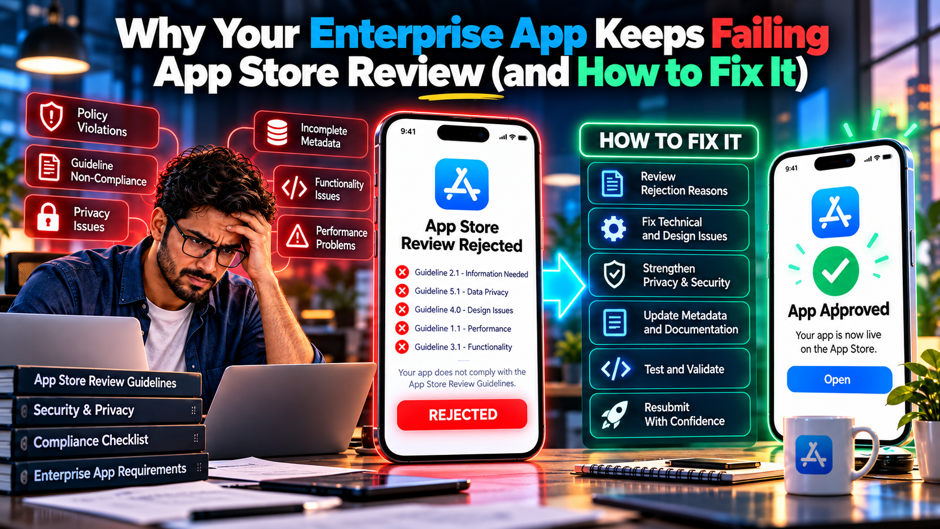
An enterprise app for field technicians goes to App Review on a Tuesday with a launch date on Friday. The reviewer opens it, meets a corporate single sign-on screen, can’t pass multifactor authentication and rejects it under Guideline 2.1. The team adds a test login, resubmits and gets rejected again, this time because the app’s privacy declarations don’t match what its analytics software collects. The 3rd attempt fails because the app is a wrapper around the company’s web portal, and by the following Friday the launch has slipped a week and a half.
This guide explains why enterprise apps fail review in patterns that consumer apps rarely hit, and how to fix each pattern: access problems for the reviewer, the wrong distribution channel, thin native value, privacy mismatches, account rules and process gaps. It’s focused on Apple’s App Store and mentions Google Play where it differs. Guidelines and policies change often, so verify current wording on Apple’s and Google’s developer sites before relying on any detail here, and treat the cost figures as illustrative assumptions.
TL;DR
- Most enterprise rejections come from the reviewer being unable to use the app. Guideline 2.1 on app completeness is the most common cause, and Apple’s own App Review page is reported to say that over 40% of unresolved issues fall under it, so provide a working test account that skips corporate single sign-on and multifactor prompts, keep the backend live during review and explain every non-obvious feature in the review notes.
- The distribution channel decides how the review treats you. Apps built for a specific organization’s employees or partners are often better suited to Custom Apps through Apple Business Manager than to the public store, and each custom app and update still goes through review, so pick the channel before building and don’t count on switching a private app to public or unlisted later. Ask the platform owner to confirm the channel before design begins.
- Privacy and process gaps repeat until you fix the system. Missing privacy manifests, labels that disagree with SDK behavior and missing account deletion are common causes, so use a pre-submission checklist, test with the same flow the reviewer will use and build a release buffer that assumes at least 1 rejection cycle. Ask each team to name the guideline each checklist item prevents so the list stays tied to real rejection causes.
Why Enterprise Apps Fail Differently From Consumer Apps
Consumer apps are built for anyone who downloads them, so a reviewer can usually create an account and tour the product in minutes. Enterprise apps are built for employees, partners or customers of 1 organization, and teams building iOS applications often have to account for identity systems, device policies, private networks and data the reviewer can’t see. Apple’s reviewers must sign in and operate every app, including Custom Apps, so any barrier between the reviewer and the core features, whether it’s single sign-on, a one-time code or a locked tenant, becomes a rejection waiting to happen.
The audience question creates a second class of failures. The App Store is designed for apps with a public audience, and developers report rejections that cite the business guideline when an app is meant for a specific company’s staff or partners, with Apple pointing them to custom app distribution through Apple Business Manager. Many enterprise teams submit to the public store out of habit, then spend weeks learning that the real fix is a different distribution method, which also changes the review process, the testing path and how users get the app.
The third class is thin value. Enterprise web portals often get wrapped in a native shell to appear in an app store or on an MDM catalog, and review treats apps that mostly display a website as lacking minimum functionality. Add the privacy surface of analytics, crash reporting, chat and AI services built into modern cloud-connected business apps, and the declarations that must match actual behavior grow quickly. The sections that follow address each class in turn, with fixes the team can apply before the next submission.
The Rejection Reasons at a Glance
| Guideline | What Triggers It | Typical Enterprise Cause | Fix |
| 2.1 App completeness | Crashes, broken links, placeholder content, missing demo account, backend not live | SSO or MFA blocks the reviewer, test tenant expired, staging backend offline | Dedicated reviewer account, live backend, detailed review notes |
| 2.3 Accurate metadata | Screenshots, descriptions or listing details don’t match the app | Screens show internal data or features hidden for the reviewer | Update the listing to match the build the reviewer sees |
| Business or audience rule | App is meant for a specific organization or its partners | Public submission of an internal tool | Use Custom Apps through Apple Business Manager or the right channel |
| 4.2 Minimum functionality | App is mainly a website in a wrapper | Portal repackaged as an app | Add native capabilities that justify the app |
| 5.1.1 Privacy | Missing or inaccurate policy, labels or purpose strings | SDKs collect data that labels don’t declare | Audit SDKs, align labels, policy and runtime behavior |
| 5.1.1(v) Account deletion | Account creation without in-app deletion | Self-service sign-up added for partners or customers | Add in-app deletion or remove self-service sign-up |
| Privacy manifest | Required-reason API usage not declared by the app or an SDK | Older SDKs without manifests | Update SDKs, add manifests, declare reasons |
| 2.5.2 Executing code | App downloads or runs code App Review never inspected | Remote logic or low-code runtimes that change behavior | Keep downloaded content to data and configuration |
Rankings from Apple’s 2024 transparency data and 2026 commentary place performance and completeness problems first, then privacy and legal issues, then design and business rules. Apple’s own App Review guidance says more than 40% of unresolved review issues relate to Guideline 2.1, which covers app completeness. Treat the broader submission counts as approximate where they come from secondary coverage, and use the table as a map of where enterprise apps typically fail.
Failure 1: The Reviewer Can’t Get Past Login
Give the Reviewer an Account That Works Every Time Provide a dedicated test account in the App Review Information section, with realistic content and full access to every feature the app promotes. Apple tells developers of Custom Apps to provide generic test accounts or sanitized data to protect confidentiality, so build a reviewer tenant or sandbox with fake records and no real customer data. Put the credentials, the steps to reach each feature and any non-obvious behavior in the review notes.
Remove Single Sign-On and Multifactor Prompts for the Reviewer A reviewer can’t receive a text message at your employee’s phone or approve a push notification on a device they don’t control. Create a reviewer path that signs in with a username and password, an app-side demo mode or a pre-authorized session that doesn’t depend on corporate identity services. Document how it works, and make sure it’s disabled in production builds for real users so the shortcut doesn’t become a security gap.
Keep the Backend, Network and Data Live for the Whole Review Window Rejections often cite a backend that was offline, an IP allowlist that blocked Apple’s network or test data that expired overnight. Review can take 1 to 2 days, and re-review can happen after a reply, so keep the environment up, remove geographic or IP restrictions for the reviewer account and set data expiry long enough. Teams handling iOS app testing should treat the review environment like a production event with named contacts rather than a temporary staging setup.
Explain Features That Need Hardware, Locations or Context If a feature depends on a Bluetooth sensor, a barcode scanner, a plant location or a work order that exists only in a customer’s system, say so and show it. Attach a short demo video, add a test mode that simulates the hardware or data, and describe each non-obvious feature in the notes. Reviewers see dozens of apps a day, and a clear explanation turns a feature that looks broken into one that looks deliberate.
Failure 2: The Wrong Distribution Channel
- Public App Store submission of an internal tool invites an audience rejection. Developers report that Apple rejects apps designed for a specific organization’s employees or partners under the business guideline and recommends custom app distribution through Apple Business Manager, so decide early whether the audience is the public, a set of named organizations or your own employees, because that answer drives every later choice. Record the answer in the project plan.
- Custom Apps are Apple’s preferred path for private B2B and internal distribution. Apple lets developers choose public or private distribution through Apple Business Manager, with private apps limited to organizations specified in App Store Connect. Each app still goes through review, so confirm Business Manager access with the customer’s IT team before release.
- A private app can’t simply be switched later. Apple’s distribution documentation says that once an app is approved, its distribution method generally can’t be changed, although a public app can be changed to unlisted distribution. Choose the channel before the first release instead of planning to change it after launch. Ask Apple Business Manager and MDM owners to confirm the plan before the first build.
- Unlisted apps suit partners and BYOD users but still face review. Unlisted distribution lets people reach an app through a link without it appearing in search, and it goes through normal review, though developers report difficulty getting Apple to approve unlisted requests when the audience is clearly internal, so test the use case and expect to explain it. Prepare a short written explanation of the audience and why the app is intended for it.
- The Apple Developer Enterprise Program is a narrow exception. It lets large organizations distribute proprietary apps to their own employees without App Review, and Apple restricts it to cases the App Store, custom apps and TestFlight can’t meet, so most teams should treat it as a narrow path and plan around Custom Apps instead. Document the justification and approvals, and keep the request in the project file if the situation changes.
Distribution Options Compared
| Channel | Audience | Review | Limits to Know | Best For |
| Public App Store | Anyone | Full App Review | Business or audience rejections if the app is internal | Consumer and public customer apps |
| Custom Apps (Apple Business Manager) | Named organizations and their devices | Full review for each app and update, typically 1 to 2 days | Can’t be made unlisted, in-app purchase not supported for managed distribution | B2B and managed internal apps |
| Unlisted apps | People with the link | Normal App Review | Approval can be hard for internal audiences | Partners, events and BYOD users |
| TestFlight | Up to 10,000 external testers | Beta review for external builds | Builds expire after 90 days | Testing before release |
| Enterprise Program | Employees of an eligible organization | No App Review | Restricted to cases other channels can’t meet | Rare cases where other options fail |
The table points to a decision rule: use the public store for apps anyone should be able to install, Custom Apps for managed devices and named customers, unlisted for partners and personal devices and TestFlight for testing. The sources differ on some details, such as how often Apple approves unlisted requests, so confirm the current rules in Apple’s documentation before committing a project to a channel. Choosing correctly early prevents the longest and most frustrating kind of rejection, the 1 that can’t be fixed with code.
Failure 3: Apps That Look Like Websites in a Wrapper
Guideline 4.2 on minimum functionality rejects apps that mostly display a website or offer very limited value, and enterprise portals are a frequent target. Teams considering this approach should compare it with a proper Android app development or native iOS build before wrapping an existing portal, because a native shell pointing at the same URLs gives reviewers little reason to treat the product differently from a website. Reports describe apps that simply display a website as usually rejected, so a wrapper with a logo, a splash screen and a menu rarely passes on its own.
The fix is to give the app native value that a browser doesn’t provide. Examples include push notifications for approvals and alerts, biometric sign-in, offline access to work orders or manuals, camera-based scanning, location-aware tasks, document capture, background sync and deep links from other apps. Each should serve a real user need and be easy for the reviewer to find, with notes that point to the features and a test account that exposes them without extra setup.
Enterprise teams should also check whether the app needs to exist at all. If the audience is employees on managed devices, a web app delivered through the MDM catalog may serve them without any App Store submission, and if the goal is a store presence for customers, a thin wrapper will keep failing until real functionality is built. A mobile app product review that maps each native capability to a user need usually shows quickly whether the app has enough value to justify store distribution.
Failure 4: Privacy Declarations That Don’t Match Behavior
The Privacy Policy and App Privacy Labels Must Agree With Reality Apple cross-checks the privacy label in App Store Connect, the privacy manifest and the app’s runtime behavior, and commentary says it rejects when they disagree. Make sure a privacy policy URL works and covers the data the app collects, and that each label entry matches what the app and its SDKs actually send. Build the list from network traces and SDK documentation, not from memory, because analytics and crash tools collect more than teams remember.
Privacy Manifests and Required-Reason APIs Trip Up Older SDKs Since spring 2024, apps using covered APIs must correctly describe that use in a privacy manifest, and Apple says apps and third-party SDKs may need to declare both collected data and required-reason APIs. Update SDKs to versions that include the required declarations, add your own manifest where needed and review build warnings before submitting.
Permission Prompts and Purpose Strings Must Be Specific A vague purpose string, such as an app saying it needs camera access, is rejected, and permissions the app doesn’t use are a common problem. Write each purpose string to explain what the user gets, request permissions only at the moment a feature needs them and remove entitlements and permissions left from old prototypes. For enterprise apps with location, Bluetooth or contacts access, describe the business purpose in terms an employee would understand.
Third-Party Services Need a Review of Their Own Business apps often embed chat, analytics, session replay, feature flags and AI services that receive user data. Teams using a cross-platform Flutter app still need to inventory every native and third-party SDK included in the final iOS build, confirm what each collects and make sure the policy, labels and contracts reflect it. Session replay and analytics tools deserve particular care because they can capture screen content, so mask sensitive fields before the reviewer sees the build.
Failure 5: Account Creation and Deletion Rules
- Apps that support account creation must offer in-app account deletion. Apple requires apps that support account creation to let users initiate account deletion within the app, and temporary deactivation isn’t enough. Check whether partner or customer self-registration was added to the app and plan the deletion flow and the back-end process behind it. Test the full flow from the user’s perspective.
- Enterprise apps with IT-provisioned accounts may have different exposure, though they need a clear explanation. If employees can’t create accounts and administrators provision them, the deletion rule may not apply in the same way, so explain the provisioning model in the review notes, and where a customer-facing portal allows registration, treat it like any other app that supports account creation. If in doubt, ask Apple through the Resolution Center before the final submission.
- Deletion must remove data in a way you can explain. Reviewers expect the flow to be easy to find and to start deletion, and legal and security teams need rules for retention and audit records, so document what is deleted immediately, what is retained for compliance and for how long, and give users a clear confirmation of the outcome. Share the retention schedule in the review notes when the app keeps records for compliance.
Diagnosing a Rejection Fast
| What the Message Says | Likely Cause | First Action | Reported Fix Pattern |
| Couldn’t sign in or access features | Missing or blocked demo account, SSO or MFA, backend offline | Fix the account and environment, then reply in Resolution Center | Often a reply with new credentials, sometimes same day |
| App appears incomplete or crashes | Bug, placeholder content, broken link, device-specific issue | Reproduce on the device model cited and fix | New build, usually within days |
| Information doesn’t match the app | Metadata, screenshots or privacy labels out of date | Compare listing and labels with the build | Listing edit or small update |
| Privacy policy or manifest issue | Missing policy, labels mismatch, SDK without manifest | Audit SDKs and network traffic | Build change, hours to 1 day for manifests |
| Account deletion required | Sign-up exists without in-app deletion | Build deletion flow and back-end process | New build, commonly days of work |
| App is a website or too limited | Wrapper without native value | Add real native features or change the plan | New build or redesign, often weeks |
| Not suited to the public store | Audience is an organization | Move to Custom Apps or another channel | Process change plus resubmission |
Community write-ups report that a request for a demo account and most metadata problems can be solved with a reply or a listing edit, while account deletion, subscription paywalls and anything under minimum functionality or spam rules need a new build. Reported fix times vary between sources, for example 1 to 3 days or 5 to 10 days for account deletion, so treat them as rough guides. The point of the table is to sort a rejection into reply, edit, build or redesign within minutes, so the right people start work immediately.
Responding to a Rejection and the Appeals Path
Read the full message in App Store Connect before doing anything, and note the guideline number, the build and the reviewer’s description of the problem. Reproduce the issue on the device and operating system the reviewer mentions, since many rejections are device specific. If the cause is access, such as a missing account, reply in the Resolution Center with working credentials and a short factual explanation instead of resubmitting a new build, because a reply can restart review quickly.
If you disagree with a decision, respond politely with specific evidence, such as screenshots, a video or a reference to the guideline text, and avoid arguing about the reviewer’s competence. A UI/UX review can also help when the rejection concerns unclear navigation, discoverability or how a reviewer reaches a feature, because screenshots alone may not expose the usability issue. Apple provides an App Review Board appeal for decisions you believe are wrong, though results vary.
Plan the response as a project with owners. Name 1 person who reads and triages rejections, 1 who fixes the cause and 1 who updates the listing and notes, and decide in advance who can approve a reply. For time-sensitive launches, ask Apple for an expedited review only when the reason is real, such as a critical bug fix or a legal deadline, because repeated expedite requests lose force. Meanwhile, tell business owners the realistic timeline so expectations match the process.
A Pre-Submission Checklist
Access and Review Notes Confirm that a reviewer account signs in without SSO or MFA, that every feature is reachable with that account and that the backend, network rules and test data will stay available for the full review. Write review notes that name the account, list steps for each key feature, explain hardware or location dependencies and describe any provisioning model. Test the whole path on a clean device with no company profiles, VPN or MDM, since that’s the reviewer’s situation.
Content, Metadata and Value Check that screenshots, descriptions and keywords match the build, that there’s no placeholder text or dead links and that support and privacy URLs work. Review the app against minimum functionality by listing the native features that justify it. Teams following a full custom mobile app development process should make App Store readiness part of testing and deployment instead of treating it as paperwork after development ends. Confirm that the app handles empty states and slow networks gracefully.
Privacy, Permissions and Accounts Verify the privacy policy, App Privacy labels and privacy manifest against an inventory of SDKs and network traffic. Review every permission request and purpose string, and remove unused entitlements. If the app supports account creation, confirm that in-app deletion works and that the review notes explain what happens to data. Check that sign-in options follow current guideline wording, including how enterprise identity is presented to the reviewer. Keep the inventory in the repository.
Technical Quality and Distribution Run the final build on the oldest supported device and operating system, fix crashes, resolve warnings from App Store Connect and test upgrade paths from the previous version. Teams using Kotlin for mobile application development or other shared-code approaches should still validate the actual iOS binary and platform-specific behavior before submission. Confirm that the distribution channel matches the audience and that the release plan allows time for at least 1 rejection cycle.
Building Review Into Your Release Process
- Treat review as a stage with a buffer, not an event at the end. Plan for at least 1 rejection cycle in every release schedule, add 2 to 5 working days to the plan for first submissions and major changes, and schedule submissions early in the week so replies and fixes can happen before the weekend, which keeps business launches from depending on the best case. Share the schedule with business owners early.
- Use TestFlight to rehearse the reviewer’s experience. Apple’s TestFlight supports up to 10,000 external testers, and builds can be tested for up to 90 days. Invite a tester from outside the company who has no VPN, no corporate login and no context, and ask them to complete the main flows using only your review notes and test account. Collect their feedback in a short written report for the release file.
- Automate the checks that rejections repeat. Add pipeline steps that verify the presence of privacy manifests, flag SDKs without them, lint purpose strings, check that the reviewer account works against the live backend and confirm that links in the listing return successful responses. Teams can incorporate those checks into the same QA discipline used for mobile application testing and deployment, so a failed check blocks the release candidate automatically rather than becoming another review rejection.
An Illustrative Cost of Rejections
| Scenario | Cycles | Calendar Days | Fix Effort at 5 People | Illustrative Cost at $1,000 per Person-Day |
| Passes first time | 1 review of 2 days | 2 | None | $0 |
| 1 rejection for a missing demo account | 2 reviews plus a half-day fix | 4.5 | 2.5 person-days | $2,500 |
| 2 rejections for a privacy manifest and account deletion | 3 reviews plus 6 days of fixes | 12 | 30 person-days | $30,000 |
| 3 rejections including a minimum functionality redesign | 4 reviews plus 26 days of fixes | 34 | 130 person-days | $130,000 |
The assumptions are a review cycle of 2 days, which matches the 1 to 2 days Apple states for Custom Apps, fix times of 0.5 day for credentials, 1 day for a manifest, 5 days for account deletion and 20 days for a redesign, 5 people involved during fixes and a placeholder $1,000 per person-day. They’re illustrations rather than benchmarks. The pattern is what matters: access problems cost hours, privacy problems cost days and structural problems cost weeks, which is why the cheapest improvement is catching the structural issues before the first submission.
Common Mistakes
Treating review as a formality is the most expensive mistake. Teams that submit a release candidate on the day before a launch, with no reviewer account and no notes, are betting that the reviewer will figure out a login screen they can’t pass. The reviewer won’t, and the team loses days. Build the reviewer’s experience as a deliverable, test it on a clean device and give it the same priority as a customer demo.
Choosing the channel last is the second mistake. Teams build the whole app, submit to the public store and learn from a rejection that their audience belongs in Custom Apps or another channel, which changes enrollment, licensing, testing and the release path. A disciplined custom app development process should decide the audience and distribution method at kickoff rather than after the first rejection. Confirm the decision with Apple Business Manager and MDM owners before the first build.
Fixing symptoms instead of causes is the third. A team that adds a demo account after a 2.1 rejection but never builds a reviewer tenant will be rejected again when the account expires. A team that updates 1 SDK for a privacy manifest but never audits the others will see the next rejection arrive within weeks. Convert each rejection into a checklist item or automated test, and review the list each quarter so the same problem doesn’t return.
FAQs
Why was my enterprise app rejected when it requires a login?
Guideline 2.1 requires that the reviewer can use the app, so a login the reviewer can’t pass is treated as an incomplete app. Provide a dedicated test account in the App Review Information section that avoids SSO and MFA, keep the backend and test data live for the whole review and explain in the notes how to reach each feature. Apple tells Custom App developers to use generic test accounts or sanitized data.
Should we use Custom Apps, unlisted distribution or the Enterprise Program?
Choose by audience. Custom Apps through Apple Business Manager suit named organizations and managed devices, and Apple describes them as the preferred path for internal deployments where Business Manager is available. Unlisted apps suit partners and personal devices but still go through review. The Enterprise Program is restricted to cases other channels can’t meet. A private app can’t later become unlisted or public, so decide before launch. Confirm eligibility with Apple Business Manager.
Do Custom Apps skip App Review?
No. Apple states that each Custom App and each update goes through App Review under the same guidelines as public apps, and that review typically takes 1 to 2 days. Apple also needs to sign in and operate the app to verify it, so provide test credentials and sanitized data. Only the Enterprise Program distributes apps without App Review, and Apple restricts it to narrow cases. Plan the same buffer as for public releases.
Can we appeal a rejection?
Yes. Reply in the Resolution Center with evidence, request a call with App Review if the issue is unclear and use the App Review Board appeal when you believe a decision is wrong. Results vary, and developers report repeated rejections for audience-related requests, so many problems are faster to fix by changing the build or the distribution channel. Keep a log of messages, dates and builds to support any escalation.
What is a privacy manifest and why do SDKs cause rejections?
A privacy manifest is a file in which an app or an SDK declares its use of required-reason APIs and the approved reasons. Since spring 2024, apps must include one, and rejections continue when third-party SDKs lack complete manifests. Update SDKs to versions that include manifests, add your own declarations, and compare them with your privacy labels and policy so all 3 describe the same behavior.
How long does App Review take?
Apple states that Custom Apps typically take 1 to 2 days, and 1 source reports that Apple reviews 90% of submissions within 24 hours. Rejections add the time to fix and resubmit, which ranges from hours for credentials to weeks for a redesign. Plan every release with a buffer of several working days and at least 1 rejection cycle, and avoid fixed launch dates that depend on first-pass approval. Track real cycle times for your own releases.
Why does a web-based enterprise app fail under minimum functionality?
Guideline 4.2 rejects apps that mainly display a website or offer limited functionality, so a wrapper around a portal rarely passes. Add native capabilities that serve real needs, such as push notifications, biometric sign-in, offline access, scanning or location-aware tasks, and point reviewers to them in the notes. If the audience is employees on managed devices, consider delivering the web app through your MDM catalog instead.
Are Google Play requirements different?
They overlap and differ. 1 source says Google requires both an in-app account deletion path and a web link for deletion requests, and that new Play submissions must target Android 16 from August 31, 2026. Requirements change often, so check Google’s current documentation, design account deletion and privacy declarations to satisfy both stores, and run separate pre-submission checks for each platform. Keep a separate checklist for each store and review it before every submission.