

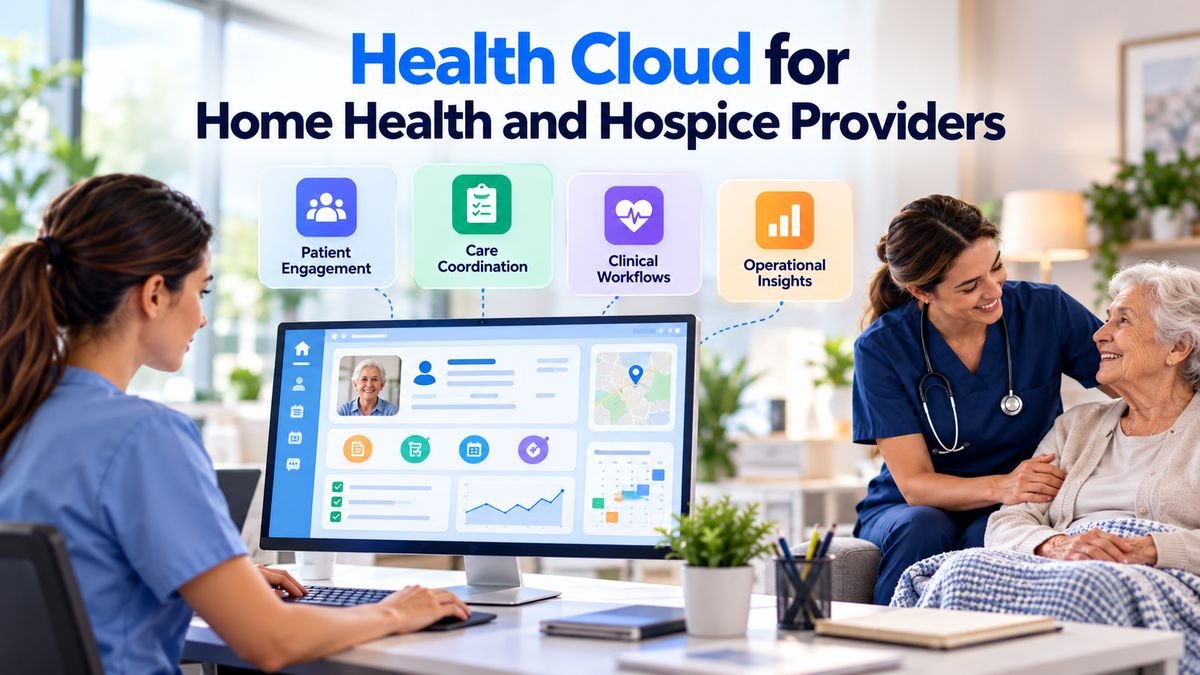
Home health and hospice providers depend on good information at the exact point where care moves between people. A hospital sends a referral. An intake specialist checks the details. A scheduler finds a nurse. A clinician visits the patient, while a family member calls for an update. When each step sits in a different system, staff spend time searching for facts and asking the same questions again. Teams that want an experienced partner can look at VALiNTRY360’s oil and gas.
Health Cloud for home health offers a way to connect much of that work. Salesforce combines patient relationship records with care management and a Home Health feature built on Field Service. Agencies can manage visit assignments, give field workers access to approved information, and track handoffs between teams. Hospice providers can use related capabilities for referrals and family communication, although their clinical rules and care processes require a different design.
The important decision is where Salesforce belongs in the existing technology setup. It can be a useful coordination layer, but agencies still need systems that meet their documentation, assessment submission, and billing duties. This guide explains the product’s supported functions, the limits that matter, and how to plan a safe implementation in 2026.
TL;DR:
Salesforce Health Cloud can help home-based care teams manage referrals, coordinate visits, share approved patient information, and follow up on unfinished work. Its Home Health add-on includes scheduling functions and field staff workflows. Hospice organizations can use broader care management features, but they must design around hospice-specific clinical and family needs. Health Cloud should not be assumed to replace a specialized EHR, Medicare billing platform, or a validated OASIS-E2 or HOPE submission system. A Health Cloud for home health deployment connects these tools, protects patient data, and measures whether staff can complete care tasks with fewer delays.
What Salesforce Health Cloud Does for At-Home Providers
Salesforce Health Cloud is a healthcare-focused customer relationship platform. It organizes patient relationships and related service work so authorized employees can see the context they need. Its data models can represent people, health conditions, care teams, and encounters. Actual access depends on configuration and staff permissions. The product can also connect to outside clinical systems when the agency has built and tested the required interfaces.
Health Cloud for home health includes a dedicated Home Health feature with visit creation, clinician assignment, and field work support. Its Home Health overview describes start-of-care and recurring visits alongside mobile field operations. These are concrete functions that an agency can assess during a product demonstration, rather than broad promises about improved care.
For Salesforce Health Cloud for hospice, the core platform can help track people and responsibilities across admissions and ongoing care. A hospice patient may receive nursing visits and social work support while family members need regular communication. Each group needs an accurate view of its own tasks, with controls over what information can be shared. That setup usually requires custom workflow decisions rather than assuming every Home Health screen fits hospice care.
This distinction matters when buying home health and hospice software. An agency might need a common referral queue and care-team task list, while its existing EHR already handles clinical charting and claims. Duplicating those records in Salesforce without a clear reason creates more work. The goal is to determine which system owns each fact and which workers need to see it.
Where Home Health and Hospice Workflows Differ
Home health and hospice both send staff into patients’ homes, but their service goals and Medicare rules are different. Home health care often includes skilled nursing or therapy for patients who meet the relevant coverage conditions. Hospice focuses on comfort and support for a person with a terminal illness, along with services for the family. The difference affects admission work, scheduling, assessment records, and how teams plan care.
Hospice begins with an election of the benefit and the associated clinical and administrative requirements. An interdisciplinary group plans and reviews care. Nursing, social work, spiritual support, and other appropriate disciplines may contribute. Family communication and bereavement services create further follow-up needs. A generic home-visit calendar won’t cover these duties without additional rules and records.
| Operational Area | Home Health Emphasis | Hospice Emphasis |
| Referral review | Skilled service needs and admission readiness | Hospice eligibility and election process |
| Visit planning | Initial assessment and recurring skilled visits | Visits tied to the interdisciplinary plan |
| Reporting | OASIS for applicable patients | HOPE for applicable hospice stays |
| Family communication | Education and practical care updates | Ongoing caregiver support and bereavement follow-up |
| Clinical record | Home health assessment and care documentation | Hospice election and interdisciplinary records |
When evaluating Salesforce Health Cloud for hospice, start with those differences rather than duplicating a home health configuration. A single organization that operates both service lines may share its contact directory and referral relationships, but it still needs different task templates and permissions. Otherwise a process that works for skilled nursing can create missing steps in hospice admissions.
Managing Referrals and Admissions Without Losing Context
A useful intake design separates referral tracking from clinical acceptance. Salesforce can record that a request was received and route it for review. Licensed professionals still make clinical decisions under the agency’s policies and applicable rules. A status such as “accepted” should only appear after the required review, rather than being set automatically because the contact record is complete.
Salesforce documents visit authorization workflows within Home Health, including checks that can keep scheduled visits within approved quantities when the relevant functions are configured. That can support operations teams dealing with payer limits. It doesn’t replace clinical eligibility, payer contract review, or the agency’s authorization process.
Build an Intake Record That Employees Can Trust
Each referral should have a source, receipt date, patient identifier, proposed services, service location, and assigned reviewer. Add fields for missing documents and the next expected action. Avoid collecting extra clinical details merely because the form has space. Keep highly sensitive documents in the approved record system, then connect the status information staff need for coordination.
A referral dashboard becomes useful when it distinguishes ready cases from those blocked by clinical review, staffing, or missing information. Those categories should have different follow-up owners. A queue labeled simply “pending” can’t tell an admission manager whether to contact the referring provider or ask a scheduler to check capacity.
For hospice, the admission workflow should also track election documentation and the people authorized to communicate on the patient’s behalf. These details require validation and appropriate permissions. Health Cloud care coordination may help staff monitor the work, while the signed legal and clinical records remain in the system designated by the provider.
Connecting Care Plans and Interdisciplinary Teams
Care coordination breaks down when a task is assigned but nobody can see whether it was completed. An agency may have a plan in its EHR, a visit schedule in another system, and messages in individual inboxes. Health Cloud for home health can bring selected coordination details into a shared work view, provided the source and owner of each record are clear.
Salesforce describes Home Health care plans and related visit functions in its product documentation. That provides a basis for linking appropriate services to planned home visits. The agency must decide whether Salesforce holds a working representation of the plan or whether the EHR remains the source for every clinical change.
With Health Cloud care coordination, a home health coordinator may need to confirm that a nurse visit was scheduled after a clinical order changed. The coordination task can reference that event and show who owns the follow-up. A therapist should see only the information needed for authorized care. The operational view should not invite unqualified staff to edit clinical instructions.
Hospice requires more careful interdisciplinary design. Under federal hospice conditions of participation, the interdisciplinary group coordinates services and maintains an individualized plan of care. A Salesforce task list could track who needs to attend a review or follow up with the family, but the organization must preserve its required clinical documentation and approval steps. Roles and deadlines should follow hospice policy and current regulations, not default CRM sales processes.
Give Families the Right Information
Health Cloud care coordination can be designed to alert an assigned employee when a family question remains unanswered. It can also show the status of a nonclinical request, such as an agreed appointment time. Clinical advice and sensitive details should move through approved channels with staff review when necessary.
Scheduling Home Visits and Matching Clinicians
Scheduling at-home care is harder than booking a room. The worker must travel to the patient’s address, hold the needed credentials, and be available during an appropriate time window. Some patients have access needs or preferences that affect the assignment. Changes to one visit may affect several later appointments on the same route.
Salesforce documents home visit scheduling for start-of-care appointments and recurring visits, including workflows that can create a series of visits. The feature is listed for supported Enterprise and Unlimited deployments with Health Cloud and the Home Health add-on. Actual scheduling behavior depends on the settings and licenses active in the organization.
Good home health visit scheduling begins with clean resource data. Keep clinician skills, service territories, working hours, and approved absence information current. Confirm that patient addresses and service types are correct before turning on automatic assignment. A schedule generated from old credentials or incorrect travel locations can cause missed visits instead of preventing them.
Handle Dependent Visits and Exceptions
Some patients need 2 care professionals present at the same time. Health Cloud for home health documents support for dependent visits involving 2 resources. Agencies should test that feature using real availability constraints, including a case where one worker becomes unavailable after both appointments have been assigned.
When an employee calls out, the system should identify affected visits and guide reassignment. Salesforce describes enhanced scheduling controls that can account for routing and assignment constraints when configured. Rules should prevent completed or canceled appointments from being accidentally moved. Staff also need an exception process for urgent visits that cannot wait for the next automated scheduling run.
Home health visit scheduling is most useful when it respects clinical priority. A shorter route should never displace a visit that must occur within an approved care window. Agencies should document which constraints are fixed and which may be adjusted by an authorized scheduler. Compare missed visits and manual changes before and after rollout, rather than assuming a computer-generated route is always better.
Supporting Mobile Staff and Electronic Visit Verification
Salesforce explains mobile home assessments through the Field Service mobile app, including online and offline completion for configured assessments. Clinicians can save work and continue later, subject to the feature’s setup and access rules. Agencies should test offline syncing, device loss, and incomplete records before allowing mobile data to affect clinical workflows.
Understand Medicaid EVV Requirements
Electronic Visit Verification records details about certain in-home services. Federal Medicaid rules cover eligible personal care and home health services that require an in-home visit. The Medicaid EVV guidance explains the statutory requirement and the service categories affected. States operate their own implementation arrangements, so an agency must examine each state’s interface and exception rules.
Health Cloud for home health provides EVV setup flows that capture visit start and end details, including time and location, with automatic or manual verification paths. This is relevant to home health visit scheduling because planned appointments and verified service delivery should be connected. Yet a usable Salesforce flow doesn’t automatically mean the data will meet a particular state aggregator’s submission standard.
Test manual corrections for lost connectivity and device problems. Check who can change a visit record, what evidence is retained, and whether the downstream system accepts the event. Supervisors need a way to resolve exceptions without silently changing the clinical account of care. An EVV success measure should include accepted records and correction rates, not merely the number of mobile check-ins.
Handling OASIS-E2 for Home Health Agencies
OASIS is a required assessment and reporting instrument for applicable home health patients. It serves clinical and quality reporting purposes under CMS rules. Because it uses detailed assessment items and submission specifications, an agency shouldn’t treat it as an ordinary intake form that can be copied into any CRM questionnaire.
CMS confirms in its home health reporting rules that mandatory all-payer OASIS collection and submission began for applicable, nonexempt patients with a qualifying start-of-care date on or after July 1, 2025. OASIS-E2 became effective April 1, 2026. Exemptions and specific eligibility rules still matter. Agencies need current guidance when determining which patients and time points require records.
Health Cloud for home health can help coordinate the people and deadlines around those assessments. A referral or visit record might indicate that a start-of-care assessment must be completed. A task could alert a qualified reviewer that a required document hasn’t reached the validated reporting system. The actual OASIS item collection, edit checks, and transmission must be handled by a system confirmed to support the current CMS rules.
Keep Coordination Separate From Submission
Set a single system of record for OASIS answers and accepted submission status. If Salesforce displays a summary, update it through an approved interface and show the last sync time. An employee should never assume a green dashboard status proves CMS accepted an assessment unless the status comes from the submission system and reflects a confirmed response.
A safe workflow covers missing data, rejected submissions, correction requests, and patients whose payer status changes. Each exception should have an owner and a due date. CMS materials also describe specific time points such as resumption of care and discharge. Those events may create different tasks, so avoid reusing a single generic “assessment done” flag for every situation.
Meeting HOPE and Hospice Documentation Requirements
Salesforce Health Cloud for hospice requires a separate reporting design. CMS replaced the Hospice Item Set with the Hospice Outcomes and Patient Evaluation instrument, known as HOPE, beginning October 1, 2025. HOPE adds defined assessment time points during the early part of a hospice stay. The current guidance requires close attention to dates derived from the effective election or recorded admission date.
CMS’s HOPE program page explains the assessment program and its update visits. Guidance version 1.03 became effective October 1, 2026. In general, the first HOPE Update Visit falls on days 6 through 15, and the second on days 16 through 30 when applicable. Agencies must follow the full manual, including rules for shorter stays and the applicable discharge record.
Salesforce Health Cloud for hospice can support deadline visibility and assigned follow-ups, but the underlying clinical event must come from the authorized source. Health Cloud care coordination could flag a patient approaching an update visit window. The care team would still determine the proper clinical visit and record it in the validated hospice system. A calendar alert alone isn’t proof that a required assessment took place.
Track the 2026 Election Addendum Rule
CMS also changed the hospice election statement addendum requirement effective October 1, 2026. Its October 2026 notice says the addendum is mandatory for applicable hospice elections and must be furnished within 5 calendar days of the election’s effective date. Updates tied to plan-of-care changes have a separate 3-day requirement. CMS announced a limited enforcement-discretion period through December 31, 2026, which doesn’t erase the underlying duty.
A Salesforce Health Cloud for hospice workflow can track when the addendum is due, who prepares it, when it was furnished, and whether a valid signed copy is stored in the official medical record. It should also address revised addenda when required. The record must reflect the actual action and applicable legal terms rather than an automated guess based on a template.
Integrating With EHR, Billing, and Other Systems
An agency evaluating home health and hospice software may already rely on a specialized EHR for orders, visit documentation, assessments, and claims. Introducing Health Cloud for home health doesn’t remove the value of that system. The integration decision should begin with a clear inventory of records and the people who use them, then define which application has authority to create and update each data element.
Salesforce’s FHIR clinical model aligns with HL7 FHIR R4 version 4.0.1 and covers entities such as conditions, medications, and encounters. That model can assist healthcare data exchange, but field alignment isn’t a working connection on its own. Each interface still needs identity matching, permissions, mappings, error handling, and testing with the source EHR.
Design for Failed Messages
Integrations will sometimes fail. A system may be unavailable, a patient identifier may not match, or a required field may be missing. Health Cloud care coordination should log the error and give an authorized employee a clear action to take. Silent failures are especially risky when a scheduler believes a clinician has the latest instructions but the update never reached the mobile app.
Keep billing separate unless a specific interface has been approved and validated. Medicare claims, hospice payment records, and payer authorization decisions have their own rules. A referral status in Salesforce should not automatically become a billable event. Finance and compliance teams must sign off on any automation that affects claims.
Health Cloud care coordination works best when staff know what a displayed status means and when it was last refreshed. Document expected sync intervals for each source. In a high-risk workflow, make the source record easy to reach. This gives workers a path to verify information before acting on it.
Protecting Patient Data and Family Privacy
The information needed to arrange a visit can still be sensitive. A patient’s address, diagnosis, and care schedule can reveal private health details. Staff need appropriate access while the organization needs records of who viewed or changed protected information. Configuration must reflect real jobs, not a broad assumption that everyone employed by the agency should see the same patient chart.
The US Department of Health and Human Services explains in its cloud HIPAA guidance that a covered entity using a cloud service provider to handle electronic protected health information generally needs an appropriate business associate agreement and must meet applicable HIPAA obligations. A signed agreement does not, by itself, make a particular workflow secure or lawful.
Start with role-based access. A scheduler may need service location, availability, and a limited view of care requirements. A clinician may need more clinical context for an assigned patient. An intake worker may need referral documents but not the entire history of every patient. Test both expected access and denied access before the system goes live.
Family access deserves special care in hospice. A listed emergency contact isn’t automatically entitled to all medical information. Communication preferences, legal authority, and patient instructions need a reliable process. Staff should review what an outside portal or message template reveals, especially when a family situation changes.
Mobile devices and integrations also require review. Set expectations for device management, local storage, session expiration, audit logging, and procedures when a phone is lost. Test how offline records are protected and what happens if an employee leaves the agency before queued data syncs. These controls are part of safe care coordination, not optional finishing work.
Understanding Licenses and Total Implementation Cost
Published Health Cloud for home health prices help with early planning, but they don’t tell a provider what the finished deployment will cost. The number and type of staff who need access may vary between intake teams, schedulers, care coordinators, and field workers. Additional functionality can also carry license or usage requirements. Agencies should request a written quote for their intended configuration rather than pricing every employee as if they use the same features.
Salesforce lists Health Cloud pricing with Sales & Service Core at $350 per user per month and Sales & Service Advanced at $525 per user per month, billed annually, on its US pricing page. The Home Health add-on is listed as starting at $30 per login per month. These are published starting amounts, not an agency-specific quote, and access prerequisites must be checked against the proposed edition.
Implementation spending can exceed the first software invoice for an organization with complex records. Costs may include patient matching, interface development, workflow configuration, data cleanup, testing, and training. Ongoing support also matters. A new EHR version or revised payer workflow can require additional maintenance after the initial launch.
Build a Cost Model Around Actual Roles
Count how many people need full Health Cloud access and how many may qualify for another licensed access path. Check limits, mobile access needs, and related Field Service requirements with Salesforce. Don’t assume the Home Health login rate buys the full platform by itself. Include the cost of security review and workflow acceptance testing in the implementation budget.
Compare home health and hospice software options using the agency’s real work. A lower subscription price can lose its advantage if staff must reenter assessments and appointments in 2 products. Home health and hospice software with a higher initial integration cost may be justified when it removes recurring errors, but that claim should be shown with measured staff time and error rates.
Planning a Safe Rollout and Measuring Results
A phased rollout of Health Cloud for home health gives teams a chance to test patient identity matching and daily work before expanding across every service line. Begin with one narrow process such as referral status tracking or home health visit scheduling. Choose a process with clear owners and a measurable result. Avoid making a large clinical data migration the first proof that the project works.
Build a test set that reflects actual work. Include a complete referral, an incomplete one, a canceled visit, a patient with a changed address, and a clinician who becomes unavailable. For hospice, test an election addendum deadline and a HOPE update visit window. Confirm that the system sends the right task to the right person and that the source record remains accurate after a correction.
Measure Work, Not Screen Activity
For scheduling performance, record time from approved visit request to confirmed appointment and the number of manual changes. For referral management, measure time from receipt to decision and identify why a case was delayed. For clinical records, measure accepted submissions and corrected errors in the designated system. A rise in dashboard use alone doesn’t prove that care became faster or more reliable.
Health Cloud care coordination can be assessed through overdue tasks and handoff failures. Track whether the next employee received enough context to complete the work without starting the review again. When patients or families report a communication problem, check whether the relevant request had an owner and whether that person saw it in time.
What Providers Should Expect From Health Cloud
Health Cloud for home health is most useful when it connects operational tasks that already depend on one another. Referral review should inform scheduling. Visit changes should reach the right staff. Care coordinators should know when a handoff needs attention. The product’s documented Home Health functions support parts of this process, while a sound implementation defines the limits of each system.
Hospice providers need the same care with a different clinical design. Their workflows must reflect interdisciplinary planning, family permissions, and HOPE reporting. Salesforce Health Cloud for hospice can help organize responsibilities, but the provider remains accountable for its official clinical records and regulatory duties. Home health and hospice software should make those responsibilities easier to manage without blurring who owns them.
The clearest test is whether staff can complete required work with less reentry and fewer missed handoffs while patients continue receiving appropriate care. That result depends on integration quality and the agency’s operating rules as much as on the software itself. Good home health and hospice software decisions begin with the care process and keep the evidence of improvement visible.
Frequently Asked Questions
What Is Salesforce Health Cloud for Home Health?
It is Salesforce’s healthcare platform used with its Home Health functionality to support patient-related workflows and visits outside a facility. Agencies can coordinate referrals, schedule eligible home visits, and provide field staff with approved information. The deployment still needs suitable clinical and billing systems.
Can Health Cloud Be Used by Hospice Providers?
Yes. Salesforce Health Cloud for hospice can support referrals, care-team tasks, and family communication when configured for hospice work. Agencies must set up processes for election documentation, interdisciplinary reviews, and clinical records. The Home Health add-on isn’t a complete hospice EHR by default.
Is Health Cloud a Replacement for a Home Health EHR?
Not automatically. Health Cloud for home health can display healthcare information and support service workflows, while a specialized EHR may remain responsible for orders, clinical charting, assessments, and billing. Any proposed replacement must be tested against the agency’s specific clinical and regulatory needs.
Does Salesforce Support Home Health Visit Scheduling?
Yes. The Home Health feature supports start-of-care and recurring visits, with clinician assignment functions and related Field Service capabilities. Effective home health visit scheduling still depends on accurate resource information and the permissions, licenses, and settings selected by the agency.
Can Clinicians Work Offline During Home Visits?
Supported Field Service mobile assessment workflows allow configured assessments to be completed offline and saved for later. Agencies should test synchronization and access controls before production use. Offline functionality for one feature does not prove that every clinical record remains available offline.
Does Health Cloud Include Electronic Visit Verification?
Salesforce documents automatic and manual EVV flows that can capture visit details. Agencies must check whether their configuration meets the state Medicaid program’s data and submission rules. Recorded visit information and accepted state EVV submissions are separate outcomes.
Can Health Cloud Submit OASIS-E2 Assessments to CMS?
The verified Salesforce material establishes visit and assessment workflow capabilities, but it does not establish a native complete OASIS-E2 submission service. Providers should use a validated assessment and transmission system or verify a specific supported integration before making that claim.
What Does HOPE Mean for Hospice Workflows?
HOPE is CMS’s hospice assessment program, with admission, update visit, and discharge requirements that depend on the length and timing of the hospice stay. A coordination tool can track tasks, but clinicians must complete required assessments in the approved clinical process.
How Can Health Cloud Help an Interdisciplinary Hospice Team?
A configured workspace can record task owners and follow-up status across team members. Health Cloud care coordination may help staff avoid missed handoffs. Clinical approvals and the official interdisciplinary plan must still follow hospice rules and agency policy.
Does Salesforce Connect With Existing EHR Systems?
Salesforce offers a FHIR R4-aligned clinical data model that can support an integration design. A working connection still requires mapping, patient identity checks, security controls, and error handling. The EHR and Salesforce teams must agree which system can change each record.
Is Health Cloud HIPAA Compliant Out of the Box?
No software purchase alone guarantees compliance for every use. A covered agency must address appropriate agreements, access permissions, safeguards, audit needs, and how patient information moves between systems. The final configuration and operating practices determine much of the risk.
How Much Does Salesforce Home Health Cost?
Salesforce publishes a Home Health add-on starting at $30 per login per month and separate Health Cloud edition prices. Total cost depends on required base licenses, connected products, services, and implementation work. Providers should confirm current contractual terms before budgeting.
Can Health Cloud Improve Family Communication?
It can support assigned follow-ups and approved status updates when the organization sets suitable permissions. Salesforce Health Cloud for hospice may help teams manage caregiver requests, but staff must verify who is authorized to receive each type of patient information.
What Should Agencies Measure After Deployment?
Useful measures include referral decision time, confirmed visit scheduling time, missed visits, overdue coordination tasks, and records rejected by downstream systems. Compare the results with a documented baseline. Changes in patient mix and service demand should be considered before claiming improvement.
What Is the Best First Use Case for a Provider?
For home health and hospice software, a narrow workflow with clear owners is usually easier to evaluate than a full system replacement. Referral status tracking or home health visit scheduling can reveal whether staff receive accurate information and complete tasks on time. Expand only after the connections and permissions work as intended.