

A release that passed every single test in UAT fails within minutes of reaching production, and the team scrambles to understand why, since nothing in the sandbox environment ever suggested this outcome was even possible. The answer, more often than not, has nothing to do with the code itself. It traces back to a difference between the sandbox and production that nobody checked before deploying: a different set of enabled features, a metadata configuration that drifted between environments, or an Apex test that behaved differently against production’s actual data volume than it did against a sandbox’s smaller, cleaner dataset. A release can genuinely pass every check in UAT and still fail in production, because UAT and production are never quite the same environment, and the gap between them is exactly what a disciplined deployment checklist exists to close.
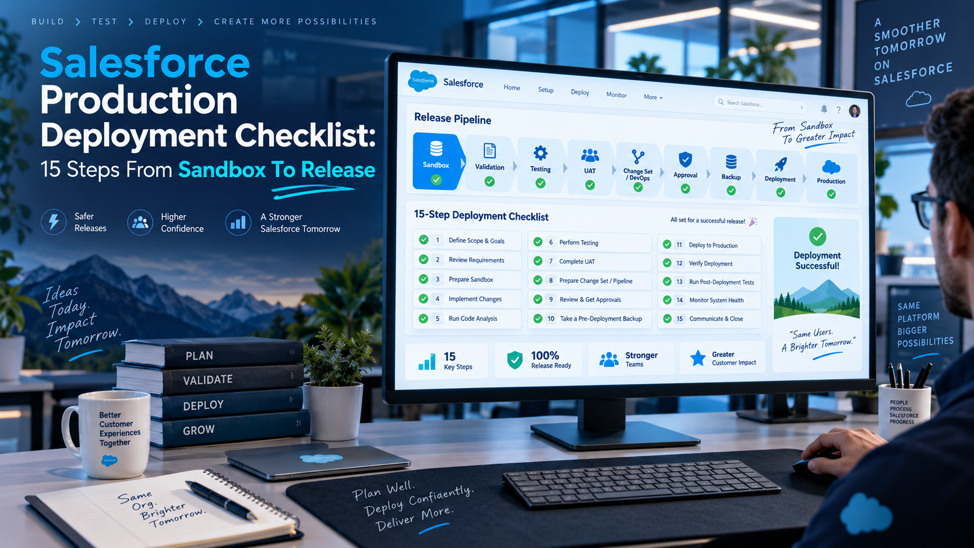
Moving a change from sandbox to production safely isn’t one action; it’s a sequence of specific, ordered steps, each one closing a different gap between where a change was built and where it’s about to run live. Skip enough of them, or skip them inconsistently from release to release, and eventually a change that looked completely safe in testing causes a genuine production incident. This guide walks through 15 concrete steps that take a change from its earliest development sandbox all the way through to a verified, evidence-backed production release, organized into the natural phases a deployment actually moves through.
TL;DR
| Phase | Steps | What this phase protects against |
| Environment and planning | Steps 1 through 3 | Development happening in the wrong environment, or against production data nobody expected to be overwritten |
| Development and dependencies | Steps 4 through 6 | Unreviewed changes and missing dependencies that only surface once deployment actually begins |
| Testing and validation | Steps 7 through 10 | A change that works in isolation but breaks once merged, or fails silently against production’s actual configuration |
| Pre-deployment safety net | Steps 11 and 12 | An unapproved release candidate or a frozen artifact that has not passed final production validation before the real deployment attempt |
| Release execution | Steps 13 through 15 | A release with no current recovery point, clear evidence trail, or verification that what shipped works as intended |
Every step below exists specifically because skipping it has caused a real, genuinely documented production incident somewhere at some point, and the checklist as a whole is deliberately built to close exactly those gaps in sequence, not simply to add ceremony for its own sake or slow anyone down.
Phase 1: Environment and Planning
The first 3 steps establish the foundation everything else in this checklist genuinely depends on, and rushing through this specific early phase is where a meaningful share of later deployment problems actually tend to originate from, often quietly and unnoticed, well before anyone eventually notices the actual root cause.
Step 1: Define Your Environment Strategy and Choose the Right Sandbox Type
A genuine environment strategy should explicitly guide feature and user story development from the outset, outlining the specific data requirements for each stage of the development lifecycle, who’s actually responsible for each individual environment, and who’s genuinely allowed to access it. Salesforce offers several genuinely distinct sandbox types, each suited to a different purpose, and choosing the wrong one for a given need creates problems that reliably only surface much later, once it’s considerably harder to correct.
| Sandbox type | What it contains | When to use it |
| Developer sandbox | Metadata only, no production data | Individual feature development and isolated unit testing |
| Developer Pro sandbox | Metadata only, with a larger storage allocation | Development work involving larger metadata sets |
| Partial Copy sandbox | Metadata plus a sample of production data | Testing that needs some representative data without a full copy |
| Full sandbox | Complete copy of production, including all data | Final UAT, performance testing, and any scenario requiring production-like data volume, sharing, and integrations |
Because a Full sandbox contains genuine production data, access to it should be limited deliberately and reviewed periodically, and using the smallest sandbox type that genuinely satisfies a given testing need reduces both cost and any unnecessary exposure of sensitive production data to more people than actually need it.
Step 2: Check the Production Audit Trail Before Starting Development
Before beginning a new development cycle, check the production audit trail and compare current production metadata with the version-controlled repository. Any direct production change that is missing from source control creates drift and can be overwritten by the next deployment. Reconcile that difference before development continues, either by bringing the production change back into the repository and relevant sandbox or by approving a deliberate alternative. The repository should remain the source of truth for deployable metadata, with direct production changes treated as exceptions that must be recorded and reconciled. Before opening a pull request for new work, capture the reconciled production state in source control so every developer starts from the same baseline.
Step 3: Use Isolated Development Environments Per Developer or Workstream
Giving each individual developer or workstream a genuinely separate sandbox or scratch org, wherever practical, significantly reduces the overwrite and merge risk that comes directly from multiple people working inside a single, shared development sandbox simultaneously. A shared sandbox invites exactly the kind of accidental overwrite that’s genuinely difficult to trace back to its actual source once it’s already happened, while properly isolated environments keep each individual stream of work cleanly separated until that specific work is genuinely ready to merge with everyone else’s contributions.
Phase 2: Development and Dependencies
With the right environment foundation now genuinely in place across the entire team, the next 3 steps cover how development itself should actually happen in real practice, and what genuinely needs verifying before any of that work moves toward a real, live deployment attempt against production.
Step 4: Build Customizations With Mandatory Peer Review
Every category of change in Salesforce development deserves a defined review before it moves forward, and the specific categories worth reviewing consistently include:
Apex classes and triggers, checked for both correctness and adherence to established coding standards
Lightning Web Components, including work covered by Salesforce Lightning development, reviewed for both functionality and the kind of performance patterns that only become visible under real usage
Flows and other declarative automation, since these can carry just as much genuine business risk as custom code despite requiring no traditional code review tooling
Sharing settings and permission sets, since an incorrect access change can expose or restrict data in ways that aren’t always immediately obvious during testing
Destructive changes and the overall manifest scope, confirming exactly what’s being removed or modified matches what was actually intended
Step 5: Identify and Verify All Dependencies Across Metadata Components
Every metadata component carries dependencies, and confirming those dependencies are genuinely accounted for before deployment prevents one of the most common causes of a failed or incomplete deployment. Unlike some deployment tools that automatically detect and cleanly include every relevant dependency, certain older migration approaches instead require every single dependency to be added manually and explicitly, which means a missed dependency doesn’t surface as an error until the actual deployment attempt fails partway through, often at a genuinely inconvenient moment well into an already-tight release window.
Step 6: Write and Run Unit Tests in the Development Sandbox
Unit tests written and run inside the isolated development sandbox confirm that a specific change works correctly in isolation, before that change ever gets combined with anyone else’s concurrent work. This step catches straightforward logic errors early, while they’re still genuinely cheap and fast to fix on the spot, rather than allowing them to surface later during integration testing instead, where diagnosing the actual root source of a failure becomes considerably more complicated once multiple developers’ separate changes are already merged together into one codebase.
Phase 3: Testing and Validation
The next 4 steps move a change from isolated development into genuine, fully integrated testing, closing the gap between what works well in isolation on its own and what actually works once combined with everyone else’s changes and tested against something genuinely resembling real production reality.
Step 7: Merge and Test Changes Together in an Integration Sandbox
Changes originating from separate, individual development environments get deployed into a shared integration environment specifically so they can be merged into one genuinely unified codebase, and integration tests then verify whether these combined changes genuinely work together correctly as a coherent whole. This step exists precisely because 2 individually correct, well-tested changes can still conflict or interact badly with each other once genuinely combined, a failure mode that unit testing performed inside isolated development sandboxes structurally cannot ever catch entirely on its own.
Step 8: Update Apex Test Classes and Confirm Code Coverage Meets the Minimum Threshold
Update Apex tests for changed logic, then confirm coverage in the destination production org rather than relying only on a sandbox result. Salesforce requires at least 75% overall Apex code coverage for production deployment, and every trigger must have some test coverage. The production validation should use the same test level or test strategy planned for the release, because selected tests and target-org conditions can change the coverage result. Coverage is still only one gate: the tests should exercise the business behavior and edge cases the release is expected to support. Do not treat a coverage report from the integration sandbox as proof that production will pass; the target org is the deployment gate that matters.
Step 9: Check API Versions, Namespaces, and Managed Package Compatibility
Verifying API version consistency, namespace dependencies, and managed package compatibility all specifically prevent an entire category of deployment failure that has nothing whatsoever to do with the actual business logic genuinely being deployed. A component built against a newer API version than the specific target org actually supports, or a hidden dependency on a managed package version that hasn’t yet been updated in the target environment, produces a deployment failure that can be genuinely confusing and time-consuming to diagnose if this specific check wasn’t performed explicitly beforehand as part of the process.
Step 10: Finalize the Deployment Manifest
The specific manifest-related checks worth completing before moving toward the actual deployment:
Review and update the package.xml file, or the equivalent source-tracked project files, to confirm the deployment scope matches exactly what was actually intended
Confirm the manifest includes every component genuinely required, cross-referencing against the dependency check completed in step 5
Verify the manifest doesn’t inadvertently include components that were never meant to be part of this specific release
Create a source-controlled release candidate from a tagged commit or package version, then carry that exact candidate through UAT and regression testing so the approved artifact can be frozen without an untracked rebuild. Record the tag or package identifier in the release ticket so later validation and deployment records can be traced back to one source-controlled version.
A manifest finalized this carefully and thoroughly rarely needs revisiting once the team moves forward into the actual pre-deployment safety checks covered next, which is precisely the entire point of doing this specific work thoroughly and correctly the very first time through, right from the very start.
Phase 4: The Pre-Deployment Safety Net
These 2 steps complete the final pre-production gates in order: first prove the release candidate through UAT, regression, and any required performance testing, then validate the frozen artifact against production. If testing changes the artifact, the affected tests and production validation must run again before release.
Step 11: Complete UAT, Regression, and Required Performance Testing
Run UAT and regression testing before the final production validation. Business users should assess the release candidate in an appropriate representative test environment. A Partial Copy or Full sandbox can support UAT when its data and integration coverage matches the scenario. Performance or load testing that needs production-scale volume belongs in a Full sandbox. If testing finds a defect, update the source-controlled candidate and repeat the affected tests. Once the release is approved, freeze the artifact so the version sent to production validation is the same version that passed the testing gates. Document UAT sign-off, regression results, and any performance evidence against that frozen version so a later rebuild cannot silently replace the tested candidate.
Step 12: Run the Final Production Validation
Run a validation-only, or check-only, deployment after UAT, regression, and any required performance testing have passed and the approved artifact has been frozen. Validation checks the production target without applying the release. When an eligible validation passes the required Apex tests and coverage checks, Salesforce can use that result for Quick Deploy within 10 days, avoiding a second Apex test run. If the release artifact changes after validation, validate the changed artifact again before deployment. Keep the validation job linked to the approved commit or package version so the release record shows exactly which artifact cleared the production gate.
Phase 5: Release Execution
The final 3 steps prepare the current rollback point, coordinate the release window, and deploy the already tested and production-validated artifact. Backup and restore readiness belong immediately before release so the recovery material reflects the production state closest to cutover.
Step 13: Back Up Production and Confirm Tested Rollback Before Release
Take the production data backup immediately before the release window, then confirm that rollback and restore procedures are ready for the specific changes in scope. A backup alone does not guarantee recovery. Metadata rollback normally means redeploying the previous version from source control, while data recovery requires a usable restore path for the affected records. Test those procedures before relying on them during an incident, assign the person who can execute them, and record the last known good commit or package version. If production changes after the backup in a way that affects recovery, refresh the relevant backup or reassess the release before proceeding. Before cutover, confirm backup storage, who can restore it, which records are in scope, and how the team will verify recovery after restoration.
Step 14: Schedule the Release Window and Notify Stakeholders
The specific coordination tasks this step covers:
Schedule a defined release window at a time that minimizes disruption to active users, coordinated explicitly with every team whose work might be affected
Notify all relevant stakeholders in advance, giving them genuine visibility into when the change will happen and what to expect afterward
Confirm the rollback plan and the team responsible for executing it are both genuinely ready before the release window actually begins
Prepare any user-facing communication or documentation needed to support the transition once the change actually goes live
Step 15: Deploy to Production, Run Smoke Tests, and Record Deployment Evidence
With every single prior step now genuinely complete, the actual production deployment finally executes, followed immediately by a focused smoke test confirming the core functionality genuinely works as expected once running in the live, real environment. Retaining a clear, complete record of deployment evidence, the specific commit, package version, deployment job identifier, test results, the approver, precise timestamps, and the smoke-test result, gives the Salesforce support and maintenance team a genuine, reliable audit trail to reference if a question or issue arises later, rather than relying on fading memory or scattered informal notes to reconstruct exactly what actually happened during a specific past release.
Who Owns Each Step Across a Typical Release Team
A 15-step checklist genuinely works only when specific, named ownership is assigned to each individual step, since a checklist that’s technically documented but has no clear owner for individual items tends to develop quiet, unaddressed gaps precisely where accountability was never made explicit in the first place.
Mapping Ownership Across a Typical Release Team
| Step range | Typical owner | Why this ownership makes sense |
| Steps 1 through 3 (environment and planning) | Release manager or DevOps lead | These decisions shape the entire release and need consistency across every team contributing to it |
| Steps 4 through 6 (development and dependencies) | Individual developers, with a peer reviewer | The people writing the actual change are best positioned to identify its direct dependencies |
| Steps 7 through 10 (testing and validation) | QA lead, working alongside the development team | Integration testing and coverage validation require both technical depth and a dedicated testing focus |
| Steps 11 and 12 (UAT and final validation) | QA lead and release manager, with business sign-off on UAT | UAT approval and production validation need separate business and technical ownership |
| Steps 13 through 15 (release execution) | Release manager or DevOps lead | Backup, release coordination, deployment, and evidence recording need centralized execution control |
Why Explicit Ownership Prevents the Checklist From Quietly Decaying
A checklist without assigned ownership for each specific step tends to survive in name only, referenced in documentation but not genuinely followed in practice, since each individual team member reasonably assumes someone else is handling any given step that isn’t explicitly theirs. Assigning a specific, named owner to each phase, even in a smaller organization where the same person might reasonably hold several of these roles simultaneously, creates the kind of clear accountability that keeps a checklist functioning as a genuine, living process rather than a document that gradually falls out of active use.
How Ownership Should Adjust for Smaller Teams
A smaller organization without a dedicated release manager, DevOps engineer, or QA lead can still apply this same underlying ownership principle, simply consolidating several of these roles into fewer people rather than eliminating the accountability itself. What matters is that someone specific is genuinely accountable for each phase, not that the organization has a large, formally titled team dedicated to release management specifically. A 2-person Salesforce team can reasonably divide these 15 steps between them, with one person owning environment and development phases while the other owns testing and release execution, provided both people understand clearly and unambiguously which specific steps are genuinely theirs to drive from start to finish, without needing to constantly check with the other.
Common Mistakes That Undermine Even a Well-Intentioned Checklist
Use this section as a final failure check. Each item states the mistake, the consequence, and the correction without repeating the full reasoning already covered in the 15 steps.
Rebuilding after UAT. Consequence: the production artifact no longer matches what users and testers approved. Correction: update source control, rerun the affected tests, freeze the new artifact, and validate that version again.
Treating UAT as production proof. Consequence: production-only configuration, licensing, data volume, or Apex test behavior can still fail. Correction: keep final production validation as a separate gate after UAT.
Skipping final production validation. Consequence: target-org dependency or compatibility errors can surface during the live release. Correction: validate the frozen artifact before deployment and use Quick Deploy only while that validation remains eligible.
Using shared development sandboxes without controls. Consequence: changes can overwrite or mask one another. Correction: isolate work where practical and merge through source control into the integration environment.
Skipping deployment evidence. Consequence: later troubleshooting loses the exact release history. Correction: record the commit or package, validation job, deployment result, approver, timestamps, and smoke-test result.
Adapting the Checklist for Different Release Types
Not every release genuinely warrants the exact same depth of effort across all 15 steps, and understanding how to scale the checklist appropriately for different release types prevents both genuinely dangerous shortcuts and unnecessary overhead applied indiscriminately to every single change regardless of its actual size.
How Different Release Types Should Approach Each Phase
| Release type | Environment and planning | Testing and validation | Release execution |
| Small configuration change | Lightweight; confirm the right sandbox and check the audit trail briefly | Focused unit and integration testing; full UAT often unnecessary | Standard validation-only run, smaller release window, lighter stakeholder notification |
| Standard feature release | Full phase 1 rigor, including a genuine environment strategy check | Full integration testing, coverage verification, and a real UAT cycle | Complete release execution with full evidence recording |
| Major platform upgrade or large multi-component release | Extended planning, often involving a Full sandbox and multiple stakeholder teams | Extensive integration and performance testing, likely across several testing cycles | Formal release window, comprehensive stakeholder communication, and a detailed, tested rollback plan |
| Emergency hotfix | Minimal planning time, but the audit trail check and dependency verification still cannot be skipped | Targeted testing specifically on the affected component, not a full regression cycle | Expedited but still genuinely validated deployment, with evidence recording completed immediately afterward rather than skipped entirely |
Why Even an Emergency Hotfix Still Needs a Version of Every Phase
The temptation during a genuine production emergency is to skip the checklist entirely in favor of speed, but the specific steps most tempting to skip, dependency verification and validation-only deployment particularly, are exactly the steps most likely to prevent a hotfix from introducing a second, entirely new problem while attempting to fix the first one. A well-prepared team keeps a genuinely lightweight, fast version of the full checklist ready specifically for emergency scenarios, rather than discovering only in the middle of an actual crisis that no expedited process exists and the full, standard checklist is the only available option under genuine time pressure.
Why Scaling Down Still Requires Deliberate Judgment, Not Default Skipping
The right level of rigor for a specific release should be a deliberate, documented decision made consciously at the start of that release, not an implicit shortcut that happens simply because a deadline feels tight or a change feels obviously small and low-risk. Teams that build this scaling judgment explicitly into their process, rather than leaving it to individual discretion in the moment, produce considerably more consistent outcomes across releases of genuinely varying size and risk than teams where each individual deployment quietly reinvents how much of the checklist actually gets followed.
FAQs
Does every single deployment genuinely need to follow all 15 steps, even for a small, low-risk change?
The underlying principle behind every step remains valid regardless of change size, but the specific rigor applied to each step can reasonably scale with the actual risk and complexity of the change involved. A small, isolated configuration change might move through a lighter version of steps 4 through 10 considerably faster than a large, multi-component feature release would, but skipping a step entirely, rather than simply applying it more lightly for a genuinely lower-risk change, is where teams most commonly run into real trouble later, often on a release that seemed too small to warrant the concern in the first place.
What’s the actual difference between a validation-only deployment and the real production deployment?
A validation-only, or check-only, deployment runs every check the real deployment would run, dependency resolution, Apex test execution, metadata validation, without actually applying any changes to the target org. This makes it a genuinely safe way to surface exactly the kind of error or warning a live deployment would encounter, while still leaving production entirely untouched until the team has genuinely confirmed the validation passed cleanly and is fully ready to proceed with the real, final deployment that actually applies the changes.
Why does a release sometimes pass UAT completely and still fail once it reaches production?
This happens because UAT and production, even when the UAT environment is a genuine Full sandbox copy, are never perfectly identical environments. Differences in enabled features, licensing, precise metadata configuration, or how Apex tests behave against production’s actual data volume can all introduce a gap between what UAT validated and what production actually encounters, which is exactly why steps like the validation-only deployment and the post-deployment smoke test exist as additional, genuinely distinct safeguards beyond UAT alone, catching precisely the gap UAT by itself was never designed to fully close.
How should a team decide which sandbox type to use for a specific piece of testing?
The right sandbox type depends directly on what the specific testing actually requires: a Developer or Developer Pro sandbox suits isolated feature development where no realistic production data is genuinely needed, a Partial Copy sandbox suits testing that needs some representative data without the overhead of a full copy, and a Full sandbox becomes necessary specifically when production-like data volume, sharing rules, or integration behavior can’t be adequately represented in a smaller environment. Defaulting to the smallest sandbox type that genuinely satisfies the specific testing need, rather than always reaching for a Full sandbox out of convenience, keeps both cost and unnecessary production data exposure appropriately limited to only the people and situations that genuinely require it.
What should actually be included in a deployment rollback plan specifically?
A genuine rollback plan needs to address metadata, code, permissions, and data separately, since each of these categories carries different dependencies and a different actual rollback procedure rather than one that works identically across all of them. The plan should specify exactly who’s responsible for executing a rollback if one becomes necessary, what the specific rollback steps are for each category of change involved in a given release, and how quickly the team can realistically execute those specific steps once a genuine problem has actually been identified and confirmed in the live production environment.
How long should a team typically wait between a validation-only deployment passing and the actual production deployment happening?
There’s no strict universal rule, but running the actual production deployment reasonably close in time to when the validation-only deployment passed reduces the risk that something in the target org changes in the interim, potentially invalidating what the validation run confirmed. For deployments happening during a specifically scheduled release window, running the validation-only deployment as part of the same overall release process, rather than days or weeks in advance of the actual deployment, keeps the validation result genuinely representative of the actual production environment at the exact moment the real deployment finally happens.
Is recording deployment evidence genuinely necessary for a smaller organization with a less formal release process?
Yes, and arguably even more so for a smaller organization without a large, dedicated DevOps or release management function already tracking this information through other, more formal channels. A smaller team is often more reliant on a small number of people’s memory of what happened during a given release, and that institutional memory is precisely what evidence recording is meant to supplement, ensuring the organization genuinely doesn’t lose track of critical deployment history simply because the one person who remembered the specific details happens to be unavailable, on vacation, or has since left the organization entirely by the time a question eventually comes up later.