

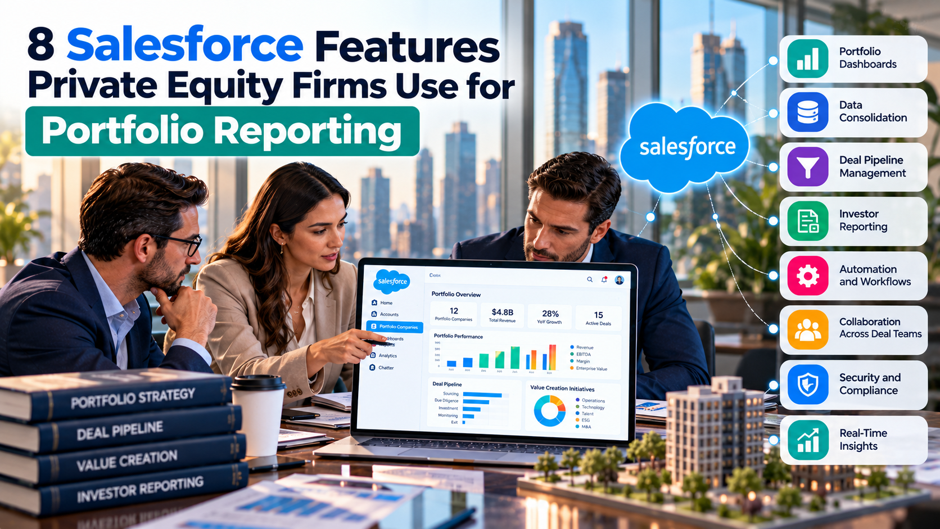
Nashton, a private equity firm, used to run its entire portfolio reporting process the way plenty of firms out there still do: stale spreadsheets, slow manual exports, and no real way to see across the entire portfolio at once, a genuine competitive disadvantage for a firm whose entire edge in the market depended heavily on speed. Working closely with an implementation partner, the firm rebuilt its reporting entirely natively inside Salesforce, combining standard Sales Cloud dashboards with targeted custom code, and the project took just 30 days from start to finish to deliver a real-time, 360-degree view that eliminated manual exports completely and saved the team 10 to 15 genuine hours every single week going forward.
That same story captures exactly why so many private equity firms have moved their own portfolio reporting onto Salesforce rather than continuing to stitch together spreadsheets, email attachments and disconnected portfolio monitoring tools that never quite talk to each other. This post covers 8 specific Salesforce features driving that broader shift, what each 1 actually does in practice, how it fits into the wider reporting workflow, and why firms consistently reach for these particular capabilities rather than building reporting from scratch on a generic spreadsheet template that everyone eventually outgrows.
TL;DR
- Salesforce gives PE firms 1 centralized system instead of scattered spreadsheets and disconnected tools. Custom objects model deals, funds and portfolio companies directly, native reports and dashboards turn that data into real-time views, and the platform’s broader ecosystem, Tableau, CRM Analytics, Experience Cloud, extends that same foundation further still into advanced analytics and genuine external data collection work.
- Real firms have measured real time savings from this approach. 1 documented case saved 10 to 15 hours every single week after moving its entire reporting process onto Salesforce, with the full implementation completed in just 30 total calendar days using a combination of standard dashboards and custom code built specifically around that particular firm’s own portfolio structure.
- These 8 features work together as a connected stack, not as isolated tools. Data flows from custom objects, gets collected from portfolio companies through Flow-driven processes and Experience Cloud portals, then surfaces through native dashboards, Tableau visualizations and CRM Analytics insights, with Files and Apex supporting whatever specific pieces simply don’t fit neatly into a standard, out-of-the-box configuration.
Why Private Equity Firms Build Portfolio Reporting on Salesforce
Private equity portfolio reporting breaks down for a predictable set of reasons: metrics get defined differently across different portfolio companies and different funds, valuations arrive on inconsistent timelines, and spreadsheets quietly become the actual system of record even though nobody planned it that way. A strong reporting foundation fixes this by enforcing consistent definitions, a clear refresh cadence, and real ownership over each data point, not simply by making charts look more polished than the spreadsheet they replaced.
Salesforce appeals specifically to PE firms because its underlying platform was built for exactly this kind of structured, relationship-heavy data modeling from the start, tracking deals, funds, investors and now portfolio companies as connected records rather than disconnected files. Purpose-built accelerators like Salesforce HeadStart for Private Equity demonstrate this directly, offering pre-built custom objects covering deals, funds, committed capital, capitalization and financial results specifically so firms don’t have to build this data model from a blank slate. That foundation is exactly what makes the 8 features covered in this post work together as a genuine system rather than a collection of disconnected point solutions.
The 8 Features at a Glance
| Feature | What It Does | Primary Use in Portfolio Reporting | |
| 1 | Custom Objects | Models funds, deals and portfolio companies as structured, connected records | Creates the underlying data foundation everything else reports on |
| 2 | Native Reports and Dashboards | Turns raw record data into real-time visual summaries | Delivers the day-to-day portfolio views investment teams actually check |
| 3 | Salesforce Flow | Automates data collection, calculations and notification workflows | Keeps portfolio company data flowing in on a consistent, repeatable cadence |
| 4 | Experience Cloud | Provides a secure external portal for outside users | Lets portfolio company management submit financials directly into Salesforce |
| 5 | Tableau | Delivers advanced, highly customizable data visualization | Supports deeper trend analysis and board-ready visual reporting |
| 6 | CRM Analytics | Applies AI-driven analysis directly to Salesforce data | Surfaces predictive insights and anomalies standard dashboards might miss |
| 7 | Salesforce Files | Centralizes document storage tied directly to records | Keeps board decks, financials and quarterly reports organized by company |
| 8 | Custom Apex Development | Extends the platform with custom-built, firm-specific logic | Handles calculations and workflows standard configuration can’t cover |
Reading this table top to bottom traces a real workflow: data gets modeled through custom objects, collected through Flow and Experience Cloud, visualized through native dashboards and Tableau, analyzed through CRM Analytics, and supported by Files and custom Apex wherever the standard platform needs extending. The sections that follow group these 8 features by function and go into more depth on how each 1 actually works in practice.
The Data Foundation: Custom Objects and Native Reporting
Custom Objects Turn Portfolio Companies Into Structured Records Salesforce’s custom object framework lets a PE firm model exactly the entities its business actually revolves around, funds, deals, portfolio companies, financial results, committed capital, rather than forcing that data into generic fields built for a typical sales pipeline. Purpose-built solutions like Salesforce HeadStart for Private Equity demonstrate what this looks like in practice, offering dedicated custom objects for deals, funds, committed capital, capitalization, financial results and investment structures, all connected to each other through Salesforce customization rather than living as separate, disconnected spreadsheet tabs.
Native Reports and Dashboards Turn That Data Into Something Teams Actually Use Once portfolio data lives inside structured custom objects, Salesforce’s native reporting engine can surface it as real-time reports and dashboards without any separate business intelligence tool required. Salesforce HeadStart ships with more than 35 out-of-the-box reports and dashboards covering deal performance, fundraising progress and fund analytics specifically, and firms building their own custom implementation typically extend this same native reporting layer to cover portfolio company KPIs, revenue, EBITDA, margin, leverage, directly inside the same system already tracking the underlying deal and fund data.
Getting Data From Portfolio Companies Into Salesforce
- Salesforce Flow automates the repeatable parts of data collection. Rather than manually chasing down portfolio company financials every month, firms can use Salesforce automation services so Flow can trigger reminder notifications, route submitted data for review, and apply calculations automatically once new figures arrive, turning what used to be a manual chase into a consistent, repeatable process that doesn’t depend on someone remembering to follow up.
- A repeatable collection process matters more than most firms initially expect it to. Portfolio reporting specifically requires a clear, consistent way to pull financial and operational data from each portfolio company on a predictable, properly enforced cadence, since inconsistent collection timing is exactly what makes metrics genuinely hard to compare across companies and funds in the first place.
- Experience Cloud gives portfolio company management a secure, direct channel into Salesforce. Rather than portfolio company finance teams emailing spreadsheets that someone on the PE side then has to manually re-enter, an Experience Cloud portal lets that same portfolio company team submit financials and operational KPIs directly into the connected Salesforce data model, cutting out an entire manual step that used to introduce both delay and transcription errors.
- This combination directly addresses the stale-KPI problem that plagues manual reporting. When Flow enforces a submission cadence and Experience Cloud gives portfolio companies a direct, low-friction way to submit data on time, a reporting team can tell at a glance which companies are current and which have fallen behind, rather than discovering a data gap only when someone finally notices a dashboard hasn’t updated in weeks.
Real Example: How 1 Firm Centralized Reporting in 30 Days
The Nashton case study, documented through its implementation partner Everpeak Partners, illustrates what this kind of Salesforce-based reporting build actually looks like in practice rather than in the abstract. Before the project, Nashton relied on stale spreadsheet reporting that was slow, genuinely error-prone, and left leadership without any real-time view of how the portfolio was actually performing, a real competitive disadvantage for a firm whose whole value proposition depended on moving faster than its peers.
Everpeak’s solution ran entirely natively within Salesforce, combining standard Sales Cloud dashboards with custom Apex code built specifically around Nashton’s own portfolio structure and reporting needs. The results were concrete and measurable rather than vague promises: 100% of reporting centralized into 1 system, manual exports eliminated entirely, and 10 to 15 hours saved every single week across the team that previously spent that time compiling and reconciling spreadsheets by hand. The entire project took just 30 days from start to finish, a timeline that reflects how much of this work Salesforce’s existing platform capabilities can handle once properly configured, rather than requiring a lengthy custom build from a completely blank slate.
Advanced Analytics and Visualization
Tableau Extends Native Dashboards Into Genuinely Advanced Visualization While Salesforce’s native reports and dashboards handle most day-to-day reporting needs well, Tableau, acquired by Salesforce and now tightly integrated with the core platform, extends that capability into considerably more advanced, highly customizable visualization. Firms building out detailed trend analysis, tracking revenue, EBITDA, net debt and cash add-backs across multiple reporting periods, or preparing genuinely board-ready visual materials often reach for Tableau specifically because its visualization depth goes meaningfully beyond what native dashboards alone can produce.
CRM Analytics Applies AI Directly to Salesforce’s Own Data CRM Analytics, Salesforce’s own AI-driven analytics layer, works directly against data already living inside Salesforce, which means it can surface predictive insights and flag anomalies without requiring a separate data export or a disconnected analytics tool entirely outside the platform. For portfolio reporting specifically, this can mean automatically flagging a portfolio company whose trajectory has started to diverge from its historical pattern, well before that divergence becomes obvious enough to catch through manual review of a standard dashboard alone.
Documents, Custom Logic and the Rest of the Stack
- Salesforce Files keeps every document tied directly to the exact record it actually belongs to. Board decks, quarterly financial statements and due diligence materials can live as Salesforce Files attached to the specific portfolio company or fund record they actually relate to, rather than scattered loosely across individual inboxes or a disconnected shared drive nobody ever consistently organizes the same way.
- This connection between documents and records matters most during board meeting preparation. Pulling together materials for a portfolio company board meeting becomes considerably, noticeably faster when every relevant document already lives attached directly to that company’s own Salesforce record, rather than requiring someone to hunt across old email threads and shared folders for the latest version of each individual file.
- Custom Apex development fills the gaps standard configuration genuinely can’t cover. Every PE firm’s own specific waterfall calculations, fund-level allocation logic, or firm-specific reporting rules eventually run into something the platform’s standard, out-of-the-box configuration simply wasn’t built to handle, and that’s exactly where Salesforce development services genuinely come in, precisely as it did in Nashton’s own real-world implementation.
- Well-built custom code becomes a durable part of the platform rather than a fragile workaround. Unlike a standalone script sitting outside the system, custom Apex code lives directly inside Salesforce, triggered by the same data changes and available to the same reports and dashboards as everything else, which is exactly why it can support real-time reporting rather than running as a separate, disconnected batch process.
What Portfolio Reporting Actually Needs to Track
| Metric Category | What It Includes | Why It Matters |
| Revenue and growth | Top-line revenue, period-over-period growth rate | The most basic signal of whether a portfolio company is actually growing |
| EBITDA and margin | Earnings before interest, taxes, depreciation and amortization, and margin trends | Central to almost every portfolio review conversation and valuation discussion |
| Leverage indicators | Debt-to-EBITDA and related ratios | Signals financial risk and capacity for additional investment or debt service |
| Cash and runway | Available cash and how long it will last at current burn rate | Critical for identifying companies that may need capital support soon |
| Budget vs actual | Comparison between planned and actual financial performance | Reveals which companies are executing against plan and which are falling behind |
| Key non-financial KPIs | Metrics specific to the company’s business model, when actively used | Provides operational context that purely financial metrics alone can miss |
This table reflects what most mature PE portfolio reporting programs track consistently across every portfolio company, and it’s exactly the kind of data that needs to flow cleanly through the 8 Salesforce features covered throughout this post, modeled in custom objects, collected through Flow and Experience Cloud, and visualized through native dashboards, Tableau and CRM Analytics, to actually become useful for investment decisions rather than sitting unused in a spreadsheet nobody has time to properly analyze.
Portfolio Company Onboarding: Where the Data Model Actually Gets Tested
The moment a new portfolio company actually joins the firm is where a Salesforce-based reporting system either genuinely proves its design or clearly reveals its gaps, since onboarding requires creating a genuinely brand new set of connected records, the company itself, its initial financial baseline, its board members, its reporting cadence, all at once together rather than gradually building them up over time. A well-designed custom object structure makes this entire process largely templated from the start, with a new portfolio company record automatically triggering related records for financial tracking, board documentation and Experience Cloud portal access, rather than requiring someone to manually configure each individual piece separately for every single new addition to the portfolio.
Firms that skip investing in this onboarding template early on often discover the real cost of that decision later, once they’re already several portfolio companies deep into using the system and realize each 1 was actually set up slightly differently, with different field configurations, different reporting cadences, or different document folder structures that make genuine portfolio-wide comparison considerably harder than it really should be. Building a consistent onboarding template as part of the initial Salesforce implementation, rather than treating each new portfolio company as its own custom, one-off setup project, is exactly the kind of upfront investment that pays off considerably once a firm’s portfolio grows past just a handful of companies.
The onboarding process itself also represents the first real, genuine test of whether Flow-driven automation and Experience Cloud access actually work exactly as intended, since a new portfolio company’s own finance team is encountering the entire reporting system for the very first time with no prior familiarity to fall back on at all. Firms that treat this very first interaction carefully, clear instructions, a genuinely intuitive Experience Cloud interface, realistic initial deadlines, tend to establish considerably stronger long-term data submission habits than firms that simply grant portal access and assume the new team will figure out the whole process entirely on their own.
Security and Access Control for Sensitive Portfolio Data
- Portfolio data carries sensitivity on 2 distinct fronts at once. Competitive financial details about portfolio companies that competitors would genuinely value knowing sit alongside internal firm analysis and strategic thinking that shouldn’t be visible to the portfolio companies themselves in most cases, which means access control has to account for both directions at once rather than just 1.
- Salesforce’s permission model supports this layered sensitivity directly. A firm can configure exactly which internal team members see which specific portfolio companies, while Experience Cloud’s external-facing permissions can use Salesforce’s record access and sharing controls so a portfolio company’s own finance team only ever sees their own company’s data within that same shared system, and genuinely never anyone else’s data at all, under any circumstance whatsoever.
- Portfolio company users need precise, narrow access rather than broad visibility. A portfolio company user should be able to submit their own financials and view their own historical submissions, but should never be able to see how their company compares against other portfolio companies in the same fund, information that’s specifically and deliberately reserved for internal firm use only.
- Getting this configuration wrong carries genuine consequences beyond embarrassment. A permission error that exposes 1 portfolio company’s financial details to another, or that lets a portfolio company see internal firm commentary about its own performance, can damage the working relationship in a way that’s genuinely difficult to fully repair afterward, which is why this configuration deserves the same rigor as the reporting logic itself.
Comparing Portfolio Companies Across a Fund
A genuinely significant part of what makes Salesforce-based portfolio reporting valuable beyond simply tracking each individual company is the ability to compare companies against each other within the same fund, or across funds, using consistently defined metrics pulled from the same underlying data model. This cross-company comparison is exactly what helps investment teams identify which portfolio companies are driving the strongest returns, which are lagging behind plan, and where operational best practices from a strong performer might genuinely transfer to a company that’s struggling with a similar challenge.
Building this comparison capability well requires the metric standardization discussed earlier in this post to actually hold up in practice, since a dashboard comparing revenue growth across 5 portfolio companies is only meaningful if all 5 companies are actually calculating and reporting revenue growth the same consistent way. Native Salesforce dashboards can support this kind of side-by-side comparison directly once the underlying custom object structure enforces consistent field definitions, while Tableau becomes particularly valuable for more sophisticated cross-portfolio visualizations that go beyond what a standard dashboard’s built-in comparison tools can easily produce on their own.
This cross-portfolio view also supports 1 of private equity’s core value creation activities directly: identifying operational improvements at 1 portfolio company that could genuinely apply to others facing a similar underlying challenge. A reporting system that makes these patterns visible, rather than requiring someone to manually notice a trend by separately reviewing individual company reports 1 at a time, turns portfolio reporting from a passive tracking exercise into something that actively supports the value creation work investment teams are ultimately trying to drive across the entire portfolio.
Integrating External Data Sources Into the Salesforce Reporting Layer
- Most portfolio companies don’t run Salesforce as their own primary accounting system. Firms need some way to pull data from each portfolio company’s own accounting platform, banking systems, or specialized portfolio monitoring tools into the centralized Salesforce environment, rather than relying entirely on manual submission through Experience Cloud alone for every single company across the entire portfolio at once.
- This integration layer typically combines several different technical approaches at once. Scheduled data imports, API connections where a portfolio company’s own systems actually support them, and custom Apex code handling the specific transformation logic needed to map each company’s own data format into the firm’s standardized Salesforce custom objects all play a real role together in the mix.
- Full automation offers cleaner data but comes with a real engineering tradeoff. Fully automated integration with every portfolio company’s own systems delivers the cleanest, most real-time data flow, but building and maintaining that level of automation across a diverse portfolio, where different companies inevitably run different accounting platforms, quickly becomes its own substantial engineering project worth planning for.
- Many firms land on a hybrid approach that scales sensibly with investment size. Automating integration for larger or longer-held portfolio companies where the investment clearly justifies the engineering effort, while relying on Experience Cloud-based manual submission for smaller or more recently acquired companies instead, lets the overall engineering effort scale with how much each specific investment actually genuinely warrants.
- The underlying data model should treat the data source as an implementation detail. Whichever approach a firm chooses for a given company, automated integration or manual submission, a well-designed Salesforce data strategy and architecture keeps the resulting reports and dashboards working identically either way, which is exactly the architectural decision that determines whether reporting genuinely scales cleanly as the portfolio continues to grow.
Preparing for Board Meetings and Quarterly Reviews
Board meeting preparation represents 1 of the most genuinely time-sensitive, recurring demands portfolio reporting has to reliably support, and it’s exactly the kind of work where having documents, financials and historical context already connected inside Salesforce makes a genuinely measurable difference compared with reconstructing the same materials entirely from scratch every single quarter. A well-built system lets an investment team pull a portfolio company’s current financial dashboard, recent board deck history, and relevant historical trend data together into 1 coherent view, without needing to separately chase down each individual piece from a different, disconnected source.
This preparation workflow benefits directly and considerably from several of the 8 features covered throughout this post working together in a coordinated sequence. Salesforce Files keeps prior board materials neatly organized and easily accessible, native dashboards and Tableau visualizations provide the current performance snapshot, and CRM Analytics can flag any notable trends or anomalies genuinely worth specifically highlighting in the upcoming meeting itself, all pulled directly from that same underlying data model, rather than requiring someone to manually assemble these various pieces from separate, disconnected sources 1 at a time every quarter.
Quarterly portfolio-wide reviews place an even heavier, more concentrated demand on this same infrastructure, since they typically require comparing performance across every portfolio company simultaneously, rather than focusing narrowly on just 1 company at a time the way board prep usually does. Firms that have already invested in the metric standardization and cross-portfolio comparison capabilities discussed earlier in this post find these quarterly reviews considerably more efficient to run, since the underlying data already supports the kind of side-by-side comparison a quarterly review actually demands, rather than requiring a separate, genuinely time-consuming compilation effort every single quarter just to get the whole portfolio into a truly comparable format in the first place.
Common Mistakes When Building Portfolio Reporting on Salesforce
- Treating metric definitions as obvious rather than explicitly standardizing them. A firm that lets each portfolio company or each fund define revenue, EBITDA or growth slightly differently ends up with a reporting system that technically works but produces numbers that can’t actually be compared across the portfolio, which is why Salesforce data governance matters before centralizing reporting in the first place.
- Skipping the data collection process design in favor of jumping straight to dashboards. Building beautiful dashboards before establishing a genuinely repeatable, properly enforced process for getting consistent data from every portfolio company on a predictable cadence produces dashboards that look impressive at first but quietly go stale the moment initial enthusiasm for the whole new system eventually fades.
- Underestimating how much custom development a firm-specific reporting model actually needs. Many firms expect a purely out-of-the-box configuration to handle their entire reporting needs, only to discover partway through implementation that their own specific waterfall calculations or fund structures genuinely require custom Apex development, exactly the kind of gap a realistic project scope should anticipate from the very start.
- Building reporting in isolation from the people who actually have to submit the underlying data. A reporting system designed without real input from portfolio company finance teams who will be the ones submitting data through Experience Cloud often ends up with a submission process that’s technically functional but genuinely painful to use, which quietly undermines the consistent, on-time data collection the entire system depends on.
FAQs
Do private equity firms need Salesforce HeadStart specifically, or can they build portfolio reporting from a standard Salesforce license?
Either path works, and the right choice depends heavily on timeline and budget. A purpose-built accelerator like Salesforce HeadStart offers pre-built custom objects and reports that can meaningfully speed up implementation, while a standard Salesforce license paired with custom configuration, as Nashton’s own 30-day implementation demonstrated, can also deliver strong results when the build is scoped carefully around the firm’s actual reporting needs.
Is Tableau required for good portfolio reporting, or do native Salesforce dashboards cover most needs?
Native Salesforce dashboards genuinely handle the vast majority of day-to-day portfolio reporting needs perfectly well entirely on their own, without requiring anything else added to the mix. Tableau becomes valuable specifically for more advanced trend analysis, highly customized board-ready visualizations, or scenarios requiring visualization depth that goes meaningfully beyond what standard dashboards can produce without significant additional configuration.
How does Experience Cloud actually improve data collection from portfolio companies compared with email?
Experience Cloud gives portfolio company finance teams a secure, direct channel to submit financial and operational data straight into Salesforce’s connected data model, rather than emailing spreadsheets that someone on the PE side then has to manually re-enter into the system. This eliminates an entire manual transcription step that previously introduced both delay and the real risk of data entry errors.
What kind of custom Apex development do most PE firms actually need for portfolio reporting?
This varies by firm, but common needs include firm-specific waterfall calculations, fund-level allocation logic tied to particular partnership agreements, and custom validation rules ensuring submitted portfolio company data meets specific quality standards before it flows into reports. As the Nashton case study showed, even a relatively fast implementation often still requires some custom code to handle logic that’s genuinely specific to how that particular firm operates.
How long does it typically take to implement Salesforce-based portfolio reporting from scratch?
Timelines vary considerably based on scope and how much existing Salesforce infrastructure a firm already has in place. The Nashton implementation took just 30 days using a combination of standard Sales Cloud dashboards and targeted custom Apex development, though a more complex build covering deal pipeline, fund management and portfolio reporting together typically takes longer than a focused reporting-only project.
Can CRM Analytics actually predict which portfolio companies are likely to underperform?
CRM Analytics can surface patterns and flag anomalies in historical data that might indicate a company’s trajectory is diverging from its established pattern, which can draw attention to a potential concern earlier than manual dashboard review alone might catch it. It functions as a pattern-detection and anomaly-flagging tool working directly against a firm’s own historical data, rather than a definitive prediction of future performance on its own.
Do smaller private equity firms with fewer portfolio companies still benefit from this kind of Salesforce build?
The core problems this kind of system solves, inconsistent metric definitions, manual data collection, scattered documents, affect firms of nearly any size, though the complexity and cost of the actual Salesforce implementation should scale down considerably for a smaller portfolio. A firm with just a handful of portfolio companies might reasonably start with simpler custom objects and native dashboards alone, adding Tableau, CRM Analytics or Experience Cloud later as the portfolio genuinely grows large enough to justify that additional investment.
What’s the biggest risk in building portfolio reporting on Salesforce without proper planning?
The most common and costly risk is building dashboards and reports before actually standardizing how metrics get defined and collected across the portfolio, which produces a system that looks complete but quietly generates numbers that can’t be meaningfully compared company to company. Getting the underlying data model and collection process right first, even if that means a slower initial rollout, tends to produce a far more durable and genuinely useful reporting system than rushing straight to polished dashboards built on inconsistent underlying data.