

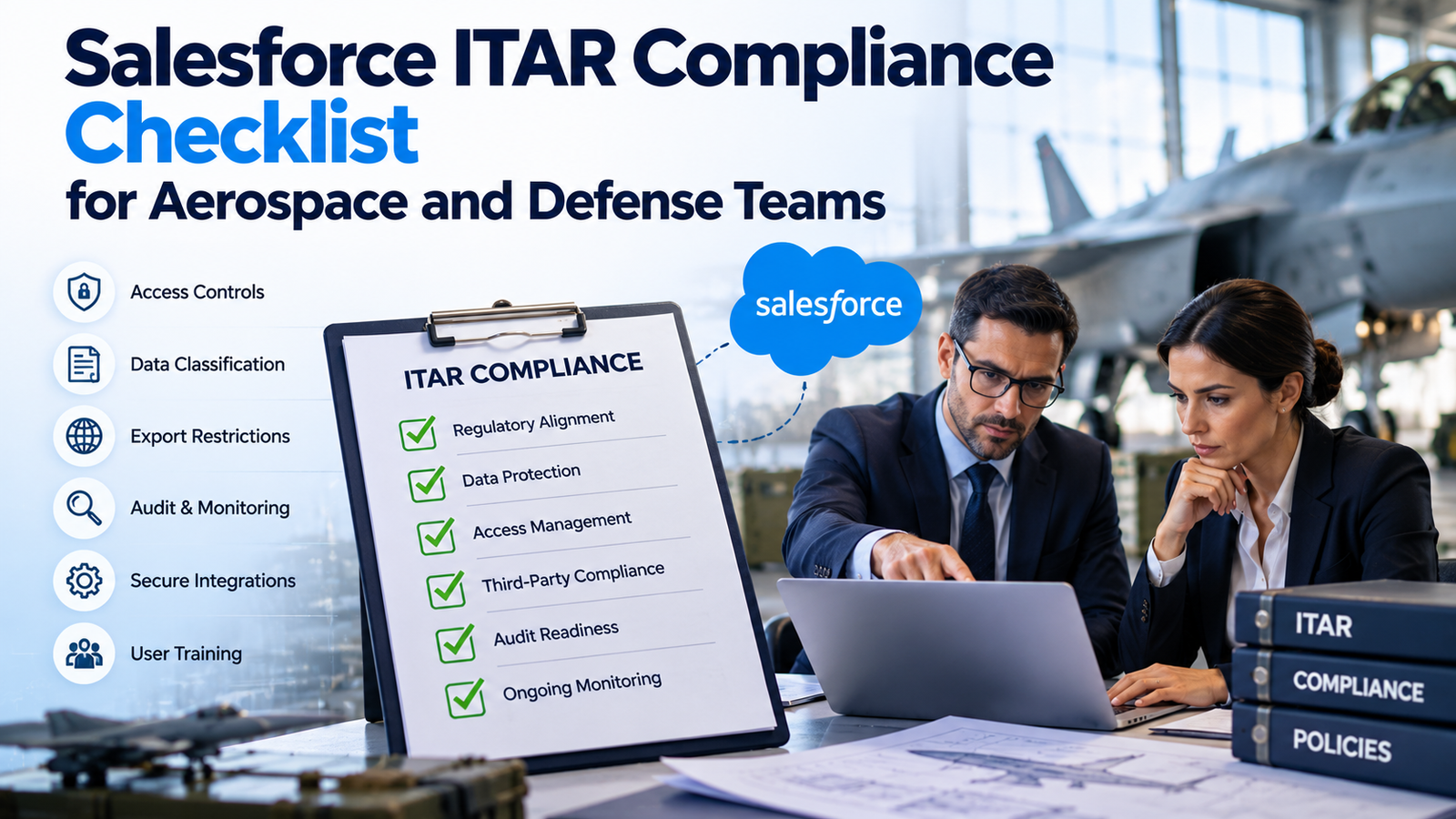
Aerospace and defense teams often put account data, opportunities, supplier records, support cases, proposal details, files, and engineering context into Salesforce. That mix creates a hard compliance question: which records are ordinary business information, and which records can become export-controlled technical data once users add drawings, specifications, test details, design notes, or controlled attachments?
Salesforce ITAR compliance starts with that distinction. ITAR applies to defense articles, defense services, and technical data controlled under the U.S. Munitions List. A CRM can sit inside that process without becoming the legal decision-maker. Your company still has to determine jurisdiction, classify the information, control who can receive it, document authorizations, and keep evidence that the controls worked.
The safest design treats Salesforce as part of an export-control system rather than as an isolated application. The DDTC’scompliance program guidance puts management responsibility, classification, recordkeeping, training, risk assessment, audits, and written procedures into the same program, which is a useful model for Salesforce governance as well. That means legal, export compliance, security, Salesforce administration, and business owners need one agreed control model before controlled information reaches production. The result should be a Salesforce ITAR compliance design that can survive staff changes, audits, integration work, and new product releases.
TL;DR
Salesforce can support an ITAR-controlled business process only when the organization controls the data and the people around it. Start by deciding whether Salesforce needs to hold controlled technical data at all. If it does, map each controlled data type to approved objects, fields, files, users, integrations, locations, and retention rules.
Use Salesforce Government Cloud only after checking which environment and specific products fit your contract and data requirements. Restrict controlled records to authorized U.S. persons or other authorized recipients. Apply least-privilege permissions, strong identity controls, approved encryption, logging, integration limits, change control, and incident procedures. Keep evidence for each control instead of relying on a product label or a one-time security review.
Why ITAR Changes Salesforce Design
ITAR changes the design question from “Who needs CRM access?” to “Who is legally allowed to receive this information?” The regulation definesITAR technical data to include information required for the design, development, production, manufacture, assembly, operation, repair, testing, maintenance, or modification of defense articles. That can include drawings, plans, photographs, instructions, and other documentation. A harmless-looking Salesforce file or case comment can therefore become controlled based on its content and relationship to a defense article. General marketing information and general system descriptions are excluded from that definition, so teams shouldn’t mark every aerospace record as controlled by default. Classification has to follow the actual information.
A Salesforce ITAR compliance program also has to account for releases inside the United States. ITAR’s concept of anexport under ITAR includes releasing technical data to a foreign person in the United States. This matters for Salesforce because access can happen through a record page, report, API, mobile session, email notification, file preview, screen share, or administrator function. The user doesn’t have to download a blueprint for the company to have an access problem. If an unauthorized foreign person can view controlled content in readable form, the compliance issue already exists.
For aerospace and defense compliance, CRM architecture should therefore start with data flow. Ask where controlled content enters Salesforce, where it can be copied, which automation touches it, which integrations receive it, and which people can retrieve it through privileged permissions. Then test those paths against actual authorization. That is more useful than a policy that simply says “ITAR data is restricted.” This is where an ITAR compliance checklist becomes useful because it ties each data path to an authorization decision and a named owner.
Identify Data Subject to ITAR Before It Enters Salesforce
The first operational step is to build a data inventory that separates controlled technical content from ordinary sales and service information. Start with common Salesforce objects such as Account, Contact, Opportunity, Case, Knowledge, custom program objects, files, notes, email messages, and collaboration records. For each object, list the fields or attachments that may hold technical content. Record who creates the data, why it is needed, how long it stays, and where it leaves the platform.
Classification can’t be guessed from a customer name or program label. A defense contractor may have opportunities that contain only commercial contact data, while another opportunity includes a controlled statement of work or detailed performance requirements. DDTC’sCommodity Jurisdiction process exists for cases where the organization remains unsure whether a commodity or service is covered by the U.S. Munitions List after reviewing the rules. Salesforce should store the result of that legal or export-control decision, such as a classification status or approved data category, rather than trying to infer jurisdiction through automation.
A useful ITAR compliance checklist maps each data category to an owner and an allowed handling path. For teams using Salesforce Government Cloud, that map should also show which controlled records are permitted inside the selected operating zone. For example, an account name may be unrestricted, a proposal summary may be controlled under a contract, and an engineering attachment may contain ITAR technical data. Put those decisions into metadata that admins and users can understand. A controlled-data flag should drive access rules and workflows only after compliance has defined what the flag means.
Don’t rely only on file names or manual legends. Users can paste technical content into long text fields, comments, email bodies, knowledge articles, or activity notes. Searchable fields deserve the same review as files. If Salesforce isn’t meant to store controlled engineering material, enforce that boundary through training, field design, file restrictions, scanning where appropriate, and a defined response for accidental uploads.
Choose the Right Salesforce Environment and Authorization Boundary
Salesforce ITAR compliance depends heavily on where the workload runs and what services sit inside the approved boundary. Salesforce states thatGovernment Cloud Plus – Defense is a physically isolated dedicated environment designed for U.S. Department of Defense organizations and contractors and for highly sensitive Impact Level 5 data including CUI and unclassified national security information. That statement is relevant to defense workloads, but it doesn’t replace your ITAR analysis. ITAR controls exports and releases. FedRAMP and DoD Impact Levels address different security and authorization questions.
Government Cloud Plus – Defense has a separate contractor eligibility restriction. Salesforce allows government contractors to use this environment on behalf of, or in direct support of, a Department of Defense mission owner handling Impact Level 5 data. Contractors can’t purchase it for general internal business use. Confirm the mission owner and contract relationship before choosing the environment. Salesforce Government Cloud guidance
The environment decision should follow the contract, the data, and the operating model. Salesforce’s currentGovernment Cloud product matrix distinguishes products that are inside an authorization boundary from products that are merely interoperable or unavailable. A feature that works technically can still create a boundary problem if it sends customer data to a service that wasn’t assessed for the same environment. Review every add-on, connector, analytics feature, AI feature, messaging channel, backup service, and marketplace package against the current matrix before enabling it for controlled workflows.
This is a common gap in aerospace and defense compliance. Salesforce Government Cloud reduces some infrastructure questions, but it doesn’t remove the need to review every service that touches controlled data. Teams approve a core Salesforce org and later add a convenience tool without repeating the boundary review. The new tool may copy files, index text, send telemetry, create logs elsewhere, or expose administrators outside the approved personnel model. Treat the authorization boundary as a living architecture record. Any change that can move or expose controlled content should trigger security and export review.
Don’t assume commercial Salesforce becomes suitable for controlled data because encryption is enabled. Don’t assume Government Cloud automatically makes every customer configuration lawful either. Your responsibility includes object design, user eligibility, permissions, data flows, connected services, contract clauses, and operating procedures. The chosen environment is one control within that larger Salesforce ITAR compliance system.
Control U.S. Person Access and Other Authorized Recipients
ITAR access rules need more care than a citizenship-only rule. The regulatoryU.S. person definition includes lawful permanent residents and protected individuals as defined by referenced immigration law, as well as qualifying U.S. entities and government bodies. A foreign person can receive controlled technical data only when an applicable authorization or exemption permits the release. HR status, contract status, and Salesforce access therefore have to connect to the legal determination your compliance team uses.
Build a verified eligibility source outside the user’s own Salesforce profile. In aerospace and defense compliance programs, this decision should be owned by export compliance or another authorized function rather than by a Salesforce administrator. HR or export compliance should own the status decision. Salesforce should consume only the minimum status needed to enforce access, such as “approved for ITAR program A” or “not approved for controlled technical data.” Avoid storing unnecessary citizenship or immigration detail in the CRM if a simple authorization flag will do the job.
Then separate identity from need-to-know. A U.S. person isn’t automatically entitled to every controlled program. Use permission sets, permission set groups, record sharing, object permissions, field permissions, file access, and custom sharing logic to limit each user to the program data required for their role. That approach supports an ITAR compliance checklist because reviewers can test both eligibility and business need.
Privileged users need special treatment. System administrators, integration users, support personnel, developers, release managers, backup operators, and security analysts may gain indirect access through their duties. List every privileged role that can view, export, query, copy, restore, or impersonate users. If a role can reach ITAR technical data, include it in the authorization decision and audit scope. Break-glass access should have an owner, approval path, time limit, and after-action review.
Harden Identity, Sessions, and Permission Controls
Identity controls should make unauthorized access difficult even when credentials are stolen. Salesforce publishes currentGovernment Cloud security settings covering password policy, session timeout, session locking, security health checks, and related settings. Use those settings as a technical baseline, then adjust them to your contract, threat model, and identity architecture. Don’t copy every recommendation without testing the impact on SSO, APIs, mobile access, and support procedures.
Salesforce requires Common Access Card (CAC) authentication as the multi-factor authentication token for Government Cloud Plus – Defense logins. Plan CAC access and login testing before deployment. This requirement applies to the Defense environment, so don’t assume the same login requirement applies to every Salesforce Government Cloud offering. Salesforce Government Cloud guidance
Multi-factor authentication should cover interactive users, with stronger methods for privileged accounts where available. Salesforce Government Cloud can provide the platform controls, while your organization still has to define which users and sessions are allowed for each controlled program. Central SSO can help if the identity provider enforces the same personnel restrictions and lifecycle controls. Disable shared logins. Use named integration identities rather than personal accounts. Remove dormant access quickly when a worker changes program, employment status, or authorization.
For Salesforce ITAR compliance, permission design matters as much as authentication. Profiles should stay limited. Add access through controlled permission sets with named owners and review dates. Avoid broad “View All Data” or “Modify All Data” grants unless the role truly requires them. Export permissions, API access, report export, connected app use, delegated administration, login-as-user functions, and file download rights deserve separate review because each can become a data release path.
Run access recertification by controlled program, not only by department. The reviewer should see the user, employment or contractor relationship, export authorization status, role, program, privileged permissions, connected apps, and last activity. That makes access reviews useful evidence instead of a checkbox exercise. Remove access first when status is unclear, then restore it after the owner resolves the exception.
Protect Data, Encryption, and Key Handling
Encryption is necessary, but the exact ITAR rule matters. Section 120.54 describes conditions under which certain sending, taking, or storing of unclassified technical data isn’t treated as an export, reexport, retransfer, or temporary import. TheITAR cloud encryption rule requires end-to-end encryption, qualifying cryptographic protection, destination restrictions, and control of decryption means. The rule also defines end-to-end encryption so the data doesn’t become unencrypted between the originator’s security boundary and the intended recipient’s security boundary, and the means of decryption aren’t provided to a third party.
That wording is why teams shouldn’t equate “encrypted at rest” with the 120.54 condition. Salesforce Shield Platform Encryption protects data at rest within supported platform layers, while Salesforce still has to decrypt data when authorized application functions use it. Your export counsel and security team should determine whether a planned cloud use relies on section 120.54, on another authorization path, or on a design where controlled data remains within an approved U.S. environment and authorized personnel model. Document that decision before migration.
Salesforce describesGuardian security features available in Government Cloud, including Event Monitoring, Field Audit Trail, and Platform Encryption with product-specific availability. Use the current service matrix because feature support differs between Government Cloud Plus and Government Cloud Plus – Defense. Encryption scope also has to include files, attachments, search indexes, event data, backups, exports, and downstream systems where the controlled content can appear.
Key handling deserves its own procedure. For aerospace and defense compliance, the procedure should connect key ownership to the same change-control and evidence rules used for controlled access. Record who can manage tenant secrets or external keys, how rotations are approved, what happens if a key is disabled, and how recovery is tested. Limit key-management permissions. Review key events in audit logs. If the architecture depends on customer-controlled keys for an export-control rationale, verify the real technical behavior instead of relying on a diagram or sales statement.
Secure Integrations, Connected Apps, Email, and Files
Integrations are often the fastest route around a well-designed Salesforce permission model. Salesforce Government Cloud integrations still require a separate data-flow review because the destination can sit outside the approved Salesforce boundary. An API user can extract records in bulk. A middleware flow can copy attachments to a commercial storage bucket. An email integration can place content into a mailbox with different access rules. A backup product can replicate the entire org. Build an integration register that identifies the owner, authentication method, data objects, fields, destinations, regions, administrators, retention, and authorization boundary for each connection.
Salesforce notes that marketplace apps aren’t automatically inside the Government Cloud authorization boundary. ItsAppExchange Government Cloud guidance says the marketplace security review is distinct from U.S. government requirements and that AppExchange apps aren’t included in the authorization boundaries of Government Cloud Plus or Government Cloud Plus – Defense. That means a package can pass a Salesforce security review and still require separate assessment before it touches a controlled workflow. Keep third-party code and outbound callouts out of controlled objects until that assessment is complete.
For ITAR technical data, pay close attention to email-to-case, outbound email, generated documents, file previews, content delivery, public links, Experience Cloud sharing, mobile sync, report exports, scheduled reports, and data loader use. A single automatic email can copy controlled content into a system that was never approved. Remove controlled fields from notification templates unless the recipient path is authorized. Prefer links back to the controlled system when the recipient can authenticate there and the business process supports it.
The Salesforce ITAR compliance rule for integrations should be simple: no new data path becomes production-ready until someone proves where the data goes and who can read it. Keep the approval with the integration record so future admins can understand why a connection is allowed.
Build Logging, Recordkeeping, and Audit Evidence
A control that can’t be evidenced will be hard to defend during an investigation or customer review. DDTC’s registration rules state that many manufacturers and exporters of defense articles must register, and DDTC registration requirements also make clear that registration doesn’t confer export rights or privileges. Salesforce controls should therefore point back to the organization’s authorizations and compliance records rather than treating registration as permission to share data.
Create an evidence map for every major control. That evidence is what turns Salesforce ITAR compliance from an architecture claim into a repeatable operating record. For identity, keep access approvals, recertification results, MFA status, and termination evidence. For data, retain classification decisions and system-of-record ownership. For permissions, keep change history and approval tickets. For integrations, retain architecture diagrams, data-flow records, vendor assessments, and release approvals. For incidents, keep alerts, investigation notes, containment actions, and reporting decisions.
Event logs should answer who accessed controlled data, what they did, when it happened, and from which context. Use Salesforce event and audit features that are available in your edition and environment. Send relevant security events to the organization’s monitoring platform only after verifying that the destination is approved for the data the logs may contain. Logs can include record identifiers, user details, URLs, queries, and other context that deserves its own classification review.
An ITAR compliance checklist should also cover evidence retention. ITAR and contract record requirements can vary by record type and authorization, so set retention from the governing requirement rather than from a generic CRM policy. Prevent ordinary data cleanup jobs from deleting export-control evidence that legal or compliance still needs.
Align ITAR With DFARS, CMMC, and NIST Requirements
ITAR, CUI rules, DFARS, and CMMC overlap in defense programs, but they aren’t the same requirement. Aerospace and defense compliance teams should keep the legal basis for each label visible in the system security plan and data inventory. A Salesforce record can contain ITAR-controlled information, CUI, both, or neither. Build labels and handling rules that let compliance distinguish those cases. This prevents teams from using “CUI” and “ITAR” as if the terms were interchangeable.
For contractors handling CUI, NIST publishedSP 800-171 Revision 3 with updated security requirements for protecting CUI in nonfederal systems. Contract requirements still determine which revision and assessment method apply to a given award, so the Salesforce security plan should cite the contract clause and assessment basis rather than assuming the newest NIST publication automatically governs every existing contract. Map Salesforce controls to the system security plan only where Salesforce is inside the assessed boundary.
DFARS 252.204-7012 contains specific duties for covered defense information. The currentDFARS safeguarding clause requires adequate security and includes requirements for external cloud service providers used to store, process, or transmit covered defense information. It also sets cyber incident reporting and evidence-preservation duties. If Salesforce is part of that covered contractor information system, the incident plan has to connect Salesforce logs and administrators to the larger DFARS response process.
CMMC needs current-date checking because implementation policy can change. On July 13, 2026, the Department announced aCMMC Phase II suspension while keeping Phase I self-assessment requirements in place. Teams shouldn’t freeze Salesforce security work because of that change. The underlying contract clauses, CUI safeguards, and ITAR duties still need to be met. Treat CMMC status as one line in the compliance matrix, not as a substitute for export-control analysis.
Run the Salesforce ITAR Compliance Checklist
Use the following ITAR compliance checklist before production approval and during scheduled reviews. If Salesforce Government Cloud is in scope, attach the current product and boundary review to the checklist evidence package. Each item should have an owner, evidence location, review date, and status. A simple yes/no answer isn’t enough for high-risk items because the reviewer needs to know what supports the answer.
Governance and Legal Scope
• Confirm the company has determined whether its activities fall under ITAR and whether DDTC registration is required.
• Confirm controlled products, services, and information have documented jurisdiction and classification decisions.
• Identify each Salesforce business process that may receive ITAR technical data.
• Record the legal basis for each authorized release to foreign persons, if any.
• Assign accountable owners for export compliance, Salesforce security, and system administration.
Data and Architecture
• Maintain a field-level and file-level data inventory for controlled Salesforce workflows.
• Mark which objects can contain controlled content and which are prohibited from holding it.
• Document the Salesforce environment, region, authorization boundary, enabled products, and approved third-party services.
• Verify that exports, backups, sandboxes, test data, search indexes, and logs follow the same handling decision as production data where applicable.
• Remove or mask controlled content before it enters lower environments unless those environments are approved for the same data.
Access and Personnel
• Verify U.S. person status or other authorization before controlled access is granted.
• Enforce need-to-know access by program and role.
• Review administrators, developers, support users, integration identities, and break-glass accounts as privileged access paths.
• Disable shared accounts and unmanaged service credentials.
• Revoke access promptly when employment, contract, program, or authorization status changes.
Salesforce Security Controls
• Require approved MFA and SSO settings for in-scope users.
• Limit session duration and risky login paths based on the approved security baseline.
• Use permission sets and sharing rules to avoid broad access.
• Review API access, report export, data loader, delegated administration, and login-as-user permissions.
• Configure encryption for required data stores and document what encryption does and doesn’t cover.
• Restrict key-management permissions and review key changes.
• Enable appropriate event monitoring and retain logs under the approved evidence policy.
Integrations and Data Movement
• Inventory every connected app, API, middleware flow, email path, backup service, analytics connection, and file-transfer route.
• Confirm destination regions and support personnel meet the approved handling model.
• Block unapproved public links, external file sharing, and uncontrolled email delivery.
• Review AppExchange packages separately from the core Salesforce environment.
• Test that integration errors don’t spill controlled payloads into unapproved logs or ticketing systems.
Operations and Evidence
• Keep access approvals, configuration baselines, change approvals, and review results in a controlled evidence repository.
• Test incident response for an unauthorized view, bulk export, lost credential, integration leak, and accidental file upload.
• Include Salesforce in export-control training for administrators and business users who handle controlled records.
• Run periodic access reviews and configuration checks.
• Reassess the design after major Salesforce releases, new products, mergers, acquisitions, new contract clauses, or material data-flow changes.
The checklist should be treated as a control register. Owners should close evidence gaps before the system is approved to hold controlled data. That turns Salesforce ITAR compliance into an operating process rather than an annual questionnaire.
Test Incident Response and Change Control
Incidents need a Salesforce-specific playbook because normal security response may miss export-control questions. Start with a scenario where an unauthorized user views a controlled file. The security team needs to preserve login and event data, identify the exact record and content exposed, contain access, and determine whether the person actually received readable controlled information. Export compliance and counsel then decide whether the event triggers a licensing issue, voluntary disclosure analysis, customer notice, or other reporting duty.
The same process should cover bulk exports, API misuse, compromised admin accounts, accidental Experience Cloud exposure, email misrouting, backup exposure, and integration failures. Don’t let responders delete evidence while trying to fix the issue. Decide in advance which Salesforce logs, identity-provider logs, middleware logs, endpoint records, and ticketing records must be preserved.
Change control also needs an export-control gate. A new field can capture technical detail. A new report can expose data across programs. A new flow can email controlled text. A new integration can move data outside the approved boundary. Add an “export-controlled data impact” question to release intake and require a compliance reviewer when the answer is yes or uncertain.
For aerospace and defense compliance, test the control path at least as seriously as the feature. Government Cloud changes should go through the same release gate when they affect controlled objects or integrations. A release can pass functional QA and still fail the data-handling requirement. Keep evidence from security testing, access tests, negative tests, integration tests, and approval reviews with the release record.
Final Review Before Go-Live
A Salesforce deployment is ready for controlled work only when the company can explain the legal scope, the technical boundary, the authorized users, the data paths, and the evidence without relying on assumptions. The final review should include export compliance, security, the Salesforce platform owner, and the business owner for the controlled program. Legal counsel should review questions that depend on interpretation of ITAR authorizations or section 120.54.
For aerospace and defense compliance, the most important decision may be to keep certain controlled content out of Salesforce. If opportunity management needs only program names, milestones, commercial terms, and approved summaries, leave detailed drawings and engineering packages in a purpose-built controlled repository. That can reduce the Salesforce ITAR compliance boundary and make access reviews easier. When the CRM genuinely needs controlled information, treat every connected feature as part of the same risk decision.
A strong Salesforce ITAR compliance model is specific enough to test. That final discipline is what keeps Salesforce ITAR compliance aligned with real data flows as the platform changes. It identifies where controlled data can live, who may access it, what systems can receive it, how changes are approved, and what evidence proves those controls operated. Revisit that model whenever the contract, regulation, Salesforce environment, or integration landscape changes.
FAQs
Is Salesforce ITAR Compliant?
Salesforce doesn’t create a blanket legal determination for a customer’s ITAR compliance. Certain Salesforce Government Cloud environments provide government security authorizations that may support defense workloads, but the customer still has to control classification, access, exports, integrations, and operating procedures.
Does ITAR Require Salesforce Government Cloud?
ITAR doesn’t name a required Salesforce edition. The correct environment depends on the information, contract clauses, export-control analysis, cloud architecture, personnel model, and other government requirements that apply to the workload.
Can Commercial Salesforce Store ITAR Technical Data?
Don’t assume it can based only on standard encryption or geographic hosting. The organization should perform a documented export-control and security analysis of the exact architecture and obtain legal guidance where the design depends on ITAR section 120.54 or another authorization.
What Salesforce Data Can Become ITAR Technical Data?
Drawings, specifications, test instructions, repair details, controlled software, design notes, and other information required for defense articles can qualify. The determination depends on the ITAR definition and the relationship of the information to a controlled defense article.
Does ITAR Access Apply Only to U.S. Citizens?
No. ITAR’s U.S. person definition includes certain lawful permanent residents and protected individuals as well as qualifying U.S. entities. A company’s Salesforce access rules should use a status decision made by export compliance or counsel rather than a citizenship-only assumption.
Can Foreign Employees Use the Same Salesforce Org?
They can use the same org only if the configuration prevents unauthorized releases of controlled information or an applicable authorization permits their access. Segmentation has to be tested across records, files, reports, APIs, search, and privileged permissions.
Is Shield Platform Encryption Enough for ITAR?
No single encryption feature proves ITAR compliance. Shield Platform Encryption protects supported data at rest, while ITAR section 120.54 has specific conditions for certain encrypted transmissions and storage. The full architecture and authorization path still need review.
Does FedRAMP High Mean a Salesforce Org Is ITAR Compliant?
No. FedRAMP addresses federal cloud security requirements. ITAR controls defense articles, defense services, exports, and releases of technical data. The requirements can overlap in one system without being interchangeable.
Is DoD IL5 the Same as ITAR?
No. DoD Impact Level 5 addresses the sensitivity and cloud protection level for certain DoD information. ITAR is an export-control regime. A system may need to satisfy both based on the contract and data.
How Should Salesforce Admin Access Be Handled?
Treat administrators as privileged users who may be able to reach controlled data. Limit the number of admins, verify authorization, use named accounts, monitor privileged actions, and review temporary support access.
Should Sandboxes Contain ITAR Data?
Only if the sandbox is approved for the same controlled data and access model. Otherwise use masked, synthetic, or noncontrolled test data and block production copies that would place controlled content into an unapproved environment.
What Should We Log for ITAR Reviews?
Keep evidence of access approvals, permission changes, authentication events, relevant record access, exports, integration activity, administrative actions, security alerts, and incident response. Retention should follow applicable ITAR, contract, and company record requirements.
How Often Should the Checklist Be Reviewed?
Review it on a defined schedule and after material changes. New Salesforce products, integrations, contract clauses, data types, acquisitions, personnel models, or security incidents can all change the risk even if the core CRM design stays the same.
How Does CMMC Affect Salesforce ITAR Compliance?
CMMC can apply to defense contractors handling federal contract information or CUI under covered contracts. It doesn’t replace ITAR. Map CMMC and ITAR requirements separately, then identify where the same Salesforce control supplies evidence for both.
Who Should Own Salesforce ITAR Compliance?
Ownership should be shared across export compliance, security, Salesforce administration, and the business process owner, with legal counsel involved where regulatory interpretation is required. One named leader should still be accountable for making sure gaps are resolved.