

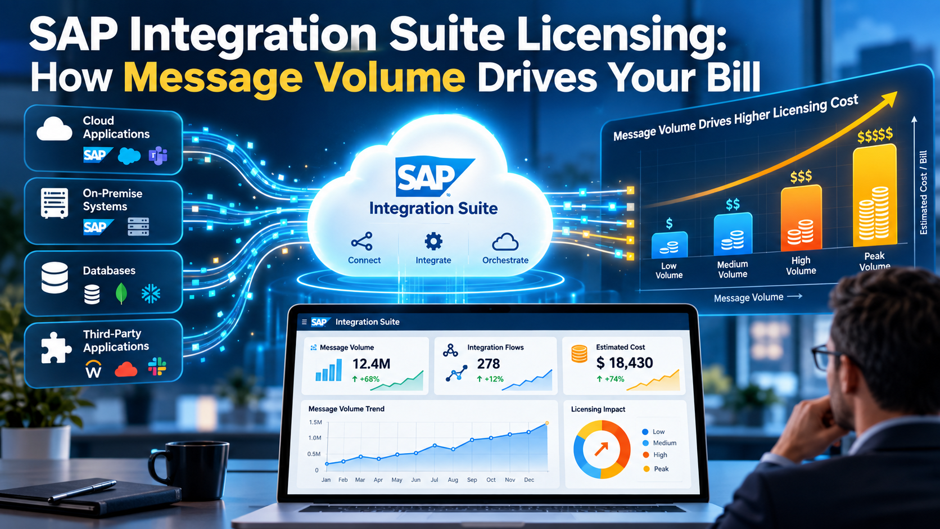
A team forecasts 20,000 sales orders a month, assumes that means 20,000 billable messages, and signs an Integration Suite contract sized around that number. Half a year later the usage dashboard shows roughly 3 times as many chargeable messages, because each order is copied to 2 receivers, written to an archive and retried when a downstream system times out. Nothing broke and no 1 made a careless decision, yet the bill no longer matches the forecast, which is the most common way message-based licensing surprises an integration team.
This post explains how message volume drives the bill, covering what SAP counts as a message, how the 250 KB rule inflates counts, which design choices multiply them, how to model volume before signing, and which contract terms limit the risk. SAP doesn’t publish a simple per-message price, and public figures from third parties differ by roughly 100 times, so the focus here is on mechanics and modeling instead of quotable rates. Confirm every counting rule and price against your own order form and the current SAP Note on the message metric.
TL;DR
- The billable unit is the message, and the count depends on outgoing payload size and flow design. SAP counts messages sent through receiver adapters in 250 KB slices, so a 2 MB payload counts as 9 messages, splitters and retries add more, and some internal hops don’t count, which means the number on your integration diagram rarely equals the number on your invoice.
- Public price data is unreliable, so the defensible approach is to model volume and ask SAP for a written quote. Published figures range from a fraction of a cent to several cents per message across community answers, licensing advisors and price aggregators, and the commercial model you choose (subscription, CPEA credits or pay-as-you-go) changes how those messages turn into actual charges on an invoice.
- Design and contract choices move the bill more than the headline rate does. Batching small messages, replacing polling with events, adding circuit breakers for retries and negotiating written definitions of what counts can change consumption several times over, and year 2 volume growth is where overruns usually appear, so both the architecture and the contract deserve scrutiny before signing.
How SAP Meters Integration Suite
SAP Integration Suite runs on SAP Business Technology Platform and bundles Cloud Integration, API Management, Open Connectors, Integration Advisor and Event Mesh, among other capabilities. The common thread across those capabilities is the message metric: usage is measured in messages, and SAP’s definition of a message is documented in a SAP Note on the Integration Suite message metric. A message is an electronic communication exchanged through the capabilities of the cloud service, and anything larger than 250 KB is charged as extra messages for each additional 250 KB or portion of 250 KB.
Companies buy that metered usage through 3 broad commercial models. Subscription editions, commonly described as Starter, Standard and Premium, are priced per tenant per year and include a message allowance, with additional messages available for purchase. Consumption agreements, such as a Cloud Platform Enterprise Agreement or its BTP equivalent, draw down a pool of credits shared across BTP services. Pay-as-you-go arrangements charge for actual use at a different unit rate. Whichever model applies, the message count is the quantity being priced, which is why accurate counting matters more than any single list price.
SAP’s own pricing page describes editions priced per tenant per year and notes that additional messages can be purchased, and the SAP Discovery Center lists consumption pricing in billing blocks of 10,000 messages. What buyers rarely find is a single, current, public rate card. Sources reviewed for this post described list pricing as something to request from the account team, and the lack of a simple published rate is the first reason a bottom-up volume model, rather than a quote-driven guess, deserves real effort.
What Counts as a Message
| Item | What SAP Counts | Why It Matters |
| Integration message | A message processed by Cloud Integration, API Management or Open Connectors, with 1 integration message equal to 1 transaction | The baseline unit that most interface volume maps to |
| Payload above 250 KB | Each additional 250 KB slice or portion counts as 1 more message | Large documents and files cost proportionally more |
| Receiver-side counting | Outgoing messages through receiver adapters are counted, and sender-side traffic into the platform isn’t | Fan-out to several receivers multiplies the count |
| Splitter output | Each separated outbound message through a receiver adapter counts as its own message | A single inbound file can become hundreds of billable messages |
| Retries | Each retried delivery counts as a separate message | Unavailable receivers quietly inflate usage |
| Request-reply responses | The reply payload from a request-reply step is also considered and charged | Query-style interfaces cost more than they appear to |
| ProcessDirect and JMS receivers | Not included in the message count, according to SAP-based summaries | Internal hops can reduce billable volume |
| Edge message | Messages through Edge Integration Cell, with 2 edge messages equal to 1 transaction | A reduced weighting for edge runtime traffic |
| Event message | Outbound events from Event Mesh, with 100 event messages equal to 1 transaction | High-volume events carry a small unit weight |
These rules come from SAP’s metric definition as summarized in SAP community posts and partner write-ups, so treat the table as a working model and verify details against the current SAP Note and your own usage dashboard. The pattern worth remembering is that counting happens on the receiving side of each flow and responds to payload size, number of receivers, splitting behavior and retries, which means a single business transaction can produce a very different number of billable messages depending on how the flow was designed.
The 250 KB Rule in Practice
Large Payloads Round Up in 250 KB Slices The size rule is simple and unforgiving. A 2 MB payload equals 2,048 KB, divided by 250 KB gives 8.192, and the count rounds up to 9 messages. A 750 KB file counts as 3 messages, and a 1,024 KB file works out to 4.096 slices, which rounds up to 5. Small messages also count as 1 whole message regardless of size, so a 5 KB message and a 240 KB message carry the same charge, and that quirk is the reason batching small messages can reduce counts dramatically.
Multiple Outgoing Messages Are Combined Before Slicing In Cloud Integration, the sizes of outgoing messages sent through receiver adapters during a single flow execution are added together, and the combined size is then measured against the 250 KB threshold. Community explanations of the metric give an example of 100 messages of 50 KB each sent within the same execution: the combined 5,000 KB divides into 20 slices of 250 KB, so 20 messages are charged. The same 100 messages sent as separate receiver calls could count as 100, so the exact flow design determines which rule applies.
Reply Payloads, Retries and Archive Copies Add to the Total Beyond the primary payload, several additions routinely surprise teams. The reply returned by a request-reply step is considered and charged, each retry counts again, and a copy written to an external archive such as an object store can count as an additional message. A flow that looks like a single delivery in the monitor may therefore produce 3 or 4 chargeable messages once responses, archives and retries are included, which is why monitoring screens and invoices rarely match.
Design Choices That Multiply Message Counts
- Splitters that send each piece individually turn 1 inbound file into many billable messages. SAP counts each separated outbound message that passes through a receiver adapter, so a file containing 1,000 records processed one record at a time can generate 1,000 messages while the monitor shows a single inbound message, which makes the splitter configuration 1 of the most influential design decisions in the landscape.
- Multicast copies the message for every route. A flow that sends the same order to a warehouse system, a finance system and an analytics platform produces 3 outgoing messages for every inbound one, and that fan-out is easy to add during a project without anyone recalculating the licensing impact of the extra receivers, which is how forecasts drift away from reality before go-live.
- Retries without a circuit breaker count every attempt. When a receiving system is down, a flow that retries every few minutes keeps generating chargeable messages for as long as the outage lasts, and community guidance recommends a circuit breaker built on JMS or a data store that stops processing after a configured number of attempts and holds the message for review.
- Polling interfaces create volume even when nothing has changed. A scheduled query that checks a source system every few minutes generates request-reply traffic around the clock, and replacing it with an event-driven design, where the source system publishes a change and Event Mesh delivers it, can reduce billable volume considerably because event messages carry a small unit weighting compared with a full integration message.
- Archiving every message duplicates the count. Writing each payload to an external store for audit purposes adds a chargeable message per record, so teams should archive selectively, batch archive writes or rely on logging that doesn’t pass through a receiver adapter, while confirming that the retention approach still satisfies their audit and regulatory requirements, since compliance needs shouldn’t be traded away for a lower count.
- Non-production tenants count too. Community explanations report that development, test and production tenants are counted individually, so load tests, regression runs and replays of historical data all consume the same allowance as production traffic, and teams should plan test volumes the same way they plan production volumes, including load tests that can quietly consume a meaningful share of the annual allowance.
Modeling Your Message Volume Before You Sign
A reliable volume model starts with an inventory of every interface and then works bottom-up. For each 1, record how many times it runs per month, the average combined size of outgoing payloads per execution, the number of receivers, any splitter fan-out, the expected retry rate and the tenants where it runs. Multiplying executions by the number of 250 KB slices per execution, then adding retries and non-production traffic, produces a monthly message estimate per interface that can be summed across the landscape.
Calibration is the next step, and it’s the 1 that teams most often skip. If a tenant already exists, SAP’s message metrics dashboard shows chargeable messages over a 31-day window, breaks usage down by integration flow, receivers and splitters, and separates SAP-to-SAP messages that aren’t counted when flows run in Configure Only mode. Comparing the dashboard against the bottom-up model reveals which assumptions were wrong, and it often exposes a few interfaces that account for most of the volume.
Size distribution deserves its own column in the model, since a landscape dominated by small messages behaves very differently from one dominated by large files. Small messages each cost a full unit regardless of how little they carry, so interface-heavy landscapes with many tiny API calls can generate large counts from modest data volumes, while file-heavy landscapes scale with kilobytes. Separating the 2 profiles lets a team see which design changes, batching for the first group and compression or splitting strategy for the second, will matter most.
Growth assumptions deserve special attention, because year 2 is where overruns concentrate. Projects usually size contracts around go-live volumes, then add new interfaces, new business units and new data feeds over the next 12 months. A defensible model includes a growth range instead of a single number, tests the effect of a doubling in the 3 largest interfaces, and converts each scenario into blocks of 10,000 messages so it can be compared directly with SAP’s pricing structure and the allowance in the proposed contract.
What Public Pricing Sources Say and Why They Conflict
| Source Type | Reported Figure | Limits of the Figure |
| Community answer on pay-as-you-go | About $0.007 to $0.01 per message | Roughly $7 to $10 per 1,000 messages, with no stated date or contract basis |
| Licensing advisory guide | About $0.10 to $0.80 per 1,000 messages | Described as a published range that varies by tier, geography and contract vintage |
| Licensing advisory pricing page | About $1,800 to $3,200 per million messages | Equal to $1.80 to $3.20 per 1,000 messages, listed as 2026 list pricing |
| Price aggregators | Standard edition at roughly $58,000 to $63,000 per tenant per year | Third-party listings that differ from each other and from SAP’s own materials |
| Consumption guidance | Tier pricing in 10,000-message blocks | Unit prices vary by range and need confirmation in the Discovery Center |
Laid side by side, the figures span about 100 times from the lowest per-message rate to the highest, which is too wide a spread to use for budgeting. Differences in contract vintage, currency, tier, region and whether the figure describes list, discounted or pay-as-you-go pricing explain part of the gap, and the rest reflects the uneven quality of secondary sources. The practical conclusion is that a buyer should treat every third-party number as a prompt for questions rather than a rate, and should ask SAP for a written quote that states the unit, the billing block and the tier ranges.
Subscription, CPEA and Pay-As-You-Go Compared
Subscription Editions Trade Flexibility for Predictability Under a subscription, the tenant fee includes a message allowance, and the budget stays predictable as long as usage stays inside the allowance. Third-party listings describe a lower-priced starter edition, a mid-tier standard edition and a premium edition with a much larger allowance and multiple tenants, though the figures vary by source and the exact allowances should come from SAP’s current order form. The risk is the cliff at the edge of the allowance, where additional messages are purchased in blocks at a rate that may be less favorable than a negotiated commitment.
CPEA and BTPEA Credits Offer Flexibility With Harder Forecasting A Cloud Platform Enterprise Agreement sets up a pool of credits that can be consumed across BTP services, so Integration Suite messages draw from the same pool as other services. That flexibility helps a company that expects its mix of services to shift, though it makes forecasting harder, because the conversion between messages and credits sits inside a calculation guide that licensing advisors recommend requesting before signing. Sources also differ on whether credits fully cover the runtime or sit alongside message charges, so confirm the structure in writing.
Pay-As-You-Go Suits Uncertain Volumes at a Higher Unit Cost Pay-as-you-go charges for actual consumption without a long commitment, which suits pilots and workloads with uncertain volume. The tradeoff is that the unit rate is generally higher than the committed rate, and a successful project can scale from a small bill to a large 1 quickly, so teams commonly convert to a commitment once volume stabilizes. Anyone choosing this route should set budget alerts early, since the model has no allowance to warn that usage is rising, and should review the unit rate with SAP after the first full quarter of real traffic so the commitment decision rests on measured volume instead of a forecast.
RISE with SAP and Included Entitlements
- RISE contracts typically include some BTP and Integration Suite entitlement. Licensing advisors describe RISE and GROW bundles as including Integration Suite capacity at a base tier alongside BTP runtime access, and 1 advisory guide cites an included allocation in the range of 5 to 10 million messages per year, though that figure comes from a single secondary source and varies by RISE tier and size.
- The phrase “integration included” can overstate coverage. Advisors report that the included allocation is often sized around SAP’s standard assumptions instead of a customer’s actual landscape, and that some customers exhausted included credits within months, so teams should compare the included message allowance against their bottom-up model before accepting any statement that integration is covered, and should ask for the allowance in writing.
- SAP-to-SAP prebuilt content may be excluded from the metric. SAP’s description of the message metrics dashboard says SAP-to-SAP messages from flows shipped in Configure Only mode aren’t counted as chargeable, which can matter a great deal in an S/4HANA landscape, though the exact exclusion terms should be confirmed in the contract and in the current SAP Note, because the boundary between prebuilt and custom content decides what’s counted.
- Third-party integrations may fall outside the entitlement. One RISE analysis warned that some contracts don’t specify which third-party integrations require BTP licensing, and a connection from SAP to a non-SAP system built on Integration Suite will generally consume metered messages, so the contract should state in plain language which scenarios the included volume covers and which ones draw on a separate, paid allowance.
- BTP spend can shift as RISE packaging changes. Advisory commentary in 2026 notes that costs once bundled into RISE are increasingly priced through BTP and add-on units, so a team renewing or renegotiating should model integration licensing explicitly instead of treating it as a flat percentage of the RISE subscription, which hides the real consumption drivers from the people who need to manage them.
A Worked Example: 1 Process, 3 Designs
Design A: One Message per Order Take an interface that sends 20,000 sales orders per month, each about 40 KB, to a single receiver with no archive and no retries. Each order is a separate outgoing message under 250 KB, so the count is 20,000 per month. Replicated across a landscape of 150 similar interfaces, that’s 3,000,000 messages per month. At a placeholder rate of $2 per 1,000 messages, used only to show proportions and nowhere near an actual SAP quote, the monthly charge would be about $6,000.
Design B: Fan-Out, Archive Copies and Retries Now add a second receiver, an archive write for each order and a 5% retry rate. Each order generates 3 outgoing messages, which gives 60,000 per month, and retries lift the total to 63,000. Across 150 interfaces, the count reaches 9,450,000 messages per month, and at the same placeholder rate the charge becomes about $18,900. The business process is identical to Design A, and the count is 3.15 times higher because of fan-out, archiving and retries that the original forecast ignored.
Design C: Batched Delivery Finally, group orders into batches of 25 before delivery. Each batch carries about 1,000 KB, which counts as 4 messages, and 20,000 orders produce 800 batches, so the monthly total is 3,200 messages. Across 150 interfaces that’s 480,000 messages, or about $960 at the placeholder rate. Batching reduces the count by more than 80% versus Design A because small messages stop paying for unused capacity within each 250 KB slice, though it adds latency and changes error handling, and it suits only interfaces that tolerate delayed posting.
Contract Levers That Control Volume Risk
| Lever | What to Ask For | Why It Matters |
| Written metric definition | The message metric, including splitter, retry, archive and reply treatment, attached to the contract | Prevents disputes over how usage was counted |
| Exclusions in writing | Confirmation that SAP-to-SAP prebuilt content and internal adapters are excluded | Keeps free traffic from appearing on the invoice |
| Allowance sized to your model | An included volume based on your bottom-up estimate with a growth range | Reduces overage exposure in year 2 |
| Overage price protection | A cap or a fixed overage rate no higher than the committed rate | Avoids list-price top-ups after the allowance runs out |
| Credit flexibility | The right to move credits between BTP service categories | Lets spend follow actual usage |
| Rollover and true-up timing | Rollover of unused volume and a clear true-up schedule | Limits wasted commitment and surprise charges |
| Early termination terms | Exit rights if an agreement changes, such as an exit from a bundled contract | Protects against paying for entitlements no longer needed |
These levers come largely from licensing advisors, so weigh their advice with the understanding that some of them also sell negotiation services, and use them as a checklist of questions rather than a guarantee of what SAP will agree to. The strongest position comes from data: a documented volume model, a dashboard export showing current usage and a clear view of which interfaces drive the count give a buyer concrete numbers to discuss, which tends to produce better terms than an abstract request for a discount.
Monitoring and Controlling Usage After Go-Live
- Review the message metrics dashboard monthly. The dashboard filters usage over a 31-day window and shows messages by integration flow, receivers, splitters and datastore use, so a short monthly review, ideally attended by both an architect and a budget owner, can identify the few flows driving most of the volume and reveal growth early, well before it becomes an overage that someone has to explain to finance.
- Set alerts well before the allowance runs out. A threshold at about 70% of the included volume gives the team time to investigate, redesign or negotiate, and a second alert at about 90% triggers a decision, which is far cheaper and far less stressful than discovering a block of overage charges on an invoice after the month has already closed.
- Build circuit breakers into every flow that retries. Stopping retries after a set number of attempts, and parking the message in a JMS queue or data store for review, caps the cost of a downstream outage and also prevents the unpleasant case where a failed receiver generates thousands of chargeable messages overnight while the whole team is asleep.
- Prefer internal hops that don’t count as outgoing messages. ProcessDirect and JMS receiver adapters are excluded from the message count according to SAP-based summaries, so modular flow designs that pass messages internally can reduce billable volume, though teams should still confirm the rule against current documentation and their own dashboard before relying on it in a forecast or a budget approval.
- Revisit design after each major release or acquisition. New interfaces, new business units and new data feeds change the mix, and a short design review that checks splitter behavior, multicast routes, archive writes and polling intervals keeps costs from drifting, particularly when a project team has handed the landscape over to a support team that didn’t make the original design decisions.
Common Mistakes
Forecasting from business transactions instead of outgoing messages is the most common error. A forecast built on orders, invoices or employees counts the wrong thing, since SAP counts messages through receiver adapters in 250 KB slices, and the gap between the 2 numbers depends on fan-out, splitting, retries and payload size. Teams that start from the integration design and count outgoing messages per execution produce estimates that survive contact with the first invoice, and they can explain every line of the estimate to a finance partner who asks where the numbers came from.
Trusting a single price source is the second mistake. With public figures spread across roughly 2 orders of magnitude, a budget anchored on a community answer or an aggregator listing can be off by a factor that dwarfs any redesign work. Asking SAP for a written quote that lists the unit, the billing block, the tier ranges and the allowance, and comparing that quote against the bottom-up volume model, is the only dependable way to turn message counts into dollars.
The third mistake is treating licensing as a procurement task completed at signature. Message-based pricing links the bill to design decisions that continue long after the contract is signed, so developers, architects and procurement staff need a shared view of usage. Teams that review the dashboard monthly, document the counting rules for new developers and include a licensing check in the design review process tend to stay inside their allowance, while teams that leave licensing to procurement tend to meet it again at renewal, usually in the form of a difficult conversation about a true-up they didn’t see coming.
FAQs
What exactly counts as a billable message in SAP Integration Suite?
A billable message is an electronic communication processed by the Integration Suite capabilities, with outgoing messages through receiver adapters counted in Cloud Integration. Payloads above 250 KB are charged as extra messages for each additional 250 KB or portion thereof. Splitter output, retries and request-reply responses can add to the total, while sender-side traffic and ProcessDirect or JMS receivers are described as excluded.
How does the 250 KB rule change the count for large files?
The payload size is divided by 250 KB and rounded up. A 2 MB payload counts as 9 messages, a 750 KB file counts as 3 and a 1,024 KB file counts as 5. Small messages still count as a whole message, so a very small payload costs the same as 1 close to the limit, which is why batching small messages can lower the count substantially.
Why does my invoice show more messages than my integration monitor?
The monitor shows messages that enter a flow, while billing counts outgoing messages through receiver adapters. A splitter that sends 100 pieces may appear as 1 message in the monitor and count as 100 or more for billing, and multicast routes, retries, archive writes and reply payloads add further counts. Comparing the usage dashboard by flow with your design usually explains the difference, and the flows with the largest gaps are the ones worth redesigning first.
Are SAP-to-SAP integrations free of message charges?
SAP’s description of the message metrics dashboard says SAP-to-SAP messages from flows shipped in Configure Only mode aren’t counted as chargeable, and community answers describe prebuilt SAP content as excluded. The scope of that exclusion can differ by content package and contract, so confirm the exact terms in your order form and the current SAP Note before building a budget around them.
Does RISE with SAP cover my integration costs?
RISE bundles typically include some BTP and Integration Suite entitlement, but the included allowance is often sized around standard assumptions and may not cover a real landscape, especially when third-party systems connect through Integration Suite. Compare the included message volume with your bottom-up model, ask which scenarios the entitlement covers and have the answer written into the contract before assuming integration is paid for, since a verbal assurance from a sales conversation won’t help during a true-up.
Which commercial model is best, subscription, CPEA or pay-as-you-go?
It depends on how predictable your volume is. Subscription gives a stable budget while usage stays inside the allowance, CPEA credits offer flexibility across BTP services at the cost of harder forecasting, and pay-as-you-go suits uncertain or pilot volumes at a higher unit rate. Many companies start with pay-as-you-go, then move to a commitment once volume stabilizes and the model has been validated.
How can I reduce message counts without breaking interfaces?
Common tactics include batching small messages, replacing polling with event-driven delivery, adding circuit breakers to retries, archiving selectively and using internal adapters that aren’t counted for hops between flows. Each change has tradeoffs in latency, error handling or audit requirements, so test the effect on the usage dashboard and involve the business owner before changing an interface that supports a time-sensitive process.
How accurate are the prices published on third-party sites?
They’re directional at best. Public figures for the same service range from a fraction of a cent to several cents per message, and they differ in currency, tier, contract vintage and whether they describe list or negotiated pricing. Use them to prepare questions, then ask SAP for a written quote that specifies the unit, billing block, tier ranges and included allowance for your edition and agreement.