

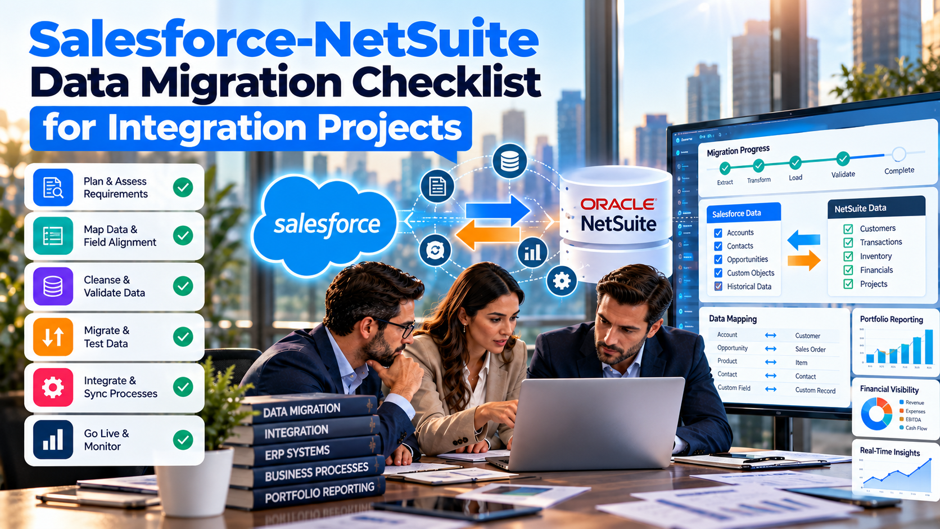
A completed migration checklist that only covers NetSuite’s own financial data accuracy isn’t actually a complete checklist at all, it’s genuinely only half of 1. The Salesforce integration connected to that NetSuite instance depends on internal IDs, authentication credentials, custom fields and SuiteScript deployments that a migration can silently invalidate without a single line of integration code ever changing, and most migration projects simply don’t build a dedicated checklist item for any of it at all.
This checklist walks carefully through what actually needs verification before, during and after a Salesforce-NetSuite integration successfully survives an ERP migration intact: what to inventory before migration begins, what needs updating during the cutover itself, and what deserves close monitoring once the new environment goes live. Use it alongside, rather than in place of, whatever financial reconciliation and NetSuite-specific testing your migration project already plans to run as part of its own standard process.
TL;DR
- Every stored NetSuite internal ID needs to be inventoried before migration begins. These IDs aren’t portable between NetSuite instances, and any Salesforce field or middleware configuration still pointing to an old ID after migration will silently create duplicates or update the wrong record, rather than throwing an obvious, loud error anyone would immediately notice and act on right away.
- Integration testing needs its own dedicated test plan, not simply a spot on the broader NetSuite checklist. Financial reconciliation testing and integration regression testing require genuinely different skill sets and different test data, and treating integration connectivity as a quick smoke test at the end of a migration project is exactly how most post-migration integration failures actually happen.
- A dedicated reconciliation window after go-live catches what pre-migration testing simply can’t. Some failures, especially stale ID references and governance limit breaches, only surface under real production data volume and timing, which means budgeting focused attention for the days immediately following cutover matters just as much as all the preparation work that came carefully before it in the first place.
What This Checklist Covers, and Why Stage Matters
A Salesforce-NetSuite integration successfully surviving an ERP migration depends on 3 genuinely distinct things all staying true at exactly the same time: the internal IDs the integration references still pointing to the correct underlying records, the authentication credentials it uses still being genuinely valid, and the custom fields, custom records and SuiteScripts it depends on still existing in the new environment with exactly the configuration the integration actually expects to find. Any 1 of these breaking independently can take the whole integration down, or worse, let it keep running while quietly corrupting data nobody notices until a reconciliation discrepancy surfaces weeks later.
This checklist is organized around the 3 genuinely natural stages of any migration project, pre-migration preparation, the actual cutover itself, and post-migration validation, because the right checklist item authentically depends on exactly which stage a team is actually working through at that moment. Inventorying internal ID references belongs squarely in pre-migration planning, updating those same references to point at the new IDs belongs in cutover, and confirming they actually resolved correctly under real production traffic belongs firmly in the post-migration reconciliation window that comes afterward. Treating this as 1 flat, undifferentiated list tends to produce exactly the kind of gap where a genuinely important step gets attempted at the wrong time, or gets skipped entirely, simply because nobody was actively tracking which specific stage it actually belonged to.
The Full Checklist at a Glance
| Stage | Checklist Focus | Why It Belongs Here |
| Pre-migration | Inventory internal ID references | Identifies every point that will break once new IDs get assigned |
| Pre-migration | Map custom fields and records | Confirms what needs recreating before the new environment goes live |
| Pre-migration | Assign integration ownership | Ensures 1 accountable owner tracks integration-specific risk throughout |
| Pre-migration | Build integration regression test plan | Creates a dedicated test plan separate from financial reconciliation testing |
| Cutover | Update authentication credentials | Confirms new tokens or keys are live and verified before old ones are retired |
| Cutover | Redeploy and re-map SuiteScripts | Updates any external references to new script deployment IDs |
| Cutover | Test under realistic data volume | Surfaces governance limit issues before they hit production traffic |
| Post-migration | Run a dedicated reconciliation window | Catches issues that only appear under real production timing and volume |
| Post-migration | Document findings and update monitoring | Converts 1-time migration learnings into ongoing operational safeguards |
Each row in this table maps directly to a deeper, more detailed checklist covered in the sections that follow, and the sequence itself matters just as much as the individual items themselves, since attempting a cutover step before actually finishing the relevant pre-migration inventory tends to produce exactly the kind of incomplete, rushed fix this entire checklist is genuinely meant to prevent in the first place.
Pre-Migration: Inventory and Mapping
Identify Every Field and Configuration Storing a NetSuite Internal ID Search every single Salesforce custom object for fields storing a NetSuite internal ID, common naming patterns include something like NetSuiteCustomerId or NetSuiteRecordId, and separately audit any middleware configuration that references specific internal IDs directly rather than looking records up by a more stable, durable identifier instead. Each 1 of these represents a specific point that breaks the moment migration assigns new internal IDs in the destination environment, and missing even 1 during this inventory phase means discovering it later through a duplicate record or a corrupted update, well after the point where catching it early would have been straightforward.
Map Custom Fields, Custom Records and Saved Searches the Integration Depends On Document every single custom field, custom record type and saved search the integration reads from or writes to, then confirm explicitly whether each 1 will exist automatically in the new environment, or whether it needs to be manually recreated as part of the migration project itself. This matters considerably more when migrating to a genuinely brand-new NetSuite account rather than upgrading an existing 1 in place, since a fresh account frequently doesn’t inherit custom configuration automatically the way an in-place upgrade generally would end up doing.
Confirm Whether the Underlying Data Model Itself Is Changing If the migration involves moving from a completely different ERP system onto NetSuite for the very first time, rather than migrating between 2 NetSuite instances directly, explicitly document exactly how the integration’s current field mapping needs to change to match NetSuite’s own object model for sales orders, items and customer records. This is genuinely different work from simply updating IDs and credentials, since it often requires rebuilding core mapping logic entirely, rather than just reconfiguring an already-existing integration to point at a new environment.
Pre-Migration: Ownership and Test Planning
- Assign a single, clearly accountable owner for the integration throughout the entire migration project. Migration projects typically have clear owners for financial reconciliation and NetSuite configuration, but the Salesforce integration itself often lacks that same clear ownership, which creates exactly the kind of organizational gap where a critical dependency goes unnoticed entirely until it finally breaks in live production.
- Involve that integration owner from the earliest planning stages, well before NetSuite configuration is already finished. Early involvement lets the integration owner flag dependencies, internal ID references, required custom fields, authentication needs, before the migration team builds the new environment, rather than discovering only after the fact that the environment doesn’t actually support what the integration genuinely needs to function.
- Build a dedicated integration regression test plan covering every record type and update scenario. This test plan needs to be genuinely separate from financial reconciliation testing, since it requires different test data, different success criteria, and someone who actually understands the integration’s own real production behavior, rather than only NetSuite’s internal configuration alone, viewed in isolation from everything else.
- Schedule integration testing with enough time to actually cover the full scope, well beyond a final connectivity check. A rushed, end-of-project smoke test that only confirms basic connectivity works catches authentication failures but consistently misses the subtler issues, stale ID references, missing custom fields, that cause the vast majority of real post-migration integration problems teams actually end up encountering.
Cutover: Credentials, Scripts and Connectivity
Update Every Authentication Credential Before Old Ones Get Retired Confirm new integration records, new consumer keys and secrets, or new token-based authentication credentials are fully configured and genuinely verified working in every single piece of middleware and custom code, before the old NetSuite environment actually gets decommissioned for good. Testing this connection end-to-end, confirming an actual API call succeeds using it rather than simply confirming the credential exists on paper, catches configuration mistakes that a simple visual check of the credential itself would miss entirely.
Redeploy Custom SuiteScripts and Update Any Hardcoded Deployment References Redeploy every single custom SuiteScript and RESTlet the integration calls directly, and specifically check whether that RESTlet deployment actually generated a new script deployment ID that any external system calling the script needs to be carefully updated to reference correctly. This step gets missed surprisingly often specifically because the redeployment itself can succeed without any visible error, while the actual reference update on the Salesforce or middleware side requires someone remembering to make a separate, distinct change.
Verify Subsidiary and Multi-Entity Mapping if Your Structure Is Changing For companies operating multiple NetSuite subsidiaries at once, confirm the integration correctly references the right subsidiary context for every single record type it handles, especially if the migration itself involves splitting, consolidating or otherwise restructuring subsidiaries as part of that broader migration project. Getting subsidiary assignment wrong doesn’t just create a failed sync, it can create records assigned to the wrong subsidiary entirely, a mistake carrying real financial reporting consequences beyond a simple technical fix.
Cutover: Data Verification Before Full Volume
- Run a small, carefully monitored batch of real transactions before opening the integration to normal volume. This catches specific environment differences between sandbox and production that testing alone often misses, since sandbox data refreshes and configuration can drift out of sync with production in ways that only become visible once real transactions actually start flowing through the live system.
- Test specifically under realistic concurrent load, well beyond sequential, 1-at-a-time transactions. NetSuite’s concurrency governance applies just as strictly to a newly migrated instance as it did to the old 1, and a newly migrated environment often has to handle historical data loading, reconciliation queries and live integration traffic simultaneously in a way the old environment never had to accommodate at once.
- Confirm every custom field the integration writes to is actually accepting data correctly, well beyond simply confirming that the field exists. A field that technically exists but has a different data type, a different picklist configuration, or a different required-field setting than the old environment can silently reject or truncate data in a way that doesn’t throw an obvious error during a basic connectivity check.
- Verify duplicate detection is actually working as expected in the new environment. Since stale internal ID references are the most common cause of accidental duplicate record creation, specifically testing this exact scenario, attempting an update using a deliberately outdated reference, confirms definitively whether the integration actually handles that failure gracefully, or whether it simply creates a silent, unwanted duplicate instead.
A controlled first batch also gives the team a cleaner way to validate the broader Salesforce integration services setup before normal production volume resumes, rather than discovering mapping or connection problems only after a much larger number of records has already moved.
Post-Migration: The Reconciliation Window
Even with thorough pre-migration preparation and careful cutover execution, some issues genuinely don’t surface until the integration is running against real production data at real volume, which is exactly why a dedicated reconciliation window immediately following go-live deserves the same deliberate planning as the migration itself rather than being treated as an afterthought once the main project wraps up. This window should specifically include close, active, ongoing monitoring of sync logs for errors that might otherwise sit unnoticed, carefully spot-checking for duplicate records created through stale ID references, and confirming that data volumes and sync timing match what pre-migration testing predicted rather than assuming success just because nothing obviously broke on day 1.
The overall length of this reconciliation window should scale directly with the real complexity of the migration itself, since a straightforward instance-to-instance migration with only minimal data model changes might only need a few short days of close attention, while a full re-platform from a different ERP, or a migration involving subsidiary restructuring, genuinely warrants several full weeks of active, ongoing monitoring before the team can reasonably consider the integration truly, fully stable. Treating this window as purely optional, or cutting it short because the migration project’s budget or timeline is already stretched thin, is precisely how the kind of silent, slow-building data corruption covered throughout this checklist goes entirely undetected, until a routine reconciliation and remediation process eventually surfaces numbers that simply don’t add up correctly.
Post-Migration: Documentation and Long-Term Monitoring
- Document every issue found during the reconciliation window and exactly how it got resolved. This record becomes genuinely valuable institutional knowledge for the next migration or major system change, since the specific gaps a firm’s integration tends to hit are often similar from 1 migration to the next, and documented history prevents the team from rediscovering the same lessons from scratch every time.
- Update the integration’s own internal documentation to reflect the new environment’s specifics. Internal ID patterns, custom field configurations, script deployment IDs and subsidiary mappings should all be carefully refreshed in whatever documentation the team currently maintains, rather than left describing an old environment that no longer actually exists or matches current production in any genuinely meaningful sense whatsoever.
- Establish ongoing monitoring and alerting for sync failures that runs continuously, well beyond a 1-time post-migration check. A monitoring system that flags failed sync attempts, unusual duplicate creation rates, or authentication errors in real time catches problems considerably faster than waiting for the next scheduled reconciliation or, worse, waiting for someone in finance to notice a discrepancy during a regular monthly close.
- Schedule a follow-up review 60 to 90 days after go-live, separate from the immediate reconciliation window. Some issues, particularly those tied to specific business events like a quarter-end close or a first subsidiary-level report, only surface once the new environment has actually run through a full cycle of normal business activity rather than just the initial weeks immediately following cutover.
That later review can also include a broader Salesforce health check so issues introduced during the migration aren’t allowed to become permanent technical debt once the immediate cutover pressure has passed.
Handling Rollback Scenarios When Something Goes Wrong Mid-Cutover
Define Rollback Triggers and Authority Before Cutover Begins Even a thoroughly planned migration can hit a genuine blocker during cutover itself, whether that’s a governance limit nobody anticipated, a custom field that didn’t recreate correctly, or an authentication issue that surfaces only once real traffic starts flowing, which is exactly why a rollback plan deserves a dedicated spot on this checklist rather than being improvised in the moment if something actually goes wrong. A rollback plan specifically for the integration piece, separate from whatever broader NetSuite rollback procedure the migration team already has, should define clearly what conditions trigger a rollback decision, who has the authority to make that call, and what the actual technical steps involve to safely revert the integration to its prior working state.
A Rollback Has to Cover Both Sides of the Integration, Not Just NetSuite This planning matters specifically because an integration rollback isn’t always as simple as reverting NetSuite configuration alone, since Salesforce-side changes, updated custom fields, modified Flow automation, new Experience Cloud configuration, may also need to revert in sync with whatever happens on the NetSuite side to avoid leaving the 2 systems in a genuinely mismatched state. A rollback plan that only addresses the NetSuite side while leaving Salesforce pointed at assumptions that no longer hold true can create a worse, more confusing failure state than the original problem that triggered the rollback decision in the first place.
Pre-Agreed Criteria Prevent Costly Delay Under Real Pressure Defining clear rollback criteria in advance also helps prevent 1 of the more common mistakes teams make under real cutover pressure: pushing forward with a migration despite mounting evidence something is genuinely wrong, simply because nobody explicitly decided in advance what specific threshold would actually trigger stopping the process. A team with clear, pre-agreed rollback criteria can make that difficult decision quickly and confidently in the moment, while a team improvising the decision live, under real time pressure and with stakeholders anxiously waiting for an update, often delays a rollback far longer than it should, letting a containable problem compound into something considerably harder to untangle afterward.
Vetting the Migration Vendor or Implementation Partner on Integration Experience
Many ERP migrations run through an outside, third-party implementation partner handling the NetSuite configuration work itself, and that partner’s actual experience with Salesforce integrations specifically, well beyond general NetSuite configuration alone, deserves direct evaluation before the project begins rather than being simply assumed. A partner who has migrated dozens of NetSuite instances but never once actually touched a connected Salesforce integration may genuinely excel at the financial and operational side of the migration, while still having no practical framework for handling the internal ID, credential and custom field issues this entire checklist covers throughout.
Asking a prospective implementation partner directly how they’ve actually handled Salesforce integration continuity on past projects, and specifically requesting concrete examples of how they approached internal ID mapping or credential updates on a prior engagement, surfaces genuine, real experience far more reliably than a vague, general capabilities conversation ever really could. A partner who answers this question vaguely, or who seems genuinely unfamiliar with why internal IDs specifically matter for a connected integration, is signaling a real, genuine gap worth addressing directly and openly before the project actually starts, either by bringing in a second, more specialized partner specifically for the integration piece, or by assigning significantly more internal ownership to properly cover that specific gap.
This vetting process matters even when a firm plans to rely primarily on its own internal team for the integration work, rather than the outside migration partner directly, since the migration partner’s own NetSuite configuration choices, whether custom fields get recreated with matching identifiers, exactly how subsidiary structures get set up, directly affect how much rework the internal integration team eventually ends up having to do. Coordinating explicitly and deliberately between the migration partner and whoever owns the integration internally, rather than letting the 2 separate workstreams run in complete isolation from each other entirely, is exactly the kind of upfront, deliberate coordination that prevents a migration partner’s entirely reasonable NetSuite-side decision from becoming an unexpected integration problem discovered only well after the fact, once it’s already harder to fix.
Budgeting Realistic Time and Cost for Integration Work Specifically
- Migration budgets frequently underestimate integration continuity work because it hides inside a generic line item. That work often gets folded into a general “system integration” line item without the specific breakdown this checklist’s stages actually require, rather than being separated into pre-migration inventory, cutover execution and post-migration reconciliation as distinct items each carrying its own realistic time estimate.
- Actual time required varies considerably based on genuine integration complexity. A simple instance-to-instance migration with a handful of stored internal IDs and no subsidiary changes might only need a few days of dedicated integration work spread across the project, while a full re-platform involving custom Apex development and subsidiary restructuring can easily require several weeks of focused effort.
- Firms that scope this work realistically from the start report smoother cutovers. Rather than simply assuming integration work will happen in whatever time remains after NetSuite configuration wraps up, treating it as its own clearly scoped ERP integration workstream consistently produces fewer genuine surprises discovered only once the broader project is already well underway and far harder to meaningfully adjust.
- Cost estimation should account explicitly for whatever custom development the inventory actually reveals. A firm that budgets only for updating credentials alone, while the actual migration turns out to require rebuilding core data mapping logic because the underlying ERP itself changed entirely, faces an unplanned cost and timeline overrun precisely when the project can least comfortably absorb that kind of surprise.
Communicating Migration Timing to Portfolio Company or Business Unit Stakeholders
For organizations where the Salesforce-NetSuite integration serves multiple business units or, in some structures, multiple portfolio companies sharing a common back-office system, clear communication about migration timing and expected disruption matters as much as the technical preparation covered throughout the rest of this checklist. Stakeholders who depend on the integration for their own daily operations need advance notice of when the migration will happen, what functionality might be temporarily degraded during cutover, and specifically who to contact if something appears broken once the new environment goes live.
This communication should happen well in advance of the actual cutover date itself, ideally running alongside the pre-migration inventory work covered earlier throughout this checklist, since stakeholders who understand a migration is coming can plan their own critical activities, a major sales push, a significant reporting deadline, around the expected disruption window rather than being caught by surprise mid-migration. A stakeholder who discovers mid-cutover that a system they genuinely depend on daily is temporarily unavailable, with no advance warning at all and no clear point of contact, tends to escalate that concern immediately and quite loudly, adding genuine organizational pressure on top of whatever technical challenges the migration team is already managing in that exact same difficult moment.
Establishing a single, clearly communicated point of contact for migration-related issues, kept genuinely separate from general IT support, also helps triage problems efficiently and quickly during the highest-risk cutover and reconciliation windows this entire checklist covers throughout. Stakeholders who know exactly who to reliably contact, and who genuinely trust that contact will actually respond quickly, are considerably less likely to independently escalate a minor, easily resolved issue into a much broader organizational crisis simply because they didn’t know where else to turn for a fast, reliable answer.
Common Checklist Gaps That Cause Real Problems
| Gap | What Gets Missed | Real-World Consequence |
| Treating the migration checklist as NetSuite-only | Integration dependencies never get formally inventoried | Internal ID references, credentials and custom fields all break silently and simultaneously |
| No dedicated integration test plan | Integration testing gets reduced to a basic connectivity check | Stale ID references and missing custom fields go undetected until production |
| No single integration owner | Nobody tracks integration-specific risk across the whole project | Critical dependencies surface only after they’ve already broken in production |
| Skipping the post-migration reconciliation window | Success gets assumed once initial connectivity checks pass | Duplicate records and governance failures accumulate silently for weeks |
| No documentation update after migration | Internal references describe an environment that no longer exists | The next migration repeats the same preventable mistakes from scratch |
This table reflects the same underlying pattern covered throughout this entire checklist: the gaps that cause real problems are rarely exotic technical edge cases, they’re process gaps, a missing inventory, a missing test plan, a missing owner, that let fundamentally preventable issues slip through simply because nobody built a specific checklist item to catch them before it was too late.
FAQs
How far in advance of a migration should the integration inventory process actually begin?
Ideally, the integration inventory should begin as soon as a migration project is genuinely confirmed, running in parallel with early NetSuite configuration planning rather than waiting until the NetSuite side is already nearly finished. This timing gives the integration owner enough genuine runway to flag dependencies the migration team needs to actively account for while the new environment is still being designed, rather than discovering real gaps only after key configuration decisions have already been firmly locked in place.
What’s the single most important item on this entire checklist?
Inventorying every single point where the integration stores or depends on a NetSuite internal ID consistently addresses the most disruptive and most common post-migration failures, since these particular references break silently rather than throwing an obvious error anyone would immediately notice and act on. Completing this specific inventory thoroughly and carefully before migration begins prevents the vast majority of the most damaging issues this entire checklist is genuinely designed to catch.
Can this checklist be compressed for a smaller, simpler migration?
Yes, though every stage should still get at least some attention rather than being skipped entirely. A simple instance-to-instance migration with no subsidiary changes and only minimal custom configuration can move through each checklist item considerably faster than a full re-platform from an entirely different ERP, but skipping pre-migration inventory or the post-migration reconciliation window entirely remains genuinely risky, regardless of how straightforward the migration might otherwise initially appear to be.
Who should actually own the integration regression test plan during a migration?
Ideally, whoever manages the Salesforce integration on a day-to-day basis, since that specific person understands the integration’s real production behavior in a way the NetSuite implementation team typically simply doesn’t. If no single person currently owns the integration, assigning clear ownership specifically for the migration project itself is an important checklist item in its own right, and 1 that should happen well before detailed test planning even begins.
How long should the post-migration reconciliation window actually last?
This depends quite heavily on overall migration complexity, but a straightforward instance-to-instance migration typically warrants at least several full days of close monitoring, while a full re-platform from a different ERP or a migration involving subsidiary restructuring often warrants several weeks of sustained attention instead. A separate follow-up review at 60 to 90 days after go-live, distinct from this initial reconciliation window, also helps catch issues tied to specific business events like a quarter-end close, exactly the kind of issue the immediate post-migration period simply wouldn’t have had a chance to surface yet.
What should happen if the integration inventory turns up dependencies nobody expected to find?
This is actually a genuinely common and valuable outcome of doing the inventory properly and thoroughly, since it surfaces exactly the kind of hidden dependency that would otherwise break silently during cutover, with absolutely no advance warning to anyone involved. Treat any unexpected finding as a genuine reason to extend the migration timeline slightly if actually needed, rather than proceeding on the original schedule regardless and simply hoping the newly discovered dependency turns out not to matter in real practice.
Does this checklist apply the same way to iPaaS-based integrations as it does to custom-coded ones?
The core checklist items genuinely apply to both approaches, though the specific implementation details differ somewhat between them. An iPaaS platform like Celigo, Boomi or Workato still needs its own connection credentials, field mappings and any stored internal ID references carefully updated to match the new environment, even though the platform itself handles some of the underlying technical complexity that a fully custom-coded integration would otherwise require a developer to manage directly and manually.
Is it realistic to complete this entire checklist within a typical migration project timeline? Yes, provided integration work genuinely gets planned as its own real workstream right from the start, rather than squeezed in as a last-minute afterthought once NetSuite configuration work is essentially already finished. Migration projects that treat integration planning as genuine parallel work happening alongside NetSuite configuration, rather than sequential work that only starts once NetSuite is fully ready, consistently report smoother, less disruptive cutovers and considerably fewer post-migration surprises than projects that leave integration planning until near the very end of the entire project schedule.