

A Salesforce account record holds a custom field quietly storing a NetSuite internal customer ID, the exact number the integration uses every single time it needs to find and update that customer’s record on the finance side of the business. That field works flawlessly for years on end, right up until the company migrates to a new NetSuite instance, and every single 1 of those stored IDs becomes instantly, silently wrong all at once. The integration doesn’t throw any obvious error when this happens, it just quietly starts creating duplicate customer records or updating the wrong account entirely, and nobody actually notices until finance flags numbers that simply don’t reconcile weeks later.
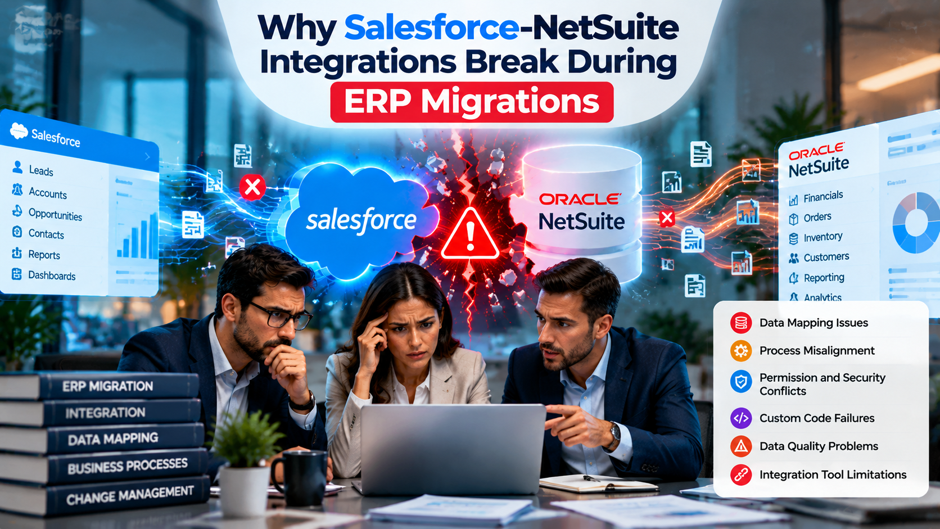
This is the specific, genuinely recurring pattern behind why Salesforce-NetSuite integrations break during ERP migrations, and it’s rarely the integration’s own fault in the way most teams instinctively assume when things go wrong. Neither Salesforce nor NetSuite actually offers a first-party connector between the 2 platforms, which means every single Salesforce-NetSuite integration is built on some combination of custom API code, an iPaaS platform, a packaged connector, or custom middleware built specifically for the job, and every 1 of those approaches depends heavily on assumptions about internal IDs, authentication credentials and data structures that an ERP migration can quietly invalidate, often without anyone updating the integration to actually match the new reality.
TL;DR
- Internal IDs are the single biggest cause of post-migration integration failures. NetSuite internal IDs aren’t portable between instances, so any Salesforce field storing a NetSuite record’s internal ID for future updates becomes stale the moment a migration creates a new NetSuite account, breaking every subsequent sync call that relies on that stored reference to find the right record.
- A migration changes far more than just where data lives. New authentication credentials, custom fields and records that may not exist identically in the new environment, redeployed SuiteScripts with different deployment IDs, and sometimes an entirely different underlying data model all shift at once, and an integration built around the old environment’s specifics doesn’t automatically adjust to any of it.
- Migration testing rarely includes real integration regression testing. User acceptance testing for an ERP migration typically focuses on financial data accuracy and internal NetSuite functionality, which means the Salesforce integration often goes untested until it’s already running in production against the new environment, and the first sign of trouble is a reconciliation error finance discovers weeks after go-live.
How Salesforce and NetSuite Actually Talk to Each Other
Neither Salesforce nor NetSuite provides a native, first-party connector directly linking the 2 platforms together, which genuinely surprises plenty of teams who assume 2 major enterprise systems this commonly paired together would simply plug into each other out of the box. Instead, every single Salesforce-NetSuite integration runs through 1 of a handful of genuine approaches: direct custom API code calling NetSuite’s own SuiteTalk web services or RESTlets, an iPaaS platform like Celigo, Boomi or Workato acting as the middle layer, a packaged AppExchange connector, or fully custom middleware built specifically around a company’s own particular data model and needs.
NetSuite’s own API surface, known as SuiteTalk, covers this integration work through its REST Record Service and SuiteQL for most modern integration work today, with SOAP web services still in genuinely active use for older implementations and bulk operations that simply haven’t been rebuilt yet on the newer REST surface. Authentication runs through either token-based authentication or OAuth 2.0, and every single one of these API calls operates inside NetSuite’s own concurrency governance limits, which is precisely why high-volume synchronization jobs need proper queuing logic rather than simply firing calls at NetSuite as fast as Salesforce can generate them one after another. Understanding this underlying architecture matters directly for understanding migration risk, since a migration can change the account, the credentials, the custom objects and the governance limits an integration was originally built against, all without the actual integration code itself ever changing at all through the entire process.
The 4 Integration Approaches at a Glance
| Approach | Typical Build Time | Who Owns Maintenance | Migration Vulnerability |
| Direct custom API build | 3 to 6 weeks | Your own development team | High, since error handling, retries and ID references are all hand-written and rarely account for environment changes |
| iPaaS platform (Celigo, Boomi, Workato) | 4 to 8 weeks | Shared between your team and the vendor | Moderate, vulnerable specifically to template drift once your process diverges from the platform’s standard mapping |
| Packaged AppExchange connector | 2 to 4 weeks | The connector vendor | Variable, limited by how much field-level control the package actually exposes to you during reconfiguration |
| Custom middleware | 8 to 14 weeks | You or your implementation partner | High initially, but well-maintained middleware can be the most adaptable once properly re-pointed at the new environment |
Each of these 4 distinct approaches carries genuinely different migration risk, and understanding precisely which 1 a company is actually running matters considerably before anyone simply assumes a migration will go smoothly entirely on its own. A direct custom build written years ago by a developer no longer at the company often carries the highest real risk of all, simply because nobody currently on staff fully understands every single assumption baked into that original code about internal IDs, field mappings and authentication that a migration is now about to disrupt entirely.
Why Internal IDs Are the Single Biggest Failure Point
How the Internal ID Pattern Actually Works A common integration pattern has Salesforce create or update a NetSuite customer record through an API call, then store the internal ID NetSuite returns back in a custom field on the corresponding Salesforce account, something like a field literally named NetSuiteCustomerId, specifically so future updates can reference that exact record directly rather than searching for it all over again by name or email every single time. This particular pattern works efficiently and reliably for as long as that stored internal ID remains genuinely valid and points to the correct record sitting in the correct NetSuite environment at that exact moment in time.
What a Migration Does to Every Stored ID NetSuite internal IDs are specific to a particular account instance only, and they are simply not portable between 2 entirely different NetSuite accounts, no matter how genuinely similar those accounts might otherwise appear to be on the surface. When a company migrates to a new NetSuite instance, whether that happens through a fresh implementation, an account consolidation, or a full re-platform from a different ERP onto NetSuite, every single record gets created fresh in that new instance with entirely new internal IDs assigned in whatever order the migration process happened to load them in. Every internal ID Salesforce had previously stored now either points to nothing at all in the new environment, or worse, points to a completely different, entirely unrelated record that just happens to share that same numeric ID purely by coincidence.
Why This Failure Mode Is Especially Dangerous Unlike an authentication failure, which typically throws an obvious, loud error the very moment the integration tries to connect, a stale internal ID reference often fails silently, or in a way that looks deceptively like normal, healthy operation from the outside. The integration might successfully create a brand new customer record in NetSuite simply because it can’t find the ID it expected to find, quietly generating an unwanted duplicate, or in a genuinely worse scenario, it might successfully update a record that happens to exist at that stale ID number but actually belongs to an entirely different customer, corrupting real data without any visible error appearing anywhere in the integration’s own logs.
What Actually Changes During an ERP Migration
- Authentication credentials get entirely regenerated in the new environment. A new NetSuite account or a significantly and thoroughly reconfigured existing account typically requires new integration records, new consumer keys and secrets, or entirely new token-based authentication credentials, none of which carry over automatically from the old environment at all, which means any middleware or custom code still pointed at the old credentials fails immediately until someone manually updates every single connection involved.
- Custom fields and custom record types may not exist identically in the new instance. A migration that involves setting up a brand new NetSuite account entirely from scratch, rather than simply upgrading an existing 1 in place, often means custom fields and custom records the integration specifically relies on need to be manually recreated from the ground up, and if they’re recreated with different internal script IDs or slightly different configurations, integration code referencing the old identifiers breaks immediately.
- SuiteScripts and RESTlets typically need manual redeployment. Custom SuiteScript code the integration calls directly, RESTlets handling very specific business logic, doesn’t automatically transfer between different NetSuite accounts at all, and each redeployment can receive a new script deployment ID that any external system calling that script by its old identifier needs to be carefully updated to reference correctly and consistently going forward.
- The underlying data model itself can shift entirely. When the migration involves moving from a completely different ERP system onto NetSuite for the first time, rather than migrating between 2 NetSuite instances, the entire object and field mapping the Salesforce integration was originally built around becomes obsolete, since the old ERP’s data structures and NetSuite’s own object model rarely align closely enough for a simple find-and-replace fix.
Data Model Mismatches: Old ERP to NetSuite
When an ERP migration specifically means moving off a different system entirely, QuickBooks, Sage, Microsoft Dynamics, an older on-premises ERP, onto NetSuite for the first time, the integration challenge goes well beyond simply updating internal IDs and credentials, reaching much deeper into the system. The entire mapping logic connecting a Salesforce opportunity to whatever record type represented an order in the old system has to be rebuilt essentially from scratch, since NetSuite’s own object model, sales orders, items, customer records, subsidiaries for multi-entity companies, rarely maps cleanly onto however the previous ERP happened to structure those same underlying business concepts.
This particular kind of migration frequently surfaces gaps that a simple 1-to-1 field mapping never actually anticipated, since NetSuite’s own data model includes concepts, item fulfillment records, multiple subsidiaries, specific tax and currency handling, that the old ERP may have handled completely differently, or simply never supported at all in the first place. A Salesforce opportunity that previously flowed cleanly into a simple invoice record in the old system might now need to generate a sales order, then an item fulfillment, then a separate invoice in NetSuite’s more granular order-to-cash process, which means the integration code itself genuinely needs to be rebuilt, well beyond just its configuration, rather than simply re-pointed at a new endpoint.
Common Failure Points Ranked by How Often They Break Things
| Failure Point | How Often It Causes Real Problems | Why It Happens |
| Stale internal ID references | Very common | IDs from the old environment don’t exist or point to the wrong record in the new 1 |
| Authentication credential mismatches | Very common | New account or reconfigured integration records require fresh credentials middleware wasn’t updated to use |
| Missing or renamed custom fields | Common | Fields the integration reads or writes weren’t recreated identically in the new environment |
| SuiteScript deployment ID changes | Common | Redeployed scripts receive new identifiers the integration’s calls weren’t updated to reference |
| Data model mismatches from a different ERP | Common specifically when switching ERPs | The old system’s object structure doesn’t map cleanly onto NetSuite’s own data model |
| Governance and concurrency limit breaches | Occasional but severe when it happens | Initial data loads plus live integration traffic together exceed limits that weren’t a problem before |
| API version deprecation | Less common but disruptive | An older SOAP-based integration wasn’t rebuilt when NetSuite shifted emphasis toward REST |
This table reflects a pattern genuinely worth internalizing: the most common failures aren’t exotic technical edge cases at all, they’re fundamental assumptions, that an ID still points to the right thing, that a credential is still valid, that a field still exists, quietly breaking because nobody actually updated the integration to match the new reality the migration created, often without anyone even explicitly deciding the integration needed to change too.
The Testing Gap That Causes Most Post-Migration Surprises
What ERP Migration Testing Typically Covers User acceptance testing for an ERP migration project overwhelmingly focuses on the migration’s actual core purpose: confirming financial data genuinely migrated accurately, validating that NetSuite’s own workflows and reports actually function correctly, and making sure the numbers properly reconcile against the old system before that old system finally gets decommissioned for good. This is genuinely important, necessary testing, but it’s testing focused inward on NetSuite itself rather than outward on every external system still expecting to talk to it.
Why Integration Testing Gets Deprioritized or Skipped Entirely A migration project’s test plan is typically built by the implementation team most focused on NetSuite configuration and financial accuracy above everything else, and that team doesn’t always include someone who owns or deeply understands the Salesforce integration specifically and its many dependencies. Integration testing requires a different skill set and a different test plan than financial reconciliation testing, and on a project already stretched across a tight go-live timeline, the integration piece frequently gets a cursory smoke test, confirming basic connectivity works, rather than genuine regression testing covering every record type and update scenario the integration actually handles in production.
What This Gap Actually Costs Once It Surfaces The real, genuine cost of this testing gap shows up after go-live, often not immediately but over the following days or weeks as duplicate records quietly accumulate, sync errors pile up silently in logs nobody’s actively monitoring closely during the chaotic post-migration rush, or finance starts flagging reconciliation discrepancies that trace back to exactly the kind of stale ID references and broken field mappings this post has already covered. By the time the actual root cause finally gets identified, the data cleanup required is often considerably more expensive and far more time-consuming than the integration regression testing that would have caught this exact same problem well before go-live ever happened in the first place.
Governance Limits and Why They Bite Harder Right After Migration
NetSuite’s concurrency governance exists specifically to keep the platform stable under heavy load, limiting how many API calls and how much processing any single account can run simultaneously at once, and this same governance applies just as strictly to a brand-new post-migration instance as it always did to whatever instance came before it. The specific problem migrations genuinely create here is pure timing: a newly migrated NetSuite instance often has to handle the tail end of historical data loading, ongoing reconciliation queries from the finance team busy validating the migration, and live integration traffic from Salesforce all competing directly for that same governance-limited capacity at the exact same time.
An integration that ran smoothly against the old environment for years on end can suddenly start hitting governance limits it never once approached before, not because the integration itself actually changed in any way, but simply because it’s now competing directly with migration-related activity the old environment never had to accommodate all at the same time. These governance-related failures often look like intermittent, genuinely hard-to-reproduce errors rather than a clean, obvious failure anyone can immediately point to, since a sync job might succeed just fine during a quiet period and then fail during a sudden burst of concurrent activity, making the root cause genuinely difficult to diagnose without someone specifically knowing to look at concurrency governance as a real suspect in the first place.
Sandbox Testing Rarely Mirrors What Production Actually Does
- Sandbox data refreshes often lag weeks or months behind production. Most migration teams do at least some testing in a NetSuite sandbox before cutting over, which is genuinely good practice, but a sandbox often runs on data that’s noticeably out of date relative to production, meaning test records, custom field configurations and even script deployments can drift out of sync with whatever production actually looks like by the time go-live arrives.
- An integration that passes sandbox testing can still fail against production. This happens specifically when the sandbox’s custom field setup, saved searches, or script deployments don’t perfectly match what actually exists in the new production environment at cutover, a gap that doesn’t show up until real transactions start flowing through the live system for the very first time.
- Teams that treat a sandbox pass as final proof sometimes get an unpleasant surprise shortly after go-live. Production configuration can differ from sandbox in some specific way the sandbox environment never captured, and that gap only becomes fully visible once the integration is already running against real, live data rather than safe, controlled test records in a sandbox somewhere.
- The fix isn’t skipping sandbox testing entirely, it’s simply not stopping there. Sandbox testing remains genuinely valuable for catching a wide range of issues before they ever reach production, but a final verification pass directly against production, ideally with a small, carefully monitored batch of real transactions, catches the specific environment differences that sandbox testing alone tends to miss.
Who Actually Owns the Integration During a Migration Project
A recurring, genuinely stubborn organizational problem compounds every single technical issue covered so far in this post: ERP migration projects typically have a clear project owner on the finance or operations side, and a clear technical lead on the NetSuite implementation side, but the Salesforce integration itself often doesn’t have a single, clearly accountable owner throughout the project. The Salesforce administrator may not be deeply involved at all in the NetSuite migration planning, and the NetSuite implementation team may not fully understand what the Salesforce side actually depends on to function, which creates exactly the kind of organizational gap where nobody notices a critical dependency until it finally breaks in production.
This specific ownership gap shows up quite concretely in exactly how migration project plans typically get built from the start. A typical migration timeline allocates dedicated phases for data migration, financial reconciliation and user training, but integration work frequently gets treated as little more than a single line item, “reconnect Salesforce integration”, without the detailed planning, real testing time and dedicated ownership that the actual complexity described throughout this post genuinely, demonstrably requires. Assigning a specific person or team clear ownership of the integration throughout the entire migration project, well beyond treating it as an afterthought once the core NetSuite work is done, is 1 of the simplest organizational changes that meaningfully reduces the risk of everything covered in this post actually happening in practice.
Companies that genuinely get this right typically involve whoever owns the Salesforce integration from the very earliest planning stages of the migration project, rather than brought in only once the NetSuite side happens to be ready for testing. That early involvement means the integration owner can flag critical dependencies, internal ID references, custom field requirements, authentication needs, well before the migration team actually builds the new environment, rather than discovering only after the fact that the new environment doesn’t actually support what the integration genuinely needs to function correctly day to day.
Multi-Entity and Subsidiary Structures Add Their Own Complexity
Subsidiary Scoping Changes What Every Record Reference Actually Means Companies operating multiple subsidiaries within NetSuite face an entirely additional layer of integration complexity during migration that single-entity companies simply don’t encounter in the same way or to the same degree. NetSuite’s own multi-subsidiary structure means customer records, transactions and even internal IDs can all be scoped quite differently depending on exactly which subsidiary a given record happens to belong to, and a migration that restructures subsidiary organization, splitting 1 subsidiary into several separate ones, or consolidating several into just 1, changes exactly which subsidiary context the integration needs to reference correctly for every single record it touches going forward.
Integrations Built for a Single Subsidiary Often Need Real Rework An integration originally built assuming a simple single-subsidiary structure, common for companies that started out simple and only later grew into a genuine multi-entity organization, often needs meaningful rework rather than just simple reconfiguration once a migration actually introduces or restructures subsidiaries. Fields that previously never needed to specify a subsidiary at all suddenly require that specific context on every single record from now on, and getting this wrong doesn’t just create a simple failed sync, it can create records assigned to the completely wrong subsidiary entirely, a mistake that carries real, tangible financial reporting consequences well beyond just a broken integration that simply needs a technical fix applied.
Treat Subsidiary Restructuring as Its Own Dedicated Workstream Companies anticipating or currently undergoing a subsidiary restructuring as part of their broader ERP migration should treat this specifically as its own entirely distinct integration workstream, kept genuinely separate from the general internal ID and credential issues already covered earlier in this post. The subsidiary mapping logic often needs to be designed and tested every bit as carefully as the core record synchronization logic itself, since getting subsidiary assignment wrong tends to be considerably harder to detect and correct after the fact than something as simple as a missing field or a broken authentication token would be.
How to Prevent Integration Breakage During a Migration
- Inventory every internal ID reference before migration begins. Identify every field, every custom object, every piece of middleware configuration that stores a NetSuite internal ID for later reference, since each 1 represents a specific, concrete point that will break the moment the migration creates a new environment with entirely new ID assignments handed out fresh across the board.
- Build integration regression testing directly into the migration test plan. Rather than treating integration connectivity as a quick smoke test at the end, explicitly test every record type and update scenario the Salesforce integration actually handles in production, using realistic test data that genuinely mirrors what the integration actually processes day to day out in the real world of production use.
- Update authentication credentials and re-point middleware before go-live, not after. Confirm new integration records, new tokens or credentials, and every middleware connection string are updated and verified working through a full end-to-end test before the old environment gets decommissioned, rather than discovering broken authentication only once real production traffic has already started flowing steadily through the entire system.
- Plan for a reconciliation window immediately after cutover. Even with genuinely thorough preparation, budget real time and attention specifically for monitoring sync logs and reconciling records in the days immediately following go-live, since some issues only genuinely surface under real production data volume and timing conditions that pre-migration testing simply can’t fully replicate in advance of the actual go-live date.
A disciplined migration test plan needs to account for the integration dependencies alongside the underlying data move, rather than treating those dependencies as a separate problem to investigate only after cutover.
FAQs
Why do NetSuite internal IDs specifically cause such a disproportionate number of integration problems during migrations?
NetSuite internal IDs are specific to a single account instance only and simply aren’t portable between different NetSuite accounts, so when a migration creates a new instance, every previously stored ID either becomes stale or points to an entirely different, unrelated record instead. Since many integrations specifically store these IDs in Salesforce custom fields to speed up future updates, a migration can silently invalidate every single 1 of those stored references all at once, without a single visible warning sign.
Does using an iPaaS platform like Celigo or Boomi eliminate the risk of integration breakage during a migration?
It reduces certain real risks considerably but doesn’t eliminate them entirely by any stretch. An iPaaS platform still needs its own connection credentials, field mappings and any stored internal ID references carefully updated to match the new NetSuite environment, and the platform remains specifically vulnerable to template drift if your actual business process has genuinely diverged over time from whatever standard mapping template the platform originally used when first configured.
What’s the difference between migrating to a new NetSuite instance versus migrating from a different ERP onto NetSuite?
Migrating between 2 NetSuite instances primarily breaks internal IDs, authentication credentials and potentially custom field configurations, while migrating from an entirely different ERP onto NetSuite for the very first time requires rebuilding the entire data mapping logic from the ground up, since the old system’s own object structure rarely aligns closely with NetSuite’s own data model for sales orders, items and customer records in any meaningful way.
Why does integration testing often get skipped during ERP migration projects?
Migration test plans are typically built and owned by teams focused primarily on NetSuite configuration and financial data accuracy, and that specific team doesn’t always include anyone who deeply understands the Salesforce integration in its own right. Integration regression testing genuinely requires a different test plan and a different skill set than financial reconciliation testing does, and it frequently ends up reduced to a basic connectivity check squeezed into an already tight project timeline.
How can a company tell if governance limits are actually causing their post-migration integration failures?
Governance-related failures typically show up as intermittent, genuinely hard-to-reproduce errors rather than consistent, obvious failures anyone would immediately notice, since a sync job might succeed fine during quiet periods and fail specifically during sudden bursts of concurrent activity. If failures consistently correlate with periods of heavy NetSuite activity, ongoing data loads, heavy report usage, rather than happening randomly regardless of overall system load, concurrency governance is genuinely worth investigating directly as the most likely underlying cause.
Should a company rebuild its Salesforce-NetSuite integration entirely for a migration, or just update the existing 1?
This depends quite heavily on the specific migration type and on exactly how the original integration was originally built. A migration between 2 NetSuite instances with a genuinely similar data model often just requires updating credentials and ID references inside the existing integration, while a migration from a completely different ERP onto NetSuite frequently requires rebuilding the core mapping logic entirely, regardless of which integration method, custom code, iPaaS or middleware, was originally used to build it.
What’s the single most important thing to do before an ERP migration to protect an existing, currently working Salesforce integration?
Inventory every single point where the integration stores or depends on a NetSuite internal ID, since this is consistently the most common and most genuinely disruptive failure point observed across real-world migrations. Knowing exactly where these specific references live before migration even begins lets a team plan specifically and deliberately for updating or rebuilding them, rather than discovering the problem only after duplicate records or genuinely corrupted data have already accumulated deep in production.
How long after go-live do integration problems from a migration typically surface?
It genuinely varies quite a bit, but many issues don’t actually appear immediately, since authentication failures usually show up right away while stale ID references and data model mismatches often take days or even weeks to fully surface as duplicate records quietly accumulate, or finance eventually notices reconciliation discrepancies during a regular monthly close process. This delayed surfacing is exactly why a dedicated post-migration monitoring window, rather than simply assuming success once initial connectivity tests happen to pass, matters so much for catching real problems early, before they compound into a genuinely expensive, time-consuming data cleanup project later on.