

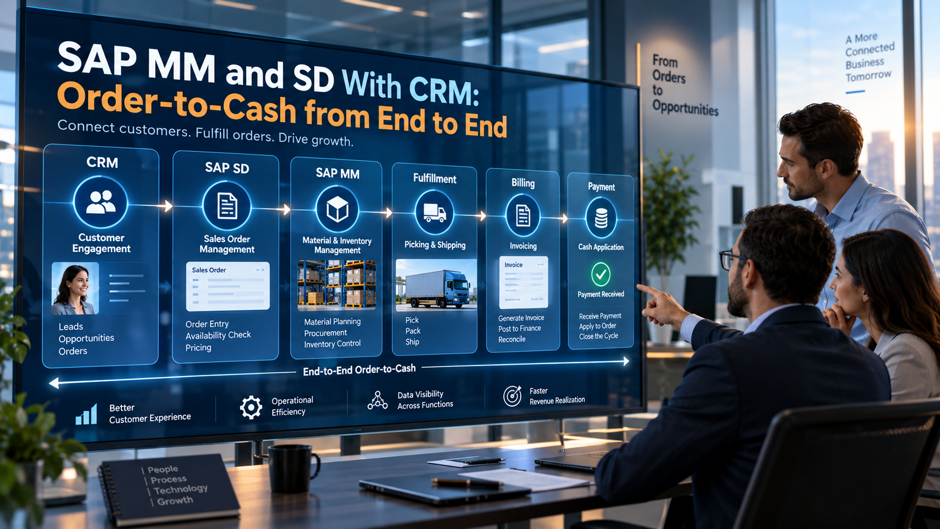
Most enterprise technology stacks divide customer-facing activity from operational execution with a clean-looking boundary. The CRM owns the customer relationship and the sales motion. The ERP owns procurement, inventory, fulfilment, and finance. In practice that boundary is where revenue leaks. A deal that closes in CRM but doesn’t translate into a correctly configured SAP sales order within the same business day creates a gap: pricing conditions drift, credit limits aren’t checked, materials availability isn’t confirmed, and the customer receives confirmation from the sales team before the back-office systems have agreed on what was actually sold.
SAP order-to-cash can connect SAP Sales Cloud or legacy SAP CRM with SAP MM (Materials Management), SAP SD, and SAP FI, but the exact flow depends on the products, release, and integration scenario in use. Current SAP Sales Cloud Version 2 supports several sales-order integration patterns with SAP S/4HANA and SAP ERP. Customer, product, pricing, order, delivery, billing, and payment data can move across those systems when the required interfaces are configured. The process should not be treated as one fixed architecture that behaves the same in SAP CRM 7.0, SAP Sales Cloud (C4C), and SAP Sales Cloud Version 2.
This guide covers the core order-to-cash responsibilities across SAP MM, SD, FI, and CRM or Sales Cloud. It explains what each area owns, how master data connects the process, where integration points sit, and what can break when the required configuration is incomplete.
TL;DR
| Stage | Primary SAP Module | Key integration points |
| Lead and opportunity management | SAP CRM / SAP Sales Cloud | Customer or Business Partner data sync; pricing behavior depends on the configured integration |
| Quotation | SAP Sales Cloud / SAP SD, depending on architecture (VA21/VA22/VA23 for SAP SD) | Real-time ATP check from MM; CRM opportunity status update on quote creation |
| Sales order creation | SAP SD (VA01/VA02/VA03) | Credit check against the configured credit-management model; product or material and pricing data from ERP master data |
| Availability check | SAP MM / SD | ATP check against MM inventory, open purchase orders, and production orders |
| Delivery and goods issue | SAP SD / MM (VL01N / VL02N Post Goods Issue) | Inventory reduction in MM; delivery document in SD linked to sales order |
| Billing and invoice | SAP SD (VF01/VF02/VF04) | FI posting triggered; customer account in AR updated; CRM order history updated |
| Payment and clearing | SAP FI (F-28 / F-32) | Open item cleared in AR; O2C cycle closed in FI; SD billing document status updated |
The entire cycle runs on shared master data. Customer master, material master, pricing conditions, and credit limits must be consistent across CRM, SD, MM, and FI for each stage to execute without error. When master data is inconsistent across modules, the point of failure is always at the integration seam.
How the Three Modules Divide Responsibility
Before mapping the transaction flow, it is worth establishing precisely what each module owns and what it depends on from the others, because the boundaries between modules are where most O2C configuration errors originate and where integration failures have the widest downstream consequences.
SAP SD: The Order Execution Engine
SAP SD manages every customer-facing transaction: inquiry processing, quotation, sales order management, delivery scheduling, goods issue coordination, billing, and returns. SD’s organisational structure determines how the system prices orders, routes deliveries, and assigns accounting. The sales organisation, distribution channel, and division combination, which SAP calls the sales area, is the key structural element: every SD transaction is assigned to a sales area, and pricing procedures, output determination, and shipping point assignments all depend on it.
SD does not manage inventory directly. It reads inventory data from MM to perform availability checks, triggers goods issue postings that MM records, and passes billing data to FI, but the actual warehouse movements, stock transfers, and procurement decisions belong to MM. The integration between SD and MM is what allows a sales order to be aware of actual stock without SD maintaining its own inventory record.
SAP MM: The Materials and Inventory Layer
SAP MM manages procurement, inventory management, material master data, and goods movements. In the O2C context, MM’s primary roles are supporting availability-to-promise checks against real stock positions, recording goods issue when goods leave the warehouse against a delivery, managing replenishment purchasing when stock is insufficient to fulfil confirmed orders, and maintaining the material master records that SD uses for pricing, weight, unit of measure, and storage conditions.
MM’s plant-level data is the operational heart of the availability check. When SD runs an ATP check for a sales order line, it queries MM’s inventory at the confirmed shipping plant to determine whether stock is available on the requested delivery date. The result of that query determines whether the system confirms the sales order line with the customer’s requested date or proposes an alternative. Getting the plant assignment right in the material master and the sales order is therefore a prerequisite for accurate delivery commitments.
SAP CRM: The Front-End Revenue Layer
Legacy SAP CRM 7.0 and current SAP Sales Cloud Version 2 are different products with different integration options. SAP CRM 7.0 can be connected to SAP ERP through legacy middleware and CRM-specific processes. SAP Sales Cloud Version 2 supports current sales processes such as leads, opportunities, quotations, and sales orders, with integration to SAP S/4HANA or SAP ERP based on the configured scenario.
In SAP Sales Cloud Version 2, order handling is configurable. Orders may be created internally or replicated from an external SAP system. Some architectures also use bidirectional exchange through SAP Business Technology Platform or another configured integration layer. Opportunity-to-order behavior depends on the selected process, so closing an opportunity does not by itself require creation of an S/4HANA order. Sales-order simulation, transfer, delivery status, billing status, or payment status appears in Sales Cloud only when the related integration flow has been configured.
Master Data: The Foundation Everything Runs On
The O2C process is only as reliable as the master data that connects the three modules. Master data errors produce transaction errors, and transaction errors at any stage cascade into every stage downstream. The four master data objects that most frequently cause O2C failures are customer master, material master, pricing conditions, and credit management data.
Customer Master Data
In current SAP S/4HANA, customer data is represented through Business Partner roles. General Business Partner data holds core identity and address information. Customer roles add sales-area data for SD and company-code data for FI. Credit information is maintained separately in SAP Credit Management at credit-segment level rather than as a company-code credit limit. Classic ECC uses the older customer-master and Credit Management model, so that path should be treated as a legacy design when it is discussed.
When CRM or Sales Cloud creates or updates a customer, the required Business Partner or customer data must replicate to the connected SAP S/4HANA or ERP system. Missing sales-area data can prevent pricing, shipping, or sales-order processing, while missing company-code data can affect accounting-related processing. In current S/4HANA, credit-check problems should be traced to SAP Credit Management setup, including the Business Partner credit role, credit segment, credit limit, exposure, and check configuration, rather than assuming that missing company-code data is the cause.
Material Master Data
Material and product data is split across views and organizational levels. Material type is selected when the material is created and controls which views are relevant. Basic Data contains cross-organizational attributes such as the base unit of measure. Sales organization and distribution-chain views hold sales data, with the item category group maintained in Sales: Sales Org. 2. Sales: General/Plant contains plant-related sales settings such as the availability-check indicator. MRP data, including MRP type, sits in plant-level MRP views. Accounting views hold valuation data, while storage-location data is maintained at storage-location level when needed. A material can therefore exist in the system but still be unusable for a particular sales or plant scenario if the required view has not been extended.
Pricing Conditions
Pricing between SAP Sales Cloud and SAP ERP or SAP S/4HANA depends on the configured pricing mode. Sales Cloud Version 2 can use internal pricing, external pricing simulation from SAP S/4HANA or SAP ERP where supported, or replicated sales quotes. External pricing simulation can retrieve ERP or S/4HANA pricing for a quote, while internal pricing and replicated quotes follow different configured paths. A later ERP sales order can still produce a different amount because the pricing date, quantities, manual conditions, taxes, or pricing redetermination may change between quote and order. Teams should therefore align pricing procedure the pricing mode and redetermination rules instead of assuming every CRM quote calls the SD pricing procedure directly or that the quote and order must always have identical values.
Credit Management Data
In current SAP S/4HANA, SAP Credit Management evaluates credit for a Business Partner using credit-segment data. The credit limit, exposure, risk settings, and check rules are tied to the Business Partner and the relevant credit segment. When a sales order is created, the system can evaluate current exposure and the new commitment according to the configured rules, then allow the document, block it, or route it for review. Exposure can include sales orders, deliveries, billing items, and receivables depending on configuration and integration. Classic ECC Credit Management uses older structures such as credit control areas and should be described separately. Current S/4HANA behavior should not be presented as a single FI credit master or company-code credit-limit model. Teams that maintain SAP FICO and SD should use the credit model that matches the deployed SAP version.
The Order-to-Cash Flow: Stage by Stage
With the module responsibilities and master data foundation established, the transaction flow itself follows a consistent sequence. Each stage produces a document, and those documents chain together into the document flow that provides end-to-end visibility in SD.
Stage 1: Inquiry and Quotation
The flow can begin in SAP Sales Cloud when a sales representative logs an opportunity. The opportunity record can capture the customer, products or services, estimated revenue, sales stage, and close probability. Quotation handling depends on the configured architecture. Sales Cloud Version 2 can use internal pricing, external pricing simulation from SAP S/4HANA or SAP ERP where supported, or replicated sales quotes. Even when external pricing is used, the later sales order can be repriced because the pricing date, quantities, manual conditions, taxes, or redetermination rules may change. Quote and order values should therefore not be treated as guaranteed to remain identical.
In SAP ERP implementation without CRM, the quotation is created directly in SD using transaction VA21. The quotation document type determines validity dates, pricing, and whether the quotation generates demand against planned inventory. When the customer accepts the quotation, the sales representative creates a sales order referencing the quotation, and SD copies the relevant data automatically.
Stage 2: Sales Order Creation
The sales order is the central document in the O2C process. In SD, the sales order (document type OR, or a custom document type for specific business scenarios) captures the complete commercial agreement: customer, ship-to party, bill-to party, payer, materials, quantities, requested delivery dates, pricing, payment terms, and any special instructions. Every subsequent step in the O2C process references the sales order for its instructions.
What happens at the moment of sales order creation:
- The system runs the configured credit check. In current S/4HANA, SAP Credit Management evaluates the Business Partner’s exposure and limit for the relevant credit segment. Classic ECC uses the older Credit Management model
- SD runs an availability-to-promise (ATP) check for each order line, querying MM’s stock position at the relevant plant and confirming whether the requested delivery date is achievable
- Pricing determination runs automatically, calculating the net value of each line based on the applicable pricing procedure and active condition records
- Partner determination assigns the correct bill-to party, payer, and shipping address based on the customer master’s partner function configuration
- Output determination assigns the confirmation, order acknowledgement, and any other output types configured for the order type
When integration is configured to create or transfer a sales order from CRM or Sales Cloud, mapped customer, product, quantity, pricing, and delivery data can populate the ERP or S/4HANA order. The ERP system creates its document number. Whether that number, order status, delivery data, or billing data appears back in CRM depends on the integration flows that have been implemented.
Stage 3: Availability Check and Delivery Scheduling
The ATP check is the formal mechanism by which SD and MM communicate about inventory. SAP’s product availability check calculates stock availability by starting with the current warehouse stock in MM, adding planned receipts (incoming purchase orders and production orders from PP), and subtracting confirmed requirements (open sales orders and other reservations), all within the checking horizon defined in the checking rule.
The result is a confirmed delivery date for each sales order line. If stock is available on the requested date, the system confirms that date. If stock is insufficient, the system either proposes a later date when stock will be available, or splits the line into a partial delivery for the available quantity and a scheduled line for the remainder. The confirmed schedule lines in the sales order become the basis for delivery scheduling.
MM’s contribution at this stage extends beyond the static stock query. If the material is subject to MRP planning, the confirmed sales order requirement triggers MRP to generate purchase requisitions or planned orders for the shortfall quantity. This creates the procurement signal that feeds the purchasing process, and the incoming purchase order from MM is visible in subsequent ATP checks as a planned receipt, allowing other sales orders to be confirmed against it.
Stage 4: Outbound Delivery
When the delivery date approaches, the warehouse creates an outbound delivery document in SD using transaction VL01N or through the collective delivery creation run. The delivery document copies the relevant data from the sales order and provides the basis for picking and packing. In integrated environments with SAP Extended Warehouse Management (EWM), the outbound delivery process can lead EWM to create warehouse tasks for picking, which may then be grouped into warehouse orders.
Goods issue posting is the critical inventory movement in this stage. When the warehouse confirms that goods have been physically picked and dispatched, the goods issue is posted in SAP using transaction VL02N or automatically through warehouse confirmation. The goods issue posting produces two records simultaneously: in SD, the delivery document is updated with the actual shipped quantity and the goods issue date; in MM, a material document records the stock reduction at the shipping plant with movement type 601. The inventory reduction in MM is the source of record for the cost posting that FI uses to record the cost of goods sold.
Stage 5: Billing and Invoice Creation
After the goods issue, the delivery document is ready for billing. In SD, the billing process (transaction VF01 for individual billing or VF04 for collective billing) creates the billing document by copying data from the sales order and delivery. The billing document captures the final invoiced quantities, the prices from the sales order pricing, tax amounts, and the payment due date based on the payment terms.
The billing document’s posting to FI is automatic when the billing document is saved or released. In FI, the posting creates a debit to the customer account in accounts receivable and a credit to the revenue account determined by the account key in SD’s pricing procedure. The FI posting also generates the open item in the customer’s AR account that credit management monitors and that the collections team uses to initiate payment follow-up.
In landscapes where CRM or Sales Cloud status replication is configured, billing information can be sent back so sales users can see relevant order or invoice status without opening ERP. The fields shown, timing, and whether payment status appears depend on the chosen integration scenario.
Stage 6: Payment and O2C Closure
The final stage is payment receipt and clearing in FI. When the customer makes payment, FI records the incoming payment (transaction F-28 or automatically through bank statement processing) and clears it against the open AR item from the billing document. The clearing closes the open item and removes it from the customer’s credit exposure calculation in credit management.
The O2C cycle is complete when the FI open item is cleared. SD’s document flow reflects the completion: the sales order shows a status of completed, the delivery shows goods issue posted, and the billing document shows the accounting document cleared. This document chain, visible in SD through transaction VF03’s document flow or through the sales order’s document overview, provides the end-to-end traceability that auditors, controllers, and customer service teams use to answer questions about any transaction.
Where Integration Breaks and Why
The O2C process runs on integration assumptions that break when master data is incomplete, middleware is misconfigured, or manual interventions interrupt the document chain. Understanding the failure points is as important as understanding the designed flow.
The most common integration failures:
- Pricing discrepancy between CRM quote and SD sales order: A difference can appear when the quote and order use different configured pricing paths or when pricing is redetermined at order creation. Internal Sales Cloud pricing, external pricing simulation, and replicated quotes can follow different flows. Pricing date, quantities, taxes, manual conditions, and supported product or version behavior can also change the result. The fix is to verify which pricing mode is configured, confirm the supported external pricing scenario where it is used, and review pricing-redetermination rules before treating every price variance as an integration fault.
- Credit block on first order for new customers: In current S/4HANA, a new Business Partner can be ready for sales while its SAP Credit Management setup is incomplete. Missing credit role data, credit-segment assignment, credit limit, or check configuration can cause the first order to block or route for review. The fix is to include credit-management setup in the customer onboarding process and test the configured check before the first live order. In classic ECC, use the legacy credit-control-area process instead of applying the S/4HANA model.
- ATP confirms an unexpected quantity or date: Confirmation problems are usually caused by configuration or master-data choices rather than two orders simply reading the same stock without visibility of each other. Check the plant, checking group, checking rule, scope of check, and transfer of requirements. In S/4HANA landscapes using advanced ATP, product allocation or other aATP settings can also affect confirmations. The fix is to trace the availability check against the intended receipt and requirement elements and correct the relevant ATP or aATP configuration.
- Billing relevance does not match the business process: SAP supports both order-related and delivery-related billing. The right choice depends on the item category and the business process. For physical goods that should be invoiced only after shipment, delivery-related billing may be appropriate. Other scenarios can legitimately use order-related billing. A problem exists when billing relevance, copy control, or document flow allows billing at a point the business process does not intend. The fix is to align the billing setup with the actual scenario.
- Open item not cleared despite payment received: When bank statement processing fails to match an incoming payment to the correct AR open item, the payment sits as unallocated cash in FI while the open item remains outstanding. Credit management continues reporting the customer as having unpaid exposure, the collections team sends payment reminders, and the customer’s credit limit may be exceeded for future orders. Regular reconciliation of unallocated cash and proactive exception clearing is the operational control that prevents this from cascading.
Each failure pattern should be traced through the relevant document flow, master data, credit data, ATP settings, billing configuration, and FI open items. The cause varies by scenario, so troubleshooting should follow the point where expected data or status diverges from the configured process. Accurate master data setup at go-live and testing of the integration seams remain important controls before production cutover.
O2C Performance: What Good Looks Like
Organisations can track a consistent set of operational metrics across the order-to-cash cycle. The exact KPI set, target values, and available reporting depend on the SAP product, release, activated analytics, business model, and internal service targets. The table below keeps the useful measures but focuses on what teams should watch rather than presenting universal benchmark ranges.
| Metric | What it measures | What to watch |
| Order-to-ship cycle time | Days from confirmed sales order to goods issue posting | Track the trend by product, plant, and order type, then compare it with internal service targets. |
| Perfect order rate | Percentage of orders delivered complete, on time, undamaged, and correctly invoiced | Watch changes over time and investigate the causes of misses instead of applying one universal target. |
| Days sales outstanding (DSO) | Average days from invoice to payment receipt | Compare DSO with agreed payment terms, customer mix, and the organisation’s own historical performance. |
| Credit block rate | Percentage of orders blocked for credit review | Review block reasons and resolution time, then look for repeat blocks by customer or credit segment. |
| First-pass invoice accuracy | Percentage of invoices correct on first issuance without adjustment | Track corrections and credit or rebill activity, then group the underlying causes by process area. |
| Order backlog aging | Age distribution of open confirmed orders not yet delivered | Use aging bands to find fulfilment delays and material shortages before they affect customer commitments. |
| ATP confirmation accuracy | Percentage of ATP-confirmed dates met at goods issue | Compare confirmed dates and quantities with actual fulfilment, then investigate recurring misses by plant, material, or checking setup. |
SAP can provide many of these measures through standard applications, embedded analytics, CDS-based reporting, or related reporting tools. Availability depends on the SAP product, release, activated scope, and reporting design. Some organisations can use standard content directly. Others need additional reporting logic to combine operational data into the KPI definitions they use internally. In SAP S/4HANA, embedded analytics or SAP Analytics Cloud can support reporting when the required content and data model are available. Define each KPI before comparing results across systems or business units.
FAQs
What is the order-to-cash process in SAP? Order-to-cash in SAP is the end-to-end business process that covers every step from receiving a customer order to collecting and clearing the customer’s payment. It spans SAP SD for order, delivery, and billing management; SAP MM for inventory, goods movement, and materials availability; SAP FI for receivables, credit management, and payment posting; and SAP CRM for the customer engagement stages that precede and follow the ERP transaction flow. The process produces a linked chain of documents (sales order, delivery, goods issue material document, billing document, and accounting document) that provides complete traceability from customer commitment to revenue recognition.
How does SAP CRM connect to SAP SD for order creation?
The answer depends on the CRM product and configured integration. Legacy SAP CRM 7.0 can use older middleware patterns, while SAP Sales Cloud Version 2 supports current integration scenarios with SAP S/4HANA or SAP ERP. A sales order may be created in Sales Cloud or replicated from the external SAP system. Some architectures also use bidirectional exchange. Opportunity-to-order behavior is configured, so closing an opportunity alone does not require automatic order creation. Order, delivery, billing, or payment status appears in CRM only when the related integration flow is implemented.
What is an availability-to-promise check and how does it work in SAP MM and SD?
An availability-to-promise check (ATP check) is a real-time query that SAP SD runs against MM’s inventory position when a sales order is created or modified. The system calculates available stock by taking current warehouse stock, adding planned inbound receipts (purchase orders, production orders), and subtracting confirmed outbound requirements (existing sales orders and reservations), all within a configurable checking horizon. The result determines whether SD can confirm the customer’s requested delivery date. If stock is insufficient, SD either proposes a later date based on planned receipts or confirms a partial quantity for the available stock. The ATP check is what prevents sales orders from over-committing inventory without involving a warehouse team in every order confirmation.
What causes pricing discrepancies between CRM quotes and SAP sales orders?
Pricing can differ when the quote and sales order use different configured pricing modes or when pricing is redetermined at order creation. SAP Sales Cloud Version 2 can use internal pricing, external pricing simulation from SAP S/4HANA or SAP ERP where supported, or replicated quotes. Pricing date, quantities, taxes, manual conditions, and redetermination rules can also change the result. Review the configured pricing path and redetermination behavior instead of assuming every quote must call the SD pricing procedure directly or always match the later order.
How does credit management work across SAP SD, MM, and FI?
In current SAP S/4HANA, SAP Credit Management evaluates a Business Partner against credit-segment data and the configured credit rules. Credit exposure can include sales orders, deliveries, billing items, and receivables depending on setup. SD can trigger the credit check during order processing, while finance and receivables data contribute to exposure. Classic ECC uses the older Credit Management model and should be treated separately.
What transaction codes are most important for managing the O2C process in SAP SD?
The core SAP SD transaction codes include VA01 and VA02 for sales orders, VL01N and VL02N for delivery creation and processing, VF01 and VF04 for billing, VF03 for billing document review, VA05 for open orders, and VL06O for open deliveries. In MM, MMBE provides the stock overview and MB51 shows material movements. MRP can create planned orders or purchase requisitions for shortages. Purchasing can then convert a requisition into a purchase order, including through ME21N or other purchasing apps and processes. In FI, F-28 handles manual incoming payment posting and F-32 handles account clearing. SAP S/4HANA Fiori apps can provide role-based alternatives to these classic transactions.
How do organisations handle returns and credit memos in the O2C cycle?
Returns processing depends on the configured SAP scenario. A return sales order can reference the original billing document and lead to a return delivery. Where standard movement type 651 is used, the returned goods are posted to returns blocked stock. Inspection and follow-on movements then determine whether the goods move to unrestricted-use stock, quality inspection stock, or another stock category. Credit memo handling also depends on the returns configuration; SAP SD can create the appropriate credit memo request or billing document for the scenario. The document flow links the return to the relevant sales, delivery, billing, and accounting documents.