

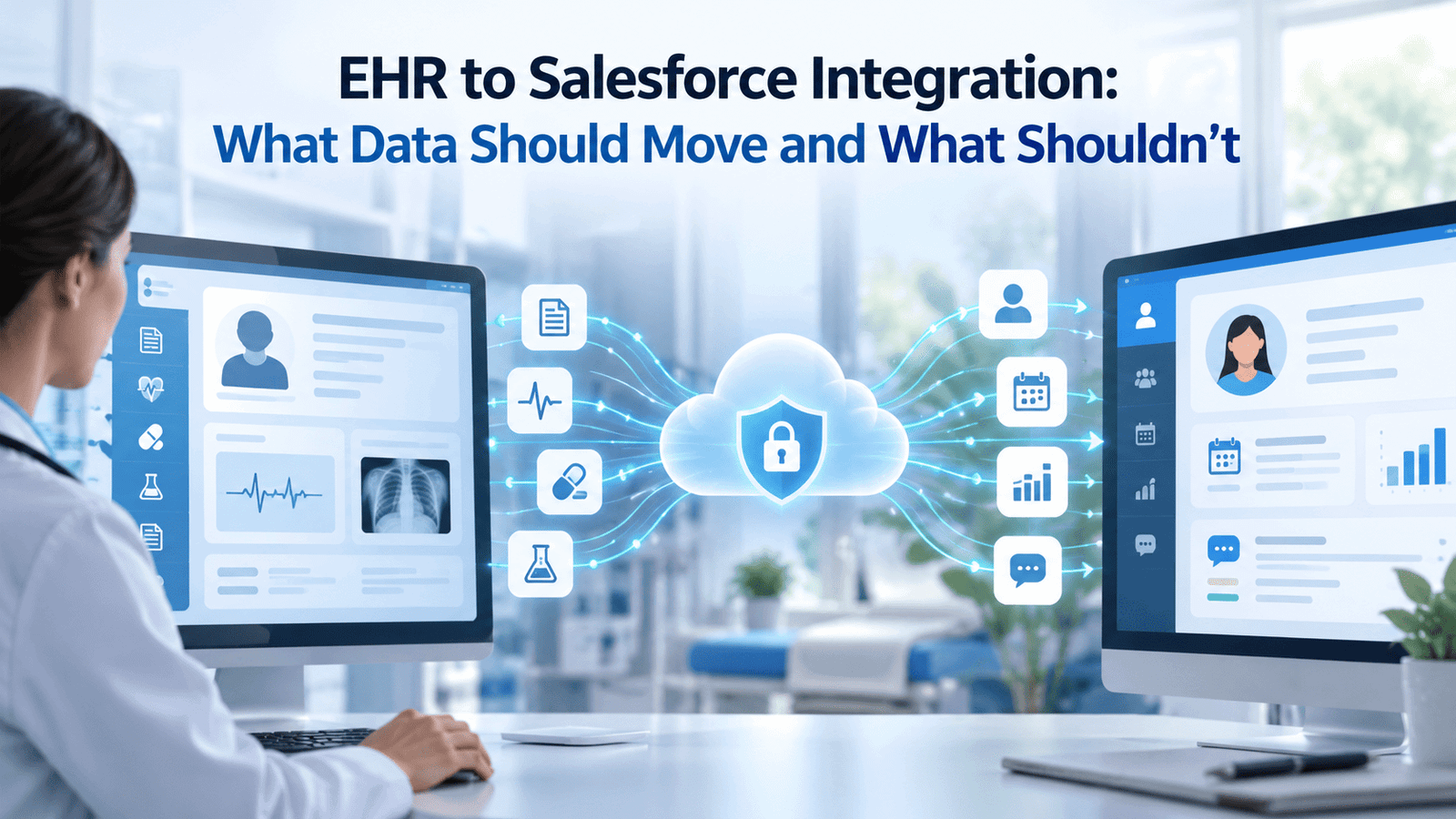
Healthcare teams usually start an EHR to Salesforce integration because they want a better patient experience, cleaner outreach, stronger service workflows, and clearer care coordination. The trouble starts when the project turns into a full copy of the chart. That creates cost, risk, and clutter faster than value.
A useful EHR to Salesforce integration moves the data that helps people act inside Salesforce and leaves the rest where it belongs. In most organizations, the EHR stays the system of record for clinical care, while Salesforce supports engagement, coordination, service, and program management. That split is what keeps the project focused and keeps patient data mapping under control.
TL;DR
| • Move data that supports outreach, coordination, referral handling, service work, and patient-facing workflows.• Use the EHR as the main source for detailed clinical documentation and regulated recordkeeping.• Base the data scope on use cases, privacy rules, and field-level patient data mapping.• Prefer standard models such as USCDI and FHIR integration so the project stays easier to maintain.• Keep sensitive, low-value, duplicate, or hard-to-govern data out of Salesforce unless there is a clear reason to store it there. |
Why Teams Pursue EHR To Salesforce Integration
Most healthcare organizations do not start an EHR to Salesforce integration because the EHR is failing. They start because the EHR was built first for care delivery and documentation, while Salesforce is often brought in later for patient engagement, access, contact center work, referral operations, care program follow-up, and service workflows. When those teams work in separate systems with weak data flow between them, patients repeat information, staff switch screens too often, and simple tasks take longer than they should. Rules aimed at easier access and exchange, including the CMS Interoperability and Patient Access final rule fact sheet, have also pushed organizations to think more carefully about where data should be available and how it should move.
That need ties directly to healthcare data interoperability. If Salesforce is going to help a call center agent, care manager, patient navigator, or referral coordinator do better work, the record in Salesforce must show enough context to act with confidence. It does not need the full chart copied into another platform. It needs the right subset, at the right time, with clear ownership and update rules.
Start With The Simple Principle: Move Data That Drives Action
The strongest rule for EHR to Salesforce integration is simple: move data when it enables a workflow in Salesforce, and do not move data just because it exists in the EHR. Under HIPAA, the minimum necessary standard requires covered entities to limit many uses and disclosures to what is needed for the purpose at hand, which is one reason internal role-based access should stay narrow. That rule does not cover every situation, though. HHS guidance is explicit that minimum necessary does not apply to disclosures between healthcare providers for treatment, so a narrow Salesforce scope is not something HIPAA requires in that context. It is a design choice: keeping the integration narrow is good privacy practice, good governance, and it keeps the system easier to use and secure, even in cases where the legal rule itself would not require it. Either way, an integration team should have a reason for every field it stores, displays, or shares.
At the same time, teams should avoid the opposite mistake, which is over-restricting data until Salesforce becomes useless. ONC’s overview of information blocking is a useful reminder that data exchange is supposed to support access, exchange, and use of electronic health information unless a legal exception applies. Good healthcare data interoperability is not about copying everything, and it is not about denying access by default. It is about giving each system the data it needs for its role.
That principle changes the conversation. Instead of asking, “What data can we export from the EHR?” the better question is, “What tasks in Salesforce require data from the EHR, and what is the smallest clean dataset that makes those tasks work?” Once a team asks that, scope control gets much easier.
What Data Usually Should Move
Most EHR to Salesforce integration projects end up moving a fairly similar core group of data. The exact fields change by use case, but the general shape stays steady. A good starting point is the USCDI standard, which defines a common set of health data classes and elements for interoperable exchange. It helps teams align patient data mapping to a recognized floor instead of inventing a custom model from scratch.
Here is the kind of data that usually earns its place in Salesforce:
| Data Domain | Why It Usually Moves | How It Should Appear In Salesforce |
| Patient identity and contact details | Supports outreach, matching, scheduling, and service work | Structured fields with source and update rules |
| Appointments and encounters | Helps service teams and navigators see recent activity and next steps | Status-based records, not raw scheduling noise |
| Referrals and care coordination data | Supports follow-up, closure, and accountability | Actionable queues, tasks, and timestamps |
| Problems, allergies, medications, and key vitals | Gives enough clinical context for safe coordination | Summary-level view with provenance |
| Coverage, payer, and utilization data | Helps financial counseling and service workflows | Limited fields tied to a use case |
| Consent, communication preferences, and portal status | Needed for compliant engagement | Current state with audit trail |
| Care gaps, care plans, or program eligibility markers | Helps teams manage outreach and enrollment | Program-specific objects or worklists |
What belongs in Salesforce is the data that improves decisions or action inside Salesforce. That often means summary data, status data, relationship data, and selected clinical context. It rarely means every field, every note, and every historical artifact in the chart.
Patient Identity And Demographics Need To Move First
If patient identity is weak, the rest of the EHR to Salesforce integration is weak. Before an organization debates labs, referrals, or utilization feeds, it needs to get identity right. Salesforce’s own overview of the clinical data model in Health Cloud shows how patient and care relationships are structured, and it reinforces a basic truth: a Salesforce Health Cloud integration is much easier when the core person record is reliable.
What To Include
At minimum, most teams should move:
• Patient identifiers needed for matching
• Legal name and preferred name where supported
• Date of birth
• Sex or sex-related data as required by the use case and source standard
• Phone numbers and email
• Current address
• Language and communication preferences
• Emergency or related person details when needed for service workflows
• Primary provider or care team relationship where relevant
This is where patient data mapping matters most. Matching rules, duplicate logic, and source priority rules should be settled early. If the EHR and Salesforce both allow users to update contact data, the team needs a clear write-back or conflict process. Without that, staff start distrusting both systems.
What To Avoid
Teams should resist the urge to dump dozens of demographic fields into Salesforce just because the EHR has them. If a field does not support outreach, matching, reporting, or a real workflow, it can usually stay out. The same goes for old address history, internal registration artifacts, and deprecated identity fields that only make the record harder to read.
A Salesforce Health Cloud integration gets real value from patient identity, but only when those fields are governed and current.
Scheduling, Referral, And Access Data Often Delivers Fast Value
Some of the quickest wins in an EHR to Salesforce integration come from access workflows rather than deep clinical workflows. Scheduling data, referral status, intake milestones, and patient access events help contact centers and coordinators do useful work without turning Salesforce into a charting system. As data-sharing networks expand, frameworks such as TEFCA also reinforce the need for clearer exchange patterns across organizations, which matters for referral and coordination use cases that cross organizational lines.
Scheduling data should not be copied as raw noise. Salesforce usually needs a practical view such as:
• Upcoming appointment date and time
• Appointment type
• Location
• Provider
• Status, such as scheduled, canceled, no-show, or completed
• Referral origin and destination
• Referral reason
• Referral status and closure date
That data supports reminders, rescheduling, referral closure, and navigation workflows. It also supports access analytics, such as how long patients wait, where referral leakage happens, and where patients drop off before care is delivered.
The same principle applies here too. Salesforce needs a useful view of the access workflow, not every backend scheduling transaction. If the source system creates many technical updates that mean nothing to front-line staff, those belong in the interface layer or the audit log, not on the user screen.
Clinical Summary Data Should Move, But In A Curated Form
Clinical data is where scope often balloons. A focused EHR to Salesforce integration brings enough clinical context to support coordination and service work, while leaving full clinical documentation in the EHR. The current US Core Implementation Guide is helpful here because it shows the common clinical profiles many teams already use for healthcare data interoperability and FHIR integration.
The clinical data that often makes sense to move includes:
• Active problem list or active conditions
• Allergies and intolerances
• Current medications
• Key immunizations where they affect outreach or care programs
• Recent procedures relevant to current workflow
• Selected lab results or observations tied to a specific use case
• Vital signs that drive follow-up or program eligibility
• Care plans, goals, or task-level coordination data
• Discharge, referral, or transition summaries
The words “selected” and “relevant” matter. If Salesforce is helping a care manager follow discharged patients, a discharge summary flag, discharge date, diagnosis summary, medication changes, and follow-up plan may be enough. If Salesforce is helping a patient access team handle authorizations, selected procedure, diagnosis, payer, and scheduling data may be the real need.
Structured Data Beats Raw Documents For Most Workflows
Teams often ask whether to move full notes or full documents. Sometimes they should. Often they should not. Structured clinical summary data usually gives staff a faster, safer working view than a pile of PDFs. FHIR integration also works better when the team chooses a stable subset of resources and fields instead of a broad “send everything” model.
That does not mean documents have no place. It means teams should be deliberate. If the workflow requires a discharge summary or consultation note, the better pattern is often to store metadata, a short structured summary, and a link or controlled access path to the full document.
Financial, Coverage, And Utilization Data Can Support Service Work
Financial and coverage data often get ignored in early planning, yet they matter a great deal for patient-facing operations. A well-scoped EHR to Salesforce integration can support financial counseling, prior authorization work, case management, and service recovery when it includes selected payer and utilization data. Salesforce’s healthcare integration patterns, including MuleSoft direct integration applications, show how claims, patient summary, and bulk FHIR data can support both operational and analytic use cases.
What usually makes sense to move includes:
• Coverage status
• Payer name and plan
• Member or subscriber identifiers where appropriate
• Authorization status
• Eligibility outcomes
• High-level claims or utilization markers tied to a workflow
• Care setting transitions, such as admission and discharge events
• Financial class when needed for service routing
This is another area where teams should avoid overloading Salesforce. Full claims detail, every adjudication line, and every historical utilization artifact often belong in payer systems, the EHR, or a data platform. Salesforce needs the fields that help someone answer a patient question, move an authorization forward, or route a case to the right team.
A Salesforce Health Cloud integration often gets stronger when coverage and service data are included in a measured way. Staff can see enough to help the patient without opening a second system for every step.
What Usually Should Not Move
The fastest way to weaken an EHR to Salesforce integration is to treat Salesforce as a second chart. Several types of data usually should not move into Salesforce by default.
The first category is highly sensitive content that is subject to extra caution, extra governance, or limited workflow value. HHS guidance on mental and behavioral health information explains that psychotherapy notes receive special treatment under HIPAA. If a team cannot name the exact use case, access rule, and reason for storage, that kind of material should stay out of Salesforce.
The second category is substance use disorder records that fall under extra federal protection. The current text of 42 CFR Part 2 is a reminder that these records can carry stricter confidentiality requirements than teams expect. In practice, this means organizations should not assume that all behavioral health or substance use information can flow into Salesforce under the same logic as ordinary clinical summary data.
The third category is data with weak structure or weak operational value. For example, SDOH can matter a lot in coordination work, but raw or poorly governed screening data can also create noise. The CMS resource on SDOH Z codes is useful because it shows a more structured path for documenting social needs. If Salesforce is going to use SDOH, move the assessed, structured, workflow-relevant elements, not every free-text observation gathered during intake.
Other data that usually should not move by default includes:
| Usually Keep Out Of Salesforce | Why | Better Home |
| Full progress notes for all visits | High volume, hard to govern, low workflow value for most users | EHR or document repository |
| Old duplicate history with no active use | Adds clutter and migration cost | EHR archive or data warehouse |
| Raw HL7 interface artifacts | Technical noise, poor user value | Integration layer |
| Internal configuration tables | No user value | Source system |
| Scanned images and large files without a clear need | Storage and access burden | EHR or imaging system |
| Device streams and high-frequency telemetry | Too much volume for normal CRM work | Clinical platform or data platform |
| Sensitive behavioral or SUD content without a specific permitted use | Privacy and access risk | EHR with controlled access |
A good test is simple. If putting the data in Salesforce does not change a decision, a task, or a patient-facing interaction, it probably does not belong there.
A Practical Decision Framework For Each Data Element
Teams often struggle because they decide at the table level instead of at the workflow level. A better method for EHR to Salesforce integration is to evaluate each data domain against a short decision framework.
Salesforce’s Health Cloud FHIR APIs make FHIR integration more workable, but the presence of an API is not the same as a business reason to store the data. The business reason must come first.
Use these 6 questions for each candidate field or resource:
1. What action in Salesforce depends on this data? If no action depends on it, do not move it.
2. Who needs to see it? If only a small group needs it, access should be narrow.
3. How current must it be? Some data needs real-time sync. Some only needs daily refresh. Some is better queried on demand.
4. What is the privacy risk? The more sensitive the data, the stronger the case must be for storing it.
5. Can users work from a summary instead of the full record? Summary views reduce clutter and risk.
6. What is the source of truth? The team should define whether Salesforce stores, displays, or merely references the data.
Here is a practical scoring view:
| Question | If The Answer Is Yes | Likely Decision |
| Does it drive work in Salesforce? | Staff need it for outreach, routing, service, or coordination | Move or display |
| Is it required for matching or safety? | Identity or clinical context depends on it | Move with governance |
| Is it highly sensitive? | Extra rules or reputational risk apply | Keep out unless clearly needed |
| Is it large or noisy? | High volume or low signal | Reference or summarize |
| Is it mainly for historical review? | Little current operational use | Leave in EHR |
| Is it needed only sometimes? | Users need occasional lookup | Query on demand |
This kind of patient data mapping keeps scope grounded in use. It also prevents the familiar problem of moving data that no one ever uses after go-live.
Architecture Choices That Reduce Rework
Many integration problems are really architecture problems. An EHR to Salesforce integration should decide early whether data will be replicated, summarized, referenced, or queried in real time. Salesforce’s own integration considerations for FHIR mapping show that field and resource mapping is not a simple copy operation. Teams need to account for data-type differences, flattened fields, lookup logic, and source-specific variation.
Rather than a binary move-or-leave call, most data elements fit one of 4 handling models, chosen by how often users act on the data and how much context they actually need:
Replicate Selected Data
Move the data when Salesforce users must act on it often. This is the common pattern for patient identity, referral status, tasks, and a copied patient profile with selected clinical context. It supports fast user experience in Salesforce but requires governance around updates and reconciliation.
Store A Summary, Not The Whole Record
Summarize the data when users need context but not the full clinical record. This works well for discharge events, a summarized problem list, authorization status, and recent utilization markers, including a linked discharge summary. It keeps the record readable and supports action without copying too much.
Reference External Data On Demand
Reference the data when users need occasional visibility but the source system should remain the place for review. This is often the better pattern for full notes, large documents, a referenced image or document, and rarely used details. Salesforce shows that more data exists, but the EHR remains the place to review it in full.
Use Event-Driven Updates
Event-driven sync works well for admissions, discharges, a live appointment status, referral milestones, and consent updates. It lets the user see current status without constant polling or bulk reprocessing.
The key is to choose the pattern by data type, not force one pattern on everything, including a controlled view of sensitive data that only selected roles can access. This is where many teams find the best balance: it protects the user experience, keeps the record readable, and avoids pushing Salesforce into a role it was never meant to play. It also makes healthcare data interoperability easier to sustain over time and keeps the FHIR integration model cleaner.
Governance, Privacy, And Security Controls Matter As Much As Mapping
A technically correct EHR to Salesforce integration can still fail if governance is weak. Healthcare teams need clear decisions about access, retention, auditability, provenance, and downstream use. That is especially true when multiple systems exchange data and different teams work from the same patient record. Standards and conformance work from NIST’s healthcare interoperability testing resources are useful reminders that clean exchange depends on disciplined definitions and validation, not just interfaces.
Governance should answer basic questions up front:
• Which team approves the data scope?
• Which fields are read only in Salesforce?
• Which system wins when values conflict?
• How is consent captured and respected?
• How long is copied data retained?
• What audit trail shows where data came from and when it changed?
• Which user roles can see which categories of data?
• What happens when a patient asks for access or correction?
Provenance is especially important. If a care manager sees a diagnosis or a lab value in Salesforce, that user should be able to tell when it was last updated and which system supplied it. Without that context, copied data becomes risky because people cannot tell what is current.
A Salesforce Health Cloud integration is strongest when governance is not treated as cleanup work after build. It needs to be part of design from the first workshop.
Common Project Mistakes That Create Clutter And Risk
Several mistakes show up again and again in EHR to Salesforce integration projects.
The first is starting with source-system exports instead of user workflows. Teams walk through every available feed, choose hundreds of fields, and only later ask how staff will use them. That reverses the right order.
The second is skipping patient data mapping detail. Field names can look simple, but values carry meaning. “Primary phone” may mean different things across systems. Address formats may differ. “Active medication” may depend on source workflow rather than plain fact. When those rules are not settled, users see inconsistent records and trust drops.
The third is assuming healthcare data interoperability is solved once FHIR integration exists. FHIR helps a great deal, but it does not remove the need for business rules, governance, source control, or user-centered design. Standards give structure. They do not choose the right scope for you.
The fourth is bringing over too much historical data. Teams often think more history means more value. In practice, too much copied history makes the Salesforce screen harder to use and the project harder to maintain. Many users need recent and active data, not a 10-year archive.
The fifth is ignoring role-based access. An access team, care coordinator, marketer, and service agent do not all need the same view. When everybody sees too much, privacy risk goes up and usability goes down.
The sixth is treating go-live as the end. Data quality issues, workflow gaps, and source changes continue after launch. Owners need a process for reviewing what users actually use, what they ignore, and what now belongs back in the EHR or in a query-only path.
A Phased Rollout Works Better Than A Big Data Dump
Even when the long-term vision is broad, most organizations should phase EHR to Salesforce integration in waves. A first phase often focuses on identity, access, appointments, referrals, and a limited set of clinical summary fields. A second phase may add care management or service workflows. A later phase may bring in utilization or program-specific data.
Phasing helps in 4 ways. First, it forces the team to prove value before expanding scope. Second, it reveals data quality issues while the surface area is still manageable. Third, it helps governance mature with real use. Fourth, it avoids the common trap of copying data that nobody ends up using.
A phased plan also supports better healthcare data interoperability. Standards-based work becomes easier to validate when each wave has a clear use case, a defined field list, and named owners.
Conclusion
A good EHR to Salesforce integration is disciplined. It moves the data that helps people do useful work in Salesforce and keeps the rest in the system best suited to hold it. That usually means patient identity, access workflows, referral status, selected clinical summaries, and carefully chosen financial or utilization signals. It usually does not mean every note, every attachment, every old record, or every sensitive field that lacks a clear operational purpose.
The best teams decide scope by workflow, protect privacy through narrow design, and use standards to keep patient data mapping stable over time. If you remember one rule, make it this: copy less, structure better, and make every field earn its place.
FAQs
What Is The Main Goal Of EHR To Salesforce Integration?
The main goal is to give Salesforce users enough patient and workflow context to handle outreach, service, coordination, and program work without turning Salesforce into a second EHR. The project should improve action and visibility, not copy the entire chart.
Should Salesforce Become The System Of Record For Clinical Data?
In most cases, no. The EHR should remain the main system of record for clinical documentation and regulated patient records. Salesforce usually works best as a system for engagement, coordination, and workflow support.
Which Patient Demographic Data Should Move First?
Start with identifiers and contact fields that support matching and communication. That often includes name, date of birth, contact details, address, communication preferences, and provider relationships that matter to the workflow.
Should Lab Results Move Into Salesforce?
Selected lab results can move when they support a defined workflow, such as care follow-up or program management. Teams should avoid loading large volumes of results that users do not need in Salesforce.
Should Full Clinical Notes Move Into Salesforce?
Usually no. Full notes are often high volume and low value for most Salesforce users. A better pattern is to move a short summary or metadata and keep the full note in the EHR for detailed review.
How Does FHIR Help With EHR To Salesforce Integration?
FHIR gives teams a standard way to structure and exchange health data. It helps with field consistency, cleaner mapping, and easier maintenance, but it does not replace workflow design or governance decisions.
What Is Patient Data Mapping In This Context?
Patient data mapping is the work of matching source data from the EHR to the right fields, objects, and business rules in Salesforce. It includes definitions, transformation rules, source priority, and conflict handling.
Should Appointment Data Sync In Real Time?
It depends on the use case. If staff act on schedule changes quickly, event-driven or near-real-time updates help. If the data is mainly for reporting, less frequent refresh may be enough.
How Should Consent Be Handled In Salesforce?
Consent should be treated as governed data with clear source ownership, timestamps, and role-based access. Teams need to know where consent is captured, how updates flow, and how downstream workflows honor those rules.
When Should Data Stay In The EHR Instead Of Moving?
Data should usually stay in the EHR when it is highly sensitive, rarely used in Salesforce, large and unstructured, or mainly needed for detailed clinical review rather than operational workflow.
How Much Historical Data Should Be Migrated?
Most organizations should bring only the history needed for current workflows, reporting, or patient context. Moving years of inactive detail often creates clutter and cost without helping users do better work.
Why Does Provenance Matter?
Provenance shows where the data came from and when it was updated. That helps users trust the record and understand whether they are looking at current information from the source system or an older copied value.
Can Small Healthcare Organizations Still Benefit From This Integration?
Yes. Smaller organizations often benefit when they keep the scope narrow. Identity, appointments, referrals, and a limited clinical summary can deliver value without requiring a very large technical program.
What Are The Biggest Privacy Risks In These Projects?
The biggest risks usually come from moving more data than needed, giving too many users access, storing sensitive information without a clear purpose, and failing to track source, consent, and retention rules.
How Do You Measure Success After Go-Live?
Look for workflow results, not just interface uptime. Useful measures include faster referral closure, fewer duplicate contacts, better outreach completion, improved scheduling follow-up, lower manual re-entry, and stronger user trust in the Salesforce record.