

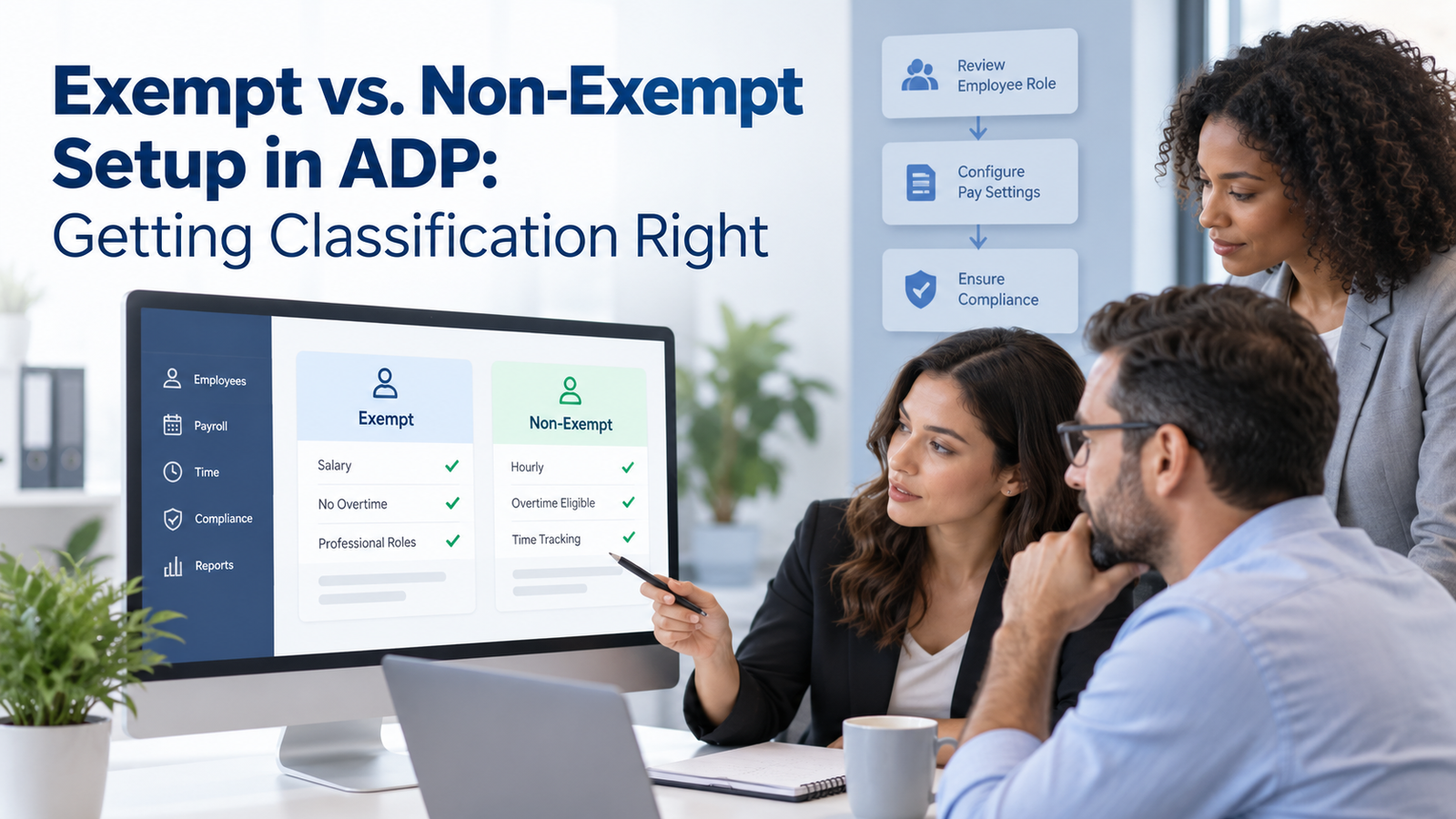
Employee classification looks like a single field in a payroll system, but the decision behind that field can affect time tracking, overtime, salary deductions, pay rules, records, and future corrections. The safest way to handle exempt vs non-exempt in ADP is to make the legal classification first, document why it applies, and then configure the employee record so payroll and time settings match that decision.
That order matters because exempt vs non-exempt in ADP starts with a legal decision that the system can’t make for you. A system can calculate from the data it receives, but it can’t decide whether a job legally meets an exemption test. A manager may call someone salaried, a job title may contain “manager,” or an employee may earn well above the federal salary level. None of those facts, by themselves, settle the question. The employee’s actual duties and the way compensation is paid still matter.
For employers using ADP Workforce Now or another ADP payroll product, the practical risk comes from gaps between the written classification decision and the system setup. A worker may be marked exempt while still assigned to a non-exempt time policy. A salaried non-exempt employee may be left out of time tracking. A promotion may change duties without triggering a new review. This guide explains how to prevent those gaps and how to audit them when they already exist.
TL;DR
Getting exempt vs non-exempt in ADP right starts outside the software. Confirm which wage-and-hour rules apply, test the employee’s real duties, confirm the pay method, and check state requirements before changing the ADP employee classification. Then make the payroll record, timekeeping rules, overtime treatment, work location, and effective date agree with the decision.
A clean setup should let you answer 5 questions quickly: why the employee is exempt or non-exempt, which law and exemption test you relied on, when the decision became effective, which ADP settings changed with it, and who reviewed the change. For non-exempt employees, accurate hours and overtime treatment are central. For exempt employees, the salary basis rules matter just as much as the salary amount.
The current federal baseline is only a starting point. State law can require different overtime treatment or a higher standard, so multi-state employers need a location-based review. ADP Workforce Now compliance depends on keeping the legal decision, employee data, time rules, and payroll results in agreement over time.
What Exempt and Non-Exempt Mean in ADP
The words “exempt” and “non-exempt” describe how wage-and-hour rules apply to an employee. They don’t simply describe whether someone is paid by salary or by the hour. Under the Fair Labor Standards Act, covered non-exempt employees generally must receive overtime for hours worked over 40 in a workweek. Properly exempt employees can fall outside those federal minimum wage and overtime requirements when all conditions for a specific exemption are met.
That distinction makes ADP employee classification a payroll control, not a job-title label. In the system, the classification can sit alongside pay basis, standard hours, work location, job data, time policies, and pay rules. The exact field names can vary by ADP product and client setup, so the legal decision should never depend on a screen label alone. The record should tell the same story as the employee’s documented duties and compensation arrangement.
A useful starting point is the U.S. Department of Labor’s overview of federal white-collar exemptions, which explains that job titles don’t determine exempt status and that the actual salary and duties must meet the rules. That guidance belongs in the review process before the FLSA classification in ADP is changed because the payroll platform records the result of the analysis rather than performing the legal analysis for you.
The most common setup mistake is treating “salaried” and “exempt” as if they mean the same thing. A salaried employee can still be non-exempt. If that employee is covered by the FLSA, the employer still needs accurate hours and proper overtime calculations. That is why payroll teams should review pay basis and exemption status as separate data points.
Start With Law, Not the ADP Field
The safest workflow for exempt vs non-exempt in ADP starts with a classification worksheet or written review. HR or legal counsel should identify the role, location, pay method, primary duties, authority level where relevant, and any special occupation rules. Once the answer is documented, payroll can translate that decision into ADP employee classification fields and related time settings.
This order is especially important during an ADP Workforce Now implementation, because conversion projects often bring legacy labels forward without testing whether they are still correct. A record marked “exempt” in the old system may reflect a decision made years earlier, before the employee changed jobs, moved states, or took on different duties. Importing the value without reviewing the reasoning can carry an old error into a new platform.
The federal exemption analysis also needs the current salary threshold. As of September 2026, the Department of Labor’s current salary-level page lists $684 per week, equal to $35,568 per year, for the standard executive, administrative, and professional salary level. The page also lists separate rules for highly compensated employees and certain computer employees. Meeting the salary level is necessary for many exemptions, but it doesn’t replace the duties test.
A written classification file should name the exemption being used instead of relying on a generic “exempt” decision. Executive, administrative, professional, computer, outside sales, and other exemptions have different requirements. The file should also state which facts support the decision. That makes a future audit easier and gives the payroll team a firm source for the FLSA classification in ADP.
How Federal Exemption Tests Work
Most employers reviewing classification encounter the executive, administrative, or professional exemptions first. The details differ by exemption, but many EAP roles involve 3 separate concepts: the salary level, the salary basis, and the duties test. The employee generally needs to meet every requirement that applies to the chosen exemption.
Executive exemption
An executive exemption generally requires management to be the employee’s primary duty. The employee must regularly direct the work of at least 2 other full-time employees or their equivalent, and the employee must have authority over hiring or firing or have recommendations on those decisions given particular weight. A title such as team lead or manager doesn’t settle the issue if the employee’s real work doesn’t match the test.
Administrative exemption
The administrative exemption is one of the easiest to misread because “administrative” in everyday business language is broader than the legal test. The employee’s primary duty generally must be office or non-manual work related to management or general business operations, and that work must include discretion and independent judgment on matters of significance. Routine office work can be valuable and skilled without meeting this exemption.
Professional and computer exemptions
The learned professional exemption generally covers work that requires advanced knowledge in a field of science or learning and usually depends on specialized academic instruction. Creative professionals follow a different standard. Certain computer employees can qualify under separate rules, including an hourly pay route at a specified minimum rate when the duties test is also met. These distinctions matter when a technology team uses one broad job family but its roles actually differ.
The Department of Labor’s salary basis guidance explains that many exempt employees must receive a predetermined salary that isn’t reduced because of variations in the quality or quantity of work, subject to permitted deductions. That rule belongs in the classification file and in payroll procedures because an otherwise valid exemption can be put at risk by improper pay practices.
For exempt vs non-exempt in ADP, the practical lesson is simple: don’t build one rule called “salaried equals exempt.” Store the legal result, then make the rest of the configuration match it. A high salary won’t rescue a duties mismatch, and a duties match won’t fix an improper salary basis.
State Rules Can Change the Result
Federal law is the floor for many employers, but exempt vs non-exempt in ADP can change when state law sets a different rule. Some states use daily overtime, different exemption standards, or pay rules that are more protective of employees. A multi-state workforce therefore needs a location-aware classification process rather than one national template copied to every employee. That location check should be part of ADP Workforce Now compliance whenever a work state changes.
The Department of Labor maintains a state wage and overtime summary that shows how state rules can differ from the federal baseline. Employers should still confirm the current law with the responsible state agency or qualified counsel because exemptions and pay requirements can change. The important system point is that an employee’s work location can alter which rule must be reflected in payroll and timekeeping.
This is where multi-state payroll setup in ADP becomes relevant to classification. A remote employee who moves may trigger a new tax review, but the move can also create a wage-and-hour review. If the employee’s state has a higher exemption threshold or different overtime rule, leaving the old setup untouched can create a gap between the legal requirement and the ADP overtime setup.
Create a location trigger in the change process. When an employee changes work state, HR should check wage-and-hour classification before payroll closes the change. That step is especially important for fully remote employees, hybrid workers who cross state lines, and people temporarily assigned to another jurisdiction for long periods.
How to Set Up FLSA Classification in ADP
Once the legal decision for exempt vs non-exempt in ADP is complete, translate it into the employee record with a controlled checklist. The screens and labels vary across ADP products and client configurations, so use your own tenant’s data definitions. The goal is consistency across the fields and rules that affect pay.
Start with the FLSA classification in ADP and the pay basis. Confirm whether the employee is exempt or non-exempt, salaried or hourly, and whether a salaried non-exempt arrangement is being used. Then check standard hours, pay frequency, work location, job or position record, and the effective date. Each value should line up with the classification file.
Next, review the time policy or pay rule attached to the employee. A non-exempt employee should flow into a timekeeping process that captures all compensable hours. An exempt employee may still record time for attendance, project accounting, leave, or client billing, but those records shouldn’t accidentally drive salary deductions that violate the salary basis rules. ADP overtime setup should reflect the legal rule that actually applies to the employee’s location and role.
The setup should also use a clean effective date, and the ADP overtime setup should use that same date when the worker is non-exempt. Backdating a classification change can affect prior pay periods, overtime, earnings, and records. Future-dating it without testing can leave an employee under the old rule longer than intended. When a change reaches across closed payroll periods, use a documented correction plan rather than quietly editing history.
Teams dealing with configuration drift can use an ADP system review to compare current system values with written policy and actual practice. That is useful when ADP employee classification fields have been copied from old records or updated by different administrators using different conventions.
A practical setup record
For each classification change, keep a short record that includes the employee or job group, exemption relied on, work state, salary or hourly basis, effective date, time policy, overtime rule, approver, and date reviewed. That record doesn’t need to be long. It needs to be specific enough that another payroll practitioner can understand why the setup exists.
Timekeeping and Overtime Settings for Non-Exempt Employees
For exempt vs non-exempt in ADP, non-exempt status makes timekeeping part of payroll compliance. The employer needs a method that captures hours worked accurately enough to calculate minimum wage and overtime. A schedule by itself isn’t enough when the employee works earlier, later, through a meal period, during a required training session, or at another time that counts as work.
The Department of Labor’s hours-worked guidance explains that work the employer suffers or permits can be compensable even when it wasn’t requested. It also discusses waiting time, on-call time, rest periods, meal periods, training, and travel. Those rules should shape the time policy used for a non-exempt employee rather than relying only on scheduled hours.
For ADP overtime setup, review the workweek first. Federal overtime is generally calculated by workweek, and the workweek is a fixed period of 168 hours. Don’t average hours across 2 weeks to avoid overtime. Then confirm the assigned pay rule, overtime threshold, earnings codes, premiums, and any state-specific daily overtime logic that applies.
The Department of Labor’s overtime pay guidance also explains that overtime generally must be paid when covered non-exempt employees work more than 40 hours in a workweek, even when the work wasn’t authorized in advance. Employers can enforce scheduling rules, but the payroll setup still needs to pay for compensable time that was actually worked.
Time-to-payroll mapping deserves its own test because ADP overtime setup can be correct at the timecard level and still fail at the earnings-code handoff. Regular hours, overtime, PTO, premiums, and other paid time categories should land on the intended earnings codes. If a time rule produces overtime but the earnings mapping sends those hours to regular pay, the timecard can look correct while the paycheck is wrong. IgniteHCM’s guide to ADP Time & Attendance errors shows why pay-rule assignment and the handoff into payroll need regular review.
For salaried non-exempt employees, time tracking remains necessary, and ADP overtime setup still has to calculate the right premium. A fixed salary doesn’t remove overtime eligibility. The payroll team needs to know which hours the salary is intended to cover and how the regular rate will be calculated under applicable law. This is one of the most important cases where exempt vs non-exempt in ADP cannot be inferred from pay type.
Pay and Salary Basis Rules for Exempt Employees
For exempt vs non-exempt in ADP, exempt employees often have simpler gross-pay calculations, but the salary basis rules can create different risks. For many EAP exemptions, the employee must regularly receive a predetermined amount that isn’t reduced because of the quality or quantity of work. There are permitted deductions, but managers and payroll staff shouldn’t assume a partial-day absence or short week can always reduce salary.
That makes manager training part of ADP Workforce Now compliance. A supervisor who asks payroll to dock an exempt employee for leaving early may create a problem even if the ADP employee classification was correct when the employee was hired. Payroll needs a review path for unusual salary deductions so the team checks whether an exception applies before changing pay.
Pay codes should also be reviewed when exempt employees receive extra compensation. Bonuses, commissions, stipends, or other payments don’t automatically change exempt status, but they can affect reporting and payroll controls. Keep the base salary rule distinct from extra earnings so the audit trail shows what was guaranteed and what was additional.
If an exempt employee moves into unpaid leave, disciplinary suspension, or another situation where a salary deduction may be considered, don’t rely on habit. Check the applicable salary basis rule and state law before processing the reduction. The classification decision and the pay practice have to remain consistent over time.
An ADP payroll processing review can be useful when staffing changes leave the team unsure how prior practitioners handled exempt salary exceptions. The goal is to identify the current rule, document it, and stop informal pay adjustments from undermining a classification that was otherwise sound.
Map Classification to Payroll, Benefits, and Reporting
Exempt vs non-exempt in ADP touches more than an exempt or non-exempt flag. It can change timekeeping expectations, overtime eligibility, manager approvals, pay-rule assignment, labor-cost reporting, and how compensation changes are reviewed. Those downstream effects are why a classification change should be treated as a controlled HR and payroll event.
Start by mapping which systems receive the classification. If recruiting, HR, time, payroll, scheduling, or reporting tools exchange employee data, decide which system owns the classification value. A downstream system shouldn’t overwrite a reviewed FLSA classification in ADP with a default value from an older job record.
Then check reporting. Payroll and HR should be able to produce a roster showing exempt status, pay basis, salary or rate, work location, job, standard hours, time rule, and effective date. That report becomes the base for audits. If fields are blank or use inconsistent labels, fix the data dictionary before relying on the report.
The Department of Labor’s FLSA recordkeeping guidance lists records employers must keep for non-exempt workers, including hours worked, the basis of pay, regular rate, overtime earnings, deductions, total wages, and pay-period information. ADP Workforce Now compliance is stronger when those required records can be pulled without reconstructing them from emails or spreadsheets.
Benefits teams should also know when classification is used as an eligibility input. Exempt status isn’t a universal benefits rule, so don’t copy it into a benefit plan unless the plan document actually uses that distinction. The same caution applies to leave policies, bonus plans, and approval routing. Classification should drive a downstream rule only when a written policy or legal requirement says it should.
Test the Setup Before and After Go-Live
Testing exempt vs non-exempt in ADP should prove that the system pays the employee the way the classification requires. For a new implementation, test representative employees from each classification group. For a reclassification, test the changed employee before the first live payroll under the new status.
Use scenarios that can expose a mismatch. For a non-exempt employee, enter a week over 40 hours and confirm overtime. Test a meal-period exception if your policy tracks it. Test a premium or shift rule where applicable. For a salaried non-exempt employee, confirm that the salary and overtime calculation work together. For an exempt employee, test a normal full week and any common permitted pay adjustments your policy actually uses.
An effective test also checks the time-to-payroll handoff, not only the timecard calculation. Confirm that hours reach the correct earnings code and that gross pay reflects the expected rule. Then review the payroll register, employee pay statement, and any exception reports used by the team.
The payroll audit reports guide is relevant here because classification errors often show up as report differences before they become employee complaints. Build a repeatable report pack that lets payroll compare status, hours, earnings, overtime, and changes across periods.
After go-live, repeat the same checks on the first 2 or 3 live payrolls. This is a practical ADP Workforce Now compliance control because live payroll can expose interactions that a test case missed. A configuration can pass a test case and still fail when a real employee has a bonus, location change, retro adjustment, or time exception. Early live review catches those interactions while the change is still fresh and easier to trace.
Common ADP Classification Errors and How to Fix Them
The most damaging classification errors are usually ordinary setup habits repeated for a long time. Fixing them starts with finding the rule that was assumed, then comparing it with the law and the actual employee facts.
| Error | Why It Happens | What to Fix |
| Salary equals exempt | Pay basis is used as a shortcut for legal status | Re-run the duties and salary tests, then correct the ADP employee classification and time rule |
| Manager title equals exempt | Job title is treated as proof of executive duties | Review actual management duties, supervision, and hiring or firing influence |
| Non-exempt salaried employee isn’t tracking time | Salary is mistaken for overtime exemption | Add accurate timekeeping and confirm ADP overtime setup |
| Employee moved states with no classification review | Address change process is limited to tax | Recheck state wage-and-hour rules and update the effective setup |
| Exempt employee receives improper salary deductions | Managers request partial deductions without review | Create payroll approval for unusual exempt salary reductions |
| Classification changes without an effective-date plan | HR and payroll update different periods | Use one approved effective date and test retro impact before payroll |
| Time rule doesn’t match classification | Old pay rule remains after transfer or promotion | Reassign the correct time or pay rule and validate the next payroll |
When an error has affected prior payroll periods, don’t fix only the current field. Determine the affected date range, identify unpaid overtime or salary deduction issues, review state law, and calculate corrections. Legal counsel may need to guide the remedy when exposure is material or the facts are disputed.
The IgniteHCM compliance and audit service describes a review approach that checks employment status, pay rates, overtime, time categories, payroll records, and tax reporting. A similar internal checklist can help employers connect FLSA classification in ADP with the payroll evidence that proves the setup is working.
Build an Ongoing Audit and Change-Control Process
Classification should be reviewed when facts change, not only when someone is hired. Promotions, job redesigns, mergers, remote moves, pay changes, manager changes, and reorganizations can alter the duties or law that supported the original decision. A yearly review also catches slow drift that no single transaction reveals.
Create event triggers in HR workflows. A promotion to manager should trigger a duties review instead of automatically changing the employee to exempt. A salary increase should trigger a pay review without assuming it changes overtime status. A move to another state should trigger wage-and-hour review along with tax setup. Those checks keep exempt vs non-exempt in ADP tied to current facts.
Access control matters too. Limit who can change classification fields, pay basis, time rules, and effective dates. Require a reason or approval for sensitive changes. When several administrators can edit the same data without a shared method, ADP Workforce Now compliance becomes dependent on memory.
Staff turnover is another risk. IgniteHCM’s on-demand ADP support model notes that turnover can separate current teams from the original logic behind system settings. Keep a short configuration record for classification rules so the next payroll practitioner doesn’t have to guess why an employee is exempt, why a pay rule exists, or why an exception was approved.
A quarterly audit can be light. Pull the classification roster and look for combinations that deserve review: exempt employees below the current threshold, non-exempt employees with no time data, exempt employees attached to overtime rules, employees who changed jobs or states, and records with recent manual pay adjustments. The point is to find contradictions before they become wage claims or large correction projects.
A Practical Classification Checklist for ADP Teams
Use this checklist whenever a new employee is set up, an employee is reclassified, or a role changes enough to require review.
1. Confirm the worker is an employee and identify the wage-and-hour laws that apply to the work location.
2. Identify the specific exemption being considered rather than using a generic exempt label.
3. Confirm the current salary level or other compensation requirement for that exemption.
4. Review the employee’s real primary duties against the legal test.
5. Confirm the salary basis or hourly pay method and document any exception that applies.
6. Record the decision, reviewer, evidence, and effective date.
7. Update the FLSA classification in ADP and verify the pay basis, job, work location, and standard hours.
8. Assign the correct time policy, pay rule, overtime treatment, and earnings mapping.
9. Test a payroll scenario that would expose an incorrect classification or pay rule.
10. Review the first live payroll after the change and retain the approval record.
This checklist keeps exempt vs non-exempt in ADP connected to payroll behavior and keeps ADP employee classification tied to the documented decision. It also makes later reviews faster because the employer can see both the legal reasoning and the system changes made from it.
Conclusion
Getting exempt vs non-exempt in ADP right requires more than choosing a status in an employee profile. The legal decision comes first. The ADP setup then needs to mirror that decision across pay basis, timekeeping, overtime rules, location, earnings mapping, effective dates, and reporting.
The biggest classification errors come from shortcuts that sound reasonable: salary means exempt, manager means exempt, remote move is only a tax issue, or a system default must be correct. Each shortcut can break when the employee’s real duties or applicable state law say something different.
A documented review, a consistent FLSA classification in ADP, and routine testing give payroll teams a defensible process. Keep the record current when jobs, pay, or locations change. That is the practical way to make ADP Workforce Now compliance part of normal payroll control instead of a cleanup project after a complaint.
FAQs
Can a salaried employee be non-exempt in ADP?
Yes. Salary and exemption are separate concepts. A salaried employee can still be non-exempt and entitled to overtime. The employee’s time still needs to be tracked accurately, and payroll must calculate overtime under the applicable rules.
Does a manager title automatically make an employee exempt?
No. Job titles don’t determine exempt status. The employee’s actual primary duties, level of authority, pay method, and other requirements for the selected exemption must be met.
Is meeting the $684 weekly federal salary level enough for exempt status?
No. As of September 2026, $684 per week is the federal standard salary level for many EAP exemptions, but the employee must also meet the salary basis and duties requirements that apply. State law may impose a different standard.
Can an exempt employee be paid hourly?
Some exemptions allow hourly compensation under specific conditions. Certain computer employees can qualify through an hourly pay route if the pay and duties requirements are met. Most common EAP exemptions use a salary or fee basis.
Do all non-exempt employees have to use a time clock?
No specific device is required under federal law. Employers can use different timekeeping methods, but the records must accurately capture compensable hours worked so minimum wage and overtime can be calculated correctly.
What should change in ADP when an employee moves from exempt to non-exempt?
Review the classification field, pay basis, time policy, overtime rule, workweek, earnings mapping, standard hours, and effective date. Test the setup before the first payroll under the new status.
How often should employers audit exempt and non-exempt classifications?
Review classifications when job duties, pay, or work location changes. A scheduled yearly review is also useful, while payroll teams can run lighter quarterly checks for obvious mismatches in system data.
Can state law require overtime even if the employee meets a federal exemption test?
Yes, state rules can differ from federal law. Employers should review the state where the work is performed and apply the rule that governs that employee’s situation.
Must unauthorized overtime be paid to a non-exempt employee?
Covered non-exempt employees generally must be paid for compensable overtime they actually work, even when company policy required advance approval. Employers can enforce the policy through management or discipline, but they shouldn’t erase worked time.
What records should payroll keep for non-exempt employees?
Payroll should retain accurate hours worked, pay basis, regular rate, overtime earnings, deductions, total wages, pay dates, and other records required by applicable law. The classification decision and change approval should also be retained.
Should managers decide whether employees are exempt?
Managers can provide facts about duties and authority, but the formal classification decision should follow a controlled HR, payroll, or legal review. That reduces inconsistent decisions based on titles or local habits.
Does ADP decide whether an employee is legally exempt?
No. ADP can store and process the classification and related payroll rules, but the employer remains responsible for deciding which legal classification applies to the employee’s actual facts.
Should remote employee moves trigger a new classification review?
Yes. A change in work state can change wage-and-hour requirements. Add a classification check to the same workflow that updates work location and tax setup.
Can an employer deduct pay from an exempt employee for a partial-day absence?
Often that can create a salary basis issue, although permitted deductions exist in defined situations. Payroll should review the reason, applicable federal rule, state law, and company policy before reducing an exempt employee’s salary.
How can payroll test a new exempt or non-exempt setup before go-live?
Use a sample payroll scenario that would expose the rule. For a non-exempt employee, test overtime hours and confirm the earnings code and pay result. For an exempt employee, confirm salary treatment and any common approved adjustment used by the employer.