

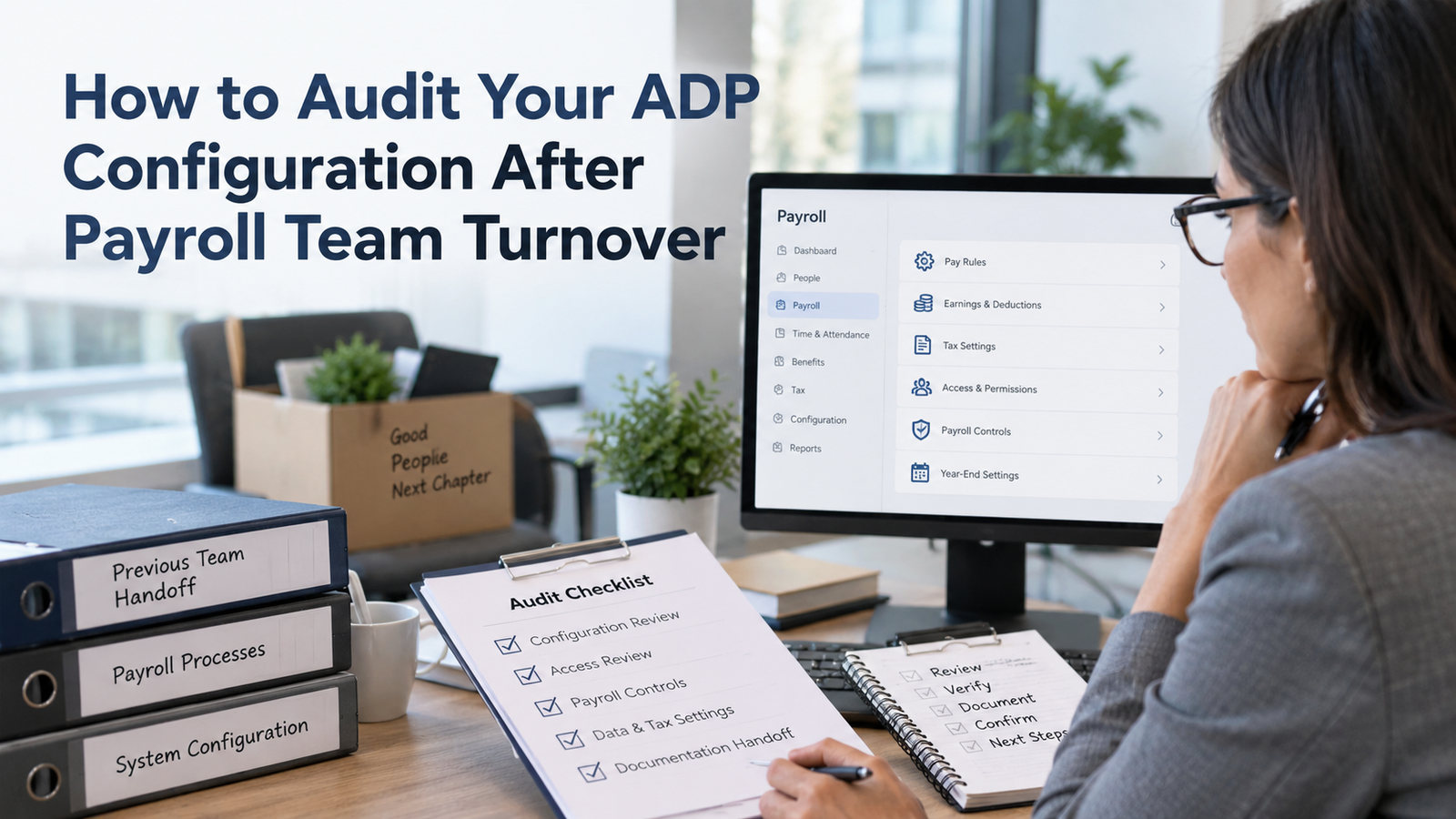
Payroll team turnover creates a specific kind of risk. The payroll may still run, employees may still get paid, and no obvious error may surface for weeks. Yet key settings can be owned by a person who left, security can remain broader than intended, undocumented workarounds can keep driving results, and recurring tasks can depend on knowledge that never made it into a procedure. That is why an ADP configuration audit after a payroll departure should start before the next exception exposes a hidden dependency.
The goal is to prove that the system still reflects current policy, current ownership, and current payroll obligations. A useful ADP Workforce Now audit should trace how pay is calculated, who can change the setup, how data enters and leaves the system, and whether payroll results still reconcile to tax filings and accounting records. It should also identify which settings are correct only because one experienced person knew how to work around them.
This guide treats payroll team turnover as an operational event that deserves a controlled review. It explains how to scope the work, test the highest-risk areas first, document evidence, and decide what must be fixed before the next live payroll. The process is designed for teams that inherited an ADP environment and need a defensible way to understand what they now own.
TL;DR
Run the ADP configuration audit in a controlled order. Start with access, ownership, company setup, pay rules, taxes, employee data, integrations, reports, and reconciliation. Preserve evidence before changing anything so you can tell the difference between an old configuration choice and a new correction. Treat unexplained manual steps as audit findings because they often point to missing setup, unclear policy, or knowledge that left with the prior payroll owner.
Use 5 checks to frame the first pass:
· Access: identify who can change payroll setup or sensitive employee data.
· Pay logic: trace the settings that drive gross-to-net results.
· Data flow: map external files and integrations that feed or receive payroll data.
· Reconciliation: prove that payroll output ties to tax and accounting records.
· Ownership: find recurring work that still depends on individual memory.
If any of those checks produces an unclear answer, the system is carrying operational risk even when recent payrolls look correct.
The safest sequence is to remove stale access first, then compare configuration to written policy and recent payroll evidence. Follow that with a test payroll or parallel calculation for representative employees. Close the review by assigning an owner to every critical configuration area and documenting how future changes will be approved, tested, and recorded.
Why Turnover Changes the Risk in an ADP Environment
Payroll knowledge often lives partly in the system and partly in the people running it. A departing specialist may know why one earnings code has an unusual tax treatment, why a deduction must be entered before a certain cutoff, or why a report is exported and adjusted before finance uses it. Payroll team turnover breaks that chain of context. The system can keep producing results while the new team no longer knows which parts are standard setup and which parts depend on inherited habits.
That makes an ADP Workforce Now audit different from a routine payroll check. A routine review asks whether the current payroll is accurate. A turnover-driven review asks whether the team can explain, reproduce, and maintain the settings that produced that payroll. IgniteHCM has described this broader form of drift in its ADP configuration cleanup guide, where outdated codes, old workflows, stale access, and duplicate reports can accumulate over time. Turnover makes those issues harder to detect because the person who remembers the history may be gone.
The risk is highest when one person served as both system expert and process owner. If that person also handled support cases, year-end adjustments, special payrolls, and access requests, their departure can leave several hidden single points of failure. An ADP configuration audit should therefore test operational continuity as well as system settings.
Define the Audit Scope Before You Change Anything
Start by freezing the scope. List the company codes, pay groups, states, legal entities, payroll schedules, integrations, and ADP modules that the departed team member touched. Then identify the period you will use for evidence, such as the last 3 completed payrolls plus the most recent quarter-end or year-end cycle. This prevents the payroll configuration review from turning into an open-ended cleanup project.
Build an evidence file before edits begin. Save payroll registers, change reports, tax reports, general ledger outputs, deduction listings, earnings-code listings, user access exports, integration schedules, and any run books left by the prior team. ADP notes that Workforce Now administrators use company-level support and administrator access to manage their environment, and the current ADP Workforce Now administrator support page is a useful reference point for confirming who now holds administrator responsibility. Keep a record of every source you relied on during the audit.
Define materiality in operational terms. A finding is high priority if it can change employee net pay, tax reporting, bank movement, access to sensitive data, or the ability to complete payroll on time. A finding can be lower priority if it creates clutter without changing results, such as an unused report or an old inactive code. This keeps the ADP Workforce Now audit focused on payroll continuity first.
Build a before-state record
Before the first correction, capture what the environment looks like today. Save dated exports or screenshots of settings you expect to change, record the related company code or pay group, and note the business reason given for the existing setup. This before-state record keeps the ADP configuration audit from becoming a series of edits with no traceable starting point. It also gives the team a reference if a change produces an unexpected result during testing or a later payroll cycle.
Keep an evidence register beside the findings list. Each finding should point to the source used to judge it, such as a written policy, an approved employee change, a tax notice, a benefit plan document, a general ledger mapping, or a prior payroll result. Record who confirmed the source and when. If no reliable source exists, label the item unresolved instead of guessing. An inherited setting can look unusual and still be correct for a business reason the new team hasn’t found yet.
The baseline should also capture recurring manual work. Note every spreadsheet adjustment, file rename, report filter change, off-system approval, or hand-entered correction that happens between source data and final payroll. Manual work can be valid. It still needs an owner and a reason. When a step exists only because the former processor remembered to do it, the team has found a continuity risk that belongs in the audit even if the underlying ADP setting is technically correct.
Lock Down Access and Rebuild Security Ownership
Access should be the first live control you examine after payroll team turnover. Confirm that departed employees can no longer enter the environment, that shared credentials aren’t being used, and that administrator rights belong to named people with current job responsibilities. Then review ADP security roles for payroll, HR, time, benefits, and reporting access. Look for permissions that were added for a temporary project and never removed.
A practical ADP security roles review should compare each user to the work they currently perform. Someone who only reviews payroll results may not need rights to edit company setup. A backup payroll processor may need broader rights during an emergency. That access should still have a named owner and a documented reason. IgniteHCM’s guide to ADP security roles describes how payroll access can expand quietly as people change jobs or inherit extra permissions. That is exactly the pattern a turnover audit should look for.
Document who now owns security administration and who approves future access changes. The ADP configuration audit should also capture access to connected services such as banking files, tax portals, benefit feeds, accounting exports, and any secure file transfer locations used by payroll. Removing one ADP login doesn’t remove the risk if the former employee still owns a separate credential used in the payroll chain.
Reconcile Company, Pay Group, and Calendar Settings
Company-level setup is easy to ignore because it changes less often than employee data. It’s also where a small inherited error can affect every payroll. Review legal names, tax identifiers, work locations, pay frequencies, pay-group assignments, payroll calendars, period-end dates, check dates, and quarter-close dates. Compare each setting to current company records rather than to a spreadsheet inherited from the former team.
Pay calendars deserve special attention in a payroll configuration review because teams often copy them forward from prior years. ADP’s payroll year-end checklist tells employers to verify new-year pay dates, period-ending dates, quarter closing dates, management reports, and key employer data. Those same checks are useful after turnover because they expose settings that may have been maintained by habit instead of documented ownership. Review upcoming holidays and special payroll dates while the calendar is open.
The ADP Workforce Now audit should also check inactive company codes and pay groups. Confirm they’re truly inactive and don’t still receive imported hours, scheduled reports, or integration traffic. If a code exists only because the previous processor knew when to use it, document that business rule or retire the dependency before another cycle begins.
Review Earnings, Deductions, Taxes, and Garnishments
Gross-to-net configuration carries the highest direct pay risk. Review every active earnings and deduction code that appeared in recent payrolls, then sample inactive codes that were used during the last year. For each item, confirm the description, eligibility, calculation method, tax treatment, effective dates, limits, arrears behavior, and general ledger mapping where applicable. The ADP configuration audit should flag any code whose purpose can’t be explained from policy or payroll records.
Tax setup needs evidence from current rules, not memory. The IRS 2026 Employer’s Tax Guide explains employer responsibilities for withholding, depositing, reporting, and paying federal employment taxes. Use that source as a federal reference while checking whether the payroll configuration review reflects the employer’s actual filing and deposit obligations. State and local tax settings should be checked against the relevant jurisdiction as well.
Review garnishments and other ordered deductions with the same discipline. Confirm active orders, limits, priorities, remittance details, and termination dates against the source documents available to the employer. Avoid changing a withholding setup simply because the logic looks unusual. First establish what the order, benefit plan, or policy requires. An ADP Workforce Now audit should separate undocumented configuration from incorrect configuration because the correction path is different.
If the team needs a broader checklist, IgniteHCM’s payroll compliance audit overview includes pay rates, overtime, tax withholding, deductions, time categories, payroll-to-GL reconciliation, and payroll tax reports. Use such categories as prompts, then verify each finding against the employer’s own records.
Check Time, Pay Rules, Accruals, and Approval Workflows
Payroll errors can begin before payroll data reaches the pay calculation. Review time rules, overtime handling, shift or premium rules, rounding, meal-related settings where applicable, accrual plans, holiday rules, and approval routing. Compare system behavior to current policy and to a sample of recent employee records. The purpose of this ADP configuration audit step is to trace how time becomes payable earnings.
Pay special attention to approvals that point to departed employees or old organizational roles. A workflow can appear healthy until an exception routes to a person who no longer works there. ADP security roles also matter here because approval authority and edit authority should reflect current responsibilities. If the new payroll team is bypassing a workflow because it no longer routes correctly, record the bypass as a finding rather than allowing it to become the new normal.
Accruals need a separate test when policy includes caps, carryover, waiting periods, anniversary rules, or different plans by employee group. A payroll configuration review should compare a few representative employees to manual calculations from the written policy. Don’t assume a displayed balance proves the rule is correct. The underlying setup may still fail at a year-end reset, status change, or threshold that recent employees haven’t yet reached.
Validate Employee Data and High-Risk Payment Changes
Employee master data should be tested through exceptions, not by reading every record. Pull reports for recent hires, terminations, transfers, pay-rate changes, direct-deposit changes, tax-election changes, benefit deductions, and retroactive adjustments. Sample items from each group and trace them back to approved source documentation. This makes the ADP Workforce Now audit faster while still testing the points where errors and unauthorized changes are most likely to surface.
Use payroll team turnover as a reason to review who can request and who can enter high-risk changes. Direct deposit is the obvious example because it affects where payroll funds go. Pay-rate changes, one-time earnings, manual checks, and tax overrides deserve the same control mindset. Separate request, approval, and entry where staffing allows, or add a documented second review when the team is small.
Record retention also matters because the new team needs enough evidence to explain prior payroll decisions. The IRS says employers should keep employment tax records for at least 4 years and lists items such as wage payments, employee identifying information, withholding certificates, deposit records, and filed returns. Your payroll configuration review should confirm that these records remain accessible after staff departures and account changes.
Reconcile Payroll Results to Tax Filings and the General Ledger
A system can be internally consistent and still be wrong. Reconciliation tests whether payroll results agree with external records. Start with payroll register totals, cash funding, tax liabilities, benefit or deduction remittances, and the general ledger. Then compare quarter-to-date and year-to-date wages and taxes to filed or prepared tax returns. The ADP configuration audit should explain every material difference rather than carrying unexplained variances forward.
For federal payroll taxes, Form 941 is a key checkpoint because employers use it to report federal income tax withholding and the employer and employee shares of Social Security and Medicare taxes. The IRS Form 941 reference page also explains when Schedule B applies to semiweekly depositors. A payroll configuration review should confirm that wage and tax totals coming from payroll support the amounts reported on the return, with documented reconciling items where timing or adjustments create differences.
Reconcile the general ledger by pay period and by account. Look for manual journal entries that repeatedly correct payroll output, unexplained suspense balances, or accounts that require spreadsheet edits before posting. IgniteHCM’s ADP payroll audit report guide describes using Workforce Now reports to gather payroll detail for audit requests. The same reporting discipline helps the new team prove that payroll output reaches finance correctly.
Inspect Integrations, Imports, Exports, and Scheduled Jobs
Turnover frequently exposes automation that nobody formally owned. List every file import, outbound feed, API connection, scheduled export, secure file transfer, banking file, time-system connection, benefits feed, and general ledger interface that touches payroll. For each one, record the source, destination, frequency, file owner, failure alert, and recovery step. This turns a hidden dependency into an operating asset the current team can manage.
The ADP Workforce Now audit should compare recent successful runs to the schedule you believe is active. Look for jobs that still run under a former employee’s name, files stored in personal folders, and manual steps that happen between export and upload. Those steps often explain why a technically successful integration still produces payroll corrections. A payroll configuration review should capture the full path from source data to payroll result, including any spreadsheet edits in between.
If the company already uses outside backup support, confirm who can act when an integration fails close to payroll cutoff. IgniteHCM’s AHIP case study describes a continuity approach built around observing payroll, documenting procedures, and setting emergency backup protocols after personnel changes. The useful lesson is ownership: every recurring interface needs a person who knows what normal looks like and what to do when it doesn’t happen.
Review Reports, Controls, Documentation, and Ownership
Reports often become institutional memory. The former payroll owner may have known which report was authoritative, which one needed a filter change, and which export finance expected. Review scheduled reports, custom reports, shared folders, naming conventions, saved filters, and report recipients. Remove duplicate versions only after confirming that nobody depends on them. The ADP configuration audit should identify one source for each recurring control report.
Documentation should explain decisions, not merely list clicks. A good payroll run book states what the step is for, who owns it, when it happens, what evidence proves completion, and what exception needs escalation. That makes the document useful when another person covers payroll. Payroll team turnover should trigger updates to the run book, security owner list, support contacts, banking contacts, tax-account access, and the calendar of recurring deadlines.
IgniteHCM’s Emmanuel College case study describes a payroll specialist departure that required interim payroll support with little time for handoff. That is a useful reminder that continuity depends on documented process and accessible records. A configuration review should therefore score missing documentation as an operational control gap even when the configuration itself is correct.
Test the Configuration Before the Next Live Payroll
Don’t close the review with screenshots and settings alone. Run a controlled test using representative employee scenarios. Include an hourly employee with overtime exposure, a salaried employee with deductions, an employee in a second tax jurisdiction, and at least one case with a recent change such as a raise, new deduction, or direct-deposit update. Compare expected gross-to-net results to the system output and investigate any difference.
A useful ADP Workforce Now audit also tests process timing. Confirm that files arrive before cutoff, approvals complete on time, exception reports are reviewed, payroll funding matches the approved register, and downstream files reach their destination. Keep the test evidence with the audit file so the next payroll owner can see what was checked and what passed.
Where possible, have someone other than the main processor review the test results. This provides a fresh reading of the setup and reduces the chance that the person who made a change also accepts their own assumption without challenge. ADP security roles should support that division of work without giving every reviewer full configuration access.
Turn Findings Into a 30-Day Remediation Plan
A long issue list isn’t a control. Convert findings into a short plan with an owner, due date, payroll impact, evidence needed for closure, and testing requirement. Fix access and pay-affecting errors before cosmetic cleanup. Defer low-risk clutter if changing it near payroll cutoff would create more risk than leaving it alone for one cycle.
| Finding Type | Example | Priority | Closure Evidence |
| Access | Former payroll user still active | Immediate | Access export after removal |
| Pay calculation | Earnings code has unsupported tax treatment | High | Corrected setup plus test payroll |
| Reconciliation | GL account requires recurring manual correction | High | Clean payroll-to-GL tie-out |
| Documentation | Special payroll process exists only in email | Medium | Approved run-book procedure |
| Cleanup | Duplicate inactive report | Low | Owner confirms retirement |
Use change control for every remediation. Record the old setting, approved reason, new setting, test result, and effective date. That audit trail prevents the new team from creating a second layer of undocumented configuration while fixing the first. An ADP configuration audit is complete only when high-risk findings are either corrected and tested or formally accepted with a named owner and a clear reason.
The payroll setup review should also set the next review date. Teams that recently experienced payroll team turnover may benefit from another focused check after several live cycles, once the new owners have seen quarter-end, special payrolls, or year-end tasks. IgniteHCM’s ongoing ADP support model is one example of treating staffing changes and system upkeep as recurring operational work. The broader point is to make ownership routine rather than waiting for another departure.
Conclusion
A payroll staffing change should trigger a structured review of the system that the new team inherits. The strongest ADP configuration audit starts with access, preserves evidence, checks the setup that drives pay, traces inputs and outputs, reconciles payroll to tax and accounting records, and finishes with tested corrections. That sequence reduces the chance of changing something before you understand why it exists.
A solid system review also rebuilds operational memory. It assigns owners, documents exceptions, identifies manual dependencies, and proves that another trained person can run the process from the records available. When the system check reaches that point, the team has more than a cleaned-up system. It has a payroll process that can survive the next staffing change without relying on one person’s memory.
FAQs
What should be audited first after a payroll employee leaves?
Start with access and ownership. Remove or disable the former employee’s access where appropriate, confirm who now holds administrator and payroll rights, and identify any shared credentials or external systems they controlled. Then begin the ADP configuration audit with company setup and the settings that can change pay, taxes, bank movement, or payroll timing. This order reduces security exposure before the team starts making configuration changes.
How soon should an ADP configuration audit start after a payroll departure?
Start as soon as the departure is known or discovered, with access controls handled immediately. The broader review should begin before the next payroll cutoff if practical. Staff turnover can leave open permissions, undocumented recurring tasks, and configuration choices that no current employee can explain. Early review gives the new owner time to gather evidence before a live payroll forces rushed decisions.
What is the difference between an ADP platform audit and a normal payroll review?
A normal payroll review checks whether one payroll cycle is accurate. An ADP review goes deeper into the settings, access, workflows, integrations, reports, and ownership that produced the result. After turnover, the audit also asks whether the current team can explain and maintain those settings. A correct recent payroll doesn’t prove that the inherited process is understood or repeatable.
Which ADP security roles deserve the closest review?
Focus on roles that can change payroll setup, employee pay data, direct deposit, taxes, company settings, security, or approval workflows. ADP security roles should match current job duties and shouldn’t remain broad only because a user once needed temporary access. Review backup processors and outside support users too. Document who approves future role changes so permission growth doesn’t begin again after the audit.
Should inactive earnings and deduction codes be included in the audit?
Yes, if they were used recently or could still affect imports, reports, historical adjustments, or future payrolls. A setup review should first focus on active codes, then sample inactive items from the last year or other relevant period. Don’t delete or repurpose old codes until you understand their history because reporting, corrections, or integrations may still depend on them.
How do you test payroll configuration without risking a live payroll?
Use available test or preview functions and compare representative employee scenarios to manual expectations. Include employees with different pay types, tax locations, deductions, and recent changes. Keep evidence of the expected result and the system result. The ADP configuration audit should require investigation of unexplained differences before any fix is moved into the live process.
What payroll records should remain available after staff turnover?
Keep the records needed to support payroll, tax filings, wage calculations, approvals, and corrections for the required retention periods. The U.S. Department of Labor says employers covered by the FLSA generally must keep payroll records for at least 3 years, while records used to compute wages generally have a 2-year retention period under the cited federal rules. Other federal, state, contractual, or plan requirements may require longer retention.
How should Form 941 be used in a configuration review?
Use filed or prepared Forms 941 as an external reconciliation point. Compare quarterly wages and federal tax amounts from payroll to the return, then document timing differences, adjustments, or corrections. A payroll setup review should also confirm that the deposit schedule and supporting records fit the employer’s current facts. Unexplained gaps between payroll totals and tax reporting should remain open findings until resolved.
Should the general ledger be part of an ADP configuration check?
Yes. Payroll can calculate correctly while the accounting output is mapped incorrectly. A system review should compare payroll register totals to the general ledger by pay period and by account. Recurring manual journal entries, suspense balances, or spreadsheet edits are signals that the interface or mapping deserves review. Finance should be able to explain every material reconciling item.
How do you audit payroll integrations after a key employee leaves?
Create an inventory of every inbound and outbound payroll connection, then record its owner, schedule, source, destination, alert method, and recovery process. Test whether files have run successfully since the departure. The ADP configuration audit should also identify personal folders, individual credentials, or undocumented spreadsheet steps that can break the flow even when the formal integration remains active.
What should a payroll run book contain after turnover?
The run book should state the purpose of each recurring step, who owns it, when it must happen, what evidence proves completion, and how exceptions are handled. Include payroll calendars, support contacts, recurring reports, integration checks, approval points, tax and funding tasks, and special payroll procedures. A team transition is a good test of whether the document can guide a trained backup without relying on oral history.
How often should ADP security roles be reviewed after the initial cleanup?
Review access roles whenever someone joins, leaves, changes jobs, or takes on temporary payroll duties. Also schedule a periodic access review based on the employer’s control environment. The important point is ownership. Someone should be responsible for comparing current access to current job duties and documenting approvals so stale permissions don’t accumulate between staffing changes.
Can a payroll team audit the configuration without outside help?
Yes, if the team understands the system, has access to reliable source records, and can independently test the findings. Outside support can be useful when the team inherited undocumented setup, lacks a second experienced reviewer, or must keep running payroll while the review is underway. The system check still needs internal owners because the employer remains responsible for its policies, approvals, records, and payroll decisions.
What is the biggest sign that turnover exposed a configuration problem?
A strong warning sign is a recurring task that nobody can explain without contacting the former payroll owner. Other signals include manual corrections that appear every cycle, reports with unclear ownership, failed approvals, stale access, unexplained tax differences, and integrations that depend on a personal account. A platform audit should convert each of those signals into a documented test rather than relying on assumptions.
How should year-end planning change after a payroll staffing change?
Move year-end validation earlier and assign named owners to every recurring task. Confirm employee and employer data, special wage items, tax settings, payroll calendars, W-2 preparation, and reconciliation responsibilities well before the last payroll. The Social Security Administration’s employer W-2 filing resources provide current filing information and tools. The new team should also document who will handle corrections and agency notices after filing.