

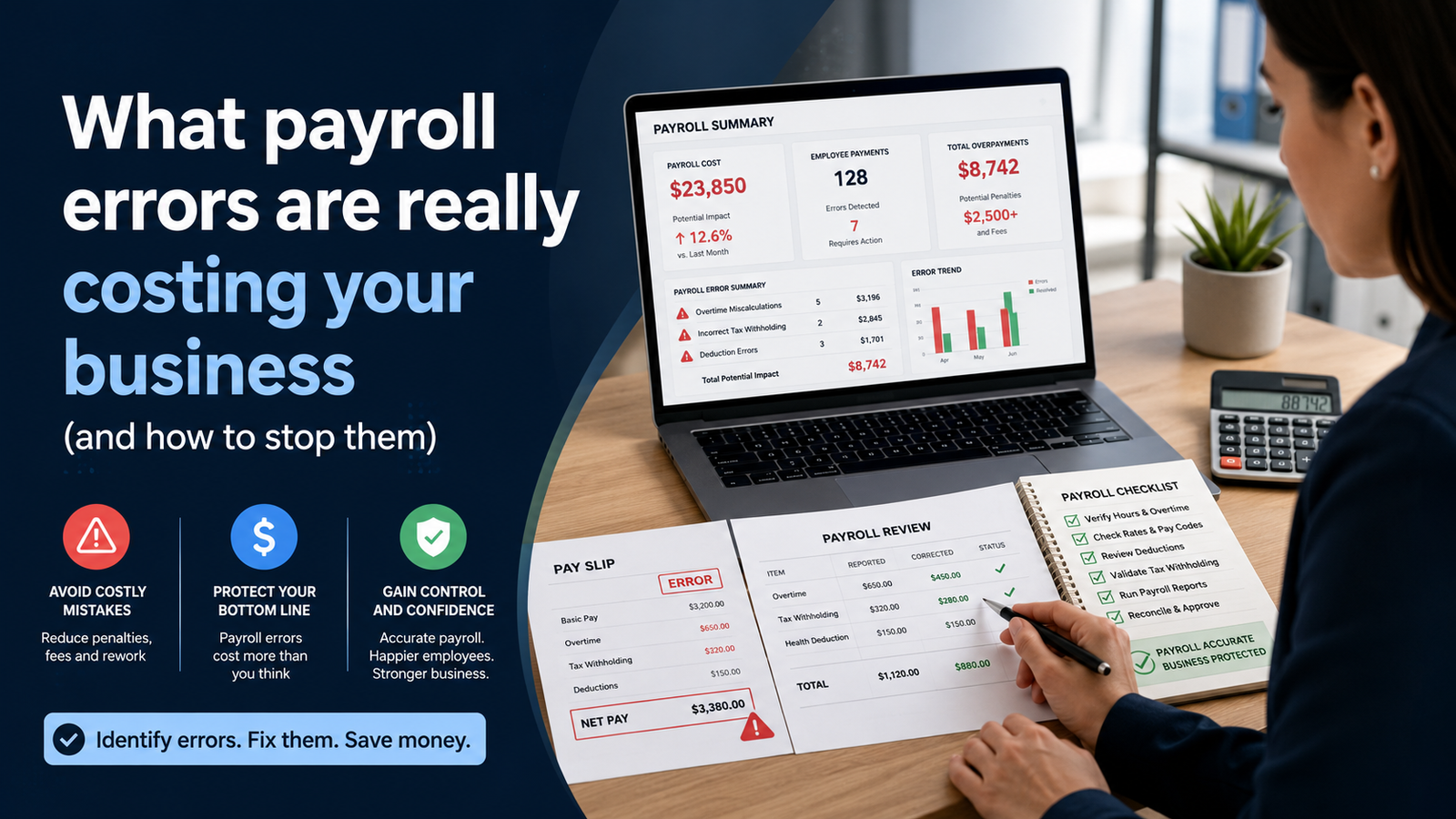
Payroll errors create a measurable cost long before an employer receives a tax notice. A 2022 EY payroll survey found that 1 in 5 U.S. payrolls contained errors. The survey covered 508 people who worked with payroll at U.S.-headquartered companies with 250 to 10,000 employees. Respondents reported an average correction cost of $291 for each error, with some errors costing as much as $705. Those figures cover the work required to find and correct a mistake. They don’t include every possible tax charge, wage claim, banking cost, or effect on an employee.
A payroll error can spread beyond the correction itself. An incorrect run can delay wages, distort the general ledger, create a tax mismatch, or force an off-cycle payment. The same mistake may also affect a benefit deduction, a garnishment balance, or an employee’s year-to-date totals. Each connected record must be corrected in the right order. A quick change to net pay can leave another record wrong if the team doesn’t trace the transaction through payroll, tax, accounting, and year-end reporting.
Payroll automation can remove repeated entry and apply written rules consistently. Its results still depend on accurate employee records, correct tax settings, tested integrations, and assigned reviewers. ADP Payroll Processing can support payroll execution and continuity. The employer must define its rules and confirm that filings and deposits are complete. A sound payroll process combines configured software with documented controls, secure access, trained users, and a tested backup plan.
TL;DR
Manual work creates risk when the same hours, deductions, or employee changes are entered in several places. Each handoff gives the team another chance to use an old file, miss an approval, or type a value incorrectly. The highest-cost problems often begin before payroll calculates pay. A missed punch, late status change, incorrect pay code, or outdated work location can pass through the system until an employee or agency finds it.
The correction starts with a process audit. The audit records every input, owner, deadline, review, and output in 1 payroll cycle. That record becomes the basis for platform selection, data cleanup, integration design, access controls, training, and later measurement. Software selection comes after the team understands which problems the new system must solve.
Tax automation needs separate attention. Federal deposit schedules depend on the employer’s lookback-period liability, and the $100,000 next-day rule can change a deposit deadline. State and local obligations depend on where work is performed, where the employee lives, and the rules of each jurisdiction. A payroll provider can process instructions. The employer remains responsible for federal employment tax deposits and filings.
Continuity planning protects the pay date when the usual process breaks. The plan should name an authorized backup, document the payroll calendar, preserve secure access, and state how the team will handle an outage or a late discovery. The backup should test the process before an emergency. That preparation keeps urgent decisions inside an approved control structure.
Why Manual Payroll Fails at Scale
Manual payroll becomes harder as the number of changes grows. Employee count explains only part of the workload. Multiple work locations, different pay groups, shift premiums, retroactive changes, benefit plans, garnishments, and local taxes all add decision points. A small employer with workers in several jurisdictions may face more payroll variation than a larger employer with 1 location and 1 pay rule.
The EY survey recorded 15 corrections in an average payroll period. For a 1,000-employee organization, the surveyed error categories produced the following annual counts and correction costs. The 1st row combines time, attendance, and expense errors, so it shouldn’t be presented as a time-entry measure alone.
| Failure Point | Errors per 1,000 Employees per Year | Annual Correction Cost per 1,000 Employees |
| Time attendance and expense records | 1,139 | $250,000 |
| Vacation PTO and sick-time requests | 721 | $220,000 |
| Benefit records | 503 | $140,000 |
| Scheduled earnings and deductions | 410 | $135,000 |
| Form W-4 and tax-allocation changes | 229 | $135,000 |
| Direct-deposit records | 159 | $45,000 |
Source: EY payroll error survey published in 2022.
The survey also found that correcting the 5 most time-consuming error types used nearly 29 workweeks for each 1,000 employees. That estimate included missed time punches, expense errors, uniform-charge errors, unrecorded sick time, and health savings account setup errors. The figure shows why correction work can consume payroll capacity even when each incident looks small on its own.
Employee impact depends on the error and the employee’s finances. A late or short payment can lead to overdraft charges, missed bills, or an urgent request for a manual check. Older UKG research on paycheck errors found that 37% of surveyed U.S. workers had paid a bill late because of a payroll problem. The 2017 survey documents a direct household effect. Its findings don’t establish a current turnover rate.
Compliance costs require separate evidence. The IRS bases a failure-to-deposit penalty on the unpaid deposit and the number of calendar days it’s late. The current IRS failure-to-deposit penalty schedule starts at 2% for a deposit that’s 1 to 5 days late. It rises to 5% at 6 to 15 days and 10% after 15 days. A 15% rate can apply after the notice period described by the IRS. These percentages apply to the unpaid deposit, so the dollar amount varies with the liability.
Wage enforcement figures need careful context. The U.S. Department of Labor reported more than $259 million in back wages recovered for workers during fiscal year 2025. The 2025 Wage and Hour Division results cover many wage-law violations. They don’t measure payroll software errors, and they can’t support a claim that automation alone would have prevented the recoveries.
What Payroll Automation Covers
Payroll automation moves and calculates payroll information with less repeated entry. It can connect employee records, time data, pay rules, deductions, tax settings, approvals, payments, and reporting, but the exact scope depends on the licensed modules and setup.
A useful scope document identifies what the system will do in each part of the cycle:
· Approved hours move from timekeeping to payroll through a tested mapping.
· Earnings and deductions use written eligibility and calculation rules.
· Federal, state, and local tax settings reflect the employee’s recorded work facts.
· Exception reports identify unexpected changes before payroll is released.
· Employee access permits permitted updates through authenticated accounts.
· Filing records and payment confirmations remain available for review.
Automation cuts repeated handling only when mappings and rules are correct. A wrong pay-code mapping or tax location can repeat the same error across many employees, so configuration testing and exception review remain necessary.
Assign 1 approved source to each critical field, including legal name, work location, pay rate, bank instruction, benefit election, and time record. If 2 systems can edit a field, document which value wins and how rejected updates are handled.
Tax services have their own boundary. The contract should state whether the provider calculates, files, deposits, or only prepares returns. Keep filing and deposit evidence even when an outside provider submits them.
Limit self-service by risk. Employees can update permitted fields through a verified process, while pay rates, worker status, garnishments, employer tax accounts, and other high-risk fields require tighter access and an audit trail.
Audit Your Current Payroll Process
Audit 1 complete payroll cycle from the first employee change through bank funding and accounting reconciliation. Compare written procedures with actual work using interviews, system logs, approvals, notices, and recent correction records.
Record the following information for each activity:
· The input and the system that supplies it
· The person or role responsible for the task
· The cutoff time and the required approval
· Any manual entry or file conversion
· The report or confirmation produced
· The correction path when the activity fails
Map the dependencies that can stop payroll. Manager approvals, HR status changes, treasury funding, and other handoffs should show who acts, what must be complete first, and what happens if that person is unavailable.
Code each correction by cause, not only by outcome. A wrong payment may come from an old pay rate, an unapproved timecard, a mapping defect, or a late deduction file. Consistent reason codes expose repeated control failures.
Set a baseline for processing time, staff and manager effort, correction count, off-cycle payments, late deposits or filings, and employee pay cases. Define the denominator for each rate so later comparisons use the same measure.
Review the last 12 months of agency notices and employee complaints. Record the issue, amount, cause, resolution time, and repeated control failure, then classify it as process, source-data, configuration, access, or training work.
Choose a Payroll Platform
Use the audit findings to define platform requirements. Employee count matters, but so do pay groups, jurisdictions, unions, benefit rules, interfaces, reporting needs, and the staff available to operate the process.
ADP Workforce Now combines payroll with other workforce functions through packages that vary by customer. ADP says the product can flag unusual payroll changes, but the implementation team still needs to confirm licensed modules, country coverage, tax services, integrations, security roles, and support terms.
| Selection Area | Evidence to Request | Decision Question |
| Payroll scope | Product schedule and configuration list | Which pay groups and calculations are included |
| Tax service | Filing matrix and responsibility schedule | Who prepares approves funds and submits each obligation |
| Integrations | Field map and interface method | Which system owns each field and how failures are reported |
| Security | Role matrix and authentication controls | Who can view change approve and release payroll data |
| Reporting | Sample registers confirmations and audit logs | Can reviewers trace a value from source through filing |
| Support | Service hours escalation path and response terms | What help is available near a payroll cutoff |
Use scripted demonstrations for high-risk cases such as a retroactive rate change, an interstate move, a missed punch, a garnishment, a bonus, or an off-cycle correction. Require the vendor to show the source, calculation, warning, approval, and final record.
Implementation effort belongs in the selection decision. An ADP Workforce Now implementation can require client-side project management, data validation, interface work, testing, training, and ownership after launch. The contract should state who supplies and accepts each item.
Compare prices on the same scope. Include implementation, recurring fees, separate tax or interface charges, internal staff time, correction work, and exit costs so a lower subscription price doesn’t hide work that remains with the employer.
Keep service responsibilities separate from software capability. Payroll processing covers the configured calculation and execution of payroll, while outside support may cover configuration help, corrections, temporary staffing, or continuity work. The contract should state who approves changes, releases payroll, handles filings or deposits, and supports each integration.
Prepare Employee and Company Data
Start migration with a field inventory and an owner for every field. Record the approved source, format, validation rule, and effective-date behavior so accurate current values don’t create wrong historical results.
Employee records commonly require these items:
· Legal name and Social Security number used for wage reporting
· Home address and primary work location with effective dates
· Employment status and worker classification
· Pay rate pay basis pay frequency and assigned pay group
· Earnings deductions garnishments and benefit elections
· Federal state and local withholding elections where applicable
· Direct-deposit instructions verified through the approved process
· Year-to-date balances needed for a midyear conversion
The Social Security Administration’s Social Security Number Verification Service can confirm whether an employee’s name and Social Security number match wage-reporting records. It doesn’t establish work authorization or worker classification.
Worker classification must reflect the legal relationship, not a form label. Current IRS worker-classification guidance considers control, the financial relationship, benefits, duration, and the role of the services in the business.
Confirm company records as carefully as employee records, including legal entity names, employer identification numbers, state withholding and unemployment accounts, deposit schedules, banking instructions, general-ledger codes, and filing authorizations.
Restrict payroll data in storage and transfer. Use approved encrypted methods, named accounts, multifactor authentication, access logging, and masked test data where full Social Security or bank details aren’t required.
Reconcile converted taxable wages, taxes, deductions, garnishments, paid time, and year-to-date earnings to approved legacy records before the first calculation. Investigate every unexplained difference and retain the signed reconciliation.
Connect Time and Attendance
Time interfaces remove retyping but don’t correct missing punches or bad pay rules. Approved time must move in the expected units and each earning category must map to the correct payroll code.
A controlled time-to-payroll flow follows this sequence:
1. Employees record time through an approved method.
2. The time system applies schedules and written pay rules.
3. Managers resolve exceptions and approve the period.
4. The interface sends approved totals and required detail to payroll.
5. Payroll compares imported totals with time-system control totals.
Test regular and overtime hours, leave, shift premiums, work across midnight, and transfers that affect costing or tax. Include a retroactive edit after approval so the team knows whether the interface sends a delta, reopens the record, or holds the change.
Configure pay rules from written policy and applicable law. Rounding, meal periods, overtime, call-back pay, and paid-time-off treatment can vary, so document the authority and effective date for each rule.
Give exception reports owners and deadlines. Missing or duplicate punches, unusual shifts, unapproved cards, and unmapped codes should either block the affected record or proceed only through a documented exception path.
Common ADP time and attendance errors include missed punches, duplicate entries, pay-rule assignments, accrual settings, and incorrect mappings between time categories and pay codes.
Reconcile every interface cycle using employee counts, total hours, overtime, leave, and imported earning units. Control totals can reveal a dropped or partial transfer before individual errors reach payroll.
Configure Payroll Taxes and Filing Rules
Tax setup begins with the employer’s legal entities and the employee’s work and residence facts. Keep identification numbers, state and local accounts, tax elections, wage bases, deposit schedules, and location effective dates current.
Keep employee withholding, employer taxes, unemployment taxes, and nonpayroll reporting in the correct accounts. State rules differ, so configuration should follow each active jurisdiction rather than one default assumption.
The 2026 IRS Publication 15 explains federal deposit rules. Form 941 deposit schedules depend on lookback-period liability, while the $100,000 next-day rule can accelerate a deadline when accumulated liability reaches the threshold.
| Tax Area | Configuration Record | Required Review |
| Federal withholding | Current Form W-4 and withholding method | Confirm effective date and employee election |
| Social Security and Medicare | Taxable wages rates and wage-base treatment | Reconcile employee and employer amounts |
| Federal deposits | Lookback liability and deposit schedule | Confirm schedule before each calendar year |
| State and local tax | Work and residence facts plus account numbers | Review each active jurisdiction |
| Unemployment tax | Federal and state wage bases and rates | Confirm employer account and rate notices |
| Year-end reporting | Employee names addresses and wage boxes | Reconcile quarterly returns to annual forms |
Deposit dates and filing dates are separate. The IRS employment tax due dates page lists standard Form 941 and annual filing dates. Add state and local returns to the same filing calendar.
Test representative cases, including a worker near the Social Security wage base, supplemental pay, pretax benefits, remote work, Additional Medicare Tax, and local taxes. Compare results with current official instructions or an approved calculation.
Retain filed returns, acceptance records, deposit confirmations, and reconciliations. Review notices promptly because they can reflect a missing payment, filing error, account mismatch, or agency posting delay.
Correct a previously filed Form 941 with Form 941-X for the affected quarter when required. A payroll adjustment inside the platform doesn’t amend the filed return, so confirm that both the payroll record and the agency record are corrected.
For 2026 changes, track final requirements before changing payroll rules. The Department of Labor has published an independent-contractor proposal and a joint-employer proposal; proposed rules aren’t final. Publication 15 also includes reporting changes tied to qualified tips and overtime compensation, so test affected reports before release.
Build Approval and Access Controls
Payroll approval should focus on changes and exceptions. Reviewers need the supporting register or exception report and enough time to investigate unusual results before release.
| Control Point | Primary Reviewer | Evidence Retained | Main Risk Addressed |
| Time approval | Authorized manager | Approved timecards and exception history | Unapproved or incomplete hours |
| Payroll variance review | Payroll specialist | Current and prior registers with explanations | Unexpected pay deductions or net changes |
| Tax and funding review | Payroll or finance reviewer | Liability report funding record and deposit schedule | Wrong account amount or payment date |
| Final release | Authorized approver | Timestamped approval and release confirmation | Unauthorized payroll submission |
Separate entry and approval for high-risk changes when staffing permits. Pay rates, new bank instructions, employee creation, and final release deserve a second reviewer or owner-level approval.
Match system roles to job duties. Managers may need team time records without payroll details, payroll staff may need pay data without admin rights, and administrators need not have release authority. Review privileged access on a fixed schedule.
Treat bank changes as high risk. Use the platform’s authenticated process, notify the employee through an established channel, and don’t accept an email request as the only evidence.
Set variance thresholds for unusual net-pay changes, duplicate bank accounts, missing employees, new earning codes, or negative checks. A flag should trigger review, not automatically label the record wrong.
Keep an audit record of the prior value, new value, effective date, approver, and affected payrolls. The DOL payroll recordkeeping requirements describe federal records that covered employers must retain; other rules may require more or longer retention.
Document Payroll Continuity Procedures
Payroll continuity planning defines how the organization will protect a pay date when staff, systems, locations, or funding paths are unavailable. Approved alternatives should preserve named access, review, funding, and the audit record instead of forcing improvised work under deadline pressure.
The plan should document these elements:
· A primary owner and at least 1 authorized backup for each payroll group
· Pay dates processing cutoffs funding deadlines and tax deposit dates
· Secure access through named accounts and approved recovery methods
· Current instructions for regular off-cycle and final-pay processing
· Escalation contacts for the payroll platform bank tax service and internal leaders
· A communication process for affected employees and decision owners
Backups need named accounts, the correct role, current multifactor authentication, and access to approved source files. Shared credentials weaken the audit trail. Test emergency access without storing sensitive values in the continuity document.
The payroll calendar should show the last safe time for time close, manager approval, payroll preview, release, bank funding, and tax deposits, including weekend and holiday effects.
Keep current field maps, interface instructions, control totals, and approved fallback formats. If an outage delays an input, document which data can wait, which payments need an alternate method, and how later restoration will prevent duplicates.
Use the same continuity rules for common emergency cases. Scope the incident, preserve approvals, record any temporary access, and reconcile the result after normal processing resumes.
| Scenario | Immediate scope check | First controlled action | Required closeout |
| Key staff unavailable | Which payroll groups and approvals are affected | Activate the named backup through an individual account | Remove temporary access and record any missed handoff |
| Platform outage | Which cutoff or payment is at risk | Confirm the outage and use only an approved alternate method | Post any manual payment, prevent duplicates, and reconcile |
| Compressed business change | Which legal entities, balances, and pay rules must be live | Limit scope to the minimum safe payroll and assign temporary owners | Finish deferred integrations and retire temporary steps |
| Error found after close | Which employees, taxes, benefits, and deadlines are affected | Use the approved off-cycle or correction process | Update year-to-date records, funding, tax, and accounting entries |
Test the plan at least annually and after major system or staffing changes. A supervised preview or parallel exercise should expose gaps in access, instructions, approvals, timing, or support before a real deadline depends on them.
Train Users and Run Parallel Payrolls
Train each role for the decisions it owns. Employees need permitted change steps, managers need time-exception and cutoff rules, payroll staff need configuration and correction procedures, and approvers need to understand release evidence.
Use the employer’s own pay rules and cases. Training should show that users can handle retroactive changes, missed punches, tax variances, and other real exceptions, with completion and access records retained.
Test the full path from source record to final report. Unit tests check individual rules, end-to-end tests check connected systems, user acceptance tests confirm the assigned role can complete the work, and parallel payroll compares the new result with an approved legacy result before live funding.
Run enough parallel coverage to include material variation. Weekly, monthly, year-end, bonus, union, and seasonal rules may need different cases, so define the required scenarios rather than relying on a fixed number of cycles.
Give every difference a disposition. Fix defects in the new setup, document intentional policy changes, and don’t force the new system to match a known wrong legacy result simply to make totals agree.
Set launch criteria before cutover. Required interfaces should complete, control totals should reconcile, high-risk cases should pass, access should be correct, and unresolved defects should have an approved treatment and named owner.
Use a change freeze and final data load at cutover. Define how late changes move from the old system to the new one, retain legacy records for the required period, and give the first live cycle extra review time and an escalation path.
Measure Results After Launch
Compare post-launch results with the audit baseline. Each measure needs a clear definition, denominator, owner, and review period so published averages don’t replace the employer’s own evidence.
| Measure | Baseline | Post Launch Result | Review Method |
| Payroll processing time | Hours from approved input to release | Record by payroll group | Compare the same cycle type |
| Staff effort | Payroll and manager hours per cycle | Record actual hours | Separate routine work from correction work |
| 1st-pass accuracy | Runs released without a material correction | Calculate each quarter | Define material correction in advance |
| Correction rate | Corrections per 1,000 payments | Calculate each cycle | Use consistent reason codes |
| Off-cycle payments | Count and amount by cause | Review monthly | Separate planned payments from errors |
| Deposit timeliness | Deposits made by required date | Confirm every period | Retain payment confirmation |
| Filing acceptance | Returns accepted without correction | Review by filing period | Track rejection and amendment reasons |
| Employee pay cases | Cases by issue and resolution time | Review monthly | Exclude unrelated HR requests |
Use comparable periods when reading the table. Year-end work, seasonal headcount, or unusual bonus cycles can change effort and error counts, so report raw counts with rates when volume changes materially.
Define correction rate and first-pass accuracy before reporting them. State whether same-day corrections count and separate planned off-cycle payments from error-driven payments.
Calculate correction cost from actual payroll, manager, HR, finance, and support time plus bank fees, courier costs, vendor charges, or penalties. Track employee impact separately because a short payment and an internal coding correction can consume similar staff time but have different consequences.
Review results by cause. If missed punches fall while tax notices rise, one control improved while another needs attention. Keep enough detail to show which source, rule, or handoff changed the result.
Review after the first cycle, first quarter, and year-end. Use each review to update procedures, training, access, tests, and approved configuration changes.
Frequently Asked Questions
What’s the difference between payroll automation and payroll outsourcing?
Payroll automation uses configured software to move information and calculate payroll with less repeated entry. Payroll outsourcing assigns defined operational or tax tasks to an outside provider under a service agreement. An employer can use an automated platform internally, outsource the full cycle, or assign selected work to a provider. Federal tax responsibility can remain with the employer even when an outside provider makes deposits and files returns on its behalf.
How long does it take to implement an automated payroll system?
There’s no fixed implementation period for every employer. Timing depends on the modules, employee count, pay groups, jurisdictions, data condition, interfaces, testing coverage, and staff availability. Ignite HCM states that software implementations can run 8 to 16 weeks. A narrow payroll setup may differ from a multi-entity workforce project. The launch date should follow defined acceptance criteria and completed reconciliations.
What happens if the payroll system goes down on payday?
The continuity plan should identify the provider escalation path and the last cutoff that can still protect the pay date. The team should confirm the outage, preserve approved input files, and determine whether the provider has an authorized alternate method. Any manual payment must be recorded in payroll with its taxes and deductions so later reports remain correct. Restoration checks should prevent a duplicate payment or deposit.
How does payroll automation handle multistate employees?
The system applies the rules configured for the employee’s work and residence facts. The employer must identify every jurisdiction where the employee performs services and determine the related registration, withholding, unemployment, wage, and reporting duties. Reciprocity agreements or state-specific sourcing rules can change the calculation. Address and work-location changes need effective dates and review before the next payroll closes.
What is ADP Payroll Support and why do organizations use it?
ADP Payroll Support can refer to assistance from ADP or an independent firm that works with ADP products. The service may cover configuration, payroll operation, corrections, temporary staffing, or continuity work, depending on the agreement. Organizations use support when assigned staff lack capacity or when a system change needs experienced help. The contract should name the provider, scope, access, approval authority, service hours, and records delivered.
What can trigger an IRS payroll examination and how can automation affect the risk?
The IRS doesn’t publish a complete list of payroll examination triggers. Reporting mismatches, unresolved notices, related examinations, referrals, and selection programs may lead to review. The facts vary by case. A configured payroll system can reduce inconsistent entry and retain a clearer transaction history. It can’t prevent an examination or correct inaccurate source information on its own.
What is emergency payroll processing and when is it needed?
Emergency payroll processing is an authorized temporary process used when the normal cycle can’t meet a required deadline. It may be needed after key staff unavailability, a provider outage, an urgent business conversion, or a material error found after close. The response should preserve approval, tax, funding, and reconciliation records. The continuity plan should define who can activate the process and when normal operations resume.
How do you know if your payroll process is ready for automation?
Readiness begins with documented pay rules and reliable source records. The employer should know which system owns each field, who approves each change, how exceptions are handled, and which totals prove a transfer completed. Tax accounts and employee balances should reconcile before conversion. Unresolved rules or inconsistent records should be corrected during implementation and tested before launch.
Can small businesses benefit from payroll automation?
Small employers can benefit when repeated entry, tax deadlines, corrections, or limited staffing consume a meaningful share of the payroll cycle. The financial case depends on payroll frequency, error volume, staff time, service fees, and the cost of current systems. IRS deposit penalty percentages apply according to the unpaid tax and lateness, regardless of the employer’s headcount. The dollar penalty changes with the amount that wasn’t deposited.
What should a payroll contingency plan include?
The plan should name authorized owners and backups, show the payroll calendar, define secure access, list required source files, identify escalation contacts, and document approved alternate procedures. It should state who can release payroll and how funding and tax deposits are confirmed. Sensitive credentials belong in an approved access system. The employer should test the plan after major changes and record any gaps found.
What’s the cost difference between manual and automated payroll?
The difference depends on the employer’s process and service scope. Calculate manual cost from staff hours, manager review time, corrections, off-cycle work, bank charges, penalties, and connected accounting or benefit work. Compare that amount with implementation expense, subscription fees, interface charges, internal oversight, and remaining correction work. The EY average of $291 per correction can provide an external reference. The decision should use the employer’s own counts and labor rates.