

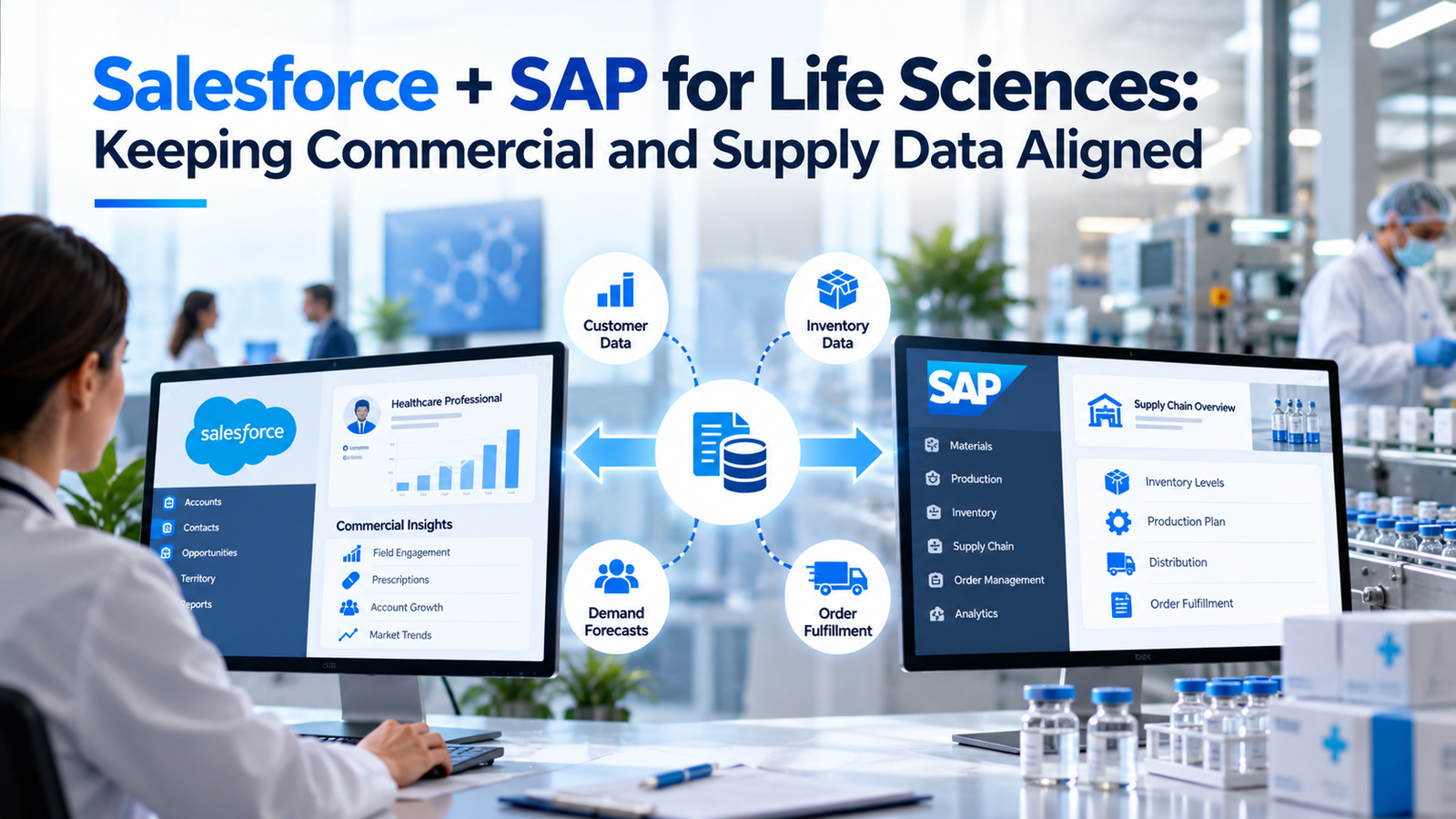
Life sciences companies run their commercial teams in Salesforce and their supply chains in SAP, and the 2 systems rarely agree on their own. A product can launch in SAP days before it appears in the rep’s catalog, while a rep promises stock the warehouse has already put on hold. Salesforce SAP integration fixes these gaps only when the data underneath is designed to match. This guide explains which data has to line up and why the stakes are higher in a regulated industry. It also shows how to build an integration that holds up through audits and platform changes. It’s written for commercial operations and supply chain leaders, along with the IT teams who connect their systems.
TL;DR
In life sciences, Salesforce usually holds commercial data such as healthcare professionals, accounts, calls, samples, and orders, while SAP holds products, batches, pricing, inventory, and serialized supply data. Salesforce SAP integration works best when you agree which system owns each record type and use shared identifiers such as GTINs and GLNs. Product and account master data cause the most trouble, followed by order and inventory flows for field teams. A practical architecture can keep serialization records in the supply chain stack while commercial systems read what they need. DSCSA doesn’t require data to be stored outside Salesforce. The CRM market is also changing. Veeva introduced Vault CRM while existing users continue moving off its Salesforce-based version, whose announced support end date is December 2029. Salesforce has launched Life Sciences Cloud for Customer Engagement, giving companies another reason to reassess integrations. Treat that rebuild as a chance to fix ownership rules and data quality checks, and to send cleaner demand signals from the field into supply planning.
What commercial and supply data each system holds
Salesforce and SAP each hold half of the life sciences story, and alignment starts with knowing which half lives where. Salesforce typically runs field sales, medical affairs, key account management, and patient services. SAP typically runs manufacturing, inventory, order fulfillment, pricing conditions, and finance.
| Data Area | Usually Owned in Salesforce | Usually Owned in SAP |
| Customers | HCPs, HCOs, affiliations, call history, consent | Sold-to and ship-to accounts, credit, payment terms |
| Products | Promotional catalog, detailing content, sample products | Material master, batches, GTINs, packaging levels |
| Orders | Order capture, quotes, rep-entered requests | Sales orders, deliveries, invoices |
| Pricing | Displayed prices for reps and quotes | Price conditions, contracts, rebates, chargebacks |
| Inventory | Read-only availability for reps | Stock, allocation, batch status, expiry |
| Supply compliance | Rarely stored | Serialization, lot data, transaction records |
The table shows a pattern. Salesforce is strongest at relationships and engagement, while SAP is strongest at physical goods and money. Problems begin when the same concept, such as a customer or a product, exists in both systems with different definitions. A Salesforce account may represent a physician, while the matching SAP customer represents the hospital that pays the invoice.
Salesforce SAP integration also has a wider scope than many teams expect. It covers master data, transactions, compliance records, and planning signals, and each needs different timing and rules. Treating it as a single interface project usually leads to a design that works for orders and fails for everything else. A better approach is to plan each flow separately, with its own owner and service level.
Most companies also run other systems in between. Specialty pharmacies, wholesalers, third-party logistics providers, and data vendors all add records. Salesforce SAP integration has to account for those sources too, or the 2 core systems will keep drifting even when the interfaces work perfectly.
Why misalignment is costly in life sciences
Misaligned data costs more in life sciences because the products are regulated and the customers are clinicians. A sample sent to a prescriber who isn’t licensed, or an order shipped to the wrong location, can create compliance exposure on top of lost revenue.
Supply disruptions make the problem visible. The FDA tracks shortages publicly on its drug shortages page, and companies with constrained products need field teams to know what they can and can’t promise. When Salesforce doesn’t reflect SAP allocation decisions, reps keep promoting products that customers can’t get. That damages trust with hospitals and pharmacies and creates extra work for customer service teams who have to explain the gap.
Compliance reporting adds another layer. Payments and transfers of value to physicians must be reported accurately, and samples must be tracked to licensed practitioners. Those records often draw on product data from SAP and customer data from Salesforce. If the 2 systems disagree on who a customer is or what a product is, the reports inherit the error.
Launches show the cost most clearly. A new product often needs material records, pricing, packaging, and serialization set up in SAP before commercial teams can sell it. If Salesforce gets the product late or with different attributes, reps can’t detail it and early orders fail. Good alignment shortens the time between “available to ship” and “available to sell.” Salesforce SAP integration also needs a check for products cleared for shipment but not approved for a particular market or customer. A supply status alone cannot establish permission to sell.
The platform landscape is shifting
Many life sciences companies are reassessing their CRM systems, which makes this a useful time to review Salesforce SAP integration. Existing interfaces need attention when a platform changes its object model or APIs.
Veeva introduced Vault CRM on its own platform, and existing customers are still migrating from the Salesforce-based Veeva CRM. Its 2026 SEC filing confirms the transition is underway and states that legacy Veeva CRM will be supported until December 31, 2029. Companies still using the older product can assess Vault CRM or a Salesforce-native alternative.
Salesforce responded with its own industry product. According to Salesforce’s availability announcement, Life Sciences Cloud for Customer Engagement became generally available on October 11, 2025, built on Data Cloud and MuleSoft. Salesforce said early adopters included Pfizer and Fidia, and Fidia described unifying HCP engagement and its quote-to-order cycle on the platform.
For integration teams, the practical point is simple. A new CRM often changes object models and APIs, so existing SAP interfaces need to be evaluated. A company moving to Life Sciences Cloud needs mappings for accounts, products, and orders; a move to Vault CRM calls for equivalent checks on the new target. Either way, teams should revisit ownership rules and data matching before rebuilding interfaces.
The SAP side should shape the CRM decision more than it often does. Ask each option how it handles product and account sync with SAP and which middleware it expects. For Life Sciences Cloud, Salesforce positions MuleSoft and Data Cloud as the integration layer, which suits companies already using them. Companies that standardize on SAP Integration Suite should test how well it works with Life Sciences Cloud objects before signing. A CRM choice that ignores Salesforce SAP integration costs can look cheaper at signing and turn out more expensive by the second year.
Product and material master alignment
Product data is a frequent source of mismatch, because SAP and Salesforce think about products differently. SAP’s material master describes physical items, with packaging levels, units of measure, batch handling, and plant data. Salesforce products describe what reps promote and sample.
Choose 1 source for each product attribute
Most companies treat SAP as the source of truth for product identity and supply attributes. That includes the material number, GTIN, NDC, pack size, and status. Salesforce then adds commercial attributes, such as therapeutic area grouping and detailing priority. Problems start when both systems let users edit the same attribute. A product status changed in Salesforce but not in SAP, or the other way around, is a classic cause of failed orders.
Map packaging levels carefully
A single brand can have many SAP materials for different strengths and pack sizes, and sometimes for different markets. Reps may only need a brand-level view, while order capture needs the exact sellable unit. Integration designs should map each Salesforce product to the specific SAP material it stands for, and keep a separate brand hierarchy for engagement. Mixing the 2 levels is how quotes end up referencing products that can’t be shipped.
Handle status changes as events
Product lifecycles move fast around launches, shortages, and discontinuations. Status changes in SAP, such as a block for sale or a phase-out, should flow to Salesforce quickly, ideally as events rather than in a nightly batch. That way reps stop promoting a product the same day supply decides it’s unavailable. Getting this flow right is one of the simplest Salesforce SAP integration wins, because users notice the change right away.
Customer and account master alignment
Customer data is harder than product data, because each system models customers for a different job. Salesforce models people and relationships, such as physicians and the hospitals they work in. SAP models trading partners, such as sold-to, ship-to, bill-to, and payer accounts.
The fix is a shared identity layer. Each SAP ship-to or sold-to account should link to the matching Salesforce organization account, and each link should carry a stable identifier. GS1’s Global Location Number is a common industry identifier for a location or legal entity where trading partners have adopted it. When available, storing the GLN on both sides gives integration logic a stable key. Organizations can also use other agreed identifiers, such as SAP customer numbers, instead of relying on names and addresses.
Practitioner data needs its own rules. Physicians don’t usually appear in SAP at all, but their affiliations decide which accounts they influence. Many companies buy reference data from third-party providers and load it into Salesforce, then link practitioners to the organization accounts that also exist in SAP. That link lets commercial teams see orders and availability for the places their HCPs work. In Salesforce SAP integration, a physician changing hospitals should update the affiliation without rewriting historical billing records. Keep the past relationship available for orders and disclosure checks.
Customer data also feeds transparency reporting. In the US, CMS publishes payments and transfers of value through its Open Payments program, and manufacturers must report them accurately. Those reports often combine HCP identity from Salesforce with financial data from SAP, so a weak link between the 2 customer models shows up as reporting errors. Strong customer data is a compliance control as much as a sales tool.
Orders, pricing, contracts, and inventory
Order flows are where misalignment becomes visible to customers. A rep or an inside sales team captures an order in Salesforce, and SAP has to price and fulfill it. Each handoff is a chance for the 2 systems to disagree.
The safest pattern keeps pricing logic in SAP. Life sciences pricing often involves contracts, group purchasing arrangements, rebates, and chargebacks, and those rules usually live in SAP pricing conditions. Salesforce can display prices for reps and quotes, but the price SAP calculates at order time should be the one that counts. Integrations that copy price lists into Salesforce need a clear refresh schedule and a way to flag quotes built on outdated prices.
Inventory visibility is a frequent request from field teams and an easy one to get wrong. Reps don’t need full warehouse detail. They need a reliable answer to “can my customer get this product, and when?” A read-only availability check from Salesforce into SAP, run when a rep opens an account or starts an order, usually serves better than copying stock levels into the CRM. It keeps allocation decisions in the supply system, where they belong.
Samples need special care. In the US, prescription drug samples fall under rules in 21 CFR Part 203, which cover requests and record keeping for samples distributed by representatives. Sample inventory often starts in SAP and moves to reps, while the request and delivery records sit in the CRM. Both sides need matching lot and quantity data, so reconciliation can show where every unit went.
Serialization and DSCSA data
Keeping serialization records in the supply chain stack is a common architecture choice, with commercial systems reading the data they need. DSCSA requires specified electronic tracing capabilities, but it doesn’t prescribe Salesforce or prohibit storing records there. In the US, the Drug Supply Chain Security Act requires interoperable, electronic tracing of covered prescription drugs at the package level. The FDA’s DSCSA product tracing FAQ explains the law’s coverage and the standards that support electronic exchange between trading partners.
Enhanced DSCSA requirements began in 2023, with FDA granting specified exemptions and transition periods to different trading partners. In its August 6, 2026, exemption notice, the FDA announced exemptions for qualifying small dispensers and, where applicable, their trading partners from certain Section 582 requirements through November 27, 2027. The exemption doesn’t suspend every DSCSA obligation or give all manufacturers a blanket extension. Package-level transaction data continues to come from SAP and the serialization systems around it.
DSCSA data matters to Salesforce SAP integration in a few specific ways. Trading partners commonly use GLNs to identify locations in EPCIS-based exchange, but FDA doesn’t require every trading partner to obtain a GLN. Where GLNs are used, they should match the account mapping described earlier. Product identifiers exchanged using GTINs also need to match the product master. Suspect product investigations may involve customer service and commercial teams, who need read access to tracing data without becoming a second system of record.
Returns are a common overlap. Under DSCSA, saleable returns must be verified before they can be resold, and those returns often start as customer service cases in Salesforce. The case record should capture the product identifier and the customer location in the same format the supply system uses. That lets the warehouse match the physical return to the right transaction data without retyping or guessing.
Global companies face similar rules elsewhere. The European Union’s Falsified Medicines Directive requires safety features and verification for many prescription medicines. Each market has its own reporting setup, but the design principle stays the same. A common design keeps serialized data in the supply stack while commercial systems use shared identifiers to retrieve context when they need it.
Demand signals from commercial to supply planning
The most valuable flow often runs from Salesforce to SAP planning. Field teams see changes in demand before they show up in orders, such as a new formulary listing or a competitor shortage. Getting that knowledge into demand planning is where alignment pays off beyond clean records.
SAP’s Integrated Business Planning is a common home for this work in SAP-run companies. Planners combine statistical forecasts with market input, and commercial data can improve that input. Useful signals include account-level forecasts from key account managers and confirmed tender wins or losses. Each needs a product and customer key that matches SAP, which is another reason master data alignment comes first.
Salesforce’s data tools can help here without copying everything. Salesforce describes zero copy integration as a way to work with data across platforms without duplicating it. For demand planning, commercial and supply data can be analyzed together this way when the source, connector, permissions, and system configuration support it. Not every SAP data source supports zero-copy access; other sources may still require an API or a separate data pipeline. Each system can keep ownership of its own records whichever method is used.
Keep the signal structured. Free-text notes from reps are hard for planners to use. A simple, required field for expected change in demand, linked to account and product, is more useful than a long call note. Agree on how often planners want updates, and which signals should trigger a review, before building the flow.
Measure whether the input helps. Demand planning teams can compare forecasts made with and without commercial input over a few cycles and see whether accuracy improves for the products that matter most. If it doesn’t, the problem usually lies in the quality or timing of the signal. Sharing those results with field leaders also keeps reps entering data, since they can see it being used. Over time, the best signals become a normal part of demand planning rather than a special project.
Integration architecture options
Most companies connect Salesforce and SAP through middleware rather than direct point-to-point links. Middleware handles mapping and error handling in a single place, which matters when interfaces have to be validated and audited.
There are 2 common choices. MuleSoft, which Salesforce owns, offers an SAP S/4HANA connector that works with the OData APIs exposed by S/4HANA Cloud and on-premise systems. SAP offers its own Integration Suite on SAP BTP, with prebuilt content for SAP processes. Many enterprises already own one of these, and the existing investment often decides the choice.
| Pattern | Best For | Watch Out For |
| Event-driven sync | Status changes, new accounts, order updates | Needs reliable event handling and replay |
| Scheduled batch | Large reference loads, nightly price files | Data can be hours out of date |
| Real-time API call | Availability checks, order pricing | Depends on both systems being up |
| Shared data access | Analytics and planning views | Ownership rules must stay clear |
Pick the pattern to suit each data type. Product status changes and order updates usually work best as events. Price lists and reference data can move in batches. Availability checks and order pricing need real-time calls so reps see the current answer. Analytics and planning can use shared access, as long as each system keeps ownership of its own records. For Salesforce SAP integration, set a target recovery time for each interface. A failed availability request needs a quicker response than a delayed overnight product file.
Design for failure from the start. Every interface should log what it sent and received. It should also flag failed records so support teams can retry them. In a regulated setting, those logs also serve as evidence that the integration behaved as validated.
Keep the design consistent across flows. A Salesforce SAP integration built by several teams over time often ends up with different error handling and logging in each interface. That makes support slow and audits harder. Set shared standards for naming, logging, retries, and alerts at the start, and apply them to every new flow.
Data governance and validation
Governance decides which system owns each record and who can change it. Without clear ownership, the best integration still spreads bad data faster. Start with a written ownership table for every shared entity, listing the system of record, the fields each side can edit, and the team accountable for quality.
Validation requirements depend on the records a system handles. In the US, the FDA’s 21 CFR Part 11 scope guidance explains that applicability depends on the underlying FDA recordkeeping or submission requirements and whether covered records are maintained or submitted electronically. A record used only to prepare a regulated report isn’t automatically subject to Part 11. For covered records, teams should assess the controls and documented testing needed for the specific integration.
Data quality checks should run continuously rather than once at go-live. Useful checks include:
- Salesforce accounts that point to SAP customers that no longer exist
- Products active in Salesforce but blocked or discontinued in SAP
- Orders rejected by SAP because of missing or mismatched reference data
- Sample records with lots or quantities that don’t match SAP inventory movements
Each check should have an owner and a target time to resolve. Review the results in a regular meeting between commercial operations and supply chain, so fixes happen at the source instead of being patched in the integration layer. Over time, the number of exceptions becomes the clearest measure of how well the 2 systems stay aligned.
Access rules belong in governance too. Integration users often need broad permissions in both systems, which makes them a target and a risk. Give each integration its own named user with only the access its flows require, and review those permissions at least once a year. Rotate credentials on a schedule, and log every change to integration settings so auditors can see who changed what and when. A Salesforce SAP integration runbook should name who receives errors outside business hours and how teams record each corrected transaction. These records help trace recurring problems during inspections.
Common failure points
Data ownership and record matching are common sources of integration failures. The practical warning signs often appear when users review failed records. If both systems edit a product’s sales status, a later message can reopen a valid block; send that conflict to an exception queue. If a hospital name or address changes, an order matched by name may reach the wrong account; check the stored location or customer key before processing it again. A copied SAP table can also leave reps looking at old inventory, so compare its update time with the live source.
Launches and recalls expose status-change gaps that routine tests may miss. Test a blocked product and a recalled batch before release, including updates that arrive after an order starts. A CRM migration can carry obsolete mappings into a new object model, so test historical product and account identifiers on the new platform. After go-live, unassigned errors can build up; route failed messages to a named operations contact who can clear exceptions.
A step-by-step rollout plan
A phased plan reduces risk and shows value early. The sequence below works for most companies, whether they’re building a first integration or rebuilding after a CRM change. Each phase should be tested before the next one starts.
- Map ownership. Document editable fields and exception approvers for each shared entity.
- Agree on identifiers. Record how Salesforce products and accounts map to SAP keys, including GTINs and GLNs where adopted.
- Clean master data first. Resolve the duplicates and broken links uncovered during mapping.
- Build product and account sync. Start with these flows, since every other process depends on them.
- Add order and availability flows. Connect order capture and real-time availability checks once product and account data are stable.
- Connect demand signals. Send structured commercial input into demand planning after the core flows prove reliable.
- Validate and monitor. Document testing for regulated records and set up ongoing data quality checks with named owners.
Before phase 1, choose measures such as the share of Salesforce orders SAP accepts without manual fixes and the time between SAP product release and Salesforce availability. Track unresolved exceptions from the first sprint. Each later phase can then be judged against recorded results. Close each phase with a measured improvement before the next begins.
Plan the people side as carefully as the technical work. Data stewards in commercial operations and supply chain need clear roles, and support teams need to know how to handle failed records. Allow time for unexpected data corrections, such as a duplicate customer record or a product whose sales status conflicts across systems. Resolve these before the related flow goes live. Integrations stay aligned only when someone is responsible for the data every day.
Final thoughts on keeping the data aligned
A Salesforce SAP integration should be judged by the records it keeps correct after products, accounts, and systems change. Before approving a rollout, check whether both platforms agree on product status, customer identity, and the result of each order. Confirm that failed updates have named owners and that regulated records can be traced. Those checks help commercial teams trust supply information through CRM changes and give planners a sound basis for using demand signals from the field.
Frequently asked questions
What data usually lives in Salesforce versus SAP in life sciences?
Salesforce usually holds HCPs, accounts, calls, samples, and order capture. SAP usually holds the material master, batches, pricing conditions, inventory, deliveries, invoices, and serialization data. The split can vary by company, so each shared field still needs a named owner.
Why is Salesforce SAP integration harder in life sciences?
The products are regulated and the customers are clinicians, so data errors can create compliance problems as well as lost sales. Samples, transparency reports, and serialized supply data all depend on accurate shared records. A product can also be available in stock but restricted for a particular market, so supply status alone cannot approve a sale.
Which system should own product master data?
Most companies make SAP the source of truth for product identity and supply attributes, such as material number, GTIN, and status. Salesforce then adds commercial attributes for engagement. Document who can change each shared field and how blocked products are reflected in the CRM.
How should customer records be linked?
Link Salesforce organization accounts to SAP sold-to and ship-to accounts using stable identifiers. GLNs are useful where adopted; SAP customer numbers or other agreed keys can also prevent fragile name-based matching. Keep past practitioner affiliations available so later changes do not alter historical transaction records.
What is Salesforce Life Sciences Cloud?
It’s Salesforce’s industry product for life sciences. Its customer engagement module became generally available on October 11, 2025, built on Data Cloud and MuleSoft. Teams moving to it should check how existing SAP product, account, and order mappings fit its data model.
What happened between Veeva and Salesforce?
Veeva introduced Vault CRM on its own platform, while existing customers continue migrating from Salesforce-based Veeva CRM. Support for the legacy product is scheduled to end on December 31, 2029. Companies can evaluate Vault CRM or Salesforce Life Sciences Cloud.
Does DSCSA data belong in Salesforce?
DSCSA doesn’t require serialization data to be stored outside Salesforce. Many companies keep the transaction record in a supply chain system and let Salesforce retrieve relevant context through agreed identifiers, including GTINs and GLNs where adopted. Whichever system holds the records must support the tracing duties that apply to the trading partner.
When do DSCSA small dispenser exemptions end?
On August 6, 2026, FDA announced exemptions from specified DSCSA Section 582 requirements for qualifying small dispensers and applicable trading partners through November 27, 2027. The relief is limited to those requirements and doesn’t cover every trading partner or obligation.
Should inventory be copied into Salesforce?
Usually not. A real-time availability check from Salesforce into SAP gives reps a current answer while keeping allocation decisions in the supply system. If the check fails, show that availability is unknown rather than presenting an old stock figure as current.
Where should pricing logic live?
Keep pricing logic in SAP, where contracts, rebates, and chargebacks are managed. Salesforce can display prices, but the price SAP calculates at order time should be the one that counts. Retain the confirmed price with the order so the team can investigate later disputes.
How can field insights improve demand planning?
Send structured signals, such as account forecasts and confirmed tender results, into SAP planning tools. Each signal needs product and customer keys that match SAP. Label forecasts separately from confirmed orders so planners can judge how much weight each signal deserves.
What middleware is commonly used?
MuleSoft, which Salesforce owns, and SAP Integration Suite are common choices. Many companies pick the one they already own and connect through APIs and events. Test required connectors and error handling before choosing a platform for a specific flow.
Do integrations need validation under Part 11?
Part 11 can apply when records covered by FDA recordkeeping or submission rules are maintained or submitted electronically. Data used only to prepare a regulated report isn’t automatically covered. Assess each integration against the relevant underlying requirements.
What is the most common integration mistake?
Letting users edit the same field in both systems. The integration then overwrites good data depending on timing. Make 1 side read-only for each shared field.
Where should a new integration project start?
Start by mapping data ownership and agreeing on shared identifiers. Then clean product and customer master data before building order, availability, and demand planning flows. Test a small end-to-end transaction before extending the integration to more products or accounts.