

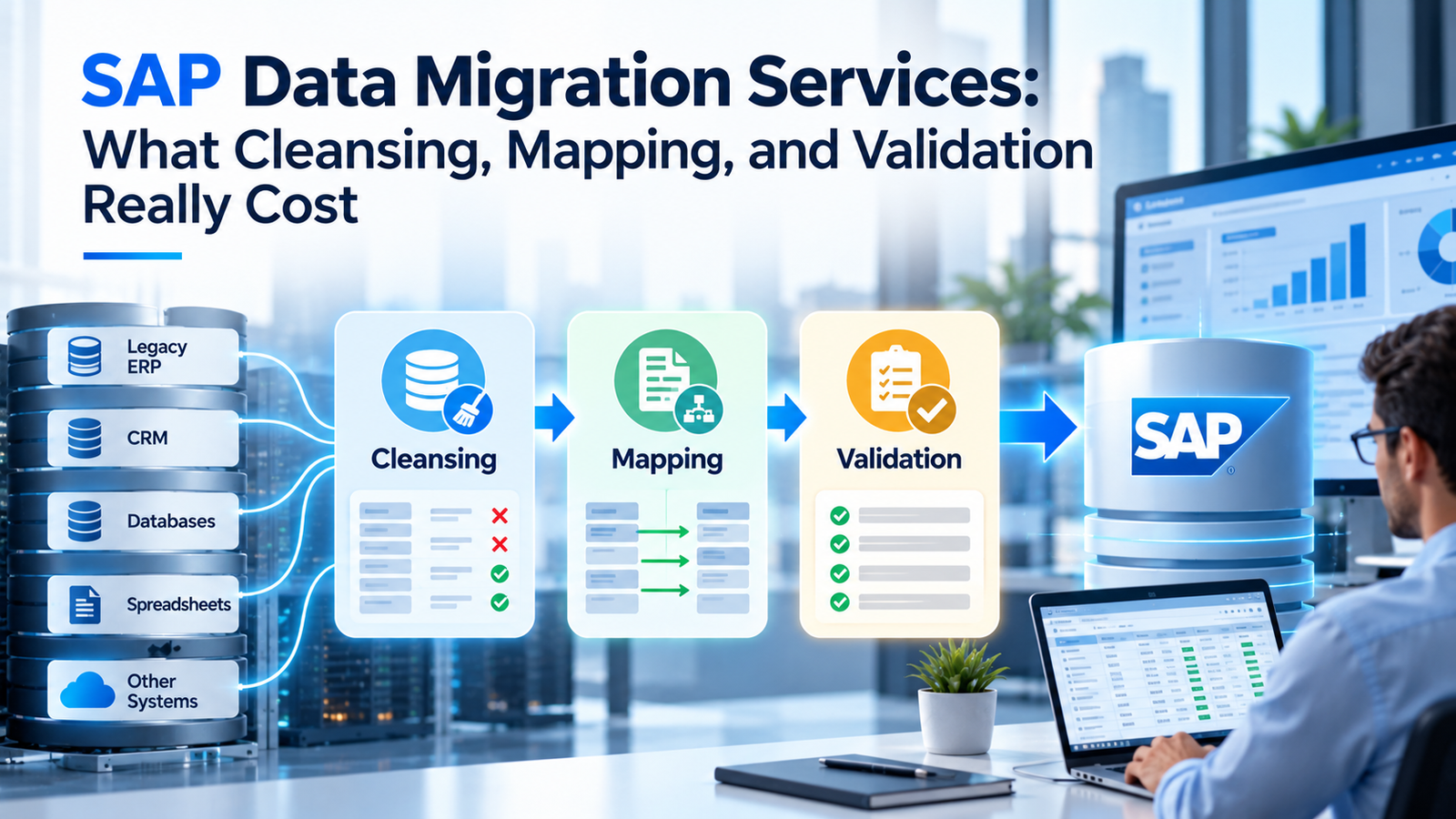
Most SAP data migration budgets are built around the visible work of extracting records and loading them into S/4HANA. The real cost sits in 3 activities that are harder to see and harder to estimate. Cleansing fixes the data before it moves. Mapping decides where each value lands in the new system. Validation proves the result is right. This guide explains what drives the cost of each one and where public pricing data exists. It also covers the internal costs that rarely make it into a services quote. No honest source can give a single price, so the guide shows you how to build an estimate you can defend.
TL;DR
The software side of SAP data migration is often the cheapest part, since SAP includes the S/4HANA Migration Cockpit at no extra cost. The money goes into people and time. Data cleansing often costs the most because it depends on business staff fixing records nobody has looked at in years. Data mapping costs grow with every source system and every field whose meaning changed in S/4HANA, and the business partner model is a frequent pain point. Data validation costs grow with the number of mock loads and the level of audit evidence your finance team needs. The US General Services Administration publishes searchable contract ceiling rates, but no defensible single SAP consultant median can be drawn from its landing page alone. Use dated role-specific searches when comparing quotes. The cheapest way to cut cost is to move less data, starting with archiving and a strict scope. Ask any provider how they price rework, extra mock loads, and data quality fixes before you sign, because that’s where overruns tend to land.
What SAP Data Migration Services Include
SAP data migration services cover everything needed to move business data from old systems into SAP and prove it arrived correctly. In practice, the work splits into 6 stages: extraction, cleansing, mapping and transformation, loading, validation, and reconciliation. Each stage has its own cost profile, and quotes that lump them together make it hard to see where the money goes.
| Stage | What Happens | Main Cost Driver |
| Extraction | Data is pulled from source systems | Number and type of source systems |
| Cleansing | Duplicates, gaps, and errors are fixed | Data quality and business staff time |
| Mapping and transformation | Source fields and values are matched to SAP targets | Number of objects and rule complexity |
| Loading | Data is loaded into the target system | Volume and number of test cycles |
| Validation | Loaded data is checked against rules | Depth of checks and number of loads |
| Reconciliation | Totals and counts are matched to the source | Audit and finance requirements |
The tooling side is often cheaper than buyers expect. According to SAP’s Migration Cockpit course, the SAP S/4HANA Migration Cockpit is an embedded tool included at no additional cost. It comes with predefined migration objects and supports both staging tables and direct transfer from an SAP source system. That means most of the budget goes to labor and time rather than software licenses.
Scope also depends on how you’re moving to S/4HANA. A brownfield system conversion reuses the existing system and follows the Software Update Manager conversion process; it doesn’t use the Migration Cockpit as its general-purpose system conversion engine. A new implementation moves selected data into a fresh system, where the Migration Cockpit is commonly used for initial data loads. Selective data transition has its own scope and tooling. Cleansing, mapping, and validation effort changes with the chosen path, so confirm it before reading a quote.
Check what the quote leaves out as well. Archiving work, interface data, and data governance after go-live are often treated as separate projects. So is the clean-up of master data that stays in the old system for reporting. None of these is wrong to exclude, but each one needs an owner and a budget somewhere, or it lands on your team at the worst possible time.
Why Migration Cost Estimates Go Wrong
Estimates go wrong because the cost depends on data quality, and nobody knows the true quality until profiling starts. A quote written before anyone has examined the source data is really a guess with a number attached. When the data turns out worse than expected, the extra work shows up as change requests and delayed go-live dates.
Poor data quality can cost an organization money long before migration starts. In its data quality overview, Gartner cites a 2020 research estimate that poor data quality costs organizations at least $12.9 million annually on average. This is a broader, older data-quality estimate, not observed SAP migration spending or a price to put in a migration budget. The practical concern is that poor source data creates unexpected correction work during a project with a fixed go-live window.
S/4HANA projects show the same pattern. A Horváth survey of 200 SAP user companies, reported by CIO.com in 2025, found that more than 60% experienced deviations in budget, schedule, and result quality. Underestimated testing and data migration phases were among the reasons cited. Nearly 2 in 3 companies also reported severe quality deficiencies after completing the move, which suggests that problems skipped during migration don’t disappear.
User groups report data as a lasting concern. Coverage of a Precisely and ASUG survey by Enterprise Times noted that data quality remained a hidden challenge for companies moving to S/4HANA, with data needing cleansing and verification as it moves between systems. The lesson for budgeting is simple. Price the data work after profiling, or build in a contingency large enough to absorb what profiling finds.
The Main Cost Drivers
A handful of factors decide most of the cost of SAP data migration services. Knowing them helps you compare quotes and spot where a provider has made optimistic assumptions.
Number of Migration Objects
A migration object is a type of business data, such as customers, materials, open purchase orders, or fixed assets. Each object needs its own mapping, rules, test loads, and sign-off, so the object count is the closest thing to a unit of work. In public cloud projects, SAP’s local templates lesson says the general rule of thumb is to migrate data for all migration objects you see, since each one supports business processes. The object list grows with the scope of processes you switch on.
Source Systems and Data Spread
Every extra source system adds its own extraction and mapping work. It also creates duplicates across systems that someone has to find. A 2022 UK and Ireland SAP User Group survey reported by Computer Weekly found that 69% of respondents had data spread across multiple platforms, and 64% had data accuracy and consistency problems. Both conditions raise migration cost because they multiply the number of places where the same customer or material can differ.
Data Volume and History
Volume affects load times and the size of the target system. History adds its own work, since moving years of closed transactions means more reconciliation. Many projects move only open items and a limited window of history, which cuts both effort and risk.
Data Quality
Quality is the driver that’s hardest to see in advance. Duplicate customers and inconsistent units of measure both need fixing before load. The worse the starting point, the more cleansing hours and business review time you’ll need, and the more load cycles fail before the data passes.
Number of Mock Loads
Each full rehearsal load takes days of effort from both the provider and the business. Projects commonly run several mock loads before cutover, and every extra cycle adds cost. The number should be set in the contract, along with what happens if more are needed.
What Data Cleansing Really Costs
Data cleansing is often the most expensive and least predictable part of SAP data migration. The provider’s tools can find problems quickly. Fixing them takes people who understand the business, and those people already have day jobs.
Profiling Comes First
Profiling scans the source data to measure completeness, duplicates, and rule violations. It’s relatively cheap, and it turns a guessed cleansing budget into a measured one. Run it before you accept a fixed price for cleansing, because a provider who prices cleansing without profiling has to either pad the quote or rely on change requests later.
The Hidden Data Factory
Bad data has a cost long before migration starts. In Redman’s HBR article, Thomas Redman described the extra work people do to cope with bad data as a “hidden data factory.” He argued that these corrections create no value and sit behind IBM’s estimate that bad data costs the US $3.1 trillion a year. A migration brings that hidden work into the open, which is why cleansing hours often surprise the business.
Where the Hours Go
Most cleansing effort lands on a few kinds of work. Duplicate customers and suppliers need someone to decide which record survives. Incomplete materials need missing attributes filled in from suppliers or production staff. Obsolete records need an owner to confirm they can be left behind. Automated rules handle formatting and simple fixes, but every judgment call needs a human.
Confidence in data is low at many SAP customers. In a 2025 survey of 52 senior decision-makers in the UK and Ireland, reported by Computer Weekly in 2025, 77% said data management was a challenge when moving from ECC 6.0 to S/4HANA. That’s a strong sign that cleansing budgets should assume real work rather than a quick tidy-up. Budget for business reviewer time explicitly, and give data owners deadlines, or cleansing will drift into the load schedule.
What Data Mapping Really Costs
Data mapping links each source field and value to its place in SAP. It’s mostly analyst and consultant time, and its cost grows with the number of objects and source systems, and with how far the new data model differs from the old one.
There are 2 layers to the work. Field mapping decides which source field fills which target field. Value mapping translates codes, such as payment terms, plant codes, or units of measure, from old values to new ones. Value mapping often takes longer because it needs business decisions. Someone has to agree that an old code now means a specific new one, and those decisions get revisited when test loads expose edge cases.
S/4HANA adds specific mapping work. Customers and suppliers move to the business partner model, which is mandatory in S/4HANA. As SAP’s business partner lesson explains, customer and vendor integration runs through preparation, synchronization, conversion, and post-processing steps, with number assignments defined according to the conversion guide. Each of those steps needs mapping decisions on roles, groupings, and number ranges, and inconsistent customer and supplier data turns them into a cleansing job too.
Transformation rules add a third layer of cost. Some values can’t be mapped directly and need logic, such as splitting a field or deriving a value from other data. Each rule needs to be designed and tested. A provider that quotes data mapping by the number of objects should also state how many complex transformation rules the price assumes, because that’s where scope creep tends to hide.
The mapping documents themselves have value after go-live. They record what every legacy code became in SAP, which helps with audit questions and interface fixes long after the project ends. Make sure your contract says you own the data mapping specifications and the value mapping tables in a format your team can maintain. Rebuilding them later is far more expensive than keeping them current during the project.
What Validation and Reconciliation Really Cost
Data validation checks that loaded data follows the rules of the new system. Reconciliation proves that totals and balances match the source. Together they’re the evidence that the migration worked, and finance and audit teams often depend on that evidence.
The cost depends on how much proof you need and how many times you produce it. Every mock load needs validation reports and fixes for the errors they find. Financial objects, such as open items, balances, and fixed assets, need reconciliation at a level your controllers and auditors will accept. That usually means record counts, value totals by company code, and signed approvals for each object.
Auditors treat data conversion as a control matter. Australia’s ASA 315 guidance, based on the international ISA 315 standard, lists controls over data conversion among the general IT controls auditors consider, along with the risk that conversion introduces inaccurate data. Companies subject to similar audit rules elsewhere should expect the same questions. Plan data validation and reconciliation outputs with your auditors early, so the evidence they need is part of the scope from the start.
Validation effort also depends on automation. Manual spot checks are cheap per cycle but scale poorly and miss errors. Automated rule checks cost more to build, yet they can be rerun for every mock load at little extra cost. For projects with many load cycles, the upfront build can pay for itself, so ask how a provider handles data validation before comparing day rates.
The last round of checks happens at cutover, under the most time pressure. Plan which reports must pass before go-live is approved and who signs each one. A short post-go-live check, run after the first period close, catches problems that only appear when real transactions start using the migrated data. Budget for that check, since it’s the final proof that the data works in practice.
Tooling Costs
Tooling is one of the more predictable budget items. The SAP S/4HANA Migration Cockpit covers many initial-load objects in new-implementation scenarios and is included with S/4HANA. It isn’t the standard engine for a brownfield technical conversion. Extra costs arise when a project needs a separate staging database, an extraction tool, or a specialist migration platform.
| Tool Type | Example | Cost Note |
| Built-in load tool | SAP S/4HANA Migration Cockpit | Included with S/4HANA |
| Staging database | Remote SAP HANA schema for staging tables | Needs a HANA database and setup |
| Extraction and transformation | SAP Data Services or other ETL tools | Separate license unless already owned |
| Specialist migration platforms | SAP solution extensions and third-party suites | Separate license, priced by agreement |
Staging tables are where these tools meet. In SAP’s staging tables post, SAP explains that the Migration Cockpit can create staging tables for each migration object automatically, but customers must fill them using extraction tools from SAP or third parties. That’s the point where extra tooling and its licenses enter the picture.
Specialist platforms add features such as data profiling and audit trails. They can lower labor costs on large, multi-source projects, but they’re licensed separately and priced by agreement, so there’s no public list price to quote. Ask whether a provider’s quote includes tool licenses and who owns them after go-live. Also ask whether the same tool will support ongoing data quality work. A tool that’s thrown away at cutover is a cost with a short payback window.
Rates and Staffing Models
Labor is usually the biggest line in SAP data migration services quotes, so rates matter. Public benchmarks are scarce, but US federal pricing data offers one. The GSA CALC+ pricing tool publishes fully burdened, not-to-exceed hourly rates awarded under US federal Multiple Award Schedule contracts. It can help check individual quoted roles, but the tool does not establish a universal SAP consultant rate. A numerical median needs a dated export and a reproducible filter set before it can be presented as a benchmark.
For a current comparison, search labor-category titles relevant to your team, then record the search date and filters for role, worksite, education, experience, and contract scope. Save the displayed results or an available export and compare similar responsibilities. These are federal contract ceiling rates, not observed commercial transaction prices. Actual task-order prices can be lower, and a company’s private-sector quote may reflect different duties or terms.
When comparing quotes, look at the blended rate across the whole team rather than the rate for the most senior person. A quote with a low headline rate can still cost more if it relies on more hours or a heavier senior mix. Ask each provider to show hours by role and stage, so you can compare like with like.
Pricing models shape cost as much as rates do. The main options work differently:
• Time and materials pays for hours used, which suits projects where data quality is unknown, though it needs firm budget control from your side.
• Fixed price per object or per phase gives cost certainty, but providers add risk margins and rely on change requests for anything outside the stated assumptions.
• Blended models fix the price for well-understood objects and use time and materials for cleansing, where effort is hardest to predict.
Delivery location changes the rate further. Offshore teams usually charge less per hour but need clear specifications and more coordination with business reviewers onshore. The right mix depends on how much of the work needs direct contact with your process owners, since cleansing and value mapping decisions rarely work well at a distance.
Hidden Internal Costs
The provider’s quote is only part of the total. Your own people carry a large share of the work, and their time is easy to leave out of the budget because it doesn’t show up on an invoice.
Business data owners have to review cleansing proposals and approve value mappings. They also sign off validation results for every load cycle. Finance staff have to reconcile balances and explain differences, while IT teams provide extracts and environments. Each of those tasks pulls people away from their regular jobs, often during the busiest parts of the year, and backfilling them costs money.
Skills are a constraint as well. The 2025 UKISUG research paper with Syniti found that only 28% of organizations believed they had the skills to make effective use of their data, and a third weren’t confident about the quality of their data. Teams without data skills lean harder on outside help, which raises the services bill, or they move slowly, which raises the internal one.
Other internal costs are easy to miss. Data freezes during cutover can stop normal maintenance of customers and materials for days. Extra test environments and storage add infrastructure costs. Training data owners on new data standards takes time before and after go-live. None of these is large on its own, but together they can add up to a real share of the total.
Building a Budget Estimate Step by Step
A defensible estimate starts with the data and only reaches the rate card at the end. The steps below build the budget from the bottom up, so each number has a reason behind it.
1. List every migration object in scope. Use your target processes to decide which objects you need, and record the source systems for each one.
2. Profile the source data. Measure duplicates, gaps, and rule failures for each object before estimating cleansing effort.
3. Rate each object’s complexity. Group objects as simple, medium, or complex based on volume, number of sources, and transformation rules.
4. Estimate effort by stage. For each object, estimate hours for cleansing, data mapping, build, data validation, and reconciliation.
5. Add business time. Estimate the hours data owners, finance staff, and IT will spend reviewing and approving each object.
6. Set the number of mock loads. Multiply the per-cycle validation and reconciliation effort by the number of planned rehearsals.
7. Apply rates. Apply each quoted role rate to its estimated hours; use dated and comparable federal ceiling-rate searches only as a secondary reference.
8. Add tooling and contingency. Include any extra licenses and environments, and size contingency to the data quality you found in profiling.
The order matters because each step depends on the one before it. Profiling changes the complexity ratings, and those ratings drive both effort and cost. Teams that skip straight to rates often end up with a number that looks precise and turns out wrong. Keep the estimate as a working model and update it after each mock load, since real load results are the best evidence of what the rest of the project will cost.
The complexity rating in step 3 deserves care. A simple object might be a short list of cost centers from 1 source with few rules. A complex object might be open sales orders from 2 systems, with pricing conditions and partner roles to map and full data validation against open balances. Writing down the criteria you used makes the SAP data migration estimate easier to review, and it lets providers price against the same definitions.
Worked Example: An Illustrative Migration Budget
Assume a new S/4HANA implementation needs 12 migration objects drawn from 2 source systems. The team plans 3 mock loads, 1 cutover load, and a short post-go-live check. The hours and rates below are hypothetical budgeting assumptions, not observed market prices or a provider quote. Data steward and finance reviewer hours represent internal business effort; the other roles represent contracted work for this example.
| Workstream | Role | Hours | Assumed Rate/Hour | Subtotal |
| Cleansing | Data analyst | 180 | $105 | $18,900 |
| Cleansing | Business data steward | 120 | $75 | $9,000 |
| Mapping | SAP functional consultant | 160 | $145 | $23,200 |
| Mapping | Business analyst | 100 | $110 | $11,000 |
| Validation and reconciliation | QA/data analyst | 180 | $100 | $18,000 |
| Validation and reconciliation | Finance reviewer | 80 | $90 | $7,200 |
| Extraction and loading | Migration engineer | 160 | $120 | $19,200 |
| Project coordination | Project lead | 100 | $125 | $12,500 |
In this worked model, cleansing costs $27,900, mapping costs $34,200, and validation and reconciliation cost $25,200. Extraction, loading, and coordination add $31,700. The labor subtotal is $119,000. A 15% contingency adds $17,850, giving an illustrative total of $136,850. The model assumes no new third-party software licenses; any such purchase, extra mock load, or longer cutover window would change the total. Replace every assumption with profiled object counts and actual role quotes before approving a budget.
Ways to Lower Cost Without Raising Risk
The surest way to cut migration cost is to move less data. Every record you leave behind is one you don’t have to cleanse, map, load, or validate. Start by agreeing on what the business truly needs in the new system, such as open items and recent history, and keep the rest available in an archive.
Archiving before migration is the main lever here. An SAPinsider archiving article cites a possible 30% to 70% reduction in active data volume through archiving, depending on the landscape. The article discusses a vendor program, so that range is an example of potential reduction, not a typical or guaranteed result. Actual savings depend on system age, what can legally be archived, data dependencies, and retention rules. Measure eligible records and expected infrastructure savings before making the range part of a budget.
Other savings come from doing things earlier rather than cheaper. Start profiling and cleansing in the source system months before the project needs the data, while the business has time to fix records properly. Reuse validation scripts across mock loads instead of rebuilding them. Settle value mapping decisions in workshops with the right people present, rather than by email chains that stall for weeks.
Some cuts raise risk instead of lowering cost. Reducing the number of mock loads saves money on paper but often moves problems to cutover, where they’re far more expensive. Skipping reconciliation on financial objects can leave audit questions that take months to close. The goal is to remove waste from the work, while keeping the checks that prove the data is right.
Questions to Ask a Data Migration Provider
Quotes for SAP data migration services look similar on the surface and differ sharply in the details. A short list of questions brings those details into the open before you sign.
• How many migration objects does the price assume, and how is an extra object priced?
• Is data cleansing priced by effort, by object, or by record, and who owns the business review work?
• How many mock loads are included, and what does an extra cycle cost?
• How is rework priced when a load fails because of source data quality?
• What validation and reconciliation reports are included for financial objects?
• Which tool licenses are in the quote, and who keeps them after go-live?
• What assumptions about data quality sit behind a fixed price, and how will changes be handled?
The answers tell you more than the headline price. A low quote with narrow assumptions can cost more by go-live than a higher quote that includes realistic rework and extra load cycles. Compare providers on the same object list and the same number of mock loads, and ask each one to state its data quality assumptions in writing. That puts every quote on equal footing and makes later change requests easier to judge.
Final Thoughts on Budgeting for SAP Data Migration
The real cost of SAP data migration sits in the work around the load. Cleansing depends on the quality of data you’ve lived with for years, while mapping depends on how far the new data model moves away from the old one. Validation grows with the proof your finance and audit teams need. Software is often a small share, especially with SAP’s own load tool included in S/4HANA. Build your budget from profiled data and a clear object list, and count your own team’s time along with the provider’s. Then choose a provider whose assumptions match what profiling shows, because that’s the quote most likely to hold.
Frequently Asked Questions
What Do SAP Data Migration Services Include?
They cover extraction, cleansing, mapping and transformation, loading, validation, and reconciliation of business data moving into SAP. Some providers also include data profiling and post-go-live data quality work.
How Much Does SAP Data Migration Cost?
There’s no reliable public average, because cost depends on the number of migration objects, source systems, data volume, and data quality. Build an estimate from profiled data and a clear object list rather than relying on a single figure.
Is the SAP S/4HANA Migration Cockpit Free?
SAP includes the Migration Cockpit with S/4HANA at no additional charge. It’s mainly used for initial data loads in new implementations, rather than the technical system conversion itself. Staging databases or separate extraction and migration tools can add cost.
Why Is Data Cleansing So Expensive?
Data cleansing needs business staff to make decisions about duplicates and obsolete records. Tools can find problems quickly, but people have to decide how to fix them, and their time is limited.
What Is the Difference Between Data Mapping and Data Transformation?
Data mapping links each source field and value to its target in SAP. Transformation applies logic when values can’t be matched directly, such as splitting fields or deriving new values from existing data.
Why Does the Business Partner Model Add Cost?
S/4HANA requires customers and suppliers to be managed as business partners. Converting them needs mapping decisions on roles, groupings, and number ranges, and inconsistent customer and supplier data adds cleansing work on top.
What Is Data Validation in an SAP Migration?
Data validation checks that loaded data follows the rules of the new system and supports business processes. It runs after every mock load and again at cutover, and it often uses automated rule checks to catch errors quickly.
How Is Reconciliation Different From Validation?
Validation checks that data is correct by the new system’s rules. Reconciliation proves that totals and balances match the source system, which finance and audit teams usually need for sign-off.
How Many Mock Loads Should a Project Plan For?
The right number depends on data quality and scope. Set the number in the contract along with the cost of each cycle. Also agree how extra cycles will be priced if early loads expose problems.
What Are Typical SAP Consultant Rates?
There is no single reliable public rate for SAP migration consultants. Compare dated GSA CALC+ ceiling rates for equivalent labor roles, experience levels, and worksites, then request actual project quotes. Federal ceiling rates are not a measure of average commercial prices.
Should Data Cleansing Be Fixed Price?
Fixed pricing for data cleansing works only after profiling shows the scale of the problem. Before profiling, time and materials or a blended model usually gives a fairer price for both sides.
How Can Archiving Lower Migration Cost?
Archiving removes old, closed data before migration, so there’s less to cleanse, map, load, and validate. It also reduces load times and the size of the target system, while keeping records available for audit.
What Internal Costs Should Be Included?
Include time from data owners, finance staff, and IT, along with backfill for people pulled into the project. Also count test environments, data freezes during cutover, and training on new data standards.
Who Should Own Data Quality During a Migration?
The business should own data quality, with each data owner responsible for their objects. The provider supplies tools and reports, but only the business can decide which records are right.
What Should a Data Migration Contract Specify?
It should list the migration objects in scope, the number of mock loads, data quality assumptions, rework pricing, and the validation and reconciliation reports included. It should also state which tool licenses are covered and who keeps them.