

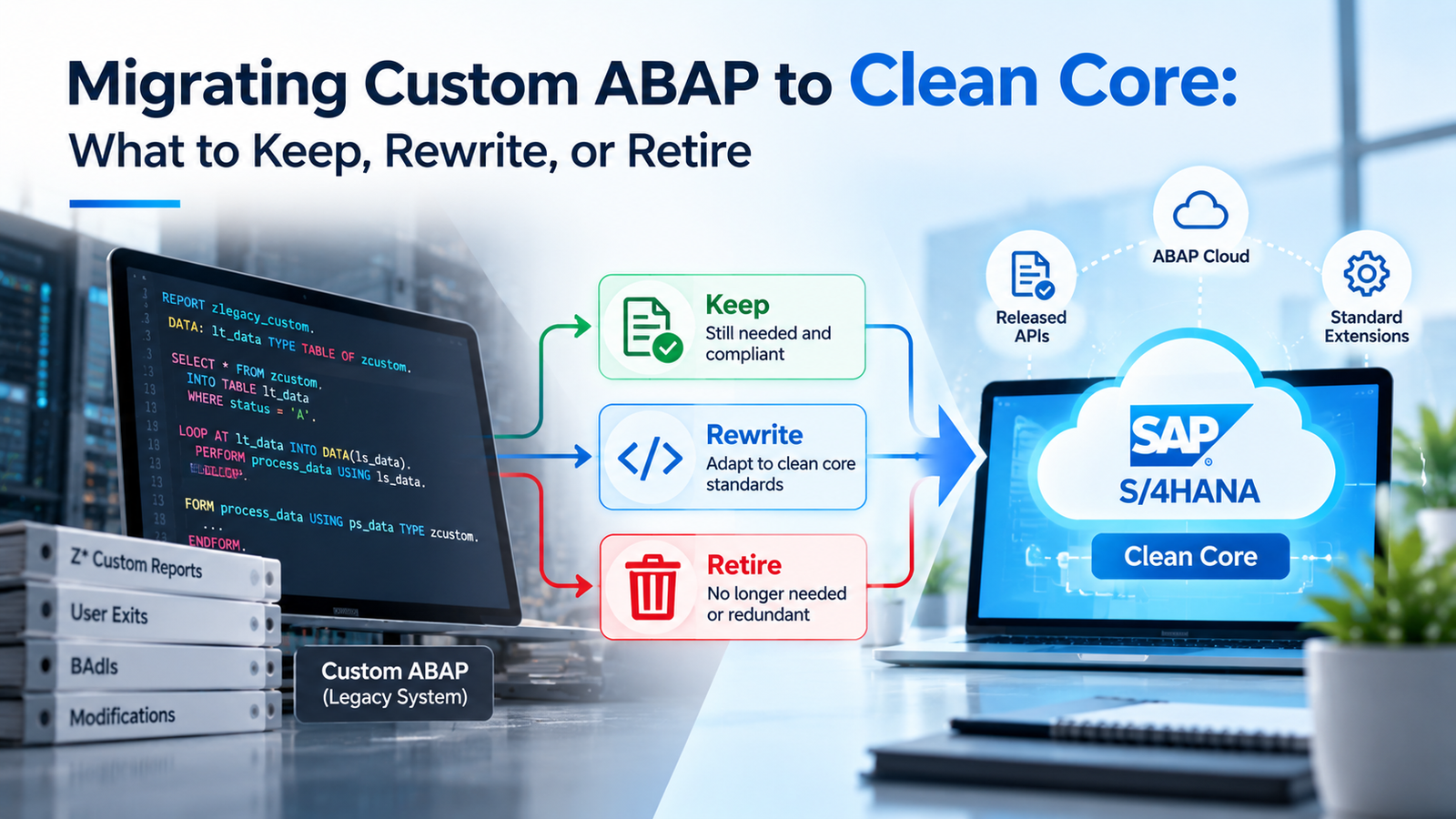
Moving custom ABAP to a clean core starts with sorting every custom object into 1 of 3 groups, and a surprising amount usually lands in the group you can delete. The hard part is making those calls with evidence instead of instinct. SAP replaced its old 3-tier extensibility model in 2025 with a level system that rates each extension from A to D, and that change gives teams a clearer way to judge their code. This guide walks through the sorting process step by step. It covers how to measure what’s used and how to read the new levels. It then explains where rewritten code should live, so each object in your system ends up with a decision you can defend.
TL;DR
• Start with usage data. SAP reports that 40% to 60% of custom code may go unused in production. Treat this as a reported range, not a measurement of your system.
• Treat unexecuted code as a retirement candidate. Check a full business cycle and obtain business approval before deletion; also review code made redundant by standard SAP.
• Keep needed code that uses released APIs or SAP-classified classic APIs, subject to S/4HANA adaptation checks. An old BAPI or BAdI name alone doesn’t prove Level B.
• Rewrite modifications, implicit enhancements, and code that writes directly to SAP tables, either in ABAP Cloud or as a side-by-side app on SAP BTP.
• Put governance in place before go-live so new code doesn’t undo the work.
What Clean Core Means for Custom ABAP
A clean core is an ERP system whose extensions don’t depend on SAP internals that can change during an upgrade. For custom ABAP, that comes down to which SAP objects your code calls and how it hooks into standard processes. In SAP’s August 2025 announcement, SAP introduced a maturity model that sorts extensions into 4 levels based on upgrade safety and alignment with SAP’s extension principles. The model replaced the 3-tier model SAP had used since 2022.
| Level | What the Code Uses | Status |
| A | Released APIs and extension points only | Clean |
| B | SAP-nominated classic APIs and extension points | Clean |
| C | SAP internal objects not released for customers | Conditionally clean |
| D | Modifications, implicit enhancements, or objects SAP marks as not recommended | Not clean |
The biggest change is how SAP now treats classic ABAP. Under the older model, much classic code was treated as outside the clean-core target. Under the level concept, code using SAP-nominated classic APIs and extension points can qualify as Level B. Teams must verify specific objects because the name BAPI, BAdI, or user exit alone doesn’t determine classification. That can let companies keep useful legacy code without assuming every older interface is approved.
One rule shapes every decision that follows. SAP evaluates an extension by the lowest-ranked technology it uses. A report built mostly on SAP’s newest interfaces drops to Level D if it contains a single modification. SAP also names SAP Note 3578329 as the single source of truth for the levels, so check it when a classification is unclear.
Why Custom ABAP Becomes a Problem During the Move
Custom code is the part of an S/4HANA project that’s hardest to estimate. It’s often spread across thousands of objects, many written by people who’ve since left, and some of it touches SAP tables and programs that changed in S/4HANA. Every one of those objects needs a decision before conversion, and every one that survives needs testing.
The research reflects that pain. In SAPinsider’s research on application strategies for S/4HANA, 44% of respondents said a lack of a clean core, meaning technical debt, was a major challenge for their development plans. The same research found 37% were already retiring custom code to keep their core clean. Teams that do this work early carry less code into testing and cutover.
How much custom code companies run makes the scale clear. ASUG research with smartShift, reported by diginomica, found that 67% of SAP customers include custom code in their systems. Almost half used custom code in 26% to 50% of their systems. The same research found only about a quarter of customers used automation to manage custom code, which helps explain why so many projects treat it as a manual slog.
Part of the work is unavoidable. S/4HANA changed parts of the data model and removed or replaced some functions, and SAP documents those changes as simplification items. Any custom code that touches an affected table or function needs an adaptation, whatever its level. The less code you carry into the project, the fewer of those adaptations you’ll need.
The cost doesn’t end at go-live either. Code that depends on internal SAP objects or modifications can break with each S/4HANA release. Cleaner code lowers that risk, which is why the sorting work pays back every upgrade cycle after the first.
Taking Inventory With Usage Data
Usage data is the foundation of every keep, rewrite, or retire decision. Without it, teams argue from memory about which reports matter. With it, the conversation starts from facts about what ran in production and how often.
The main tool is the ABAP Call Monitor, transaction SCMON. In SAP’s SCMON guidance, SAP reports that 40% to 60% of custom code is often not executed in production landscapes. That is a reported range across systems, not a measured rate for your estate. SAP recommends assessing unused code before migration. SCMON records which ABAP objects run and which business transaction called them. That second detail helps you see the business process behind each object. Transaction SUSG then aggregates the data over longer periods, since SCMON deletes older records after a set time.
A few practical rules make the data trustworthy:
• Monitor across 6 to 18 months when practical, covering month-end, quarter-end, and year-end processing as well as infrequent business events.
• Collect data from every production system, because code unused in 1 system may run in another.
• Don’t run SCMON and Usage and Procedure Logging (UPL) in parallel, which SAP warns against.
• Avoid running the monitor on systems that already run at maximum load.
Once the data is in, combine it with a static analysis of your code. That second view shows which SAP objects each custom object calls and what level those calls fall into. Together, the 2 views tell you whether code is used and how risky it is. Start this inventory early. An observation window spanning a full annual business cycle, with evidence from every relevant system, makes a retirement recommendation more reliable.
If you’re short on time, don’t wait for perfect data. Start with whatever history you have and mark objects with thin usage evidence as provisional. Run the monitor in parallel with early project work, and revisit those provisional calls before any code is deleted. A decision based on 3 months of usage data can guide investigation, but it cannot prove that code is safe to delete. Retain provisional objects until business owners confirm their purpose and a representative processing cycle has been checked.
The Keep, Rewrite, or Retire Framework
Each custom object gets 1 of 3 outcomes, and 3 questions decide which. Is it used? What level is it? Does it still support a process the business needs, or has standard S/4HANA caught up? The table below turns those answers into a starting decision.
| Usage | Level | Business Need | Starting Decision |
| Not recorded as used | Any | Not yet confirmed | Retirement candidate, pending full-cycle usage verification and business approval |
| Used | Any | Standard S/4HANA now covers it | Retire and adopt standard |
| Used | A or B | Still needed | Keep and adapt |
| Used | C | Still needed | Assess rewrite; retain only with documented upgrade-risk acceptance and release checks |
| Used | D | Still needed | Rewrite |
Treat the table as a starting point rather than an automatic deletion rule. An object with no recorded activity can still run during annual close, statutory reporting, or disaster recovery. A Level C object may remain temporarily only after its owner documents the reason, accepts the risk of using an unsupported internal object, and schedules ATC and relevant SAP object-change checks before each release or upgrade. A seldom-used Level B report may still be business-critical. Confirm both the value and the risk before deciding.
Decide up front who signs off on each outcome. Developers can propose decisions, but process owners should confirm any retirement that removes a report or a step users see. Architects should approve every rewrite target, because the choice between on-stack and side-by-side shapes support costs for years. Writing these roles down early avoids the common stall where every decision waits for a meeting that nobody owns.
According to SAP’s extensibility lesson, Level D covers modifications, implicit enhancements, and unsupported write operations on SAP tables. SAP strongly recommends remediating those right away. That’s why the framework sends all used Level D code to the rewrite pile. Level C is a documented risk decision, since SAP does not promise long-term stability for internal objects. Before each upgrade or release, check relevant SAP object changes and ATC findings, and assign an owner to fix any affected dependency.
What to Retire
Retirement is the cheapest outcome, so look for it first. Every object you retire is one you don’t need to adapt, test, document, or support again. Most teams find their biggest wins in 4 groups of code.
Code Nobody Runs
Objects without recorded usage across a full business cycle are candidates for retirement, but missing activity is not proof of irrelevance. Check annual jobs, infrequent regulatory tasks, alternate production systems, background schedules, and recovery procedures. Obtain approval from the accountable business owner before removing an object. As SAP’s usage data lesson explains, the Custom Code Migration app can identify unused objects from SCMON or UPL data and generate a transport to delete them. If someone worries the code might be needed again, store a backup in a Git repository before deletion so it can be restored without keeping it in the system.
Code That Standard S/4HANA Now Covers
Many ECC customizations filled gaps that S/4HANA has since closed. Custom reports often duplicate standard Fiori apps or analytical views, and custom fields may now exist in the standard data model. Run fit-to-standard workshops with process owners to find these. Retiring a working custom report in favor of standard function takes some change management, but it removes a maintenance burden for good.
Copies of SAP Objects
Clones of SAP programs and function modules are common in older systems. Teams copied standard code to make a small change and then stopped tracking the original as SAP updated it. A copy that’s identical to the current SAP version adds nothing. A copy with real changes needs a closer look under the rewrite rules, but many turn out to be obsolete.
Dead Branches Inside Live Code
Some objects run, yet large parts of them don’t. Old company codes and closed business units often leave behind logic that never executes. Removing that dead logic before adaptation cuts the work on code you do keep, even when the object itself survives.
What to Keep and Adapt
Keep code that people still use and need when it’s built on Level A or Level B technology. Keeping it doesn’t mean leaving it untouched. It still has to pass the S/4HANA checks for simplification items, such as changes to the data model and removed functions. But it doesn’t need to move to a new platform or be rebuilt from scratch.
Level B covers more code than many teams expect. SAP’s guidance says it includes legacy APIs, user exits, BAdIs, and established frameworks such as classic SAP GUI screens and the ABAP List Viewer grid. A classic report that uses a SAP-classified classic API and an accepted UI technology may qualify as Level B. Developers must verify each BAPI, BAdI, user exit, framework, and other SAP dependency against SAP’s current classification and relevant ATC findings. An interface with a familiar name does not automatically qualify. A wrapper that calls a nominated classic API may remain Level B; it does not become Level A merely because newer code consumes its released interface.
To check what a given SAP object is rated, use the Cloudification Repository on GitHub, which lists the release state of SAP objects. Filtering for released objects shows what counts as Level A, and filtering for the classic API state shows what SAP has nominated for Level B. Developers should verify each relevant function module, class, or enhancement against the available classification for their target release, then examine the whole extension for lower-level dependencies before keeping it.
There are 2 adaptation tasks that apply to almost all kept code. First, fix the findings from the S/4HANA readiness checks, such as references to tables that changed in the new data model. Second, clean up performance issues that only show up on SAP HANA, such as nested selects that ran acceptably on the old database. Neither task changes what the code does, so the business impact of keeping code is usually low.
What to Rewrite
Rewrite code that people still use and need when it’s rated Level D, along with any Level C code where the risk outweighs the cost of change. Rewriting means rebuilding the function on released APIs or classic APIs so that it lands at Level A or Level B. It’s the most expensive outcome, so reserve it for code that earns the effort.
The preferred target for new on-stack development is ABAP Cloud. SAP introduced this model for S/4HANA Cloud Private Edition and on-premise S/4HANA in the 2022 release, as explained in SAP’s ABAP Cloud guide. The model restricts code to a cloud-ready language version and to released APIs only, and the syntax checks enforce those limits. Code written this way is Level A by design. That makes ABAP Cloud the natural home for any rewrite that stays inside the ERP system.
Not every rewrite can reach Level A right away. SAP’s released interfaces don’t yet cover the full scope of S/4HANA Private Edition, so some functions need a classic API underneath. One pattern is a classic wrapper that calls an SAP-classified classic API and exposes a custom interface released for ABAP Cloud consumption. The cloud-compatible code that consumes the released interface can qualify as Level A, while the classic wrapper itself can remain Level B because it still depends on the classic API. Publishing the wrapper interface does not automatically promote the entire implementation to Level A. Confirm the classifications and release contracts for the specific objects. If a missing API blocks you, SAP also accepts requests for new APIs through its Customer Influence channel.
Take a typical example. A custom program updates a field on sales order items by writing straight to the SAP table, which puts it at Level D. A rewrite would replace that direct write with a released API, or a classic extension point such as a BAdI where one exists, so the update goes through SAP’s own checks. The business result stays the same, but the program now survives upgrades without manual repair.
Prioritize rewrites by risk. Modifications to SAP objects and implicit enhancements come first, because they cause the most trouble at upgrade time. Direct writes to SAP tables come next, since they bypass the checks SAP’s own APIs perform. For actively used Level C code, document the accepted upgrade risk, assign an owner, and perform ATC and SAP object-change reviews before releases or upgrades. Rewrite it when the risk or expected repair cost becomes unacceptable.
On-Stack Versus Side-by-Side Extensions
Every rewrite needs a home, and there are 2 broad choices. On-stack extensions run inside S/4HANA. Side-by-side extensions run on SAP BTP and connect to S/4HANA through released APIs and events. Both can reach Level A, so the choice depends on what the extension does.
| Option | Where It Runs | Best For |
| Key user extensibility | Inside S/4HANA, through business tools | Custom fields, simple logic, and layout changes without developers |
| Developer extensibility (ABAP Cloud) | Inside S/4HANA | Logic that needs close, transactional access to ERP data |
| Side-by-side on SAP BTP (ABAP environment or CAP) | SAP BTP | Separate apps, partner-facing tools, and logic with its own release cycle |
On-stack development fits extensions that must run in the same transaction as standard processes, such as validations during order entry. Side-by-side on SAP BTP fits apps with their own users or release cycle, such as a supplier portal or an approval app. It also suits teams that want to change an app often without touching the ERP system. For ABAP teams, the SAP BTP ABAP environment lets developers keep their language while moving the code out of the core.
To help with the choice, SAP added the levels to its extension guidance. The BTP guidance framework now shows the matching level next to each technical building block. That gives architects a quick way to check whether a planned design lands at Level A before anyone writes code. Use it as part of design review rather than after the build.
The language choice for side-by-side apps matters for staffing. The ABAP environment suits teams whose skills are mostly ABAP and who want to reuse their knowledge of SAP data. The SAP Cloud Application Programming Model, known as CAP, uses JavaScript or Java and suits teams with broader web development skills. Pick the option your support team can maintain, since a side-by-side app still needs owners after the project ends.
Tools That Do the Heavy Lifting
No team sorts thousands of objects by hand. SAP and its community provide a set of tools that cover analysis and adaptation, and several are included with SAP support or available as open source.
| Tool | What It Does |
| ABAP Test Cockpit (ATC) | Runs S/4HANA readiness and level checks against custom code |
| Custom Code Migration app | Combines usage data with ATC results, sets migration scope, and flags unused code |
| Cloudification Repository | Lists the release state of SAP objects for level classification |
| Project Kernseife | Scores technical debt in custom code with a custom ATC check |
| SAP Joule for Developers | Uses AI to explain legacy code and ATC findings |
Project Kernseife is worth a closer look for large estates. It’s an open-source tool SAP released in May 2025, and as E3 Magazine reported, it combines a custom ATC check built on SAP’s own checks with a flexible classification that teams can adjust. That lets you score technical debt across the whole system and track it over time. The same report warns that custom classifications can be misused to silence critical findings, so changes to the scoring need an owner and an approval step.
Run the analysis from a central system where you can. A central ATC setup can check custom code in older ERP systems remotely, so teams can start the analysis before the target S/4HANA system exists. It also gives one consistent set of check variants across the landscape, which avoids arguments about whose results are right.
AI tools now help with the slowest part of the work, which is understanding old code.SAP Joule for Developers includes features to explain the business purpose of legacy ABAP programs and to explain S/4HANA-related ATC findings using simplification items and documentation. These features don’t make decisions for you, but they cut the time a developer needs to understand an unfamiliar program. Check the current licensing terms before you plan around them, since SAP has offered some of these features on a promotional basis.
Handling Modifications, Enhancements, and User Exits
Modifications deserve their own plan because they’re the most likely code to block the cleanup. SAP’s legacy code lesson separates direct modifications, which change an SAP object, from indirect ones. The indirect group covers copies of SAP objects, implicit enhancements at the start and end of SAP code, and class-method overwrites. Transactions SPDD, SPAU, and SPAU_ENH help find them, along with a clone finder tool.
SAP’s advice is blunt. Treat clean core as a zero-modification approach and plan as if every modification will be removed. In SAP’s experience, analysis almost always shows a modification is obsolete because it matches the current SAP version, unused, irrelevant in S/4HANA, or replaceable with a key user extension. If a modification supports a real business need and no extension option covers it, SAP advises contacting SAP for guidance.
Some user exits and BAdIs are SAP-nominated classic extension points, so code using those specific objects can qualify for Level B when the full extension passes the relevant checks. Verify the classification instead of assuming that every exit or BAdI is approved. Implicit enhancements and direct modifications remain Level D patterns. Document any exception before planning a rewrite.
The practical approach is to list every modification and implicit enhancement with its usage data, then work through them in order of business impact. Many will disappear as obsolete or unused. The rest move to BAdIs, key user tools, or the new development model, depending on what the logic does.
Timing matters too. In a system conversion, modifications surface during the SPDD and SPAU adjustment steps, which run under heavy schedule pressure. Teams that review modifications months earlier can decide calmly and simply reset many of them to the SAP standard when the time comes. That turns a stressful cutover task into a checklist item.
Governance That Keeps the Core Clean
A clean core can slip back to its old state quickly if nothing stops new Level D code from reaching production. Governance is the part of the program that keeps the result in place, and it should be live before go-live rather than after.
Start with the ABAP Test Cockpit as a gate. Run the level checks when developers release transports, and block code that falls below the level your policy allows. An ATC baseline records existing findings, so new code meets the standard while legacy findings get worked down over time. Pair that with a clear exemption process, where an architect approves any exception and records the reason and an end date.
SAP’s clean core white paper covers governance and measurement in detail, including KPIs and a dashboard for tracking progress. Track a small set of measures each quarter, such as the count of Level C and Level D objects and the share of new development written to Level A. Count active exemptions as well. Those numbers show whether the core is getting cleaner or drifting back.
Level C code needs its own routine. Because internal SAP objects can change without notice, review the changelog for SAP objects before each upgrade and run the related ATC checks. That turns a surprise break into a planned task. Assign an owner for each Level C object so there’s a clear person to act when a change appears.
Governance also needs a forum. A small design authority, with an architect and a senior developer, can review new extension requests each week and decide where each one should live. Most requests take minutes to settle, and the habit of asking keeps quick fixes from turning into new modifications.
A Step-by-Step Migration Sequence
The sequence below puts the earlier sections in order. Each step feeds the next, and skipping ahead usually means repeating work later.
1. Turn on usage monitoring. Activate SCMON in every production system and aggregate the data with SUSG for as close to a full year as you can.
2. Run a static analysis. Use the ATC and the Custom Code Migration app to find S/4HANA issues and the level of every custom object.
3. Classify every object. Combine observed usage, SAP object classification, and business need into a keep, rewrite, or retirement-candidate decision.
4. Confirm retirement first. Check the full business cycle, recovery jobs, and other production systems; obtain business sign-off and retain a recoverable backup before deletion.
5. Adapt what you keep. Fix readiness findings and performance issues in Level A and Level B code.
6. Rewrite by risk. Replace modifications and implicit enhancements first, then direct table writes, building each one on-stack or side-by-side.
7. Set up governance. Turn on ATC gates and an exemption process before go-live.
8. Train the team. Give developers time to learn ABAP Cloud and the level concept before they write new code.
Training is easy to underrate. Developers who learned classic ABAP need time to work within the new language version and its API limits. As ASUG has noted, SAP offers a free 2-hour learning journey on the clean core concept aimed at beginners, which is a reasonable place to start. Plan deeper hands-on training for the people who’ll write most of the new code.
Final Thoughts on Sorting Custom ABAP
Migrating custom ABAP to a clean core is mostly a sorting job, and the sort is only as good as the evidence behind it. Usage data identifies retirement candidates, and business owners confirm what can be removed. SAP’s level concept helps identify code that may stay or need rewriting, and the rule that an extension takes the level of its weakest part keeps those calls honest. Retire first and adapt what’s already sound. Then rewrite the rest in order of risk, on-stack or side-by-side, and put governance in place so the result stays that way through the next upgrade and the one after it.
Frequently Asked Questions
What Does Clean Core Mean for Custom ABAP?
It means your custom code relies on SAP objects that stay stable during upgrades. SAP rates extensions from Level A to Level D. Levels A and B count as clean, Level C is conditionally clean, and Level D isn’t clean.
What Are SAP’s Clean Core Levels?
Level A uses only released APIs. Level B uses SAP-classified classic APIs and extension points, which can include specific BAPIs, BAdIs, and user exits. Level C uses SAP internal objects, and Level D uses modifications, implicit enhancements, or objects SAP marks as not recommended.
Is Classic ABAP Still Allowed Under Clean Core?
Yes. Classic ABAP can qualify as Level B when it uses SAP-nominated classic APIs and approved extension technologies. Check the classification of each SAP object and the whole extension. A familiar API name alone does not establish Level B.
How Do I Find Unused Custom Code?
Turn on ABAP Call Monitor, transaction SCMON, in production and aggregate results with SUSG. Aim for 6 to 18 months when practical so the evidence covers annual and infrequent tasks. The Custom Code Migration app can flag candidates, but business approval is still needed before deletion.
How Much Custom Code Is Usually Unused?
SAP’s ABAP Call Monitor guidance gives a reported range of 40% to 60% of custom code not executed in production landscapes. That range is not a measured average for your company. Gather usage across a representative business cycle and confirm each retirement with its business owner.
What Is the Custom Code Migration App?
It’s an SAP Fiori app that combines usage data with ABAP Test Cockpit results. It helps set the scope of a custom code migration and flags unused objects. It can also generate a transport to delete them.
When Should I Rewrite Code Instead of Keeping It?
Rewrite code that people still use and need when it’s rated Level D. Also consider rewriting Level C code when the risk of breakage outweighs the cost of change. Level A and B code can usually be kept and adapted.
What Is ABAP Cloud?
ABAP Cloud is SAP’s development model for upgrade-safe extensions. It uses a restricted ABAP language version and only released APIs. It’s been available in S/4HANA Private Edition and on-premise since the 2022 release.
Do I Need SAP BTP to Reach a Clean Core?
No. You can build Level A extensions on-stack inside S/4HANA. SAP BTP is a good home for side-by-side apps with their own users or release cycle, but it isn’t required for every extension.
Are User Exits and BAdIs Clean Core?
Certain user exits and BAdIs qualify as classic extension points at Level B, but developers must check each object against SAP’s classification and ATC findings. Implicit enhancements and direct modifications are Level D patterns. The whole extension takes its lowest applicable level.
What Should I Do With Modifications to SAP Objects?
Plan as if every modification will be removed. SAP reports that most turn out to be obsolete, unused, irrelevant in S/4HANA, or replaceable with a key user extension. Contact SAP if a needed modification has no alternative.
What Is the Cloudification Repository?
It’s a list SAP publishes on GitHub that shows the release state of SAP objects. Developers use it to check whether an object is released, a classic API, or not recommended, which sets the level of code that uses it.
What Is Project Kernseife?
Project Kernseife is an open-source tool SAP released in May 2025. It adds a custom ATC check and an adjustable classification so teams can score technical debt across their system and track it over time.
Can AI Help With Custom Code Migration?
Yes. SAP Joule for Developers can explain the purpose of legacy ABAP programs and explain S/4HANA-related ATC findings. It speeds up understanding of old code, but your team still makes the keep, rewrite, or retire decision.
How Do I Stop New Code From Breaking the Clean Core?
Use the ABAP Test Cockpit as a gate when transports are released, with a baseline for existing findings and an approval process for exemptions. Track the count of Level C and Level D objects each quarter.