

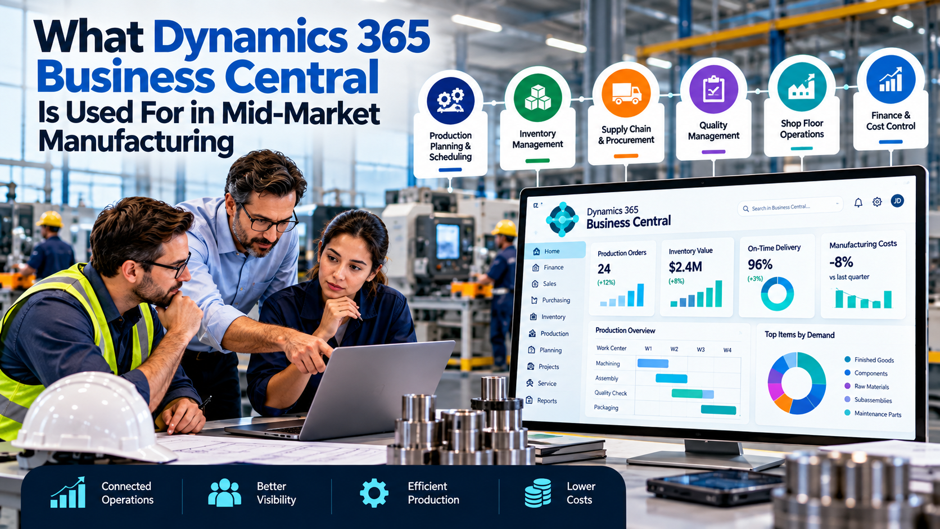
A plant controller at a 140-employee metal fabrication company spends the first Monday of every month reconciling 3 separate systems just to answer one question: what did the company actually spend producing what it sold last month. The MRP tool lives in one spreadsheet, the demand forecast lives in another, and purchasing manually bridges the gap between them by hand, every single cycle. This is precisely the operational pattern Dynamics 365 Business Central’s manufacturing module exists to eliminate, and it explains why the platform has become one of the most widely adopted ERP systems specifically among manufacturers who’ve outgrown basic accounting software but genuinely don’t need, or can’t yet justify, a full enterprise-scale system.
Understanding exactly what Business Central is actually used for in a mid-market manufacturing environment, not simply the marketing description on Microsoft’s website, but the specific, concrete workflows real production teams run through the system every day, matters considerably for any manufacturing leader evaluating whether the platform genuinely fits their own operation. This guide works through the core manufacturing capabilities the system provides, the specific production order lifecycle that sits at the center of how manufacturing work actually gets executed inside it, what’s genuinely new in the platform’s most recent updates, and where its real limits show up as an operation grows in complexity.
TL;DR
| Capability area | What it’s actually used for day to day |
| Production planning and scheduling | Running master production scheduling, material requirements planning, and capacity planning against actual demand and available resources |
| BOM and routing management | Maintaining complex, multi-level product structures and the operation sequences, resources, and timing that turn raw materials into finished goods |
| Production order execution | Moving work through a defined 5-stage lifecycle, from simulation through planning, firm commitment, active shop-floor execution, and financial close |
| Shop-floor data collection | Capturing real-time consumption, labor, and progress data, often through ISV extensions layered on top of the native platform |
| Quality and costing | Tracking lot and serial numbers, running inspection workflows, and calculating standard and actual manufacturing costs |
| Ongoing platform evolution | Receiving regular functional updates, including recent additions to quality inspection, subcontracting, and AI-assisted planning |
The throughline connecting every row above: Business Central exists specifically to give a mid-market manufacturer a single, genuinely unified system spanning planning, execution, and financial close, replacing exactly the kind of fragmented spreadsheet-and-standalone-tool environment described in the opening example above, in the introduction to this guide.
Why Business Central Specifically Fits the Mid-Market Manufacturing Profile
Before working through the specific capabilities in genuine, careful detail, it’s worth understanding exactly where Business Central sits within Microsoft’s broader manufacturing ERP lineup, since this positioning directly explains why mid-market manufacturers specifically gravitate toward this particular platform, above the many other available alternatives on the market.
The 2-Path Structure Within Microsoft’s Manufacturing Ecosystem
The specific way Microsoft segments its manufacturing ERP offering across company size and operational complexity:
- Dynamics 365 Supply Chain Management serves enterprise and multi-site manufacturing operations, offering deeper finite scheduling, advanced planning optimization, and multi-plant orchestration
- Dynamics 365 Business Central serves small and mid-sized manufacturers, covering the same core manufacturing disciplines, bills of materials, routings, MRP, production scheduling, shop-floor control, and quality management, but built for a genuinely simpler deployment and ownership experience
- Both platforms share the same underlying manufacturing methodology, covering discrete, process, lean, and project manufacturing, meaning the core planning logic a manufacturer learns in Business Central transfers directly if the organization eventually grows into the enterprise tier
- The choice between the 2 platforms depends primarily on operational complexity rather than company size alone, since a genuinely simple single-site manufacturer can outgrow basic accounting software well before it outgrows what Business Central specifically provides
Why Speed of Implementation Matters as Much as Feature Depth for This Segment
Business Central is purpose-built specifically for simplicity and rapid time-to-value, with organizations commonly deploying the platform in weeks rather than the months a full enterprise-grade system typically requires, a distinction that matters enormously for a mid-market manufacturer without the dedicated internal IT resources a larger enterprise would have available for a longer, more complex rollout.
Why the Platform’s Scale Signals Genuine Market Fit for This Segment
Business Central now serves more than 40,000 customers across over 250 countries, spanning operations from mid-market manufacturing and distribution through professional services and non-profit organizations, a scale that reflects genuine, sustained product-market fit specifically within the segment of companies that have outgrown entry-level accounting software but don’t yet need, or can’t yet justify, a full enterprise suite’s cost and complexity.
The Core Manufacturing Capabilities
With the platform’s positioning now genuinely established at this particular point in the discussion, the table below breaks down the specific manufacturing disciplines Business Central covers, since these capabilities together define exactly what the system is genuinely used for on a daily, operational basis by real, working teams every day.
The Full Capability Breakdown
| Capability | What it specifically covers |
| Production planning and scheduling | Master production scheduling, material requirements planning, capacity planning, and a planning optimization engine that runs finite or infinite scheduling against work and resource centers |
| Bill of materials and routing management | Multi-level product structure definition, revision management, and routing setup describing each operation’s sequence, resources, and standard setup and run times |
| Shop-floor control | Work-order management and execution tracking, extended through ISV partners for deeper, real-time data collection where the native platform needs additional depth |
| Capacity load reporting | Real-time visibility into floor utilization against available capacity, helping planners spot bottlenecks before they disrupt a committed schedule |
| Quality management | Item tracking, lot and serial number control, and inspection workflows, recently expanded through a dedicated Quality Management extension |
| Integrated costing | Standard and actual cost calculation for manufacturing operations, tying labor, material, and overhead directly to specific production activity |
| Assembly management | Kitting and simpler assembly workflows, notably available at a lower licensing tier than the full manufacturing module |
Why These Capabilities Are Designed to Work as a Single, Connected System
The core value proposition behind this capability list isn’t any single feature in isolation; it’s that production planning, BOM management, shop-floor execution, quality tracking, and costing all operate against the same underlying data set, meaning a change to a bill of materials or a routing immediately reflects in planning calculations, capacity projections, and eventual cost postings, rather than requiring a manual reconciliation step between separate systems the way the fragmented, spreadsheet-driven environment described earlier requires.
Why This Breadth Matters More at This Specific Company Size Than It Might Elsewhere
A larger enterprise with dedicated planning, quality, and finance teams might reasonably run separate best-of-breed systems for each of these disciplines, accepting the integration overhead in exchange for deeper functionality in each individual area. A mid-market manufacturer, typically operating with a leaner team wearing multiple functional hats, benefits disproportionately from having all of these disciplines live inside one connected platform, since the integration burden a larger company can absorb with dedicated staff would otherwise fall on the same smaller team already stretched across planning, purchasing, and shop-floor oversight.
Production Orders: The Operational Heartbeat
At the very center of how manufacturing work actually gets executed inside Business Central sits the production order, a record that ties together bills of materials, routing, components, capacity, and cost into one single, executable unit that both planners and shop-floor teams work directly against every day.
The 5-Stage Production Order Lifecycle
| Stage | What happens at this stage |
| Simulated | Used to test scenarios, such as evaluating whether to accept a rush order, without affecting actual inventory or committing any real resources |
| Planned | Automatically created by the MRP engine based on calculated demand, representing a suggested production run rather than a committed one |
| Firm planned | Converted from a planned order once a planner commits to execution; the MRP engine will not automatically overwrite an order once it reaches this stage |
| Released | Sent to the shop floor for active production; this is the stage where actual material consumption, labor, and progress get tracked against the order |
| Finished | Marked complete once goods are produced, with all associated costs, labor, and variances fully accounted for and posted to the general ledger |
Why This Staged Lifecycle Gives Planners Genuine Operational Control
This 5-stage progression exists specifically to let a planner move cautiously from possibility to commitment without exposing real inventory or resources to a decision that hasn’t actually been made yet. A planner can simulate accepting a rush order to see its downstream impact, convert MRP suggestions into a firm commitment only once genuinely ready, and release work to the shop floor with confidence that materials and capacity have already been verified as available, rather than discovering a shortage only after production has already begun.
Why the Finished Stage Specifically Matters for Financial Accuracy
The transition to the Finished stage is where manufacturing execution and financial reporting genuinely converge, since this is the point where every cost, labor hour, and variance associated with the production run gets fully accounted for and posted directly to the general ledger, giving finance a considerably more accurate, timely picture of actual manufacturing cost than a periodic, manual reconciliation process would ever provide.
BOM and Routing Management in Practice
Behind every single production order sits the underlying bill of materials and routing structure defining exactly what goes into a finished product and precisely how it actually gets made, and maintaining these structures accurately is genuinely foundational to everything else the entire system does downstream from there.
What Bill of Materials Management Actually Involves
The specific, ongoing work involved in maintaining bills of materials inside Business Central:
- Defining multi-level product structures that can nest sub-assemblies within larger finished goods, reflecting genuinely complex products rather than a flat, single-level parts list
- Managing revisions as products evolve, ensuring production orders always reference the correct, current version of a given bill of materials rather than an outdated one
- Setting accurate component quantities and scrap factors that directly feed into how much raw material a production run actually consumes and costs
- Connecting each component back to the item master, which defines how that specific component behaves throughout the broader manufacturing process
Why Routing Data Determines Planning Accuracy as Much as the Bill of Materials Does
Routing information, the sequence of operations, the resources each operation requires, and the standard setup and run times involved, feeds directly into how accurately the system can plan capacity and estimate cost, meaning inaccurate or outdated routing data undermines planning quality just as thoroughly as an inaccurate bill of materials would, even though routing data often receives less attention during initial setup.
Why Master Data Quality Is the Single Biggest Predictor of Implementation Success
Industry experience consistently shows that the single biggest predictor of a manufacturing ERP project’s success isn’t the software itself; it’s the quality of the underlying master data, bills of materials, routings, and item records, going into the new system. Manufacturers who invest in cleaning this data before configuration begins consistently go live faster and encounter fewer post-launch issues than those who attempt to clean and correct that same data only after it’s already been loaded into the new platform.
Production Planning and MRP in Daily Use
Beyond the static structure that bills of materials and routings provide on their own, Business Central’s planning engine is what actually translates raw customer demand into a concrete, genuinely executable production schedule on an ongoing, continuous, day-to-day basis for the entire planning and production team involved throughout the process.
The Specific Planning Functions in Regular Use
The core planning capabilities a mid-market manufacturer relies on continuously, not just during initial setup:
- Master production scheduling, which establishes the high-level production plan across a defined planning horizon, balancing forecasted and actual demand against available capacity
- Material requirements planning, which calculates net material requirements across every active and planned production order, ensuring purchasing and production stay synchronized against actual, current need
- Capacity planning, which evaluates whether the available work and resource centers can genuinely support a proposed production schedule before that schedule gets committed
- A planning optimization engine capable of running finite or infinite scheduling against work and resource centers, giving planners the flexibility to model realistic capacity constraints when finite scheduling genuinely matters
Why MRP Specifically Eliminates the Manual Reconciliation Problem
The MRP engine calculating net material requirements across all active and planned production orders simultaneously is precisely what eliminates the fragmented, manually reconciled process described at the start of this guide, where a demand forecast, an MRP calculation, and a purchasing decision each lived in separate, disconnected systems requiring manual bridging between them.
Why Near-Real-Time Planning Runs Have Become Increasingly Important
The underlying planning engine has continued improving in both speed and scalability, making near-real-time MRP runs genuinely practical even for larger, more complex mid-market operations, a meaningful shift from earlier planning tools where a full MRP run might only be practical as an overnight batch process, considerably limiting how quickly a planner could react to a genuine, same-day change in demand or supply.
Shop-Floor Execution and the Extension Ecosystem
While Business Central’s native platform covers the core manufacturing disciplines directly and reasonably well on its own, the very deepest shop-floor data collection capability commonly comes through a broader, growing ecosystem of extensions built specifically to extend what the native platform already provides by default all alone.
What’s Native Versus What Typically Requires an Extension
| Capability | Native platform coverage | Where extensions typically add depth |
| Basic work-order tracking | Covered directly within the core manufacturing module | Generally sufficient without additional extensions for straightforward operations |
| Real-time shop-floor data collection | Basic capability exists natively | ISV partners commonly extend this for deeper, real-time terminal-based data capture on the actual production floor |
| Mobile warehouse data capture | Basic warehouse functionality exists natively | Dedicated mobile warehouse management ISVs typically extend barcode scanning and bin-level accuracy considerably further |
| Advanced finite scheduling | Basic finite and infinite scheduling exists natively | Deeper finite scheduling sophistication may require either an extension or, at sufficient complexity, migration to the enterprise-tier platform |
Why This Extension Ecosystem Reflects a Deliberate Platform Design Choice
Rather than attempting to build every conceivable depth of shop-floor functionality directly into the core platform, Business Central’s design deliberately leaves room for a broader ecosystem of specialized extensions to address the specific, sometimes highly particular data collection needs different manufacturing environments genuinely have, letting the core platform stay simpler and faster to implement while still supporting genuinely deep functionality for manufacturers who need it.
Why Evaluating Extension Needs Early in an Implementation Matters
A manufacturer evaluating Business Central should identify early in the process whether its specific shop-floor data collection requirements will be met natively or will require a specific extension, since this determination directly affects both the total implementation cost and timeline, and discovering a genuine extension requirement only after the core platform is already live adds unnecessary rework to what should ideally be a single, coordinated implementation project.
Quality Management and Manufacturing Costing
Beyond planning and execution already covered above in this guide, Business Central’s manufacturing module extends into 2 further disciplines genuinely essential to real manufacturing operations overall: tracking product quality carefully and thoroughly throughout, and accurately costing what production actually, genuinely consumed along the entire, complete production way.
What Quality Management Currently Covers
The specific quality-related functionality available within the platform:
- Item tracking through lot and serial number control, allowing a manufacturer to trace a specific component or finished good back through its full production history
- Basic inspection workflows supporting quality checks at defined points in the production process
- A dedicated Quality Management extension, a recent platform addition specifically expanding this capability beyond what the core manufacturing module alone previously provided
- Incoming goods quality inspection, a capability added as part of the platform’s most recent update cycle, extending quality control upstream to materials entering the facility, not just goods leaving it
Why Integrated Costing Matters as Much as Planning and Execution
Standard and actual cost calculation for manufacturing operations ties directly back to the production order lifecycle covered earlier, since the Finished stage specifically is where labor, material, and overhead costs associated with a completed production run get fully accounted for and posted to the general ledger, giving finance leadership a genuinely accurate, timely view of actual manufacturing cost rather than a delayed, periodic estimate reconstructed after the fact.
Why These 2 Disciplines Specifically Matter More as a Manufacturer Grows
A very small manufacturing operation can sometimes manage quality and costing informally, through direct oversight and simple spreadsheet tracking, but this informal approach breaks down considerably as production volume, product complexity, and regulatory or customer traceability requirements all grow, making genuine, system-level quality and costing capability increasingly essential precisely at the mid-market scale this guide focuses on.
What’s New in Business Central’s Manufacturing Capability
Given how directly the platform’s own product roadmap shapes exactly what a manufacturer can genuinely accomplish with it over time, understanding the most recent additions genuinely helps clarify where the platform is actively investing further capability and additional resources going forward from this specific point on.
Recent Manufacturing-Specific Additions
The specific manufacturing capabilities added in the platform’s most recent update cycle:
- Quality inspection specifically for incoming goods, extending quality control coverage upstream into the receiving process rather than limiting it to finished production output alone
- General improvements to manufacturing usability across the core module, reflecting ongoing investment in making the existing capability genuinely easier to use day to day
- Subcontracting support within production orders, addressing a genuine gap for manufacturers who route certain operations to outside vendors as part of their broader production process
- An enhanced Manufacturing Power BI app, giving planners and leadership considerably deeper, more accessible analytics into production performance without requiring a separate, standalone reporting tool
- Demand planning that now incorporates event-based and promotional forecasting alongside traditional historical demand patterns, particularly useful for manufacturers whose demand is genuinely seasonal or driven by external market events
Why AI-Assisted Capability Is Increasingly Part of the Platform’s Direction
Copilot and AI-driven functionality are increasingly woven into the platform’s manufacturing capability, covering areas like demand sensing, suggested order quantities, and predictive maintenance insight, reflecting Microsoft’s broader strategy of layering AI assistance on top of the platform’s existing planning and execution foundation rather than treating AI as a separate, disconnected feature.
Why This Pace of Investment Signals Genuine Platform Commitment
The consistent cadence of manufacturing-specific additions across recent release cycles signals that Microsoft treats manufacturing capability as a genuine, ongoing investment area for Business Central specifically, rather than a feature set added once and then left largely static, which matters directly for any manufacturer evaluating the platform’s likely trajectory over a multi-year ownership horizon rather than just its current, present-day feature set.
Where Business Central’s Limits Show Up
Understanding what Business Central genuinely handles well matters just as much alongside understanding honestly and directly where its genuine limits show up, since a manufacturer evaluating the platform benefits from knowing exactly where growing operational complexity might eventually require moving to the enterprise tier instead of staying put.
The Specific Areas Where Complexity Can Outgrow the Platform
The genuine limitation areas worth understanding before committing to Business Central for a genuinely complex operation:
- Advanced finite scheduling sophistication, needed by manufacturers coordinating highly constrained, multi-resource production across considerable operational complexity, may exceed what the native platform provides without a specific extension
- Deep process manufacturing capability, relevant for certain highly regulated or formula-driven production environments, similarly may require either an extension or the enterprise-tier platform depending on genuine depth required
- True multi-site, multi-plant orchestration at meaningful scale is genuinely the domain the enterprise-tier platform was built for, rather than something Business Central was designed to handle at that same scale
- Very high transaction volume or extremely complex organizational structures may eventually strain what a mid-market-focused platform was fundamentally designed to support
Why Recognizing These Limits Early Prevents a Difficult Future Transition
A manufacturer that recognizes early, ideally during initial platform evaluation rather than years into using Business Central, that its genuine operational trajectory will likely require enterprise-tier capability within a foreseeable timeframe can plan considerably more deliberately for an eventual transition, rather than discovering the platform’s limits only once daily operations have already outgrown what it can genuinely support.
Why Most Mid-Market Manufacturers Never Actually Hit These Limits
For the considerable majority of manufacturers operating within the genuinely mid-market range this guide focuses on, single or limited multi-site operations, moderate transaction volume, and standard discrete, process, lean, or project manufacturing needs, these limitation areas remain largely theoretical rather than a genuine, near-term constraint, which is precisely why the platform has achieved the broad adoption scale covered earlier in this guide.
What a Real Implementation Actually Involves
Beyond understanding the platform’s capabilities purely in the abstract sense alone, it’s genuinely worth taking a moment to be direct and honest about what actually implementing Business Central’s manufacturing module truly involves in real, genuine, day-to-day practice for the entire team involved in the whole project from start to finish.
The Practical Implementation Reality
| Implementation factor | What to genuinely expect |
| Typical cost range | Commonly falls somewhere between $50,000 and $200,000, depending heavily on data complexity and the specific extensions required |
| Typical timeline | Generally spans 3 to 6 months from project start to go-live for a genuinely well-scoped manufacturing implementation |
| Licensing requirement | The full manufacturing module requires the platform’s Premium license tier specifically, though basic assembly and kitting functionality is available at a lower tier |
| The most critical success factor | Master data quality, cleaning bills of materials, routings, and item records before configuration begins, consistently predicts implementation success more reliably than any other single factor |
Why Choosing the Right Implementation Partner Matters as Much as Choosing the Platform Itself
Given how directly master data quality and genuine manufacturing-specific configuration experience both affect implementation outcomes, selecting an implementation partner with genuine, demonstrated manufacturing expertise, rather than a generalist ERP consultant without specific manufacturing-sector depth, meaningfully improves the odds of a smoother, considerably more successful rollout overall for the project.
Why Realistic Timeline Expectations Prevent Unnecessary Project Strain
Organizations that budget realistically for the 3 to 6 month timeline typical of a genuine manufacturing implementation, rather than expecting the platform’s overall reputation for rapid deployment to apply equally to a data-intensive manufacturing rollout specifically, avoid the unnecessary internal pressure and rushed decision-making that a compressed, unrealistic timeline commonly produces.
Common Mistakes When Adopting Business Central for Manufacturing
Beyond the practical implementation factors already covered above throughout this entire guide, several recurring, genuinely predictable mistakes show up consistently among mid-market manufacturers adopting Business Central, and avoiding these specific mistakes meaningfully improves the odds of a genuinely successful, lasting rollout for the organization overall in the long run.
Attempting to clean master data inside the new system rather than before migration. Given how directly master data quality predicts implementation success, treating bill-of-materials and routing cleanup as something to handle after go-live rather than before it consistently produces a more difficult, error-prone launch.
Underestimating shop-floor extension needs during initial scoping. Failing to identify early whether specific, deeper shop-floor data collection requirements will need an ISV extension risks discovering the gap only after the core platform is already live, adding avoidable rework and delay to the project.
Selecting a generalist implementation partner without genuine manufacturing depth. A partner unfamiliar with the specific nuances of manufacturing configuration, production order lifecycle management, and routing accuracy is considerably more likely to produce a rollout requiring significant post-launch correction.
Assuming the platform’s overall reputation for speed applies equally to a complex manufacturing rollout. While Business Central deploys considerably faster than enterprise-tier alternatives, a genuine manufacturing implementation still typically requires several months, and expecting a compressed timeline better suited to a simpler, non-manufacturing deployment risks unnecessary project strain.
Failing to reassess platform fit as operational complexity grows over time. A manufacturer that adopted Business Central appropriately at an earlier stage of growth should periodically reassess whether operational complexity has since grown toward the specific limitation areas covered earlier, rather than assuming initial platform fit remains permanent regardless of how significantly the business itself has since changed.
FAQs
Does every Business Central license include the manufacturing module, or does it require a specific tier?
The full manufacturing module is included exclusively within the platform’s Premium license tier, though basic assembly management and kitting functionality is available at a lower licensing tier for manufacturers whose needs are genuinely limited to simpler assembly work rather than full production order management.
Can a manufacturer using Business Central eventually migrate to the enterprise-tier platform without starting over entirely?
Yes, and this migration path is a deliberate part of Microsoft’s broader manufacturing ERP strategy, since both platforms share the same core underlying manufacturing methodology, covering discrete, process, lean, and project manufacturing consistently, meaning the planning logic and structural concepts a team learns using Business Central transfer directly rather than requiring an entirely new conceptual foundation if the organization eventually grows into needing the enterprise tier.
How important is the ISV extension ecosystem for a typical mid-market manufacturer, or is the native platform usually sufficient on its own?
This depends heavily on the specific manufacturer’s shop-floor data collection needs; many mid-market manufacturers find the native platform’s basic work-order tracking genuinely sufficient, while others with more complex, high-volume shop-floor environments benefit meaningfully from a dedicated ISV extension for deeper, real-time data capture, making this a genuine evaluation question worth addressing specifically during initial platform scoping rather than assuming either answer applies universally.
Is the 3-to-6-month implementation timeline realistic for a smaller mid-market manufacturer, or does it typically apply only to larger operations?
The 3-to-6-month range genuinely applies across much of the mid-market manufacturing segment, though the specific timeline within that range depends considerably on data complexity and the number of extensions required, with a smaller, simpler manufacturer with clean existing data more likely to land toward the shorter end of that range than a larger, more complex operation with significant data cleanup work required first.
Does adopting Business Central’s manufacturing module require replacing other existing business systems entirely, or can it integrate with tools already in place?
This varies by specific situation, though the platform’s core value proposition centers on consolidating production, finance, inventory, and procurement into a single connected system, meaning organizations typically see the greatest benefit when genuinely replacing the fragmented, standalone tools described throughout this guide rather than attempting to integrate Business Central alongside a continuing patchwork of separate systems performing overlapping functions.
How should a manufacturer weigh Business Central against other mid-market ERP alternatives specifically for manufacturing?
The evaluation should center on how closely a given alternative’s core manufacturing methodology, production order lifecycle management, BOM and routing depth, and planning engine sophistication actually match the manufacturer’s genuine operational needs, alongside practical factors like implementation cost, partner ecosystem depth, and how well the platform’s broader financial and inventory capability integrates with the manufacturing-specific functionality being evaluated.
What’s the most common reason a mid-market manufacturer ultimately decides Business Central isn’t the right fit?
The most common reason typically traces back to genuine operational complexity exceeding what the platform was designed to support, specifically around advanced finite scheduling needs, deep process manufacturing requirements, or true multi-site orchestration at meaningful scale, rather than any deficiency in the platform’s core, mid-market-focused capability itself.
Does Business Central support both discrete and process manufacturing equally well, or is one significantly stronger than the other?
The platform’s core methodology genuinely spans discrete, process, lean, and project manufacturing, but discrete manufacturing, producing distinct, countable units through a defined bill of materials and routing, tends to be the platform’s strongest, most mature area natively, while deeper process manufacturing needs, particularly formula-driven or highly regulated production, more commonly require either a specific extension or a genuine evaluation of whether the enterprise-tier platform better fits that specific operational profile.
How does Business Central’s Copilot and AI functionality actually change day-to-day manufacturing planning work in practice?
Rather than replacing a planner’s judgment entirely, the platform’s AI-assisted capability currently focuses on surfacing suggestions, recommended order quantities, demand-sensing signals, and predictive maintenance flags, that a planner can review and act on considerably faster than manually working through the same underlying data, meaning the genuine day-to-day change tends to be speed and pattern recognition rather than a fundamental shift in who makes the final planning decision.