

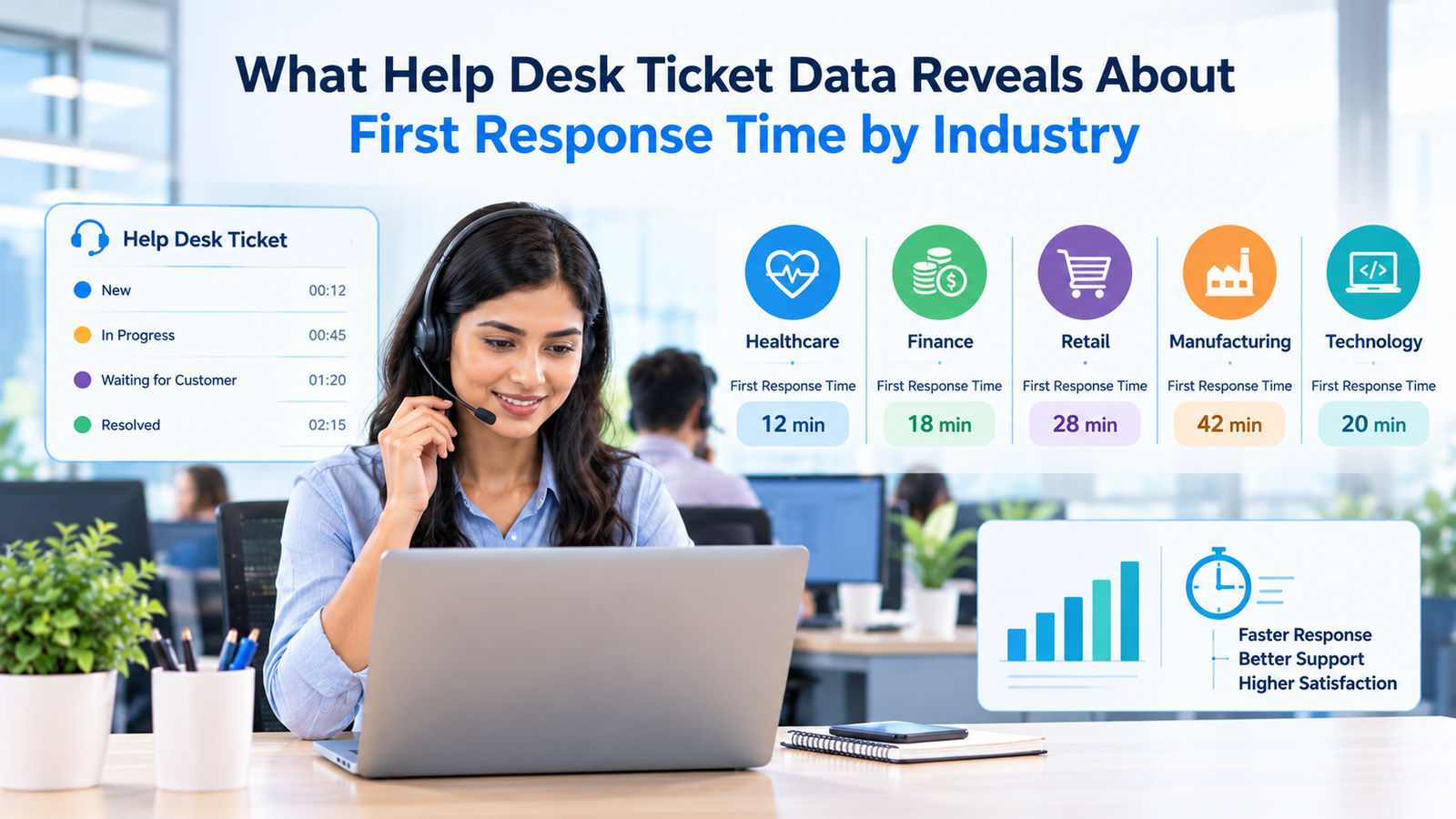
First response time looks simple on a dashboard. A ticket arrives, an agent replies, and the clock stops. The number is easy to calculate, which is why support leaders often use it as a quick signal of service speed. The problem is that a single companywide average can hide more than it explains. Industry, channel, ticket type, support hours, customer expectations, and even the way the help desk tool calculates the metric can change the result.
Current ticket datasets make that problem visible. Broad customer service studies show large differences in first response time by industry, while internal IT help desk data can show far faster pickup times because the operating model is different. Within the same industry, high-performing teams can also answer hours sooner than slower peers. That means help desk first response time works best as a benchmark when the comparison is built from similar tickets under similar conditions.
The useful question, then, isn’t whether every help desk should answer within the same number of minutes. The useful question is what the ticket data says about the environment behind the number, and whether your own service desk response time is being compared with a fair peer group.
TL;DR
Help desk ticket data shows that first response time varies widely by industry and support model. Freshservice’s 2025 IT benchmark reports an overall average first response time of 9.36 hours, with industry averages ranging from about 7.74 hours to 11.00 hours in the published table, while a 2026 internal IT dataset reported a 5-minute median first response across more than 50,000 tickets. Those figures aren’t contradictory. They use different datasets and statistics.
The practical takeaway is to use help desk response time benchmarks as context rather than as a universal target. Compare customer support with customer support and internal IT with internal IT. Separate email from chat. Decide whether the clock uses calendar hours or business hours. Review the median and upper percentiles alongside the average. Then pair help desk first response time with resolution time, SLA compliance, reopen rate, and customer satisfaction so a fast acknowledgment doesn’t hide a slow fix.
What first response time actually measures
Help desk first response time measures how long a requester waits for the first meaningful reply after creating a ticket. The exact event that starts and stops the clock depends on the platform and reporting setup. One system may start timing when the ticket record is created. Another may use the first inbound customer message. Some tools ignore automatic acknowledgments and wait for the first agent reply. That difference can move the metric even when the support team hasn’t changed its behavior.
The distinction between first response and resolution is essential. First response tells you how quickly the support process becomes visible to the requester. Resolution tells you how long it takes to finish the work. A ticket can receive an immediate reply and remain unresolved for 2 days. Another ticket may wait 30 minutes for the first reply and be fixed 5 minutes later. Those cases create different experiences even if a dashboard focuses on only 1 number.
Modern reporting systems also treat the statistic differently. Some calculate an average. Others use a median to limit the effect of extreme outliers. A current ecommerce help desk definition, for example, uses the median for first response time because a small number of unusually old tickets can distort the average. That median-based metric definition is useful context when comparing outside figures, because an average and a median aren’t interchangeable even when both are labeled as first response time.
For that reason, a service desk response time comparison needs a definition before it needs a target. Record the event that starts the timer, what qualifies as the first reply, whether automated replies count, which tickets are excluded, and whether the result is an average or median. Without that information, 2 apparently similar numbers may describe different things.
What current help desk ticket data shows
The largest current customer service datasets show 2 patterns at once: response speed differs by industry, and support operations are changing as AI takes on more routine interactions. A 2026 customer service dataset covering 33,889 accounts and 1.2 billion tickets reports that 43.6% of customer service teams use AI across service workflows, up from 32% in 2025. The same research says higher AI copilot adoption is associated with lower average response and resolution times, although the dataset doesn’t prove that AI alone caused the difference.
The industry effect is also real. Retail teams face order and return questions. Software teams see technical troubleshooting and account issues. Travel teams deal with time-sensitive booking changes. Manufacturing support may include distributors, field users, product faults, and business-to-business cases. These different queues create different urgency patterns, ticket complexity, staffing needs, and channel mixes. That is why first response time by industry is more useful than a single global average when the underlying definitions line up.
Internal IT data tells another story. A 2026 IT help desk study based on more than 50,000 tickets reported a 5-minute median first response. The 75th percentile was 8 minutes, while 90% of tickets received a first response within 15 minutes. The same dataset found that most ticket categories clustered within a narrow 4-to-6-minute band, which suggests that initial pickup was standardized even when the work needed to solve the issue varied sharply.
These findings are why IT help desk benchmarks can’t be mixed casually with public customer support benchmarks. Help desk first response time only becomes comparable when the surrounding support model is also comparable. An employee reporting a VPN problem to an internal desk has a different relationship with the support team than a consumer emailing a retailer. The tools, staffing hours, identity data, ticket routing, and expected response can all differ. The metric name stays the same while the operating conditions change.
First response time by industry
Freshservice’s 2025 IT service management benchmark provides a more direct view of first response time by industry for help desk work. The Freshservice Benchmark Report 2025 reports average first response time and first-response SLA performance by industry. The table below uses that IT benchmark rather than customer service ticket data.
| Industry | Average first response time (hours) | First response SLA (%) |
| IT Benchmark | 9.36 | 95.99 |
| Education | 10.62 | 95.65 |
| Construction/Real Estate | 7.93 | 95.69 |
| Logistics and Transportation | 8.97 | 95.50 |
| Business Services | 7.74 | 96.44 |
| Media/Internet | 7.74 | 95.72 |
| Energy | 11.00 | 97.65 |
| Industry | Average first response time (hours) | First response SLA (%) |
| Software | 8.75 | 95.76 |
| Leisure/Hospitality | 10.69 | 96.46 |
| Healthcare | 9.98 | 96.17 |
| Manufacturing | 10.41 | 95.75 |
| Retail/e-commerce | 9.94 | 96.57 |
| Consumer Products and Services | 8.44 | 97.21 |
| Government/Nonprofit | 10.52 | 95.47 |
| Finance | 8.73 | 95.79 |
The spread matters, but the table shouldn’t be read as a league table. Average first response time ranges from about 7.7 hours to 11 hours across the listed IT industries, yet those figures reflect Freshservice customer environments with different ticket mixes, staffing models, coverage windows, and operating structures. Help desk response time benchmarks are descriptive. They show what happened in a dataset, not what every company in that industry must achieve.
The 2025 IT-specific table is more aligned with help desk benchmarking because it measures service management tickets rather than customer-service conversations. Its overall IT benchmark is 9.36 hours, while the industry rows vary around that figure. Use those numbers as context, then compare your own help desk only when the calculation method, support hours, and ticket population are reasonably similar.
Why teams in the same industry can be hours apart
The biggest lesson in current ticket data is that industry doesn’t explain all of the gap. Teams in the same market can have very different help desk first response time because the support operation itself changes the queue. Routing rules can move a ticket to the right specialist immediately or leave it waiting for manual triage. Staffing can follow demand by hour or stay fixed while volume spikes. Self-service can remove simple requests before an agent ever sees them. These choices change the shape of the ticket population that remains.
The 2025 benchmark illustrates the size of that internal spread. In retail, its top performance group recorded a ticket first response of 3 minutes 3 seconds, while its lower-performing group took 8 hours 24 minutes. In software and internet, the corresponding figures were 2 minutes 20 seconds and 6 hours 10 minutes. Travel and hospitality ranged from 5 minutes 20 seconds to 7 hours 12 minutes. Those are differences inside industries, not between unrelated sectors.
That pattern is visible in more specialized data too. A 2026 ecommerce benchmark based on more than 1,000 brands reports that first response time can vary by 5.5 times across ecommerce verticals at roughly the same GMV level. Hardware was listed at 1.6 hours, while apparel and accessories was 8.8 hours and arts and entertainment was 9.1 hours. A single “ecommerce average” would flatten differences that matter to staffing and customer expectations.
This is why help desk response time benchmarks should be layered. Start with support type, then industry, then business size or transaction volume if a reliable peer set exists. After that, compare channel, priority, and ticket type. Each filter removes one source of noise. The result is a benchmark that explains more than an all-company average.
Why industry changes the response-time baseline
Industry changes the queue before it changes the clock. The type of problem users report determines how much information the agent needs, how often another team must be involved, and whether the answer can be standardized. A password reset may be easy to classify. A failed enterprise integration may need logs and engineering input. A travel disruption may be simple to identify but urgent because its value drops quickly as departure time approaches.
Regulation can also affect the workflow. Financial services and healthcare teams may need identity checks, privacy controls, or restricted access to case data before work can proceed. Manufacturing support may depend on product serial numbers, distributor records, warranty status, or field diagnostics. Those steps don’t automatically mean the support team is slow. They mean the help desk first response time should be interpreted beside the work the team is expected to perform.
Ticket demand patterns matter as well. Retail volume can spike around promotions and holidays. Education can see sharp peaks at enrollment or term starts. Travel support can rise during weather disruptions. A 24/7 telecommunications operation may staff around continuous demand, while a smaller business service team may work narrower hours. These differences are one reason a service desk response time target copied from another industry can create the wrong staffing conclusion.
Industry context should also include the user’s cost of waiting. A 2-hour reply to a general information request may be acceptable. The same delay on a production outage can be damaging. Current cybersecurity guidance from NIST’s incident response publication treats incident response as part of wider risk management, which supports a broader principle for service desks: urgency should follow business impact rather than ticket arrival order alone.
Internal IT help desks need a separate benchmark
Internal IT support often posts much faster first responses than customer-facing email queues, but the comparison can be misleading if the environment is ignored. Employees are known users. Identity information may already be tied to the ticket. Common issues can be routed by device, application, location, or department. The service desk may also have deeper access to endpoint and account data than an external customer service agent.
The same 2025 Freshservice benchmark reported an average first response time of 9.36 hours for IT tickets and 13.30 hours for business-team tickets across its dataset. That looks very different from the 5-minute median in the 2026 IT ticket study discussed earlier. The figures can coexist because the datasets, statistical methods, and service environments differ, and their clock rules may also differ. One reports an average in hours. The other reports a median from a different ticket population.
That contrast is useful because it exposes a common benchmarking mistake. IT help desk benchmarks aren’t interchangeable simply because they all describe internal support. IT help desk benchmarks also need matching clock rules before the comparison is useful. A global enterprise with tiered support, formal assignment queues, and follow-the-sun coverage will behave differently from a smaller company with a compact support team. An outsourced desk can also use different routing and SLA rules from an internal desk.
When evaluating internal help desk first response time, document the size of the employee population, support hours, locations, ticket channels, priority mix, and whether the first reply is human or automated. IT help desk benchmarks become more useful when those operating details are visible beside the number. These details explain whether an outside figure is a fair comparison. They also help you decide whether a gap comes from staffing, routing, ticket creation quality, or the way the clock is configured.
Channel mix can distort industry comparisons
Channel is one of the biggest reasons 2 organizations can report different first response times while both appear to serve similar customers. Live chat creates an expectation of near-real-time interaction. Email is asynchronous. Portal tickets often resemble email, while social messages can sit somewhere between chat and public customer care. Combining them into one number changes the result according to the share of each channel.
The 2024 industry report showed this clearly. Ticket response times were measured in minutes or hours, while conversational support often recorded responses in seconds. A company with a high chat share can therefore look much faster than an email-heavy company even if its agents perform similarly within each channel. That makes first response time by industry incomplete unless the channel mix is visible.
Current customer research points in the same direction. The 2026 Zendesk CX trends research reports that 74% of consumers expect customer service to be available 24/7 and 88% expect faster response times than they did a year earlier. Those figures describe expectations, not a universal SLA, but they help explain why channel choice and coverage hours are becoming more important when teams set help desk response time benchmarks.
The cleanest approach is to report help desk first response time separately for each major channel. Keep email, portal, chat, messaging, and social metrics distinct. If leadership still needs a combined view, show channel share beside it. That prevents an improvement caused by channel mix from being mistaken for an improvement in agent performance.
Average vs median and business-hour clocks
Averages are sensitive to long-tail tickets. If most tickets receive replies within 30 minutes but a small number sit for several days, the mean can rise sharply. A median is less affected because it reports the middle observation. Neither measure is automatically better. They answer different questions. The average reflects the total waiting burden, while the median shows what the middle ticket experienced.
Upper percentiles add another view. A 90th-percentile result tells you the response time within which 90% of measured tickets fall. That makes slow-tail behavior easier to see. Current service desk reporting guidance from Atlassian’s scorecard documentation uses the 90th percentile for time-to-first-response SLA reporting, which is a useful model when a median alone would hide the worst delays.
Clock rules matter just as much. A ticket submitted at 6:00 p.m. Friday can show a 63-hour wait if calendar time runs through the weekend, even if an agent answers at 9:00 a.m. Monday. A business-hours clock might record only 1 hour. Jira Service Management’s SLA configuration documentation allows teams to define goals and working-hour calendars, illustrating why the same operational behavior can produce different reported times.
For fair IT help desk benchmarks, publish the clock rule beside the result. State whether the statistic is average or median. Add at least 1 upper percentile if the reporting system supports it. This small amount of metadata prevents senior leaders from comparing a business-hours average with a calendar-hours median and drawing a false conclusion.
Priority and ticket type matter more than one companywide target
A single first response target for every ticket is easy to administer but often weak as a service design. A payroll access problem on payday, an executive’s locked account before a customer meeting, and a request for a second monitor shouldn’t necessarily share the same response goal. Priority exists to separate these conditions, but only if priority is assigned consistently.
Vendor SLA models often encode this difference. ServiceNow’s technology product support SLA example sets different first response goals by case priority, showing the practical logic behind tiered targets. The exact hours in that product example aren’t a general benchmark. The useful point is the structure: response expectations change when case priority changes.
Ticket type also affects what a first reply can accomplish. Internal IT data shows that first response can remain similar across many categories while resolution time varies much more. That means a team may already have solved the pickup problem. If hardware, access, and application tickets all receive a reply within a few minutes, reducing service desk response time further may add little value compared with improving diagnosis or reducing handoffs.
A good reporting design therefore breaks help desk first response time down by priority and a manageable set of ticket types. Avoid creating dozens of tiny categories that make trends unstable. Use enough detail to separate different workflows, then review whether the slowest categories are slow because of triage, ownership, staffing, or an SLA clock that doesn’t fit the work.
What AI changes in first response data
AI changes first response data in 2 ways. It can answer some requests directly, and it can help human agents classify or draft responses faster. Those effects can reduce measured wait time, but they also make the metric harder to interpret if AI replies and human replies are mixed without labels.
The 2026 customer service dataset found that 43.6% of teams use AI across service workflows. It also reported lower average response time among groups with higher AI copilot adoption. Separately, the 2026 IT ticket study found almost no change in first response between heavily automated and mostly manual tickets, with both near 5 minutes. The larger difference appeared in resolution, where heavily automated tickets closed much sooner in that dataset.
That contrast is important. AI won’t always improve help desk first response time if first pickup is already fast. Its value may appear later in the ticket lifecycle through classification, knowledge retrieval, routine fixes, or reduced agent work. The 2025 State of Service research based on 6,500 service professionals also reports that service organizations expect AI to handle a larger share of cases over the next few years, which makes clear metric labeling more important as human and automated service blend.
For reporting, split first response into human first response and automated first response when the difference matters to the user experience. Track human pickup after an AI handoff as a separate measure. Otherwise, a fast bot acknowledgment can make the top-line number look better while the requester still waits a long time for a person who can solve the issue.
Why fast first response can hide slow resolution
A fast first reply is valuable because it tells the requester that the ticket entered the support process. It can confirm ownership, request missing details, or provide an immediate fix. The metric becomes misleading when the first message is treated as the outcome rather than the start of the work.
Internal ticket data makes this point strongly. The 2026 IT study reported about the same first response time across different levels of automation, yet median resolution time was 4.4 hours for heavily automated tickets and 71 hours for tickets where humans performed most of the work. The first response metric alone would make those workflows look almost identical. Resolution data shows that they weren’t.
A similar issue appears in SLA reporting. An agent can send a quick acknowledgment and meet a first-response target while the ticket remains open through repeated transfers. A 2026 ITIL benchmarking article on SLA compliance defines compliance around whether agreed service-level targets are met over a period. That broader view is useful because a service desk can hit one timer while failing the service outcome that matters to the user.
Pair help desk first response time with resolution time, first contact resolution, reopen rate, and CSAT. For internal support, add productivity-blocking time when the data is available. The point isn’t to create a giant dashboard. It is to keep the speed metric connected to whether the problem was actually handled well.
How to benchmark your own help desk fairly
Start with a clean definition. Decide exactly what counts as a ticket, when the response clock begins, what message stops it, and whether automated replies qualify. Then fix the time basis. Choose calendar time or business hours according to the service promise, and document holidays or regional schedules that affect the clock. This gives your internal trend a stable baseline before outside comparisons enter the discussion.
Next, build a peer group that resembles your environment. MetricNet’s benchmarking guidance describes peer comparisons in terms of factors such as scope, scale, complexity, and geography. That approach is more useful than comparing every service desk with one global average because the work and operating conditions determine what the metric means.
Use this checklist when reviewing help desk response time benchmarks and deciding whether the service desk response time comparison is fair:
· Match customer-facing support with customer-facing support, and internal IT with internal IT.
· Use the same channel where possible.
· Compare the same statistic, such as median with median or average with average.
· Confirm whether business hours or calendar hours are used.
· Segment by priority before judging the overall result.
· Review a stable time window so one incident or seasonal spike doesn’t dominate the result.
· Add resolution and SLA measures so fast pickup isn’t mistaken for complete service.
Then examine the distribution, not only the center. A 15-minute median can still hide a group of tickets waiting many hours. Track the 75th or 90th percentile, or use SLA compliance to expose the slow tail. Current ITSM practice also treats service desk metrics as part of a wider measurement system. ITIL service desk practice guidance emphasizes service desk metrics and practice success factors rather than a single response statistic, which fits the way ticket data should be read.
Finally, separate improvement targets from external benchmarks. The outside figure tells you what a peer group recorded. Your target should reflect user impact, staffing, contractual commitments, and the cost of waiting. If your median is already fast but the 90th percentile is poor, the right action may be queue control rather than a lower overall target. If first response is fast and resolution is slow, the work belongs downstream.
What the ticket data really says
Help desk ticket data doesn’t support one universal first response target. It supports a more careful conclusion: first response time by industry varies because the work, channels, users, and service models vary. Cross-industry ticket data can put an organization in context, but it shouldn’t be turned into a pass-fail standard without checking how the number was produced.
The strongest pattern is the gap within peer groups. Some teams in the same industry answer in minutes while others take hours. That points to routing, coverage, queue design, ticket mix, and operating discipline as major influences on help desk first response time. Industry sets part of the baseline. The support model determines much of what happens next, which is why help desk first response time needs operating context before it becomes a target.
The best use of IT help desk benchmarks is therefore diagnostic. Help desk response time benchmarks work best when they explain a gap rather than declare a winner. Compare like with like, expose the slow tail, and connect first response with resolution and SLA results. A faster reply matters when it reduces uncertainty or starts useful work sooner. The ticket data becomes much more useful when the organization can tell whether the first response changed the outcome or simply stopped a timer.
Frequently asked questions
What is help desk first response time?
Help desk first response time is the elapsed time between a ticket being created and the first qualifying reply from the support team. The exact definition depends on the help desk platform and reporting rules, especially whether automated acknowledgments count.
What is a good first response time for a help desk?
There isn’t one good number for every help desk. A fair target depends on support type, channel, industry, priority, operating hours, and customer expectations. Use peer data and your own ticket distribution rather than adopting a universal target.
Why does first response time vary by industry?
First response time by industry varies because industries generate different ticket types and urgency patterns. Staffing coverage, regulation, transaction timing, and customer channel preferences also change how quickly a support team can or should respond.
Should internal IT use customer service benchmarks?
Usually not as a primary comparison. Internal IT has known users, different tools, different access to system data, and different service expectations. IT help desk benchmarks from similar internal environments provide a fairer reference.
Is median or average first response time better?
Both can be useful. The median shows the middle ticket and resists extreme outliers, while the average reflects the total waiting burden. Reporting both, plus an upper percentile, gives a clearer picture.
Should business hours be excluded from first response time?
That depends on the service promise. If an SLA applies only during staffed hours, a business-hours clock is appropriate. If customers expect 24/7 support, calendar time may better reflect their real wait.
Does a fast first response mean the help desk is performing well?
Not by itself. A quick acknowledgment can be followed by a long resolution. Pair service desk response time with resolution time, first contact resolution, reopen rate, and customer satisfaction.
How often should first response time be reviewed?
Monthly review is common for stable operations, while weekly review can help teams with high volume or frequent demand swings. Daily monitoring is useful for active SLA control, but longer windows are better for trend comparisons.
Should chat and email share the same first response benchmark?
No. Chat is synchronous or near-synchronous, while email is usually asynchronous. Combining them can make help desk response time benchmarks move simply because the channel mix changed.
How does ticket priority affect first response time?
Higher-priority tickets usually need shorter response goals because the cost of waiting is greater. Priority rules should be based on impact and urgency, and agents need consistent criteria so the data stays meaningful.
Can AI improve first response time?
Yes, especially when AI can classify requests, answer routine questions, or help agents draft replies. The gain may be small if initial pickup is already fast, so resolution time should be checked before judging the effect.
What is the difference between first response time and resolution time?
First response time ends when the requester receives the first qualifying reply. Resolution time continues until the issue is solved or the ticket reaches the defined resolved state. A help desk can be fast on one measure and slow on the other.
What other metrics should be tracked with first response time?
Useful companion measures include resolution time, first contact resolution, SLA compliance, reopen rate, and CSAT. The right set depends on whether the desk supports external customers or internal employees.
How can a team compare its service desk response time fairly?
Use a peer group with similar users, industry, support hours, channels, ticket types, and scale. Then make sure both datasets use the same calculation method and time basis before comparing the figures.
Why can help desk response time improve without better service?
The metric can fall because more tickets move to a fast channel, automated acknowledgments begin counting, or easy tickets make up a larger share of the queue. Check resolution, SLA results, and ticket mix before treating a lower number as a service improvement.