

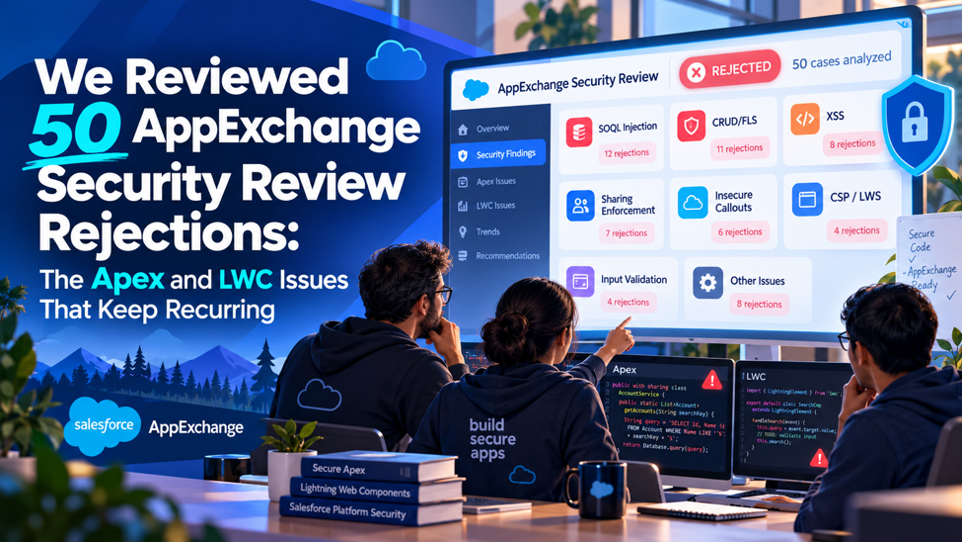
The 50 AppExchange security review reports reviewed for this article show recurring issues across Apex-heavy managed packages and Lightning Web Component bundles. The draft does not record the review dates, source list, selection criteria, or exact denominator needed to support a first-pass approval rate, so the findings below are presented as qualitative observations from this reviewed sample. The analysis focuses on the recurring security patterns visible across the reports, the areas that repeatedly appeared in the findings, and the remediation approaches discussed for later submissions. It also does not establish comparative success rates.
The reviewed reports show recurring Apex and LWC issues, with access-control and component-security patterns appearing across the sample. Because the draft does not preserve exact finding counts or category denominators, it does not support a measured claim that any category accounted for a share of findings. The access-control discussion therefore describes the pattern qualitatively and explains why it matters for packages using older Apex security defaults or explicit elevated modes. The LWC discussion likewise focuses on repeated implementation patterns rather than claiming a measured prevalence. This breakdown explains the security issues identified in the reviewed reports, why they can be missed during development, and which remediation approaches are relevant when teams prepare a submission.
TL;DR
| Finding | What it means for your next submission |
| Access control issues recurred across reports | Access-control findings involving older Apex security defaults and explicit elevated execution appeared repeatedly across the reviewed sample, but the draft does not preserve exact counts by category. |
| Apex security patterns recur across reviewed reports | CRUD/FLS gaps, SOQL injection, sharing concerns, and mishandled secrets appeared repeatedly in Apex findings; category counts are not recorded. |
| LWC issues cluster around bypassed built-in protections | Recurring LWC findings often involved developers working around Lightning protections, especially around untrusted HTML, resource loading, or namespace boundaries in the reviewed sample. |
| Tooling gaps compound the problem | Teams that skipped Salesforce Code Analyzer’s Graph Engine, or misread Checkmarx findings, left some issues unaddressed before review and submission. |
| Process issues beyond code caused real rejections too | Expired test orgs, unusable review environments, and thin documentation appeared repeatedly alongside code-level findings here. |
| Repeat rejections share a common thread | Packages facing repeat rejection often treated security as a pre-submission scramble rather than building security checks into ongoing development practices consistently. |
The reviewed findings point to a practical conclusion: recurring security issues are easier to address when teams examine access control, input handling, dependencies, tooling, and submission readiness before formal review. The sample supports that workflow lesson, while the available draft data does not support measured approval or remediation rates.
How This Breakdown Was Put Together
Before working through the findings, this section explains the analysis and how the 50 reports were categorized. Each report could contain multiple findings, so the review treated individual findings as the unit of analysis rather than treating each report as one issue. The draft does not preserve the review dates, source list, selection criteria, exact category counts, or denominators needed to calculate reliable percentages. It also does not document a separate comparison group for packages that passed or a complete resubmission dataset. The results should therefore be read as qualitative observations from the reviewed sample here, not as a statistical ranking, approval-rate study, or measured remediation success analysis for this draft and the reviewed dataset.
What Counted as a Recurring Issue
Each of the 50 rejection reports typically contained multiple individual findings, so the categorization work involved tagging each distinct finding by type across Apex, Lightning Web Components, Aura, Visualforce, and procedural issues such as unusable test environments. The draft records the categories and reviewed sample, but it does not preserve exact finding counts by category or a defined threshold for recurrence. The term recurring is therefore used descriptively for issues that appeared across the reviewed reports within the available sample, rather than as a statistical rank or frequency measure.
Why Apex and LWC Specifically Became the Focus
The 50 reports included findings touching Aura, Visualforce, and configuration issues as well. This article focuses on Apex and Lightning Web Components within the Salesforce development activity described in the reports. Aura-specific findings still appear in the sample and are referenced where relevant, but the deeper analysis stays on the Apex and LWC issues described in the reports. This keeps the discussion centered on recurring code-level security patterns found within the reviewed sample under review.
The Headline Finding: Access Control Recurs Across Reports
Before breaking down the individual issues, it’s useful to identify the access-control pattern that receives attention in this review and explains several of the Apex findings that follow. The discussion is qualitative because the draft does not provide category counts, percentages, or denominators for comparing finding frequency.
Why Access Control Receives Attention Across the Reviewed Sample
The sample includes access-control findings involving Apex code that uses older security defaults, as well as code that selects elevated execution. In packages compiled against API version 66.0 and earlier, Apex database operations run in system mode by default, and classes without a sharing declaration can inherit sharing behavior from the caller. In API version 67.0 and later, Apex database operations run in user mode by default and classes enforce record sharing by default. The finding therefore needs an API-version qualifier: older packages and explicit system-mode or without-sharing code can create access-control risk, while newer API versions have safer defaults that change how reviewers should interpret that pattern.
Why This Category Is So Easy to Miss During Normal Development
Code that fails to enforce CRUD and field-level security still executes without error, still returns the expected data, and still passes ordinary functional testing with flying colors, because the underlying access-control gap only becomes visible when a user without the appropriate object or field permissions actually attempts the same operation. A developer testing their own package as a system administrator, which is how most internal development and testing genuinely happens, will simply never encounter the specific failure mode the security review is designed to catch, since their own permissions mask the exact gap the reviewer is looking for.
The Apex Issues That Kept Recurring
With the dominant access-control pattern now genuinely established and clearly understood, the specific Apex-level findings below break that broader category down into the concrete, individual issues that showed up repeatedly and consistently across the full set of 50 rejection reports genuinely analyzed for this particular breakdown.
Recurring Apex findings in this sample
| Issue | What it looks like in practice |
| CRUD/FLS enforcement gaps | SOQL queries and DML statements executing without checking whether the running user actually has permission to access or modify the specific objects and fields involved |
| Sharing declared on the wrong classes, or not declared at all | In API 67.0+, undeclared classes default to with sharing; in older API versions, sharing can inherit from the caller, so review API version and declaration. |
| SOQL injection from dynamic query construction | Building a query string through direct concatenation of user-supplied input rather than using bind variables, opening the door to manipulated, unintended query behavior |
| Sensitive data mishandled in debug statements or storage | Hardcoded API keys directly in Apex code, tokens stored in custom settings, or personal data passed into System.debug statements left in production code |
| Bypassing sharing rules directly in Apex | Explicit use of “without sharing” in contexts where the resulting elevated access wasn’t genuinely necessary for the feature to function correctly |
| Cross-site request forgery gaps | Verify request origin and authentication context, and apply CSRF protections to state-changing endpoints used by the package. |
| Using software with known vulnerabilities | Inventory third-party dependencies, remove vulnerable versions, and update to supported releases before submitting the package. |
Why CRUD/FLS Enforcement Specifically Deserves the Top Spot
CRUD and field-level security enforcement gaps are an important access-control concern in the reviewed material. The approach also depends on API version: in API version 67.0 and later, Apex database operations run in user mode by default, while older versions use system mode by default unless code explicitly changes the access level. For code that needs explicit enforcement, WITH USER_MODE on SOQL and AccessLevel.USER_MODE on Database operations can apply the running user’s permissions consistently. This is preferable to scattering individual permission checks across a codebase, but developers still need to identify the operations that require enforcement and review them across the relevant call paths before submission.
Why the Sharing Declaration Issue Is Genuinely Subtle
The sharing declaration issue needs attention because its behavior depends on API version and declaration. In API version 67.0 and later, a class without a sharing keyword enforces record sharing by default. In API version 66.0 and earlier, a class without a sharing declaration can inherit the caller’s sharing context. That behavior concerns record-level sharing, not CRUD or field-level security. Object and field permissions are separate, and older code may require user-mode database operations or other enforcement. An @AuraEnabled method or Lightning Web Component can create an access-control concern when the class’s sharing behavior or database access mode does not match the security boundary. Reviewers should check layers separately.
Why SOQL Injection Remains a Recurring Finding Despite Being Widely Known
SOQL injection, the Salesforce-specific equivalent of traditional SQL injection, continues to show up in rejection reports despite being one of the more widely documented and discussed Apex security issues, largely because dynamic query construction still feels like the most direct, obvious way to build a flexible, configurable query when a developer is focused primarily on functionality rather than security. Bind variables solve this problem cleanly, but they require a small, deliberate shift in how a query gets constructed, a shift that’s easy to skip under normal development time pressure, particularly on a query that appears, superficially, to only ever receive trusted, internal input.
The LWC Issues That Kept Recurring
Turning now to the Lightning Web Component side of the dataset, a genuinely consistent theme emerged clearly: nearly every recurring LWC finding involved developers actively working around a built-in protection Lightning already provides by default, rather than reflecting any genuine gap in the platform’s own default security posture.
Recurring LWC findings in this sample
The specific LWC issues that appeared repeatedly across the 50 reviewed rejection reports:
● Bypassing built-in cross-site scripting protections through direct use of the innerHTML property, the lwc:dom=”manual” directive, or the lightning:formattedRichText component without adequate input validation first
● Loading third-party JavaScript files dynamically from external content delivery networks rather than packaging them properly as static resources within the component bundle itself
● Loading third-party CSS from an external source rather than including it directly within the component’s own associated stylesheet or packaging it as a static resource
● Attempting to run JavaScript directly within the broader Salesforce application context, violating the namespace isolation the platform is specifically designed to enforce
● Including JavaScript or Apex libraries with documented, publicly known vulnerabilities, since every library bundled into a package is specifically evaluated during review
● Insufficient escaping of dynamic content rendered within Lightning components, allowing untrusted input to reach the page without proper sanitization first
Why the innerHTML and XSS Bypass Pattern Is So Persistent
Lightning Web Components include built-in protection against cross-site scripting, and Lightning Web Security sanitizes HTML strings inserted into the DOM, including content assigned through properties such as innerHTML. The security concern is untrusted content and unsafe DOM manipulation, especially when developers bypass templating or use lwc:dom=”manual” without validating the data first. LWS does not sanitize input text itself, so developers still need to validate or sanitize user-controlled input before inserting it into the DOM. This pattern can appear when dynamic markup is required, but the implementation must account for the boundary between trusted data and untrusted HTML rather than treating innerHTML itself as the vulnerability.
Why Third-Party Script and CSS Loading Keeps Triggering Findings
The requirements differ by resource type. Third-party JavaScript libraries used by Lightning Web Components should be uploaded to Salesforce as static resources and loaded through a resource-loading mechanism rather than fetched dynamically from a CDN. Salesforce’s Content Security Policy guidance supports this requirement for JavaScript libraries. CSS should be handled according to its context: component styles can live in the component stylesheet, while CSS libraries can be packaged as static resources and loaded with loadStyle when needed. Lightning components and static resources guidance covers this path. The concern is the resource loading method and trust boundary.
Why Namespace Isolation Violations Still Occur
Salesforce enforces strict namespace isolation specifically to ensure each package’s JavaScript runs within its own separated, sandboxed context rather than directly within the broader Salesforce application domain, and violations of this isolation continue to show up in rejection reports, typically stemming from code that attempts to interact directly with the parent application context rather than working strictly within the sandbox the platform provides for exactly this purpose. This isolation can’t always be perfectly guaranteed by the platform alone in every conceivable scenario, which is precisely why the security review specifically checks for code that attempts to work around it rather than relying entirely on automatic platform-level enforcement.
What the Tooling Data Revealed
Beyond the specific code-level findings themselves already covered above in this breakdown, the 50 rejection reports revealed a genuinely consistent pattern in which specific scanning and testing tools teams had, or genuinely hadn’t, actually run before formally submitting their package for review in the first place.
The Tools the Review Process Actually Expects
| Tool | What it checks | Why it matters for submission |
| Source Code Scanner (Checkmarx) | Static analysis across Apex, Visualforce, JavaScript, and TypeScript within the package | Required Source Code Scanner for the security-review submission; current requirements depend on the solution type and architecture used. |
| Salesforce Code Analyzer v5 | Over 500 built-in rules spanning Apex, Visualforce, LWC, and Flow metadata | Code Analyzer v5 supports multiple engines, including Salesforce Graph Engine, for source analysis and security findings across supported code and AppExchange preparation. |
| OWASP ZAP or Burp Suite | Dynamic application security testing against any externally facing endpoints the package communicates with | Additional dynamic testing depends on solution architecture and exposed services; run the scans Salesforce requires for that solution. |
Salesforce’s current Code Analyzer documentation explains how the tool supports AppExchange review preparation and notes that Code Analyzer v4 was retired in August 2025, making current-version tooling important when teams build their submission workflow.
Why Teams Skipping Salesforce Graph Engine Still Missed Security Issues
Among the reviewed reports, a pattern appeared around teams that had run standard static analysis tools but had not specifically run Salesforce Graph Engine, the Code Analyzer engine used for complex Apex analysis and security issues. Graph Engine can trace data flow across methods and help identify access-control problems involving CRUD and field-level security. Standard static analysis can miss issues that depend on paths across multiple methods, which is why Graph Engine can add useful coverage. The draft does not preserve exact scan counts, so this section describes the tooling pattern qualitatively rather than claiming a measured rate of missed findings.
Why Checkmarx False Positives Created Their Own Problem
A separate pattern emerged around Checkmarx specifically flagging legitimate, correctly implemented User Mode DML operations as potential findings. Teams can treat such flags as items requiring review rather than assuming every scanner result represents a confirmed security gap. The current security-review process also allows false positives to be documented alongside the required scan reports, so the useful practice is to investigate the finding, verify the implementation, and document the reason when a flagged pattern is a false positive. This avoids unnecessary code changes made only to silence a scanner warning while still preserving the evidence Product Security needs to understand the result. The draft does not preserve enough data to quantify how often this occurred during review.
AI-Specific Security Findings Observed Across the Current Reviewed Sample
The reviewed reports include AI-related findings involving data handling, inference exposure, and adversarial input. The draft does not provide enough dataset detail to measure how common these findings were, so this section describes the observed themes without assigning a share or comparative likelihood to AI-related packages there.
What the AI-Specific Findings Actually Looked Like
| AI-related issue | What reviewers were specifically checking for |
| Data privacy within AI and machine learning logic | Whether data passed into a model or inference pipeline was handled with the same access-control discipline expected of any other sensitive data flow |
| Inference risk exposure | Whether a package’s AI-driven functionality could be manipulated into revealing data or behavior it wasn’t intended to expose |
| Adversarial input handling | Whether the package adequately validated and sanitized input before passing it into an AI or machine learning component, given how easily adversarial input can manipulate model behavior |
What This Category Means for Current Security Review Preparation and Testing
As AppExchange packages incorporate AI-driven functionality, including an external AI service, security review examines how those features handle data, model interactions, and adversarial input. The reviewed material includes AI-related findings involving privacy, inference exposure, and input handling, but the draft does not record the number of AI-adjacent packages, related finding counts, a comparison group, or the review period. The section therefore treats AI security as a qualitative area of attention rather than a measured trend. Teams building AI functionality should apply the same access-control and input-validation discipline to model-related data flows that they apply elsewhere in the package during formal review.
Why Teams Building AI Functionality Should Treat This as Genuinely New Scope, Not an Afterthought
A package that handles data flows carefully, enforcing CRUD and field-level security throughout, can still receive a rejection if discipline isn’t extended to data passed into or returned from an AI or machine learning component. AI-related functionality should be treated as part of the package’s security boundary, with attention to access control, data handling, and adversarial input. The reviewed sample includes these themes, but the draft does not provide counts or comparison data to establish how frequently AI-adjacent packages received findings. This section therefore describes the security considerations without presenting a trend.
Process Issues That Caused Rejections Independent of Code
Not every single rejection among the 50 reviewed reports stemmed directly from a genuine code-level security vulnerability. A meaningful share instead involved process and submission issues that, while not security findings in the traditional sense, still blocked the review from completing successfully all the same, regardless of code quality.
The Recurring Non-Code Issues
The specific procedural problems that showed up repeatedly across the reviewed rejection set:
● A test environment the reviewer genuinely couldn’t use, whether from an expired org, an identity verification challenge locking the reviewer out entirely, or objects left with no actual data populated in them for the reviewer to test against
● External endpoints the package communicates with that hadn’t been separately, dynamically scanned, since any external service the package operates or depends on is considered squarely in scope and requires its own dedicated scan report
● Documentation gaps significant enough that the reviewer couldn’t clearly determine what a specific piece of functionality was actually meant to do, or why a particular access pattern was genuinely necessary for the feature to work
Why Test Environment Problems Are More Common Than They Should Be
A test org that’s expired, locked behind an identity challenge the reviewer can’t clear, or populated with empty objects containing no actual sample data effectively blocks the review before it can even meaningfully begin, regardless of how genuinely secure the underlying code actually is. Maintaining reliable environments is also part of disciplined Salesforce release and development practice, yet this category of issue appeared often enough across the 50 rejections to warrant specific mention, suggesting submission logistics still don’t always receive the same careful attention teams correctly devote to the underlying code itself.
Why External Endpoint Scanning Gets Overlooked
Teams frequently focus scanning and remediation effort almost entirely on the package’s own Apex and Lightning code, while genuinely overlooking that any external service the package calls, a company’s own API, a third-party integration, anything the package depends on at runtime, falls squarely within the review’s actual scope and needs its own separate, dynamic scan report submitted alongside the core package. This gap showed up repeatedly among the 50 rejections specifically involving packages with external integrations, where broader Salesforce integration and customization practices also become relevant, suggesting many teams still don’t fully realize how far the review’s actual scope genuinely extends beyond the package’s own bundled code.
What Separates Reviewed Submissions From Repeat Rejections
The reviewed reports and later resubmissions point to recurring preparation practices among packages that eventually succeeded. Because the draft does not record the number of resubmissions or a success rate, this section describes those practices without claiming a measured approval advantage from any specific remediation sequence in practice.
Practices Observed in Later Successful Submissions
The practices observed in submissions are listed below. The draft does not provide counts or success rates for ranking.
● Running the full recommended tooling suite, including the DFA-specific scanner, well before the formal submission, rather than treating scanning as a final, last-minute step immediately before submitting
● Having at least one developer manually review every Apex class’s sharing declaration specifically, rather than relying entirely on automated tooling to catch a pattern that’s genuinely subtle enough to sometimes slip past static analysis alone
● Documenting known false positives explicitly within the submission itself, rather than either ignoring flagged findings or making unnecessary code changes purely to silence a scanner warning
● Treating security considerations as part of the normal, ongoing development process throughout a feature’s build, rather than as a separate, compressed review conducted only immediately before submission
Salesforce’s managed-package scanning instructions specifically require partners to run Code Analyzer, remediate issues where possible, rerun the scan, and document false positives before uploading the report for review.
Security as an Ongoing Practice
Treating security as part of development makes remediation easier to integrate. The Salesforce security model remains relevant throughout the process: review access control, input handling, dependencies, tooling, and submission readiness before a package reaches formal security review or resubmission stage.
Specific Remediation Fixes Used in the Reviewed Resubmission Sample
Beyond simply identifying what originally caused the 50 rejections in this specific dataset, tracking which specific fixes actually resolved each finding on resubmission surfaced a genuinely useful, practical pattern that’s worth walking through directly and in careful, deliberate detail here for anyone facing a similar rejection.
What Resolved the Access-Control Findings
The specific remediation approaches used in the reviewed resubmissions are listed below here.
● Replacing scattered, individual isAccessible, isCreateable, isUpdateable, and isDeletable checks with WITH USER_MODE applied directly on the relevant SOQL queries, closing gaps that had been left incomplete under the previous, more manual approach
● Explicitly declaring “with sharing” on every class handling sensitive data, rather than leaving sharing behavior to be silently inherited from whatever happened to call that class
● Auditing the full call chain for every @AuraEnabled method specifically, tracing exactly which classes it ultimately invoked and confirming sharing behavior remained consistent and intentional all the way through that chain
● Applying AccessLevel.USER_MODE consistently on Database class calls handling DML operations, matching the same enforcement already applied on the corresponding SOQL side
What Resolved the LWC-Specific Findings
The specific remediation approaches that consistently resolved recurring Lightning Web Component findings:
● Replacing direct innerHTML assignments with the framework’s standard templating approach wherever functionally possible, and adding explicit, deliberate sanitization in the specific cases where innerHTML genuinely remained necessary
● Migrating dynamically loaded third-party JavaScript and CSS into properly packaged static resources, loaded through the loadScript and loadStyle functions rather than pulled from an external CDN at runtime
● Removing or replacing third-party libraries carrying known, documented vulnerabilities with actively maintained, currently patched alternatives
● Reworking components that had been directly manipulating the parent Salesforce application context to instead operate strictly within their own properly sandboxed namespace
Why Root-Pattern Remediation Can Matter Beyond the Specific Finding in a Resubmission Review
Resubmissions that addressed the underlying pattern behind a finding can provide coverage beyond fixing the instance called out in the rejection report. The reviewed material and Salesforce maintenance and support discussions include examples of teams auditing classes or components rather than changing the flagged location. Because the draft does not record the number of resubmissions analyzed or a success rate, it cannot establish that root-pattern fixes passed more often. The lesson is to review code for specific security patterns before resubmitting, since a review finding may represent one example rather than every instance across the package.
FAQs
Is CRUD/FLS enforcement genuinely the single most common reason packages fail AppExchange security review?
Based on the 50 reports, access-control issues, including CRUD and field-level security concerns, appeared repeatedly in the sample. The draft does not preserve exact category counts or denominators, so it cannot establish that these findings were the single most common reason for rejection across the dataset or across AppExchange submissions. The pattern is best treated as a qualitative observation.
Why does a developer’s own testing so often fail to catch these access-control issues before submission?
Because a developer testing their own package while logged in as a system administrator, which is how the large majority of internal development and testing genuinely happens, will never actually encounter the specific permission gap the security review is designed to surface, since their own elevated permissions mask exactly the failure mode a reviewer specifically tests for using a more restricted user profile.
Should a team prioritize fixing sharing declarations across an entire codebase, or focus only on the specific classes flagged during review?
Given the API-version change, teams should audit sharing declarations across the codebase and review each class in context. In API 67.0 and later, a class without a sharing keyword defaults to with sharing; in older API versions, sharing can inherit from the caller. Audit classes, while keeping record sharing separate from CRUD and field-level security enforcement. A class can need review for its sharing declaration and its database access mode before submission.
Does using WITH USER_MODE or AccessLevel.USER_MODE completely eliminate the need for manual access-control review?
It significantly reduces the risk compared to hand-rolled individual permission checks, since it enforces the check consistently and automatically rather than depending on a developer remembering to add an explicit check in every single relevant location. It doesn’t eliminate the value of a manual review entirely, though, since a developer still needs to correctly identify every query and DML operation that genuinely requires this enforcement in the first place, and confirm it’s been applied consistently across the full codebase.
Why do LWC security issues so consistently involve bypassing a built-in protection rather than a genuine platform gap?
Lightning Web Components include default protection against common XSS risks, and LWS sanitizes HTML strings inserted into the DOM. The security concern is untrusted input and unsafe DOM manipulation, especially when developers use innerHTML or lwc:dom=”manual” without validating or sanitizing input first. LWS does not sanitize input text itself. The relevant boundary is whether untrusted content reaches the DOM without appropriate validation or sanitization, rather than whether a particular DOM property is present.
Is it worth documenting Checkmarx false positives even if it might feel like extra, unnecessary submission work?
Yes, genuinely so, since teams that clearly documented known false positive patterns, the User Mode DML flag being the most common specific example, within their submission consistently avoided the wasted time and unnecessary code churn that came from either ignoring a real finding by mistake or over-correcting in response to a flag that was never a genuine issue in the first place.
Does the specific order in which a team fixes findings matter, or is any sequence equally effective?
The order genuinely matters in practice, since access-control fixes tend to touch a broader share of the codebase than a narrower, more contained issue like a single instance of dynamically loaded CSS. Addressing the broadest, most structurally significant findings first, sharing declarations and CRUD/FLS enforcement specifically, before moving to narrower, more isolated LWC-specific fixes tends to reveal related issues earlier in the process, rather than requiring a second, separate pass once those foundational access-control fixes are already complete and the codebase has shifted underneath the remaining, smaller fixes.
Can a package with a genuinely small, simple codebase still encounter most of these same issues?
Yes, and in some respects a smaller package can be more exposed to certain findings specifically because there’s less internal code review naturally happening across a small team or a solo developer’s own codebase. The sharing inheritance issue in particular doesn’t require a large, complex codebase to trigger; a single @AuraEnabled method calling a single helper class without an explicit sharing declaration is enough on its own to produce exactly the same finding a much larger, more complex package might also receive during review.
How much of a difference does external endpoint scanning actually make if the core package itself is genuinely secure?
A significant difference can exist when the solution architecture includes external services that fall within the required security-review scope. Current Salesforce guidance says the type of scans required depends on the solution architecture, so teams should confirm the applicable requirements for their submission rather than treating dynamic scanning as a universal rule for every package. External endpoint requirements can vary by solution type, so teams should review the security-review checklist for the architecture before deciding what scan reports belong in the submission.