

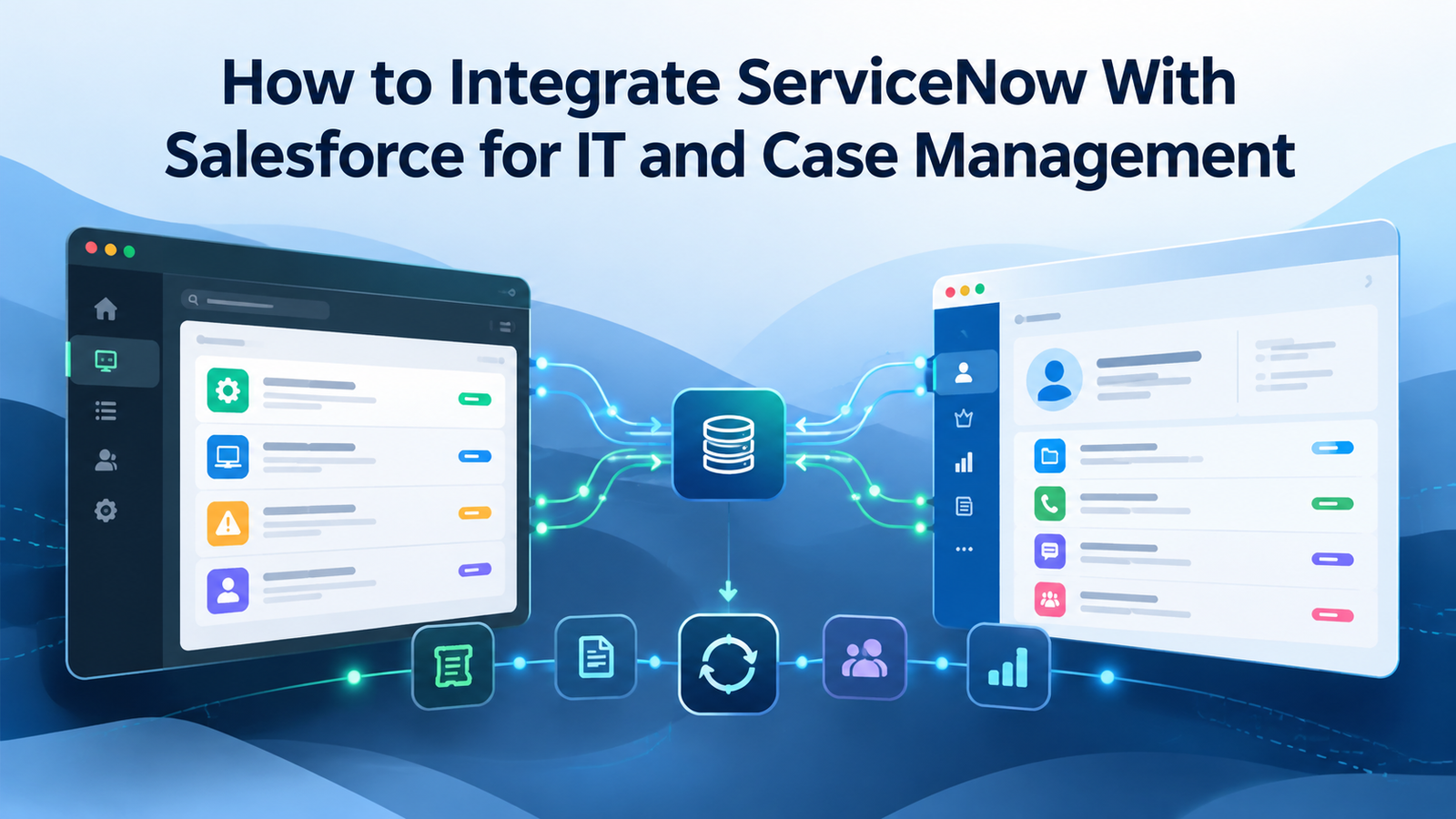
ServiceNow and Salesforce often sit on opposite sides of the same customer problem. Salesforce holds the customer-facing case, account context, contact history, and service communication. ServiceNow often holds the incident, technical assignment, resolver activity, and IT workflow. When those records depend on people copying updates between systems, the customer-facing team can be working from an old status while IT is already handling a different state.
A ServiceNow Salesforce integration fixes that gap only when the design gives each platform a clear job. The connection itself is the easy part. The harder work is deciding when a Salesforce Case should create a ServiceNow Incident, which fields can move both ways, how to stop update loops, and what happens when one platform rejects an update. This guide explains how to integrate ServiceNow with Salesforce for IT and case management without turning the connection into another source of ticket confusion.
TL;DR
A useful ServiceNow Salesforce integration starts with ownership rules, not field mapping. Decide which records cross the boundary, which system owns each shared value, and which identifier links the 2 records. Then choose the build path that fits the workflow: Integration Hub, direct REST APIs, events, or middleware already in use.
For ServiceNow Salesforce case management, treat Salesforce Case and ServiceNow Incident as related records with different purposes. Salesforce can keep customer communication and account context while ServiceNow owns technical handling. Use OAuth with dedicated integration identities, store cross-system IDs on both sides, make repeat writes safe, and test failure paths before production.
What The Integration Should Actually Do
The first design question for a ServiceNow Salesforce integration is what work the connection is meant to remove. A common pattern starts when a support agent creates or updates a Salesforce Case that needs IT involvement. The integration creates a ServiceNow Incident, stores the ServiceNow identifier on the Case, then sends selected technical status updates back to Salesforce. Another pattern starts in ServiceNow when an incident affects a customer and Salesforce needs a linked Case so the service team can communicate with that customer.
ServiceNow already provides a Salesforce Spoke for Integration Hub. Its current documentation says the spoke can work with Salesforce records including Account, Contact, Case, Lead, Opportunity, Order, and User data, and the product requires an Integration Hub subscription. The ServiceNow Salesforce Spoke documentation is useful for checking supported actions before you write custom API code, because the built-in coverage may be enough for a narrow case and incident process.
The integration should not copy every change just because a field exists on both sides. A Salesforce Case may contain customer language that doesn’t belong in an engineering work note. A ServiceNow Incident may contain internal diagnostic details that shouldn’t appear in a customer-visible Salesforce field. The job is to move the minimum information needed for each team to act, while preserving the different role of each platform.
A practical starting scope usually contains 4 business events: create the linked record when a defined trigger occurs, update shared status fields when an owned value changes, pass selected comments when they are approved for cross-system use, and close or resolve the relationship under an agreed rule. That gives the Salesforce ServiceNow integration a small operating contract that can be tested before more objects are added.
Choose The Right ServiceNow Salesforce Integration Architecture
The integration can use several build patterns. Choose based on who starts the process, how quickly updates must arrive, existing integration tooling, and the amount of custom behavior required. Start with the simplest design that can handle the required direction and failure rules.
| Approach | Best Fit | Main Tradeoff |
| ServiceNow Integration Hub Salesforce Spoke | ServiceNow-led workflows using supported Salesforce objects | Subscription and spoke capability boundaries |
| Direct REST API | Custom rules or narrow point-to-point flows | More code, monitoring, and recovery work |
| Event-based flow | High-change records that need near-real-time updates | Requires a subscriber, replay handling, and stronger operations |
| Existing enterprise middleware | Many systems already share one integration layer | Adds another runtime and operating dependency |
When teams integrate ServiceNow with Salesforce from a ServiceNow-led flow, Integration Hub is often the first option to review because it already provides connection handling and Salesforce actions. ServiceNow’s current Salesforce Spoke setup guide documents OAuth authorization and JWT signing-key setup paths, along with the connection alias used by the spoke, so the team can compare those options with its security rules before building anything custom.
A direct ServiceNow Salesforce API integration fits when the spoke doesn’t expose the needed operation or a custom endpoint is required. ServiceNow can call Salesforce REST endpoints, while Salesforce can call a secured ServiceNow REST endpoint for the reverse path. Keep the contract small and versioned so routine field changes don’t force a broad rewrite.
Event-based designs help when polling would create avoidable delay or API traffic. Salesforce Change Data Capture can publish record changes to a subscriber that sends needed updates to ServiceNow. This pattern can suit busy environments, but it adds replay state and subscriber health to the operating model.
Define Data Ownership Before You Map Fields
ServiceNow Salesforce case management becomes unstable when both systems think they own the same fact. Write the ownership table before anyone configures a Flow, Business Rule, Apex callout, or spoke action. For each value, record the source, the target, the allowed direction, and what should happen if the target already contains a different value.
A good ServiceNow Salesforce integration usually separates customer context from technical execution. Salesforce may own Account, Contact, customer-facing Case subject, customer priority, and approved communication. ServiceNow may own Incident state, assignment group, technical work notes, resolution code, and internal operational timestamps. Shared values can still appear in both systems, but 1 platform should have final authority for each field.
| Business Meaning | Salesforce Field | ServiceNow Field | Direction |
| Customer issue title | Case Subject | Incident Short description | Salesforce to ServiceNow |
| Customer impact text | Case Description | Incident Description | Salesforce to ServiceNow |
| IT work state | Custom Case IT Status | Incident State | ServiceNow to Salesforce |
| Technical owner | Custom resolver field | Assignment group | ServiceNow to Salesforce |
| Cross-system link | ServiceNow Incident ID | Salesforce Case ID | Both systems store the other ID |
Store stable cross-system identifiers instead of trying to match by text. Salesforce record IDs and ServiceNow sys_id values are better technical keys than Case Number or Incident Number because display numbers can be reformatted, copied, or handled differently across environments. Keep the human-readable number too, since support staff need it for search and conversation, but don’t make it the only correlation key.
ServiceNow Salesforce case management also needs an explicit rule for record creation. A new Salesforce Case shouldn’t automatically create an Incident if the issue is a billing question that never reaches IT. Define a routing condition such as issue type, product family, escalation flag, or support queue. The reverse rule should be just as strict so an internal ServiceNow Incident doesn’t create a customer Case unless there is a real customer-facing reason.
Set Up Authentication And Least-Privilege Access
Authentication deserves fresh review when you integrate ServiceNow with Salesforce because older setup guides can now be misleading. ServiceNow’s current spoke material still refers to Connected App details, while Salesforce changed its policy in Spring ’26. Salesforce says new legacy Connected App creation is restricted and recommends External Client Apps for new development. Check the Salesforce Spring ’26 Connected App notice before following an older setup walkthrough.
For ServiceNow calling Salesforce, use OAuth rather than storing a Salesforce username and password in scripts. Salesforce’s current REST API authorization guidance explains the OAuth requirement for REST access and the move toward External Client Apps. The exact app type and flow should be chosen against current ServiceNow support, Salesforce policy, and your identity model rather than copied from an old blog post.
For Salesforce calling ServiceNow, keep the ServiceNow endpoint behind authentication and give the integration identity only the roles needed for that endpoint. On the Salesforce side, Named Credentials and External Credentials can keep endpoint and authentication material outside Apex. The Salesforce Named Credentials setup guidance explains permission-based access to credential principals, which helps limit callout access to the integration job.
If ServiceNow uses a custom outbound REST message, configure the authentication profile rather than embedding secrets in Business Rules or Script Includes. ServiceNow documents OAuth 2.0 for outbound REST, and its outbound REST authentication reference lists feature differences between the Integration Hub REST step and RESTMessageV2. Review those differences before choosing the runtime.
Use separate integration identities for production and nonproduction. Give each identity only the object, field, table, and endpoint rights it needs. Record who owns token rotation and what happens when a credential expires. Authentication belongs in the operating runbook because token failure can stop the business process.
Build The ServiceNow Salesforce API Integration From ServiceNow
The ServiceNow-to-Salesforce direction usually begins with an Incident trigger or another ServiceNow workflow event. The trigger should be narrow. For example, run only when an Incident becomes customer-impacting and doesn’t already have a Salesforce Case ID. That single check reduces duplicate Case creation and prevents later Incident edits from running the create path again.
When you integrate ServiceNow with Salesforce through the spoke, a typical create path evaluates the Incident condition, identifies the Salesforce Account, creates the Case, then writes the returned Case ID back to ServiceNow. If the Case exists, use the update path. Both branches should use the same mapping rules.
A direct REST version uses the same sequence. Build the request from approved fields, send it to the Salesforce Case endpoint, validate the result, then save the Salesforce record ID only after Salesforce confirms the write. If the call fails, keep enough context to retry without creating another Case.
The payload should be smaller than the Incident record. Send the short description, approved description content, priority mapping, account or contact key, and the ServiceNow correlation value. Avoid passing internal journal text by default. ServiceNow work notes can contain diagnostics, employee names, security details, or other information that shouldn’t appear in a customer-facing CRM record.
For a ServiceNow Salesforce API integration built with scripts, keep API logic outside the Business Rule where possible. Let the rule or flow detect the business event, then call a reusable integration action or service layer. This makes the mapping easier to test and keeps record logic from becoming tangled with token handling, HTTP parsing, and retry behavior.
Build The Salesforce ServiceNow Integration Back To ServiceNow
The Salesforce ServiceNow integration reverse path should follow the same ownership model. A Salesforce Case can call ServiceNow when it enters an IT-required state or a support agent explicitly escalates it. Check for an existing ServiceNow sys_id first. Update that Incident when it exists; otherwise create one only when the trigger allows it.
ServiceNow can expose a Scripted REST API or use a Flow started by an inbound REST trigger. The newer low-code route is useful when the business logic belongs in Workflow Studio. ServiceNow’s REST API trigger documentation explains how an inbound request can start a flow and turn request data into an Incident without maintaining a separate custom endpoint script, which can reduce code in a simple intake path.
If the flow needs richer validation or a versioned custom contract, a Scripted REST API can be easier to control. Keep request fields explicit and return useful error responses. Salesforce needs to distinguish invalid data from authorization or server failures so the transaction can retry or move to review correctly.
The Salesforce ServiceNow integration should separate record creation from ongoing synchronization. Creation may send Account context, Case summary, product information, and initial customer impact. Later updates can send only changed owned fields, which reduces the chance of an old value overwriting a newer one.
For high-change Salesforce records, Change Data Capture can replace repeated polling. Salesforce says Change Data Capture publishes record changes for supported standard objects and custom objects so an integration subscriber can react to created, updated, deleted, or undeleted records. Use it when the operating team can support event subscriptions and replay state, not simply because real-time behavior sounds attractive.
Map ServiceNow Salesforce Case Management States And Priorities
ServiceNow Salesforce case management status labels should not be mapped word for word. Salesforce Case status describes the customer-service workflow. ServiceNow Incident state describes IT handling. Those processes overlap, but they are not the same process, so the mapping needs business meaning rather than matching text.
For example, a Salesforce Case in Working can map to a ServiceNow Incident in In Progress, but that doesn’t mean every ServiceNow In Progress change should write Working back to Salesforce. A Case may remain open while IT has resolved its Incident because the service agent still needs customer confirmation. In ServiceNow Salesforce case management, the close rule should therefore name the event that permits each system to close its own record.
Priority needs the same care. Salesforce priority may represent customer urgency, while ServiceNow commonly separates impact and urgency and derives priority from those values. If Salesforce sends High, decide whether that sets impact, urgency, both, or a separate customer-priority field. Don’t force a 1-to-1 mapping when the platforms use different models.
Use a mapping table that records business meaning and exceptions. Include what happens when an unknown status arrives after an admin adds a new value on either platform. The safe response is usually to reject or quarantine an unmapped value and alert the integration owner rather than silently forcing it into a default status.
Comments need a visibility rule too. A Salesforce Case comment intended for the customer shouldn’t automatically become a ServiceNow work note if that field is treated as internal. An internal ServiceNow work note shouldn’t automatically appear in Salesforce where an agent could send it outside the company. Use separate fields or a controlled flag for notes approved to cross the boundary.
Handle Comments, Attachments, Accounts, And Users
The first release should avoid moving attachments unless the business needs them. Files add size limits, extra API calls, scanning questions, and access rules. If both teams can work from a secure source link, that can be safer than copying every file into both platforms.
When attachments must sync, define direction and allowed types. Decide whether a file copied from Salesforce becomes a ServiceNow attachment, whether updates create a new version, and how deletions are handled. Also decide whether the target stores the file itself or a reference to the original. A ServiceNow Salesforce integration should never turn file copying into an uncontrolled second document store.
Account and user matching deserves its own mapping logic. A Salesforce Account can often map to a ServiceNow customer or company concept, while Contacts may map to users or consumers depending on the ServiceNow product in use. Don’t match people only by display name. Use a stable business key such as an approved external ID or verified email where policy permits it, and define what happens when no match is found.
ServiceNow includes a REST API Explorer that can help developers inspect available endpoints and test requests against an instance. During development, the ServiceNow REST API Explorer guide is useful for checking request shape and response behavior before those calls are embedded in the ServiceNow Salesforce API integration. Use nonproduction data, because write methods can change records in the instance used for testing.
User identity and record ownership also need separation. The integration user can perform the technical write while the business record keeps the responsible agent or group. Store source owner information where it helps operations, but don’t impersonate users merely to change the audit trail.
Prevent Loops And Duplicates In A ServiceNow Salesforce Integration
A two-way integration can create an endless loop if each platform treats the other’s update as a new business change. The common pattern looks harmless: Salesforce changes priority, ServiceNow receives it and writes priority, that write triggers a return update to Salesforce, and Salesforce sends it back again. The connection can burn API calls without changing the business record.
Stop loops with an origin marker and change checks. Tag integration-written updates with enough context for the receiving side to know they came from the other system. Before sending an outbound update, compare the owned fields and send only when a business value actually changed. If the platform supports old and new values in the trigger, use them rather than firing on every save.
Duplicate prevention starts with the correlation ID. Store Salesforce Case ID on the Incident and ServiceNow sys_id on the Case. Before any create operation, search by that stable link or use an upsert pattern where the target supports it. If a timeout occurs after the target created the record but before the source received the response, the retry must discover the existing target record instead of creating a second one.
Conflicting edits need a written rule. If Salesforce owns customer priority and ServiceNow owns technical state, conflict is limited because each field has 1 writer. For genuinely shared fields, choose one of 2 models: source authority always wins, or the most recent approved business event wins. Avoid a blind “last write wins” rule unless both teams understand that a later automated update can erase a human edit.
The Salesforce ServiceNow integration should also carry a version or last-sync timestamp for operational diagnosis. That doesn’t have to drive conflict resolution, but it helps support teams answer a basic question: which system sent the value that users are seeing now? Without that trace, debugging turns into comparing screen histories by hand.
Design For Errors, API Limits, And Recovery
Every ServiceNow Salesforce API integration needs a failure path that is as explicit as the success path. Separate errors that can succeed on retry from errors that require a data fix. A timeout or short service interruption may be retryable. A missing required field, invalid picklist value, revoked permission, or unknown correlation ID needs a different response.
In a ServiceNow Salesforce API integration, retry only when the operation is safe to repeat. An update by stable record ID is usually easier to repeat than a blind create. For create operations, use a unique source key so the target can detect an earlier successful write. Add a retry count and an exception queue so a broken transaction doesn’t run forever.
Salesforce API limits vary by org and usage, so don’t build the ServiceNow Salesforce API integration around an assumed daily number copied from a blog. Salesforce publishes current API request limit guidance, and the org’s Limits REST resource can show current allocations. Monitor usage during load tests and include other integrations that share the same org limit.
Reduce needless API calls before asking for more capacity. Send changed fields only, avoid polling when an event can do the job, and combine related Salesforce REST work when that makes the transaction clearer. Salesforce’s Composite REST resource can execute a series of REST requests in one call, which may help when a transaction requires related operations and the response of one step feeds the next.
Event consumers need a recovery rule too. Salesforce documents a 72-hour retention window for platform events and Change Data Capture events, and its event durability guidance explains how replay IDs can be used to resume within that window. If the subscriber can be down longer than the retention period, plan a reconciliation query because replay alone may no longer cover the gap.
Test The Salesforce ServiceNow Integration And Go Live
Testing a Salesforce ServiceNow integration should cover business outcomes, not only HTTP 200 responses. Create a Case that should create an Incident, verify both cross-system IDs, then update a mapped value from each owning platform. Resolve the records under the agreed rules and confirm that neither side closes too early.
Failure testing should be deliberate. Send an unmapped status, disable the integration credential, and make the target endpoint unavailable in a test environment. Confirm that the transaction reaches the expected retry or review path and that the support owner can see enough information to fix it.
Security testing should prove that the integration identity can’t read or write unrelated records. For a custom ServiceNow endpoint, require authentication and apply endpoint access controls that match the service account’s job. ServiceNow’s Scripted REST API ACL guidance shows how resource-level ACLs can be required for authenticated requests, which is preferable to exposing broad table access for a narrow integration function.
Monitoring should show transaction ID, source and target records, attempt count, final status, and useful error text. Keep sensitive payload fields out of logs unless there is an approved need. Track sync delay and exception backlog so gradual failure becomes visible before users report stale cases.
A ServiceNow Salesforce integration also needs reconciliation because logs can miss some failures. Run a scheduled check that compares recently changed linked records and flags missing correlations or meaningful state differences. For busy ServiceNow Salesforce case management, reconciliation is the safety net for dropped events, expired replay windows, manual record edits, and old exceptions that were never repaired.
Go live with a small, observable scope and confirm transaction behavior under real load before expanding. Salesforce provides an official learning use case for keeping ServiceNow incidents and Salesforce cases in sync; the Salesforce Trailhead ServiceNow case integration scenario is a useful reference for the business sequence even when you use another technical tool.
Estimate ServiceNow Salesforce Integration Cost And Delivery Effort
Cost is driven more by operating scope than by the number of fields. A 1-way create flow with 10 mapped fields can be small. A 2-way ServiceNow Salesforce integration with attachments, event processing, comment rules, reconciliation, custom security, and 24-hour support is a different project even if the screen mapping looks similar.
Start the estimate with licensing. ServiceNow’s Salesforce Spoke requires an Integration Hub subscription, so confirm the entitlement and transaction model for the company’s ServiceNow agreement. If middleware is already licensed, compare the added usage with Integration Hub before buying another tool. Direct API code can reduce connector fees, but it creates development and support work that still has a cost.
| Work Area | Lower-Effort Scope | Higher-Effort Scope |
| Direction | 1-way create and update | Full 2-way ownership rules |
| Data | Core Case and Incident fields | Accounts, users, comments, files |
| Trigger | Record-based flow | Events, replay, and reconciliation |
| Recovery | Manual retry for rare errors | Automated queue with support process |
| Security | Standard OAuth and fixed endpoint | Custom app policy, ACL review, credential lifecycle |
Development effort should include mapping workshops and test data preparation, not only API work. The team also needs time for permission design, failure testing, deployment, and support handover. A short build can still need a longer test window if the integration touches customer communications or high-priority incident handling.
Don’t estimate from a demo where 1 Incident creates 1 Case. The production estimate should include bulk updates, admin field changes, credential rotation, target downtime, and manual edits. Those cases are where a ServiceNow Salesforce integration usually consumes support time after launch.
Conclusion
A ServiceNow Salesforce integration works when both platforms keep their own purpose while sharing the small set of facts that the other team needs. Start with record ownership and creation rules, then build the connection around stable IDs, restricted authentication, explicit field direction, and repeat-safe writes. That design keeps Salesforce useful for customer-facing case work while ServiceNow remains the system that controls technical incident handling.
The implementation also needs an operating model after launch. Monitor failed transactions, protect API capacity, test credential changes, and run reconciliation so missed updates don’t remain hidden. If you integrate ServiceNow with Salesforce with those controls in place, the connection can reduce manual handoffs without creating a second problem: 2 systems that appear synchronized while quietly telling different stories.
FAQs
What Is A ServiceNow Salesforce Integration?
A ServiceNow Salesforce integration connects selected records and workflows between the 2 platforms. In a common support design, Salesforce holds the customer Case while ServiceNow holds the related IT Incident. The connection can create linked records, pass approved updates, and store cross-system IDs so both teams can follow the same issue from their own platform.
Why Integrate ServiceNow With Salesforce For Case Management?
Teams integrate ServiceNow with Salesforce when customer support and IT are handling different parts of the same issue. The connection reduces manual copying and gives each team selected status information from the other system. The value comes from defined ownership, because copying every field between both systems can create more confusion than it removes.
Can Salesforce Cases Create ServiceNow Incidents Automatically?
Yes. A Salesforce Case can trigger an API call, middleware flow, or another approved integration path that creates a ServiceNow Incident. The trigger should be conditional so billing questions or other non-IT cases don’t become Incidents. After creation, store the ServiceNow sys_id or another stable identifier on the Salesforce Case.
Can ServiceNow Incidents Create Salesforce Cases?
Yes. ServiceNow can create a Salesforce Case through Integration Hub or Salesforce REST APIs when an Incident meets defined customer-impact criteria. The create flow should save the returned Salesforce record ID on the Incident. Later Incident updates should use that ID so the integration updates the existing Case instead of creating another one.
Is The ServiceNow Salesforce Spoke Required?
No. The spoke is 1 supported path for organizations using ServiceNow Integration Hub, but direct REST APIs or existing enterprise middleware can also connect the platforms. The best choice depends on current licenses, required objects, custom rules, traffic, and the operating team’s ability to support the connection after release.
Should The Integration Be One-Way Or Two-Way?
Use 1-way sync when only 1 team needs information from the other platform. A ServiceNow Salesforce integration should become 2-way only when both teams must change owned fields during the same case life. Two-way designs need stricter rules for field ownership, loop prevention, duplicate handling, and conflicts, so they should be used only where the business process needs them.
How Should Salesforce Case Status Map To ServiceNow Incident State?
Map business meaning rather than matching labels. A ServiceNow Incident may be resolved while the Salesforce Case remains open for customer confirmation, so direct label matching can close work too early. Write a status matrix that identifies the owner of each transition and the event that allows the other platform to reflect it.
What IDs Should Link Salesforce And ServiceNow Records?
Store the Salesforce record ID on the ServiceNow record and the ServiceNow sys_id on the Salesforce record. Human-readable Case and Incident numbers can also be stored for search. The stable platform IDs should drive technical correlation because they are less likely to be copied, reformatted, or mistaken for another environment’s display number.
How Do You Prevent Duplicate Cases Or Incidents?
Check for an existing correlation ID before any create call. For retryable creates, send a unique source identifier that lets the target detect an earlier successful transaction. The integration should also handle the case where a target record was created but the response was lost, because retrying a blind POST can create a duplicate.
How Do You Stop An Update Loop In A Two-Way Sync?
Track where an update originated and send outbound changes only when an owned business value actually changed. Integration-written updates should not automatically trigger a return write with the same value. Stable correlation IDs, source markers, and old-versus-new value checks usually form the core of loop prevention.
Should Comments And Work Notes Sync Between The Platforms?
Only selected notes should cross the boundary. Salesforce customer communication and ServiceNow internal work notes have different audiences, so copying them both ways can expose internal information. Define separate rules for public comments and internal notes, and give users a clear method for marking content that is approved to sync.
Should Attachments Sync Between ServiceNow And Salesforce?
Only when there is a clear business need. Attachment sync adds file-size rules, access questions, storage duplication, and extra API work. Many teams can keep the file in its source platform and pass a secure reference instead. If files must move, define allowed types, ownership, deletion behavior, and security review before launch.
What Authentication Should A New Integration Use?
Use OAuth-based authentication with dedicated integration identities and the smallest practical permissions. For Salesforce, verify the current External Client App and Connected App rules before following older instructions. For ServiceNow, protect inbound endpoints with authentication and appropriate ACLs, and keep credentials out of scripts or hard-coded configuration values.
How Should Integration Failures Be Retried?
Retry temporary failures only when the operation can be repeated safely. Updates by stable record ID are easier to repeat than blind creates. Keep a retry count, final error reason, source record ID, and target correlation value so failed transactions can move to manual review instead of retrying forever.
How Do You Know The Integration Is Still In Sync After Go-Live?
Use transaction monitoring plus scheduled reconciliation. Monitoring shows failed or delayed writes as they happen, while reconciliation compares recently changed linked records and finds missing IDs or meaningful state differences. This combination catches failures caused by expired events, manual changes, permission changes, and old exceptions that were never repaired.